Troubleshoot Machine Interface In Dialysis Manager.
Please add a description
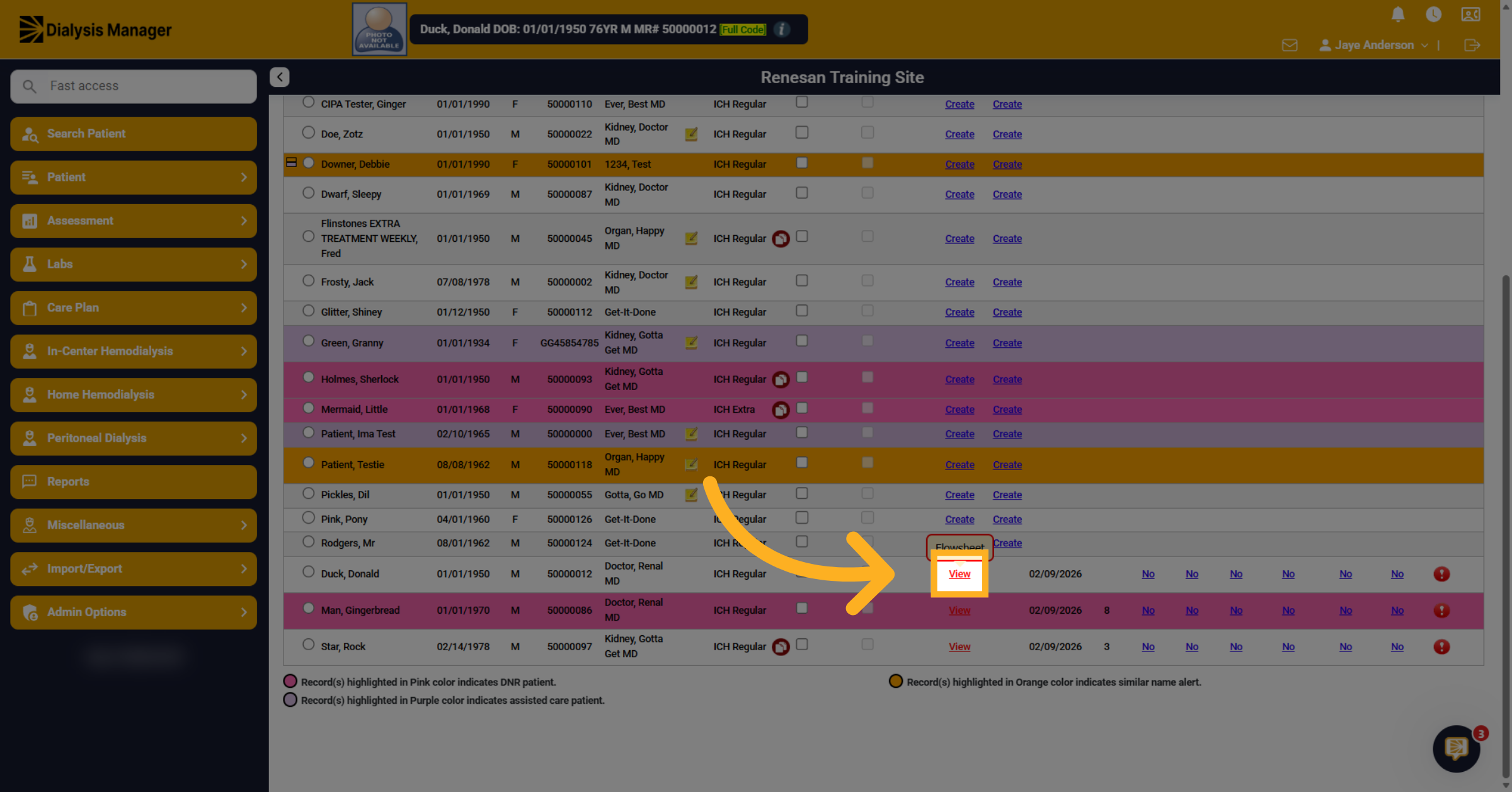
2. Open Treatment By Date View
This tutorial explains how to troubleshoot issues with machine interfaces in Dialysis Manager. You will learn to verify and adjust settings to ensure blood pressures transfer. First, we will start with troubleshooting where one patient's vitals are not transferring. Click View to open the flowsheet for the patient whose vitals are not transferring on the Treatment by Date screen.
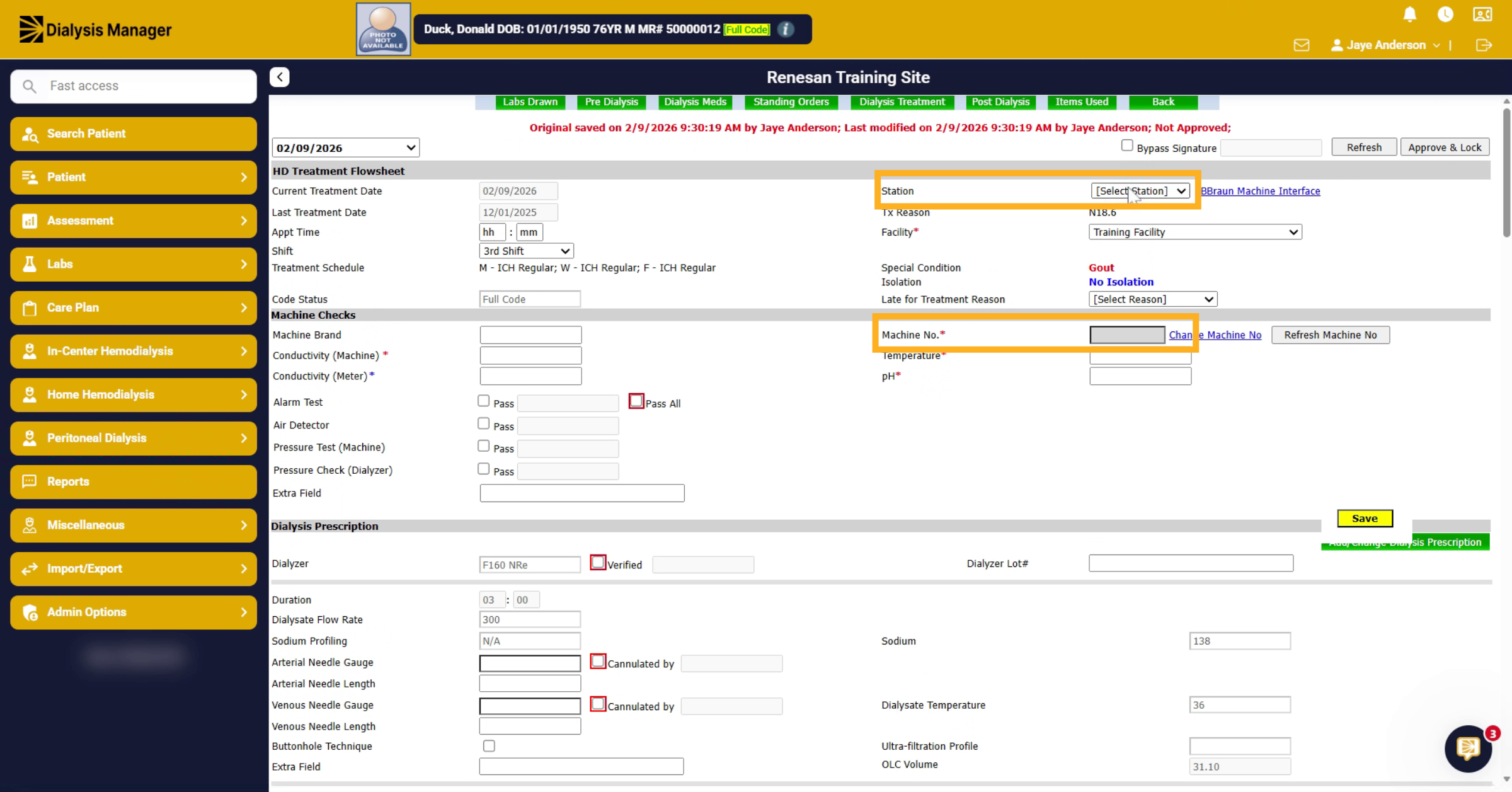
3. Enter Station Selection
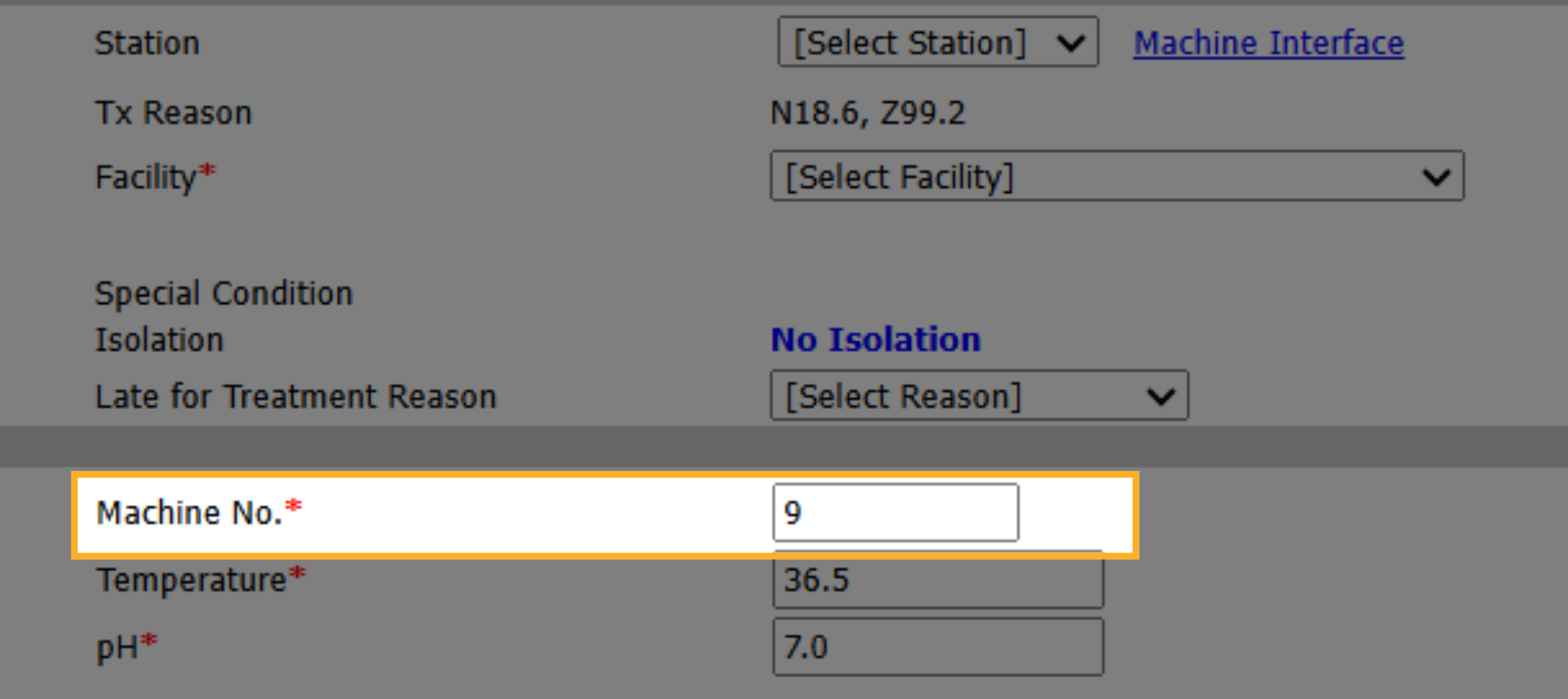
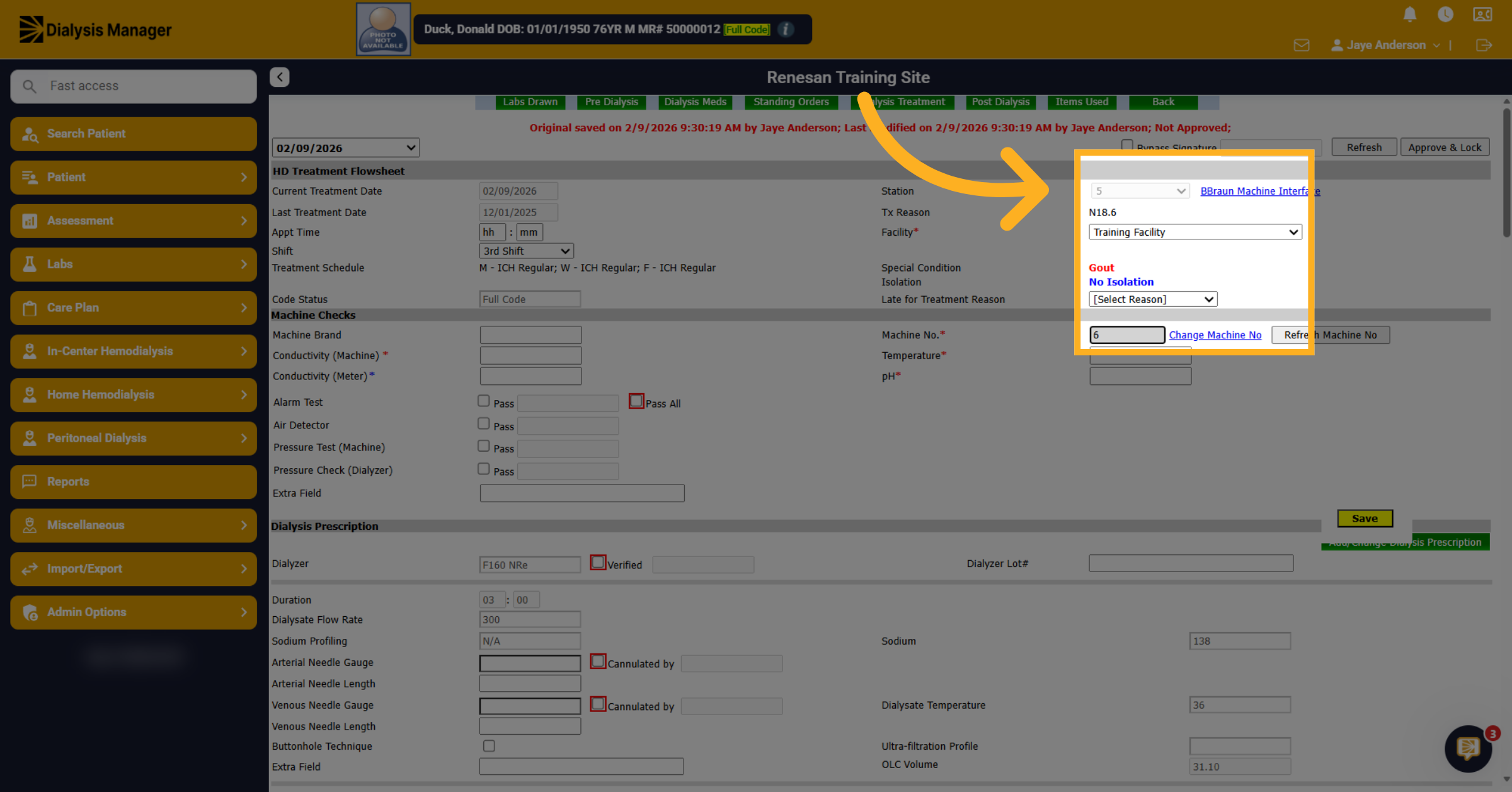
Double check that you have your station and your machine number set correctly. Also notice when you pick your station, it automatically will enter a machine number.
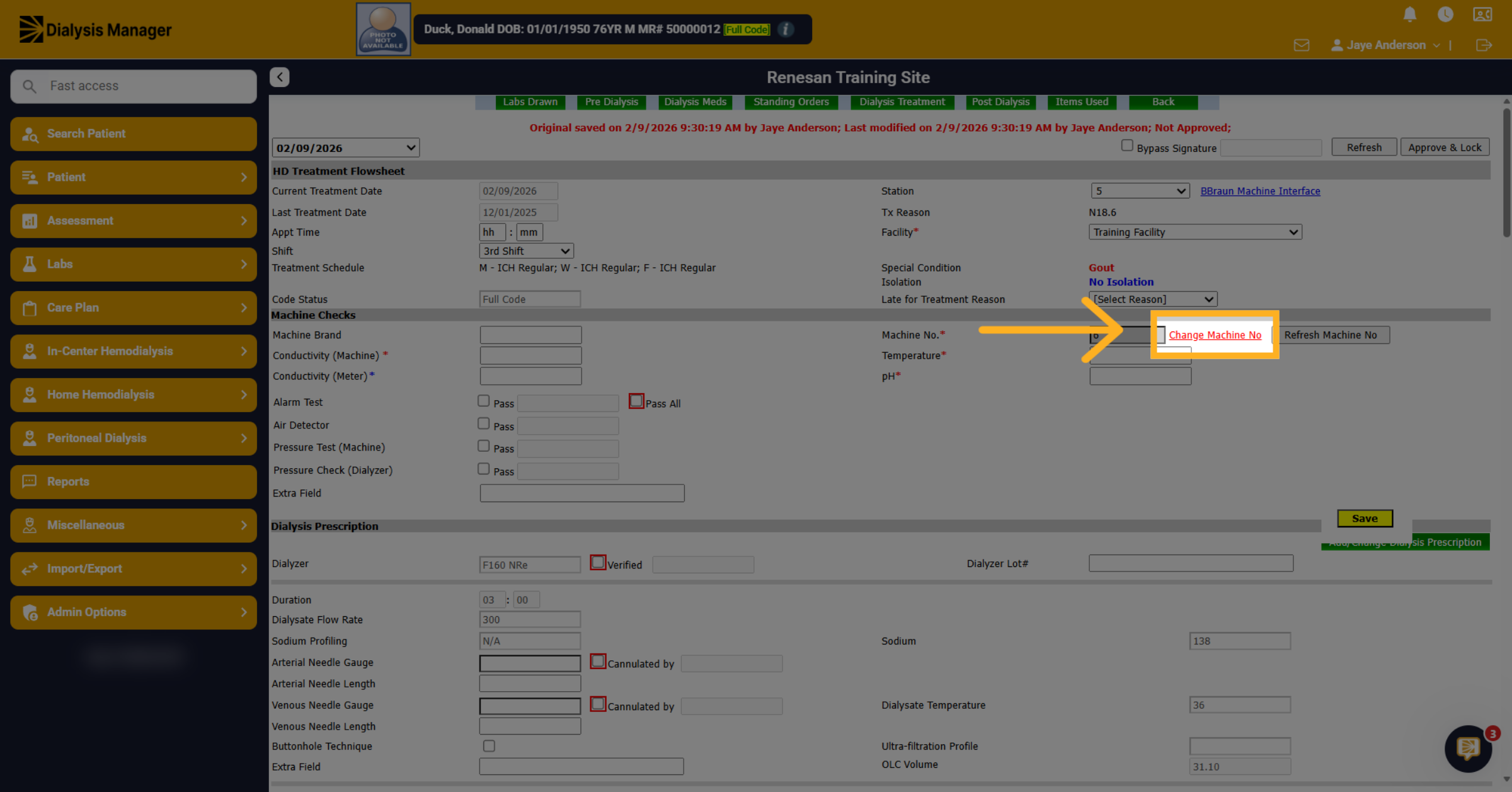
4. Click Change Machine Number
For B braun this is grayed out and associated with the station. If you need to switch it, you can click change machine number here.
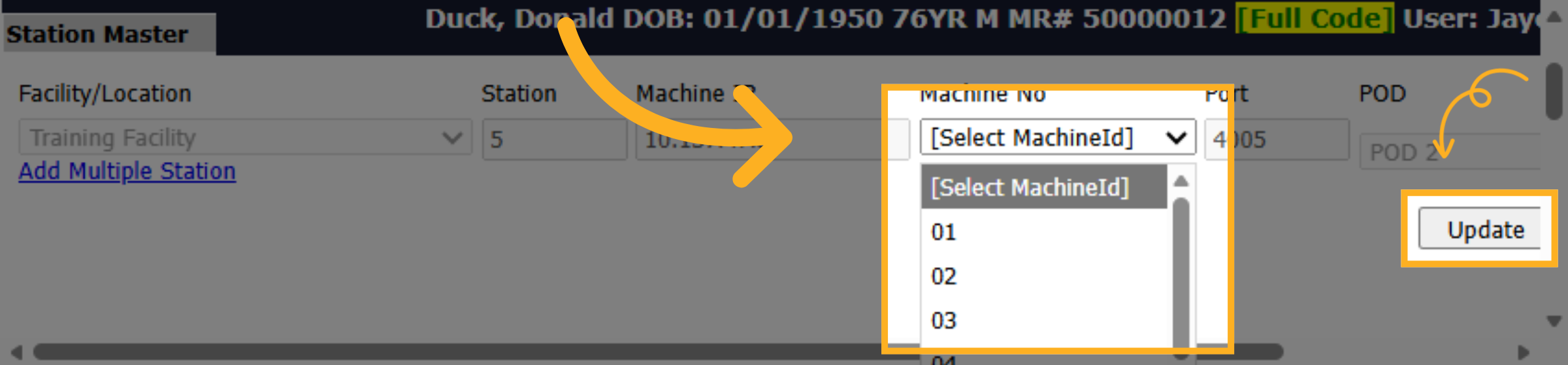
5. Select Machine In Station Master
And you can associate the correct machine number and choose the update button.
6. Fresenius machine number
Notice the Fresenius machines are a manual entry. but note it will enter information automatically when you select the Station, similar to the previous. The major difference is there is no need to click on the link to update if the machine number is inaccurate. Enter the station, then update the Machine number.
7. Open Machine Interface Link
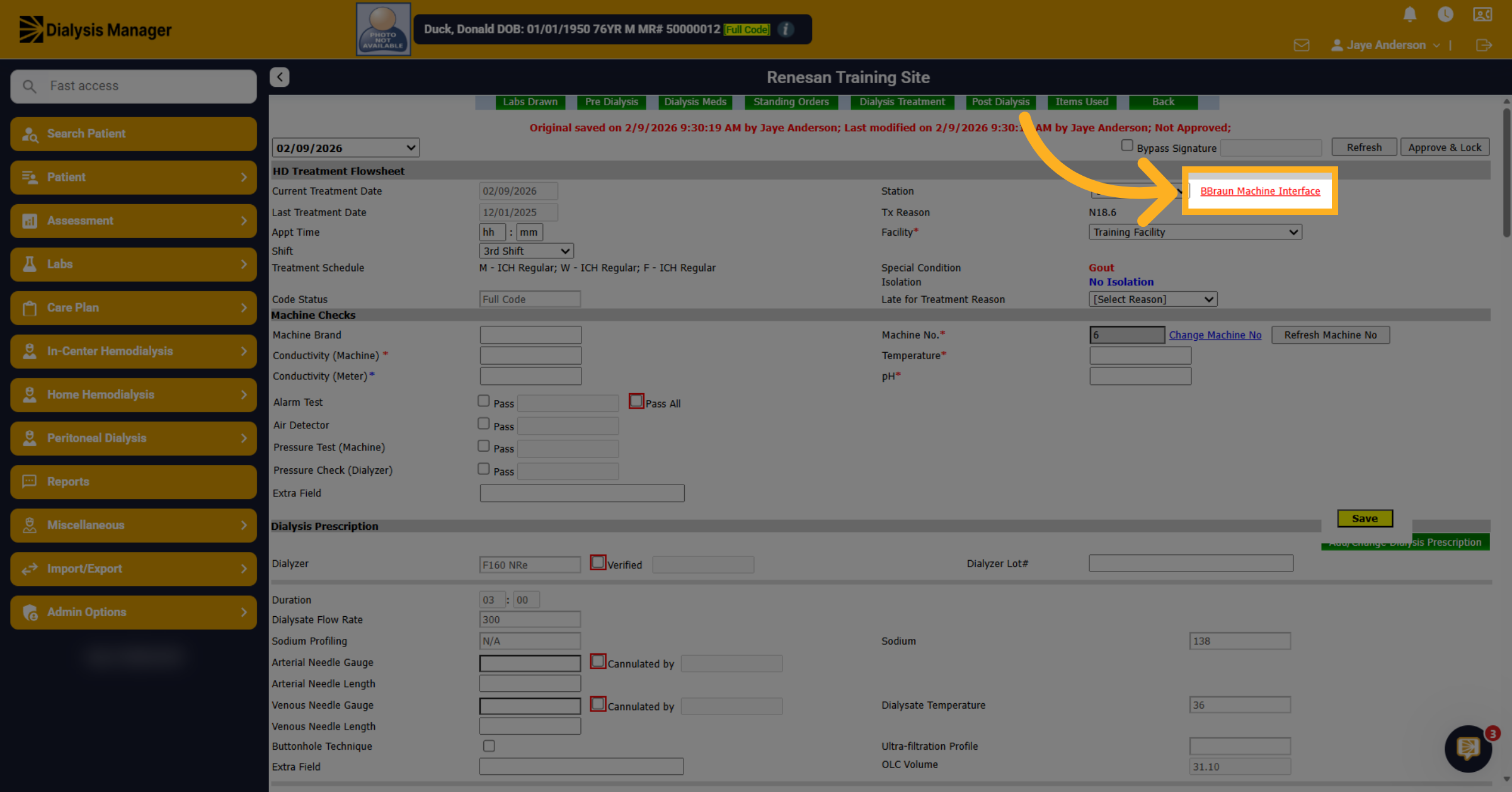
Now that you have verified that information is set correct you can go ahead and click on the machine interface link.
8. Enter Time
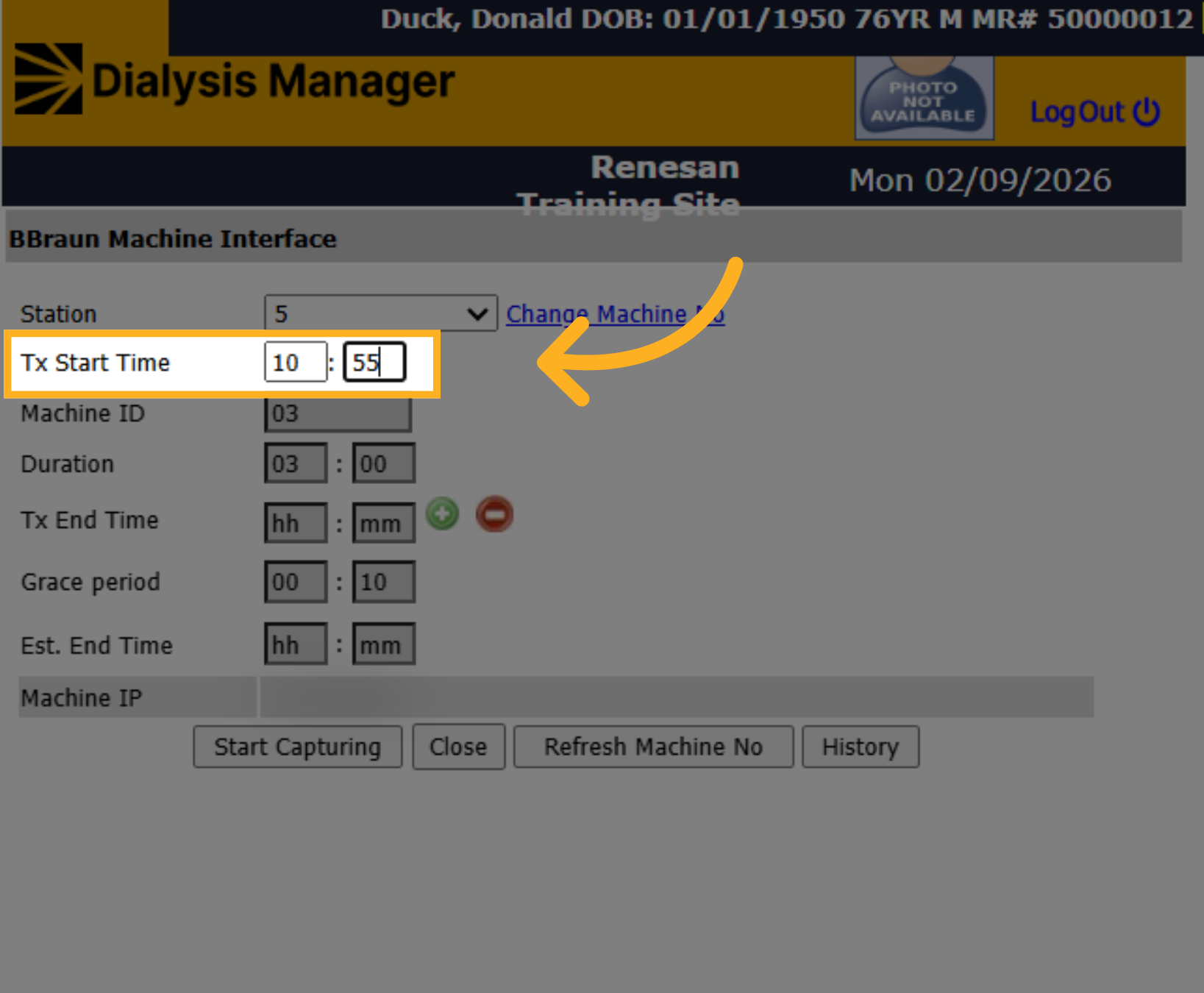
In here you want to ensure that your time is accurate. Also note that this is military time. Please note, that this is when the machine registers the true treatment start time (when blood is in the extracorporeal system) for the treatment. Regardless of the machine type, they all have a Start and End time within the dialysis machine. Also, the clinic should be sure the dialysis machine is set to accurate local time.
9. Click Start Capturing
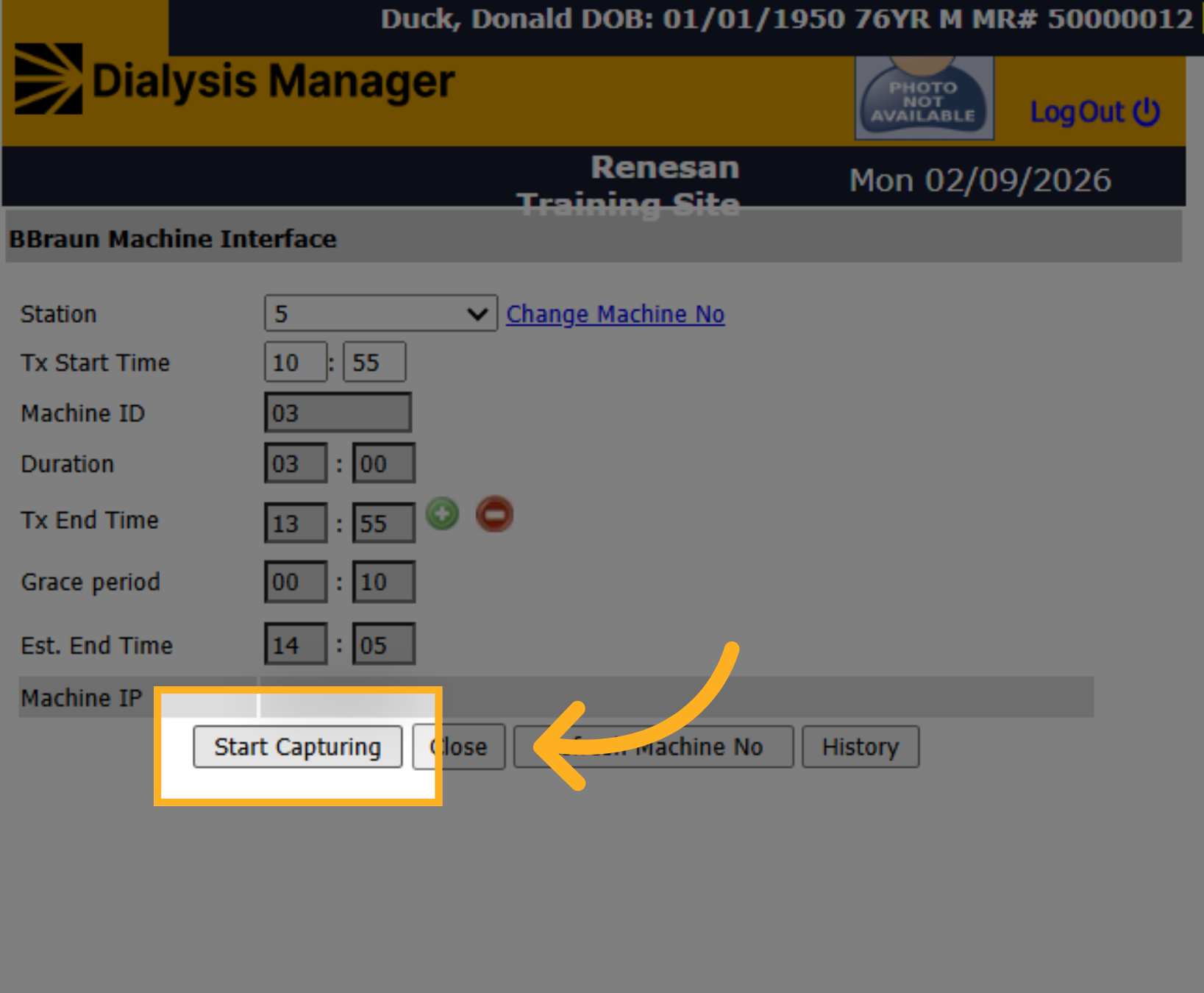
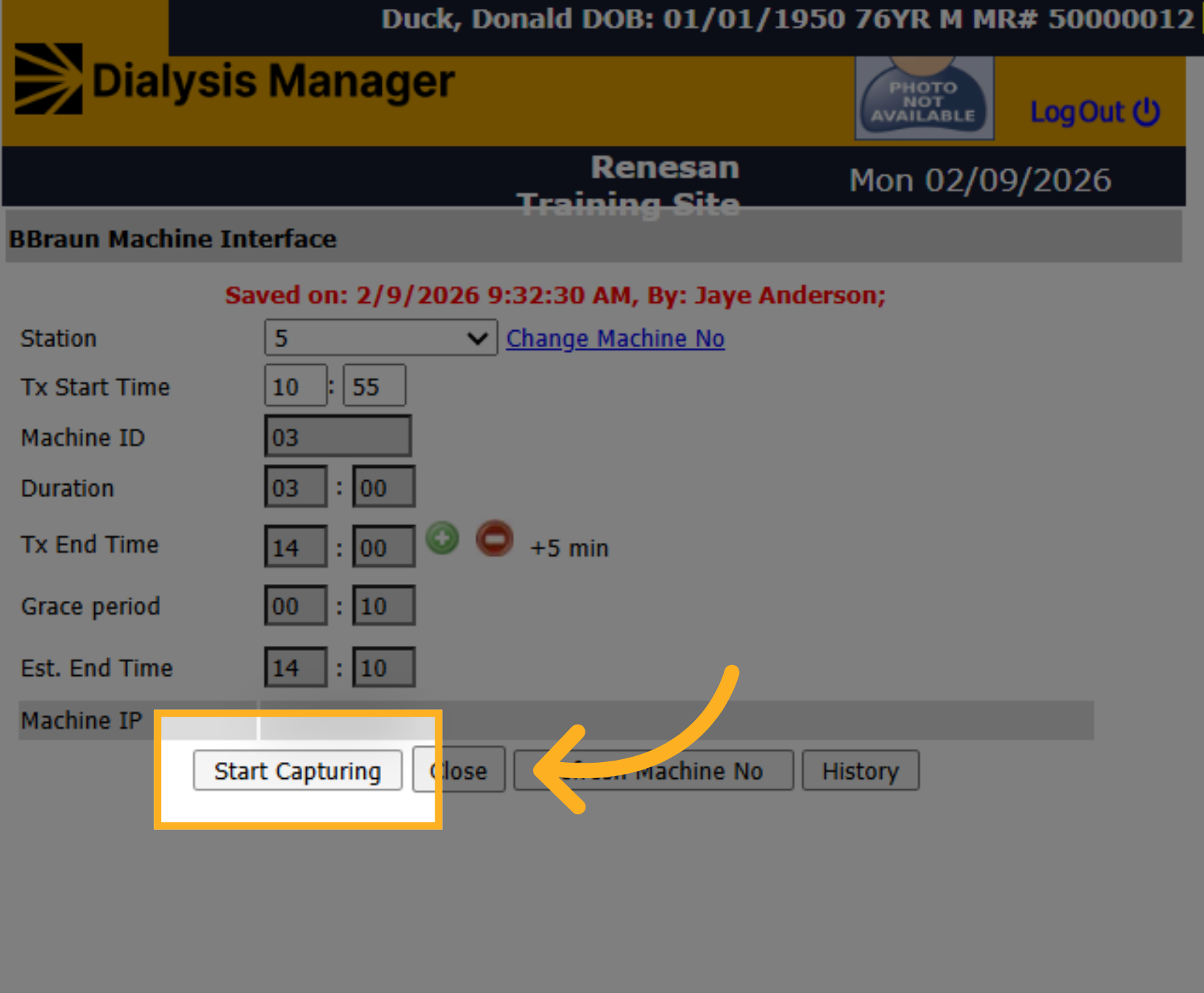
Once you have the time set, you'll click on start capturing. This saves your entry.
10. Duration & Grace Period
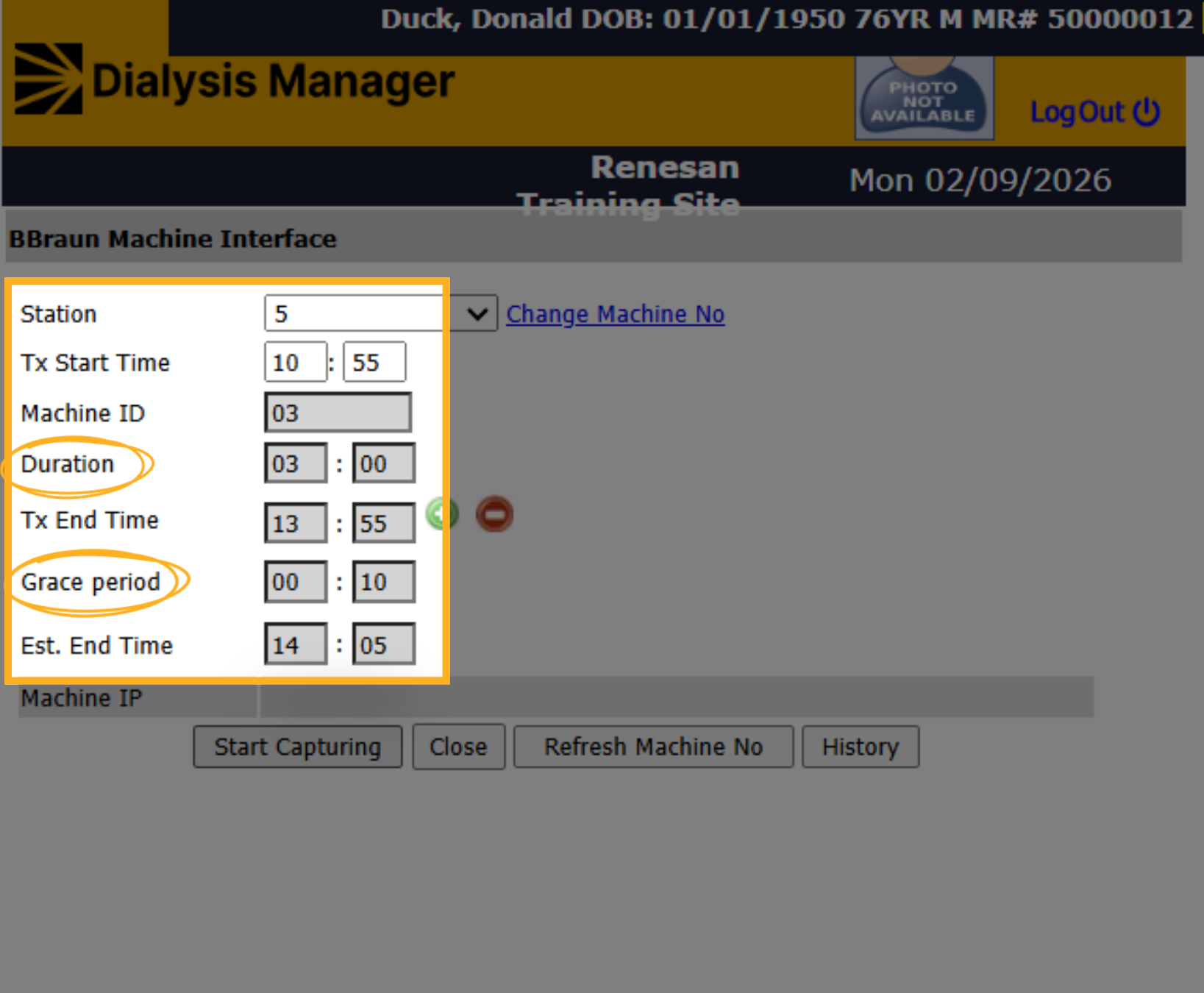
It'll automatically give you a duration according to your dialysis prescription and a 10-minute grace period. The Grace Period, this doesn't add the 10 minutes to the treatment but is for the MD to be able to see the patient's treatment post discharge for a minimum of 10 minutes but MDs can change the time on their Home Page for up to 60 minutes.
11. Adjust Duration
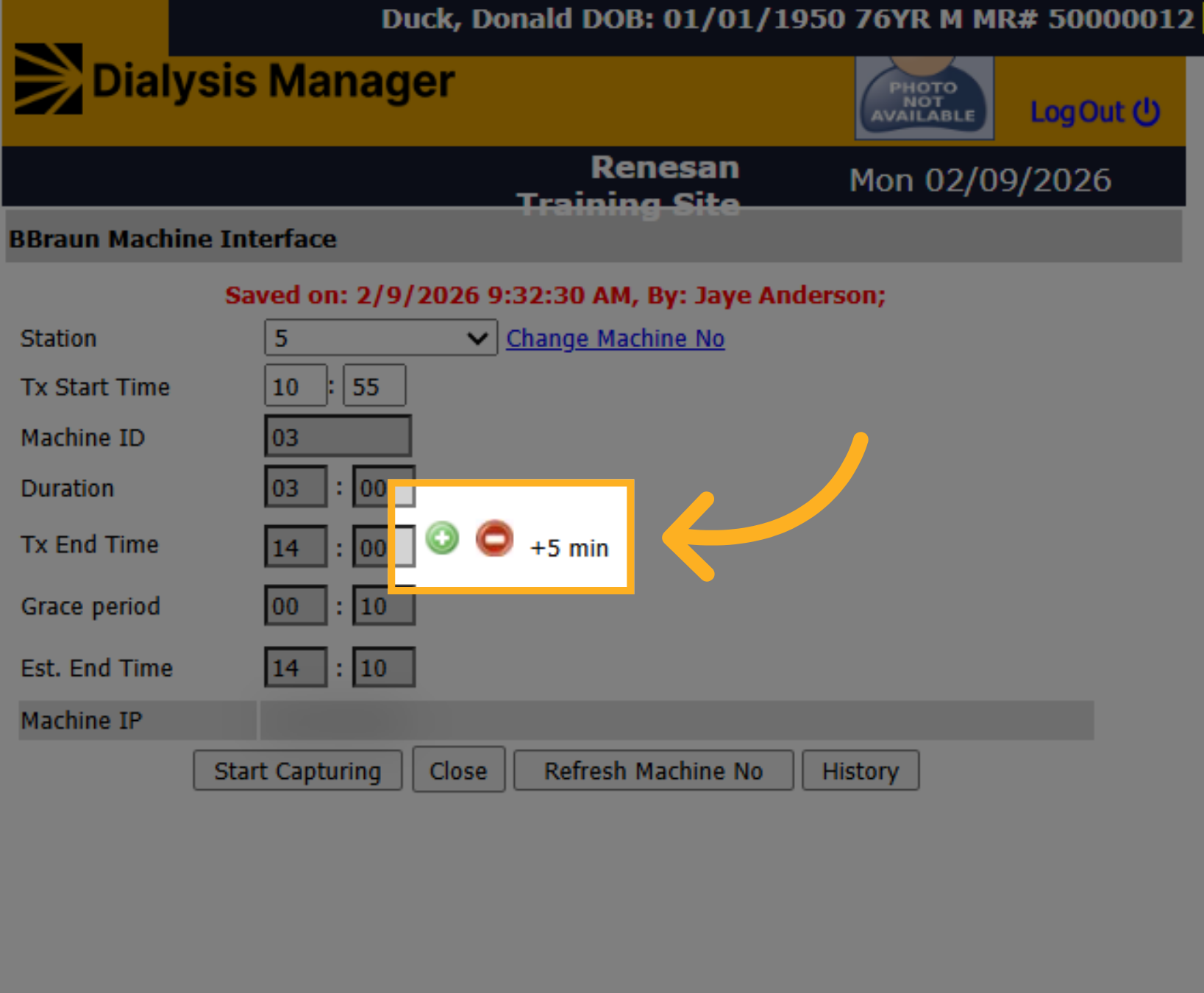
If your patient is staying longer, you can choose the plus sign to increase by five-minute increments. Or minus sign to decrease by five-minute increments, if the patient is ending sooner.
12. Click Start Capturing Again
Click Start Capturing to save the information.
13. Adjust Duration
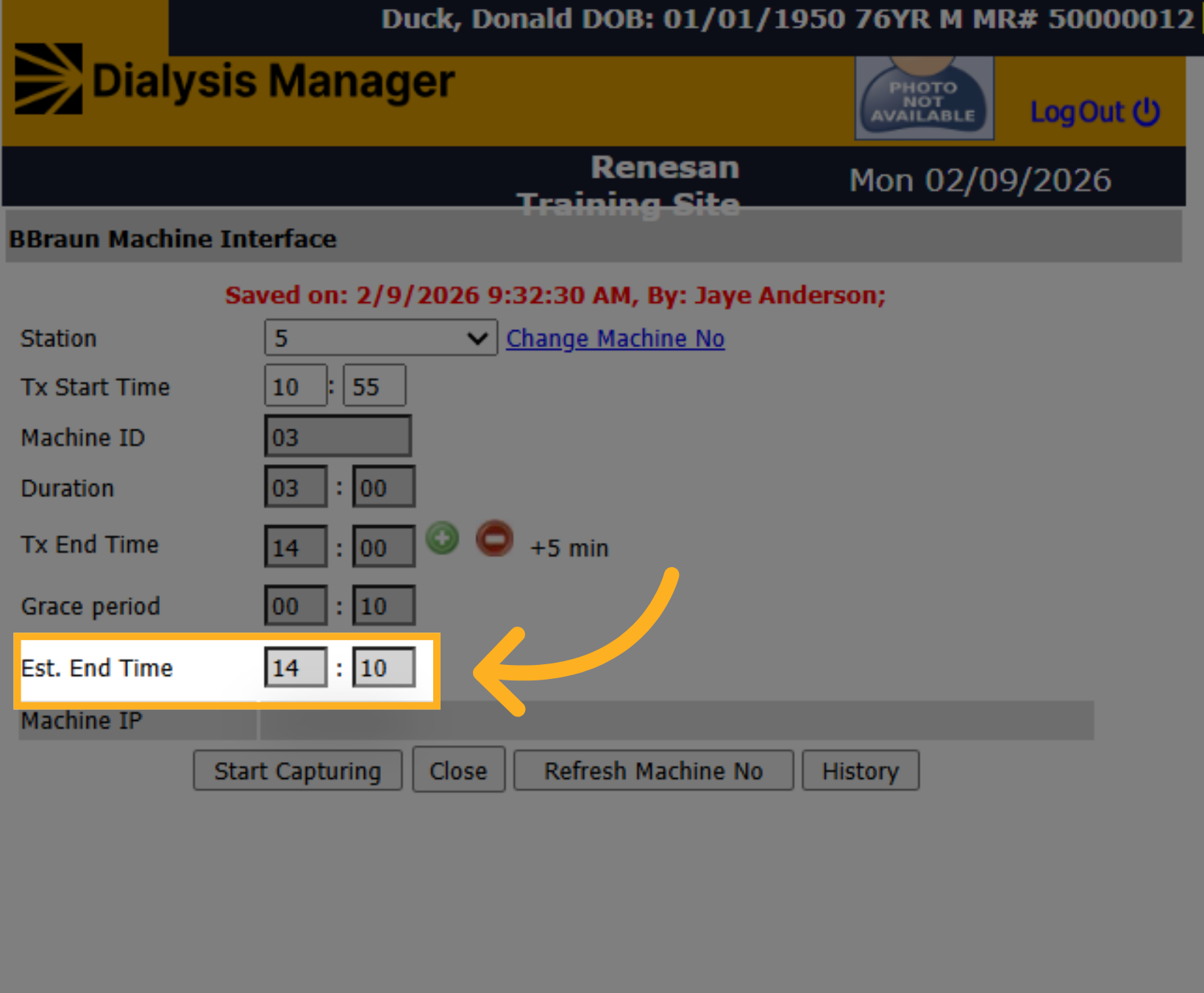
Please note: Once you have reached the estimated end time, the information will no longer transfer into Dialysis Manager. Additionally, no other patient can be started on this station within the interface until this time is reached.
14. Select Station Number
After you've saved the information, you'll note that the station is now grayed out and set. You should start capturing blood pressures on the Dialysis Treatment tab.
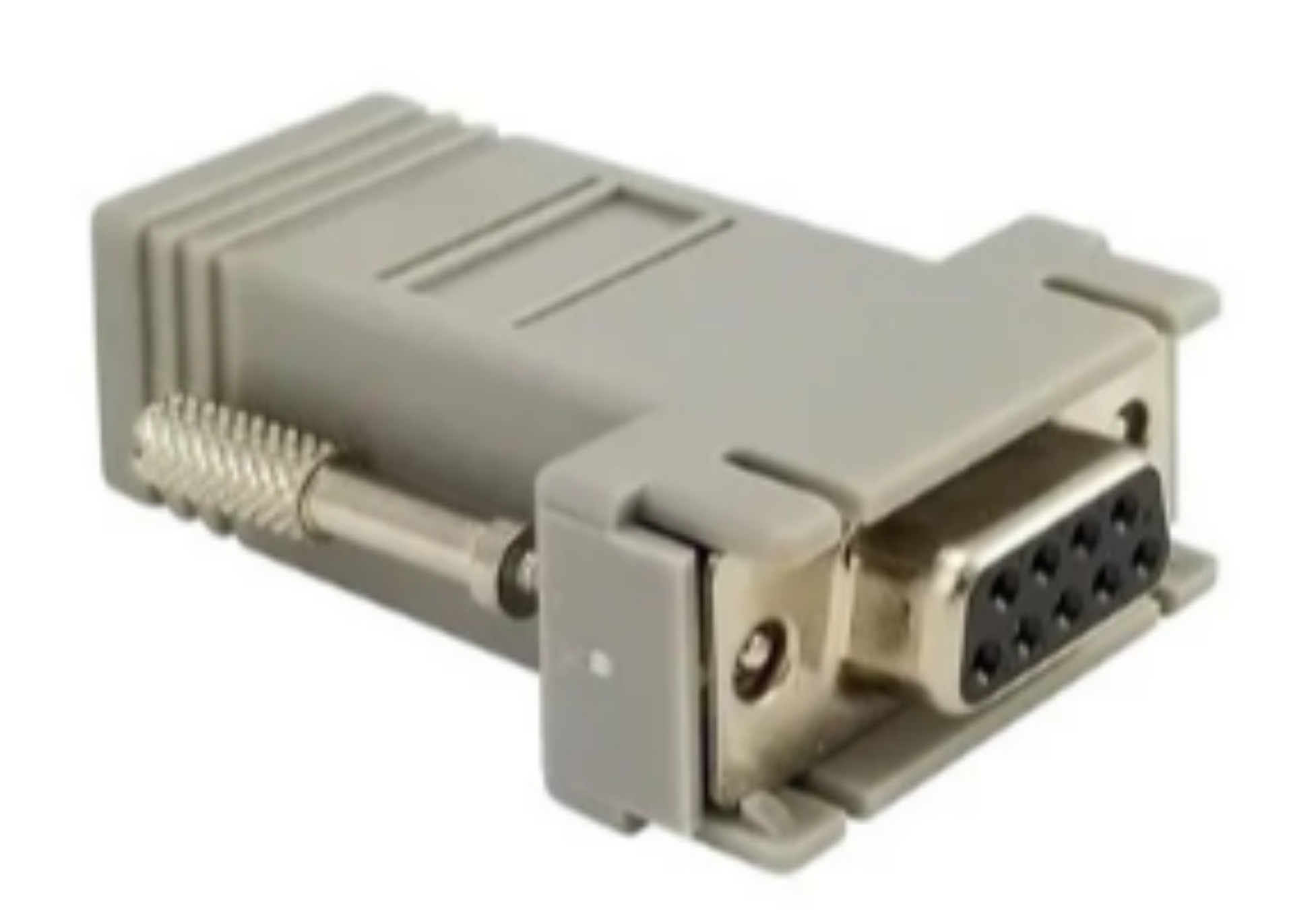
15. DB9 adapter
If you are still not seeing vitals transfer, you may need to look at the physical connections. Pictured here is a DB9 adapter. This adapter fits on the back of the B braun and Fresenius machines.
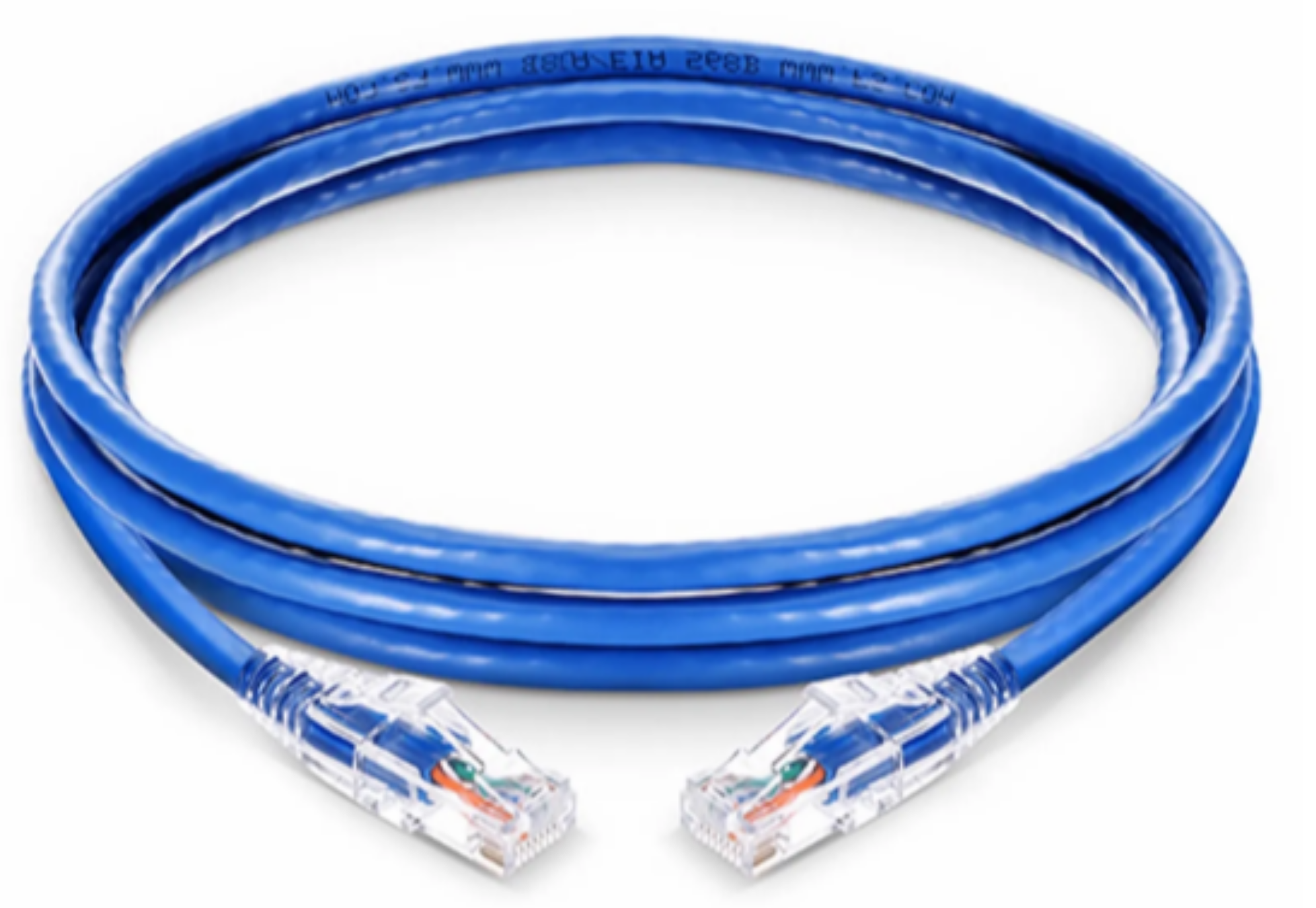
16. Internet Cable
This is a Cat 5 or Cat 6 communication cable. This is plugged into the back of the DB9 adapter and then plugs into the wall jack. The adapter and cable can sometimes be damaged or worn from movement and time. If one machine is not working, you can attempt to swap the cable and or adapter with a known working set to see if communication returns. After swapping it may take 10 or 15 minutes to see the data in Dialysis Manager. Please note, if they unplug the cable due to no transfer of vitals, the vitals taken are lost. Manual entry of vitals will need to be entered to the point the transfer starts again
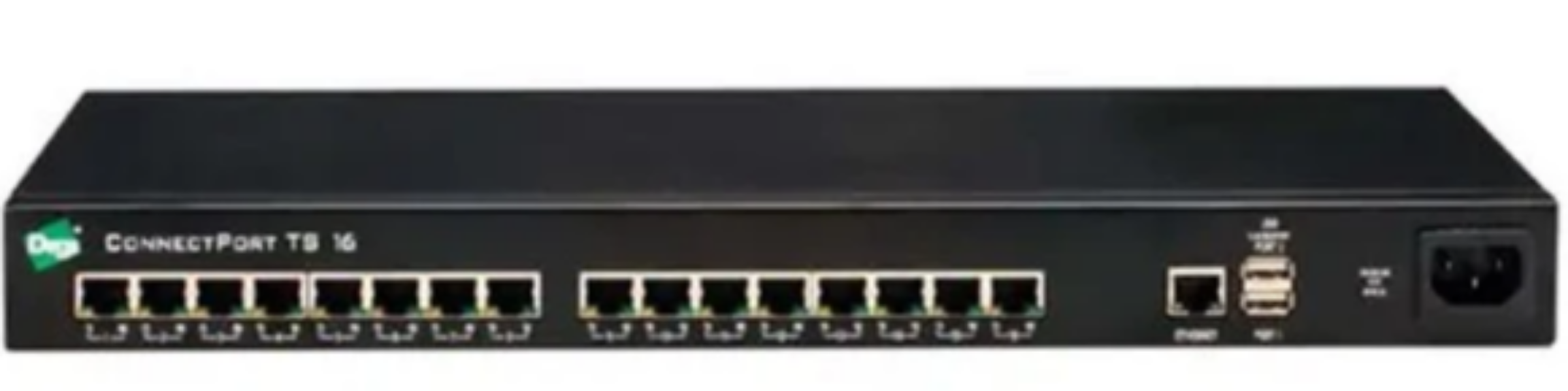
17. Digi
If all of the dialysis machines are not communicating you can try to reboot the Digi device, if used. A call to your IT department may be needed.
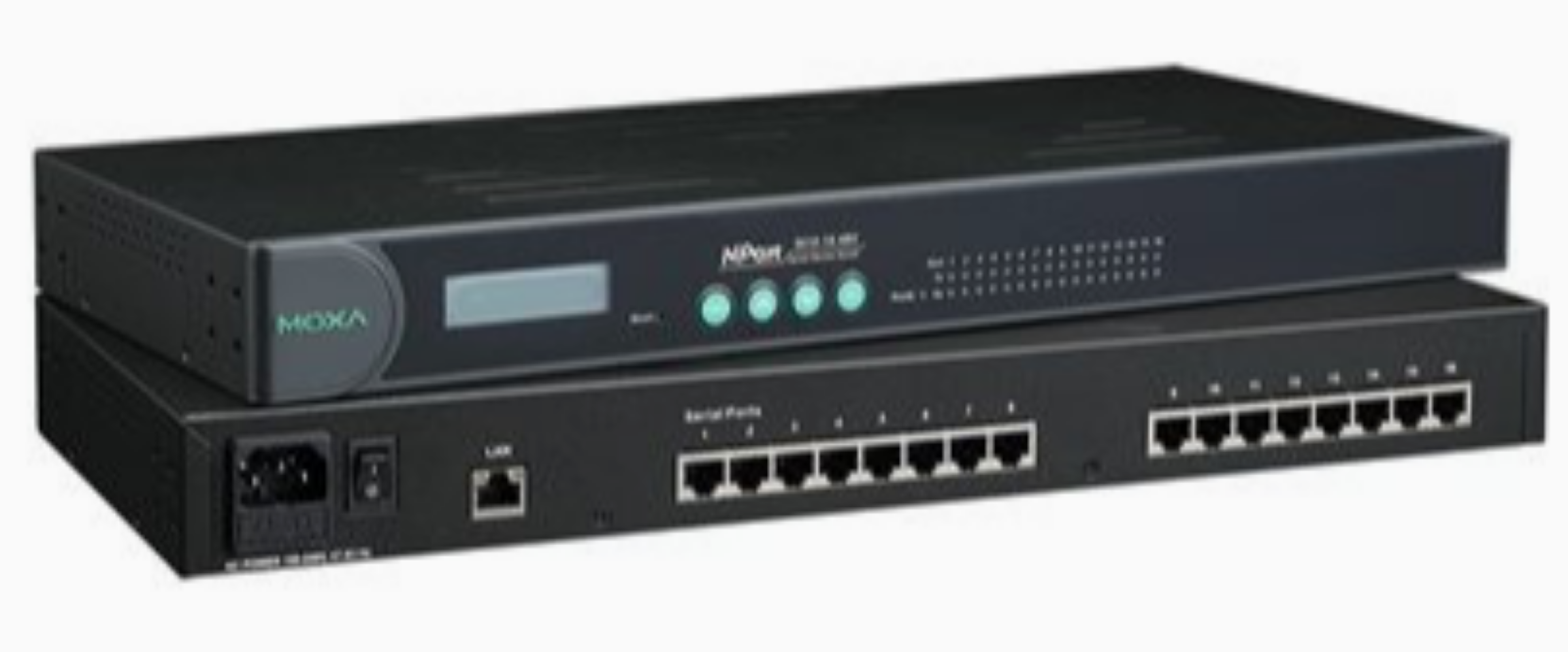
18. Moxa
Or some facilities will use a Moxa device. Again, same as previous you can try to reboot the Moxa. For either the Digi or Moxa, after a reboot you will need to give this at least 15 - 20 minutes for the system to refresh. Again, A call to your IT department may be needed.
19. Collector / Server
If all machines continue to not communicate, there is also a server or what we may call a collector on site. This sometimes can be a simple computer, laptop or even a virtual system. This system collects the data and distributes it back to Dialysis Manager. This computer / collector may need to be rebooted. Keep in mind if this is done it may take up to 30 minutes for the system to become fully functional again . This will impact ALL stations from communicating vitals to the flowsheet. If you are still having troubles, contact your IT department and if needed our Support Services for additional support.

Please add a description