Special Conditions.
1. Special Conditions
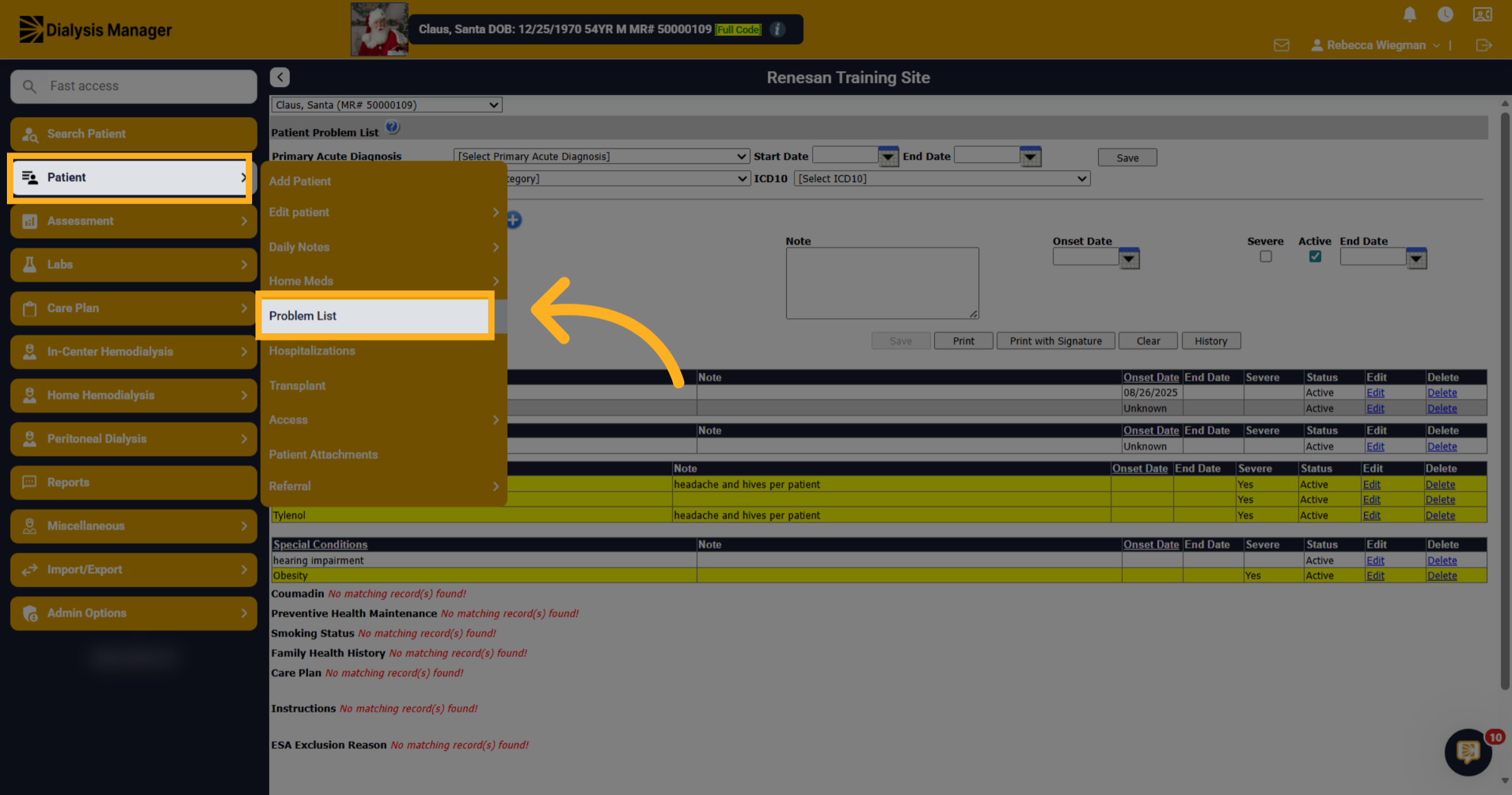
In this video, we will walk you through entering a Special Condition. The Special Conditions are located under Patient, Problem List.
2. Problem List Screen
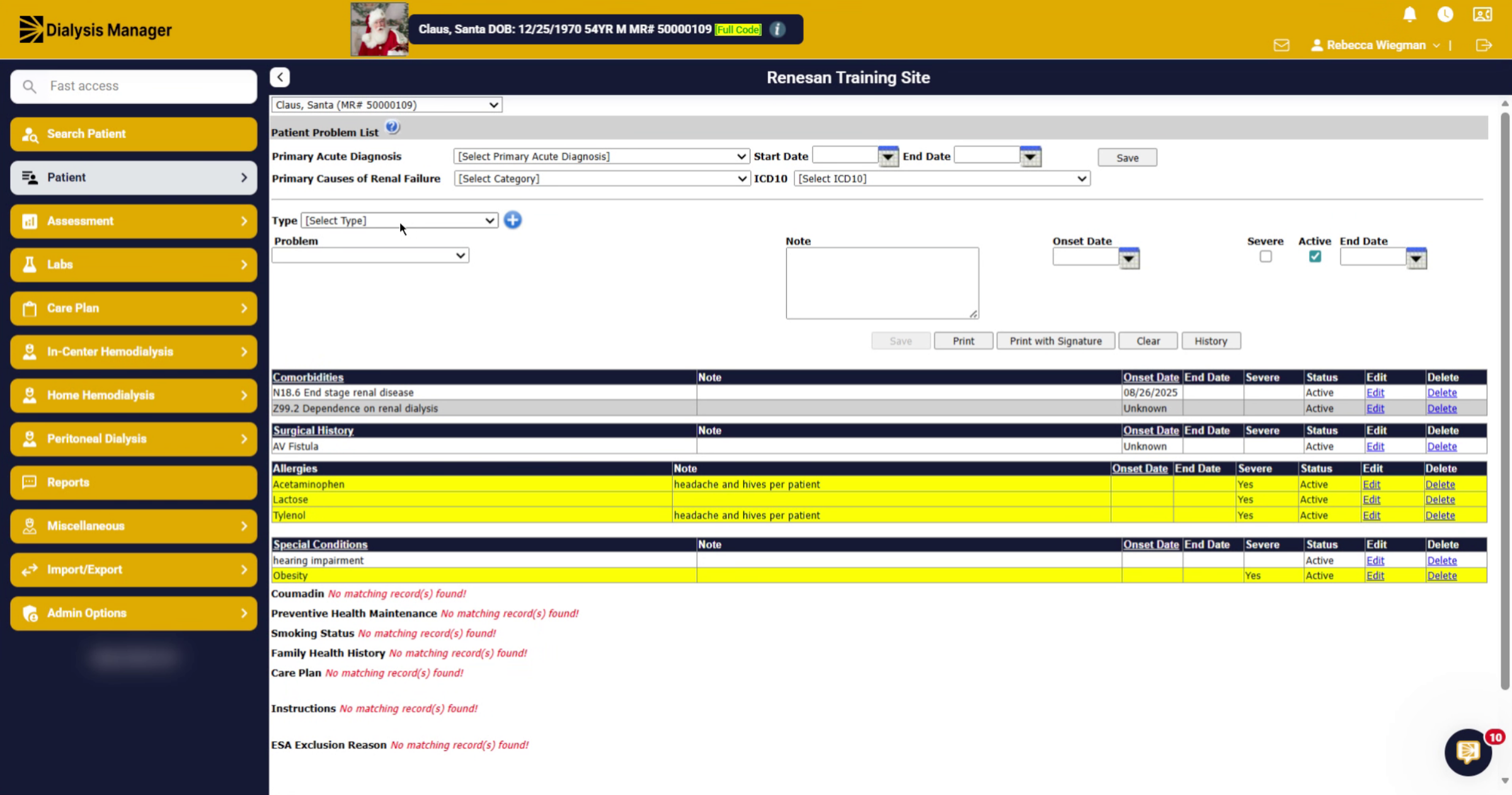
Here is the Problem List screen, where your Comorbidities, Allergies, Family Health History, Special Conditions and other information is stored.
3. Type Dropdown
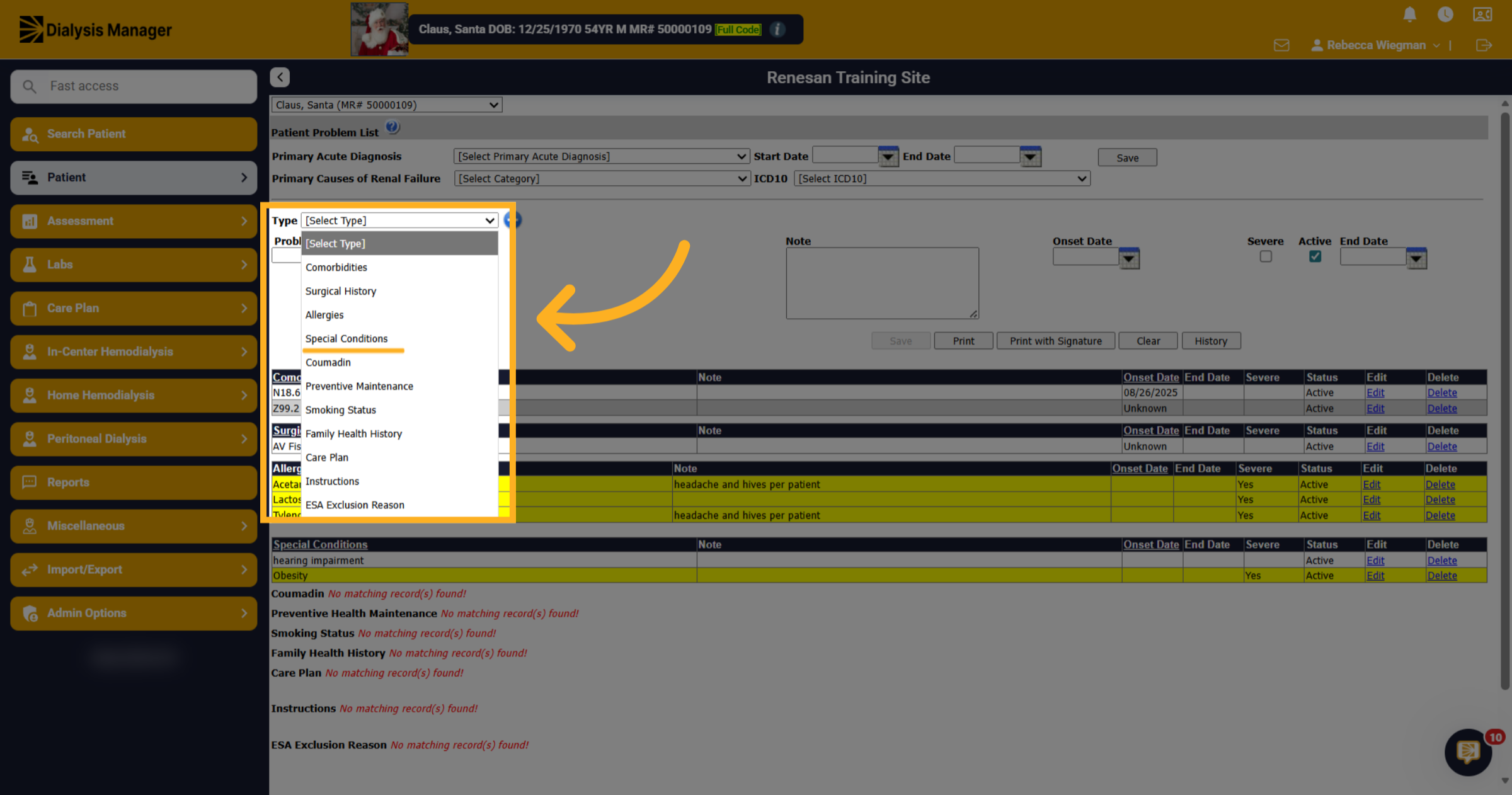
In the Type dropdown search for Special Conditions.
4. Problem
When you open the Problem dropdown list, you can scroll through the options or start typing to quickly locate your condition.
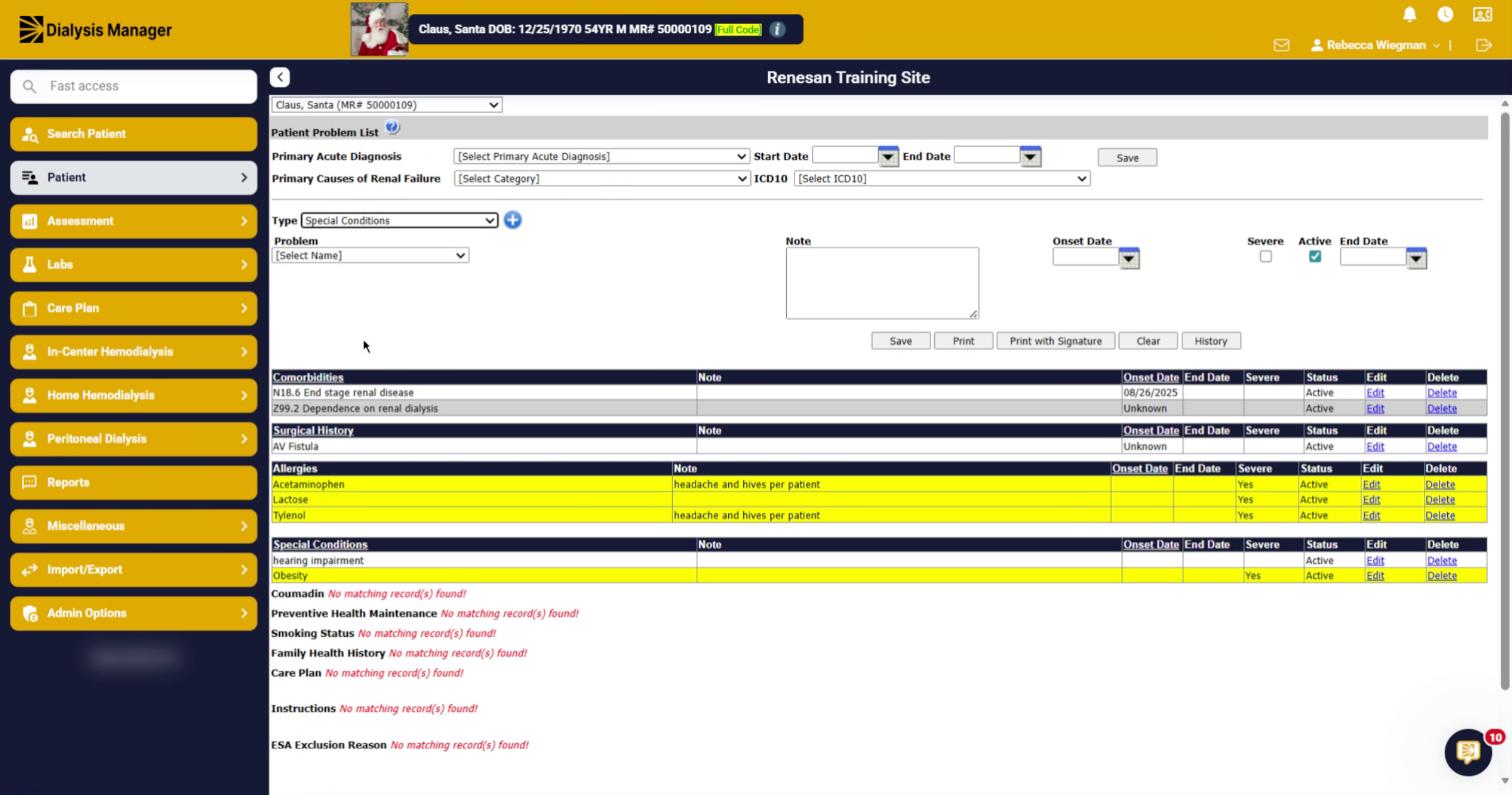
5. Notes
Enter any notes that help define the Special Condition.
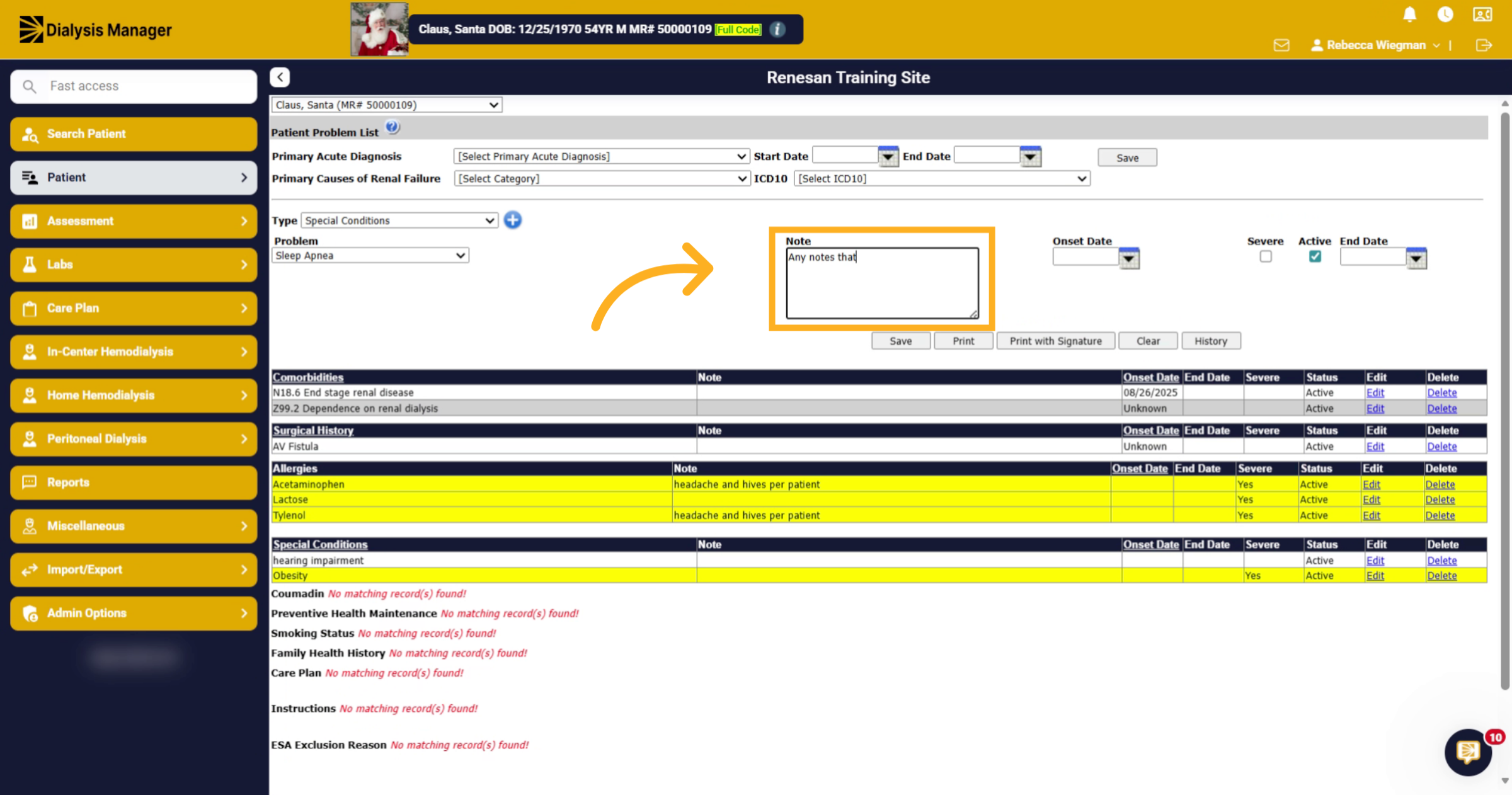
6. Include Onset and Severity
If you have an onset date or if the condition is severe, include that information.
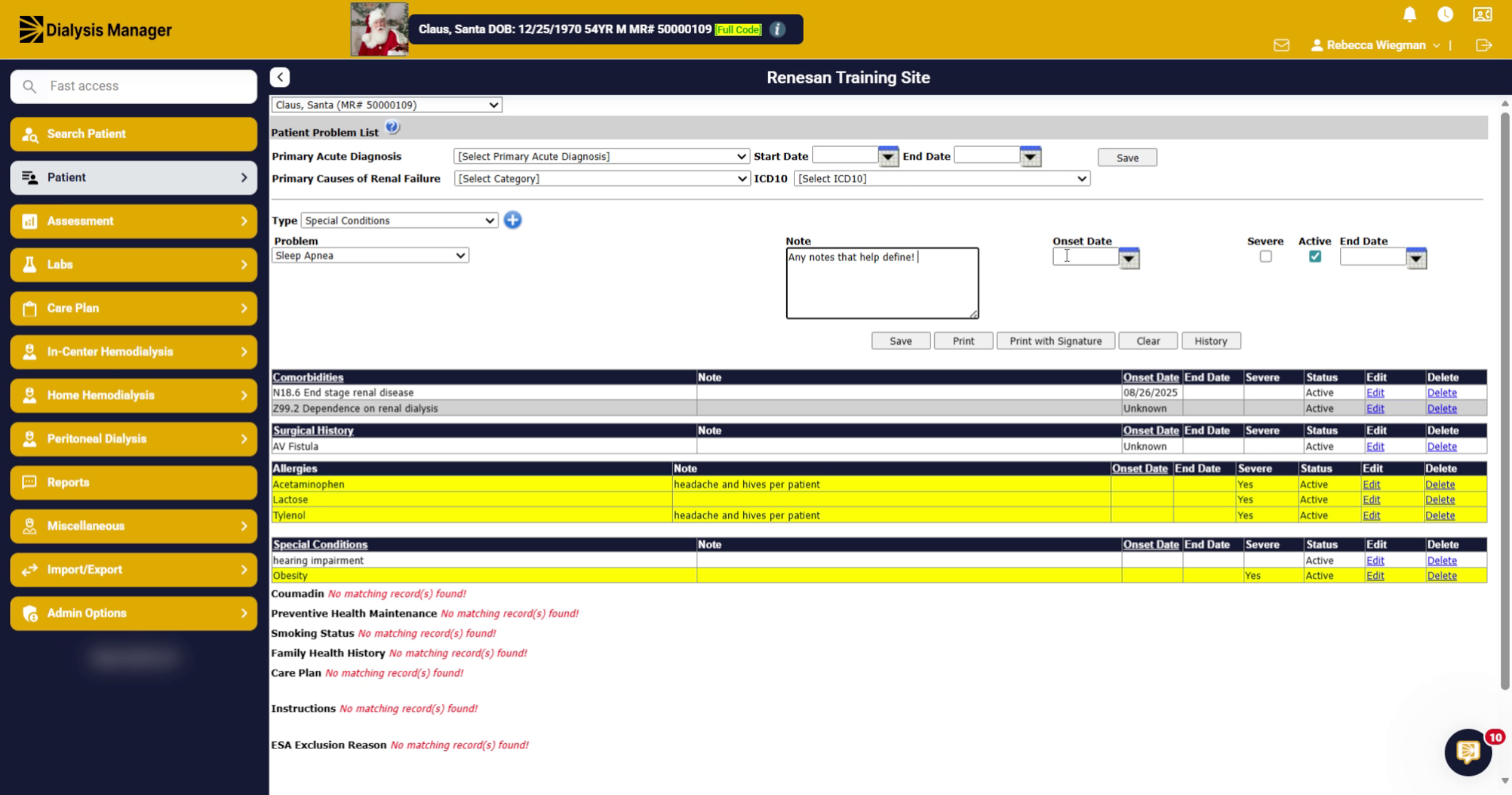
7. Save Special Condition
Click Save.
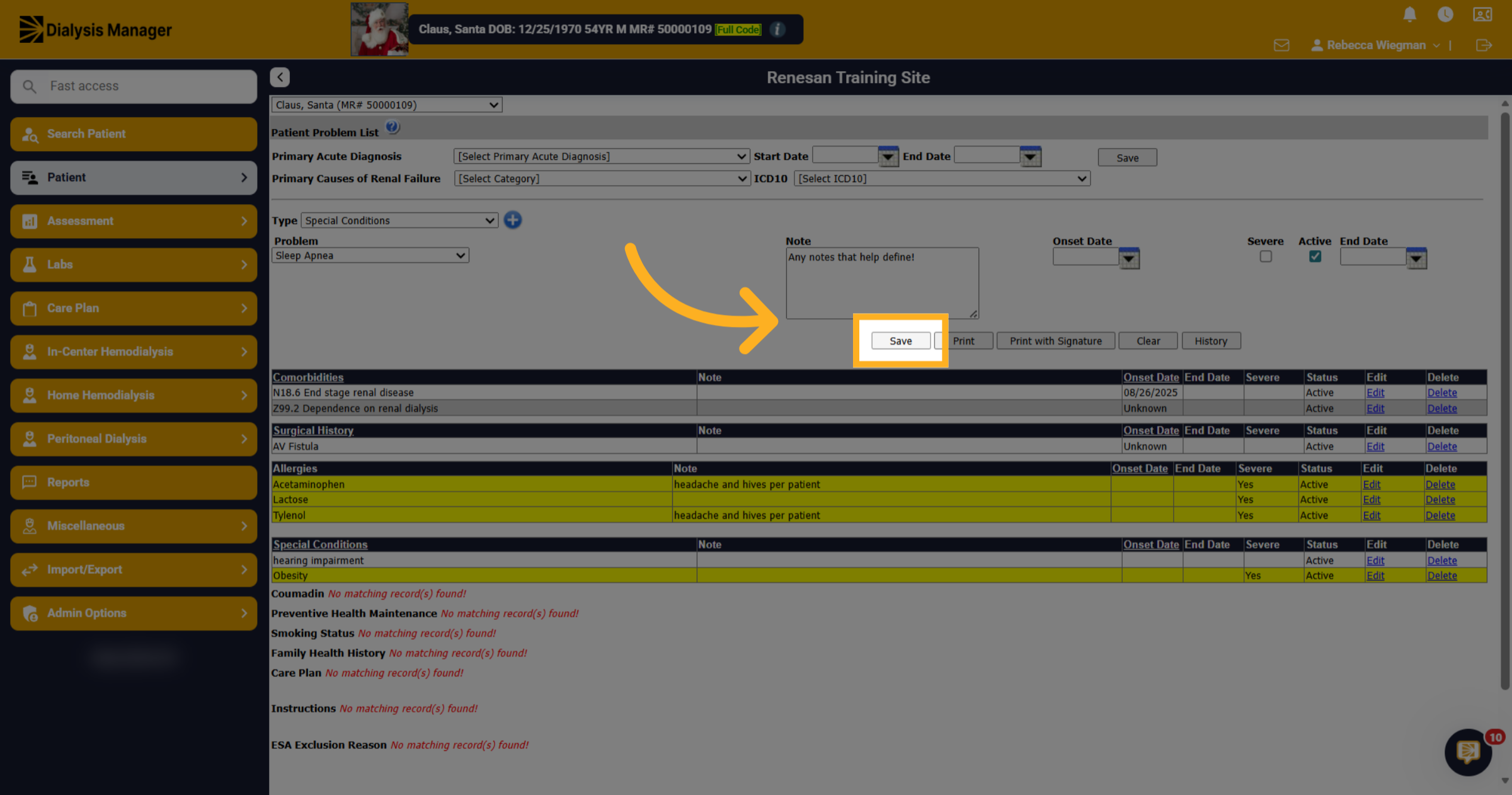
8. Review Existing Conditions
Down below, you will see other special conditions that have been entered. If you need to make changes you can select Edit. You can also Delete if it was entered incorrectly. If the patient no longer suffers for a Special Condition we recommend it is Ended rather than deleted.
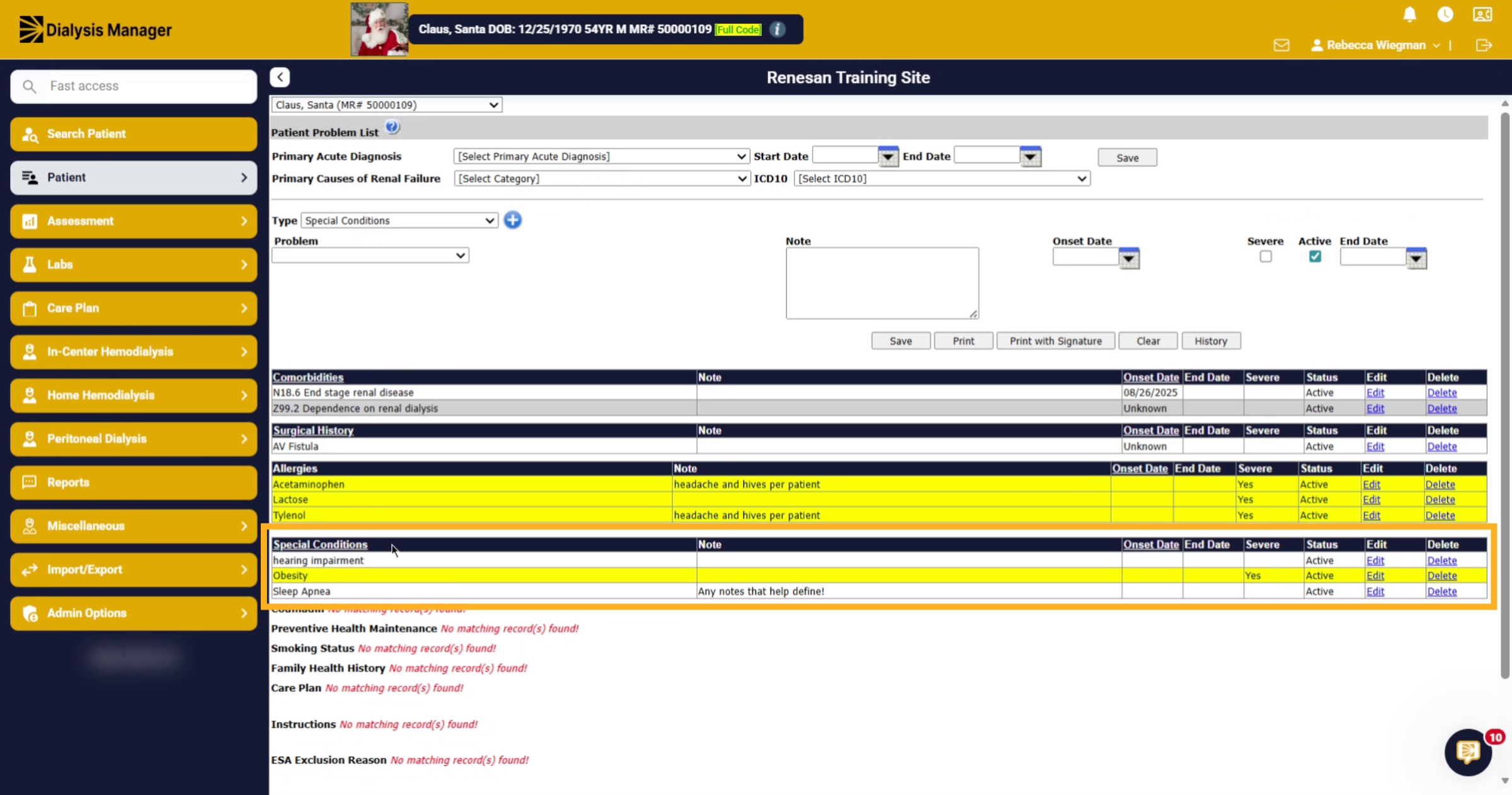
9. Edit Existing Entry
Click Edit.
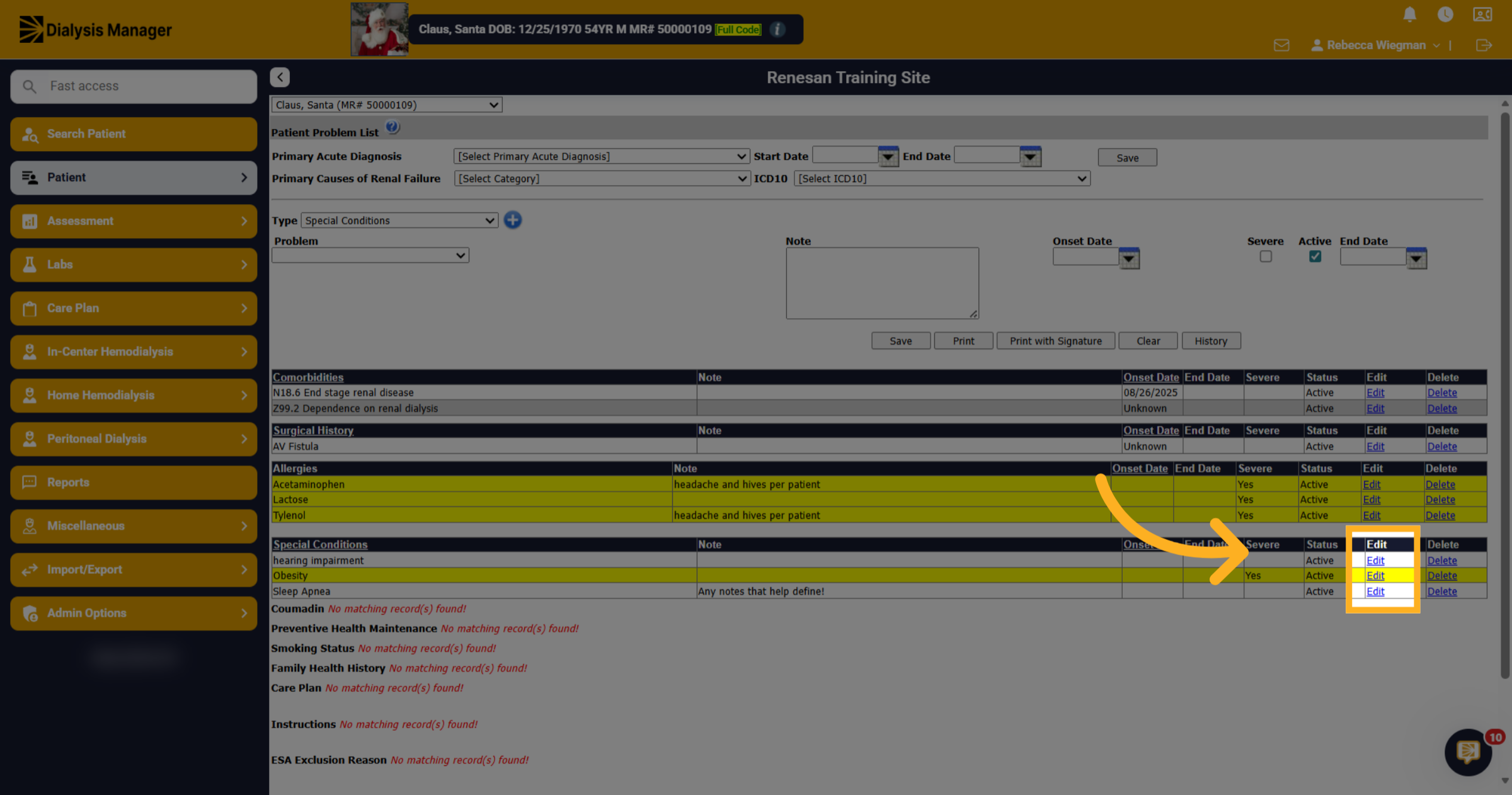
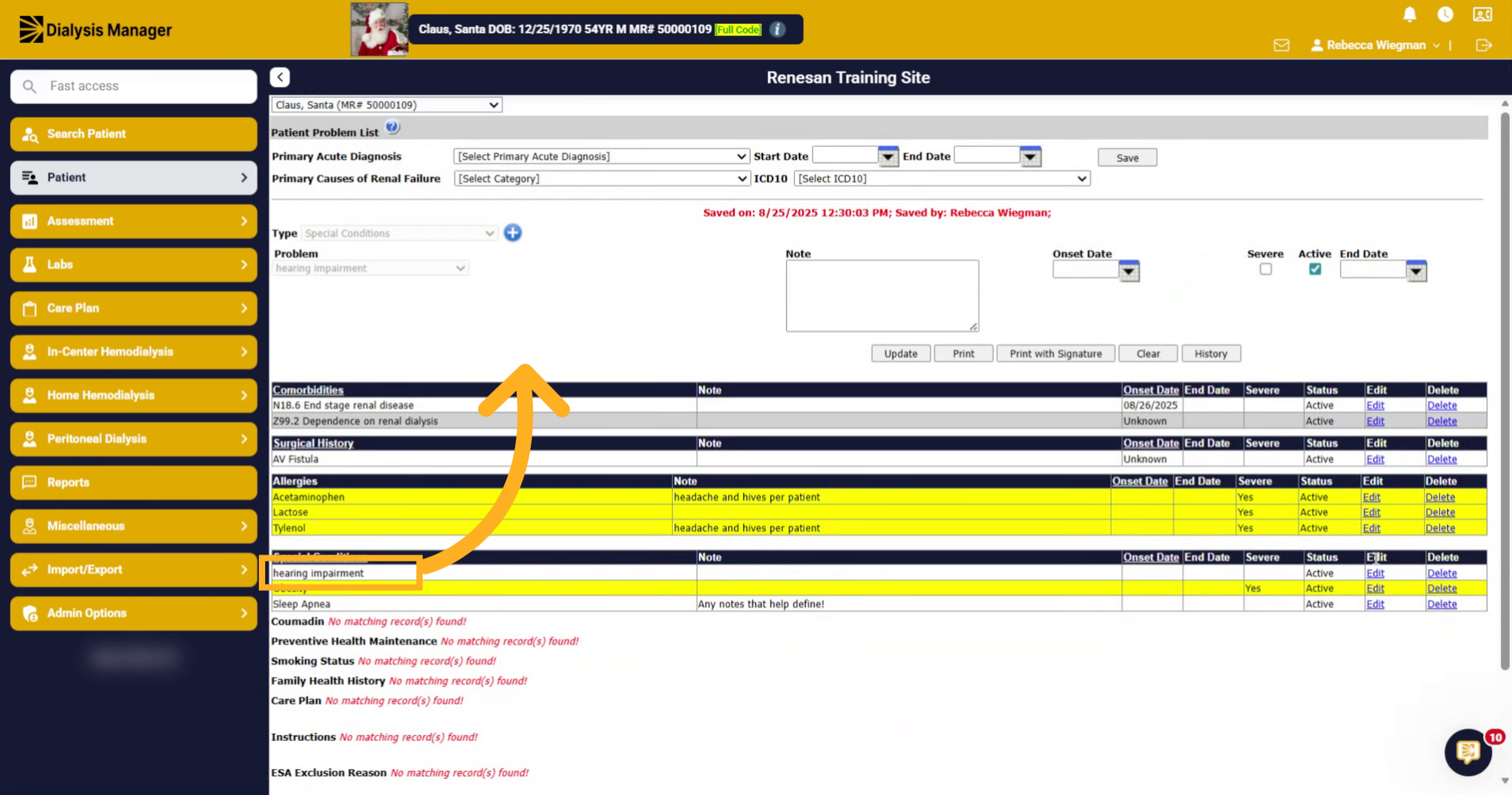
10. Edit
Once selecting "Edit" the Special Condition will populate at the top. Here we selected "Edit" for Hearing Impairment, which moved it to the top of the form.
11. Editing
Now we are able to make changes such as Ending the Special Condition or for this example, the patient hearing has worsened over the years and we are marking it as Severe. Once updates have been made and any notes added click "Update
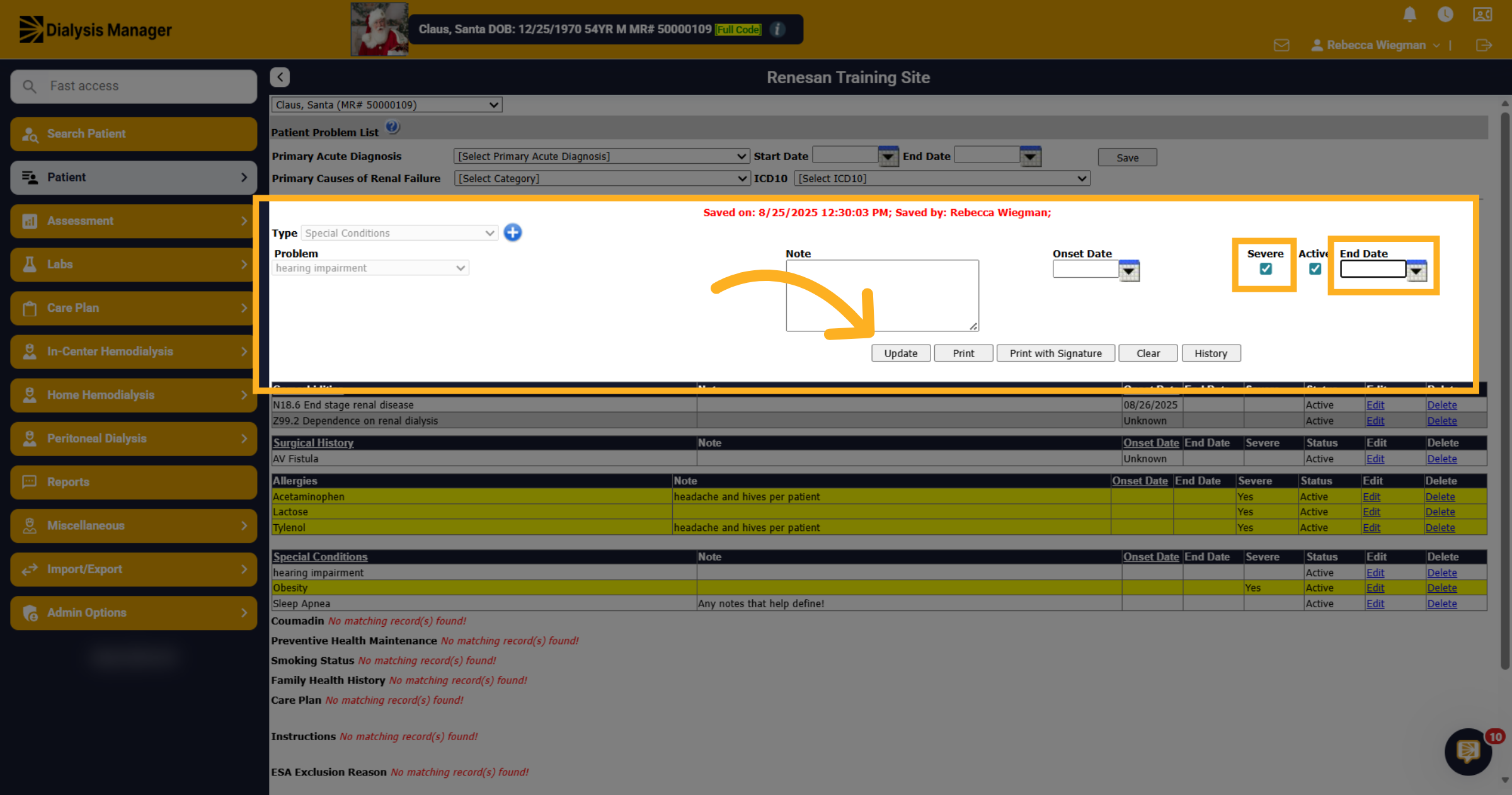
12. Severe
Please note that once a Special Condition is marked as Severe, it will be highlighted yellow!
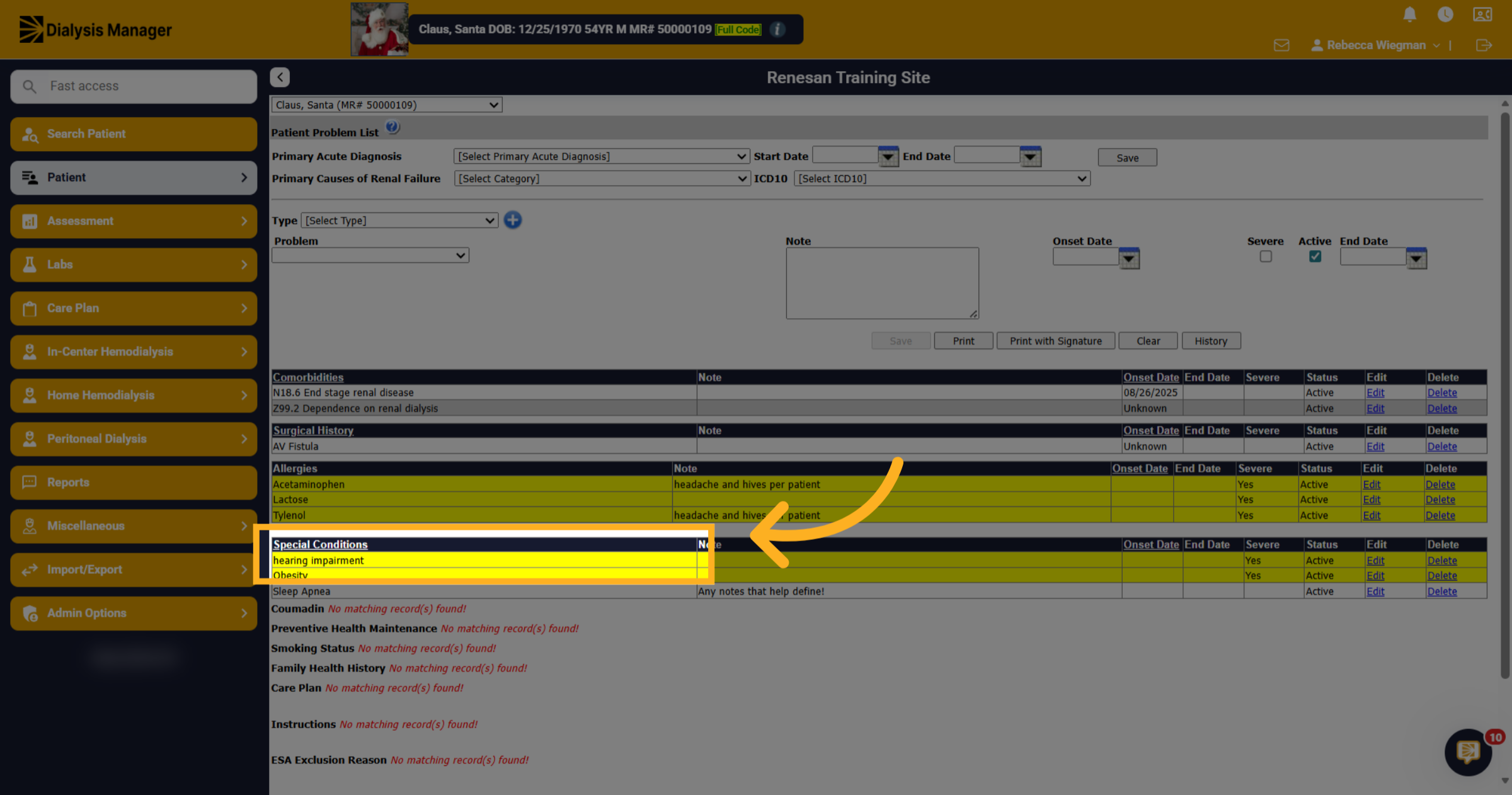
13. Shown throughout Dialysis Manager
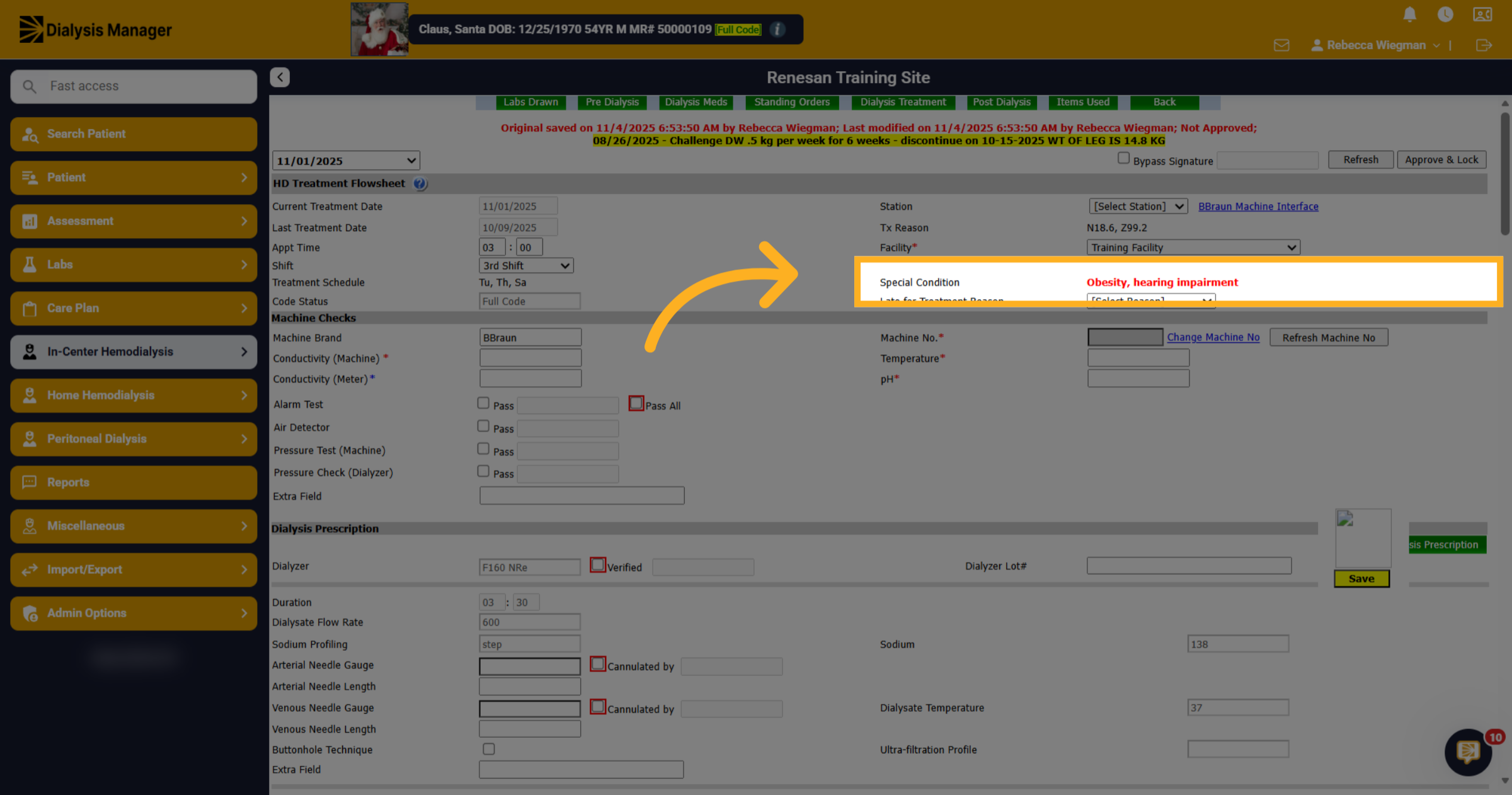
Now that Special Conditions have been entered, you'll see them here inside the patients Flowsheet. You will also see them appear inside the Dialysis Visit Notes, Annual assessments for nursing, dietitians and social workers as well as in the CIPA form for the nurse and dietitian.