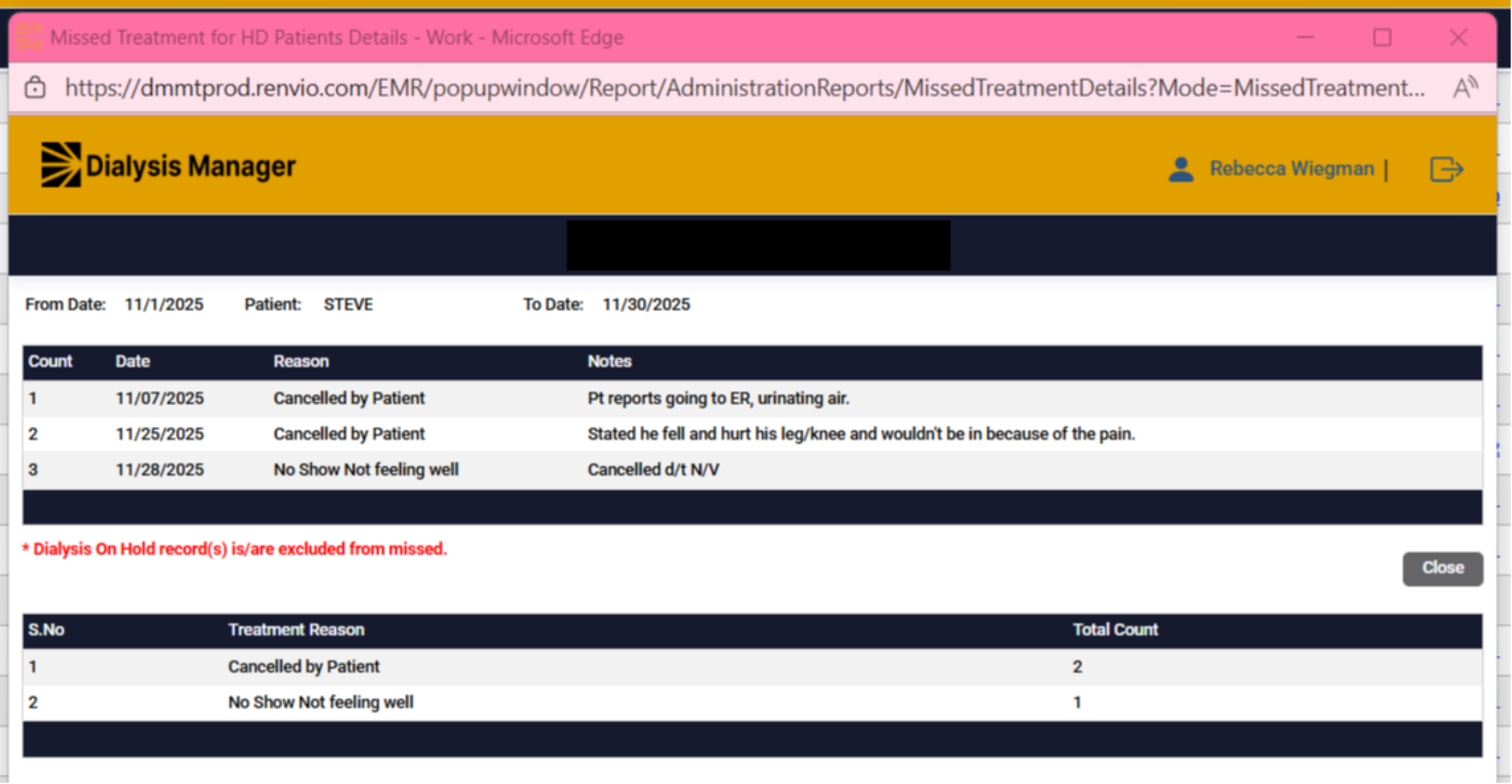
Report: Missed Treatment for Patients.
1. Introduction
This tutorial explains how to generate a report for missed treatments in Renvio.
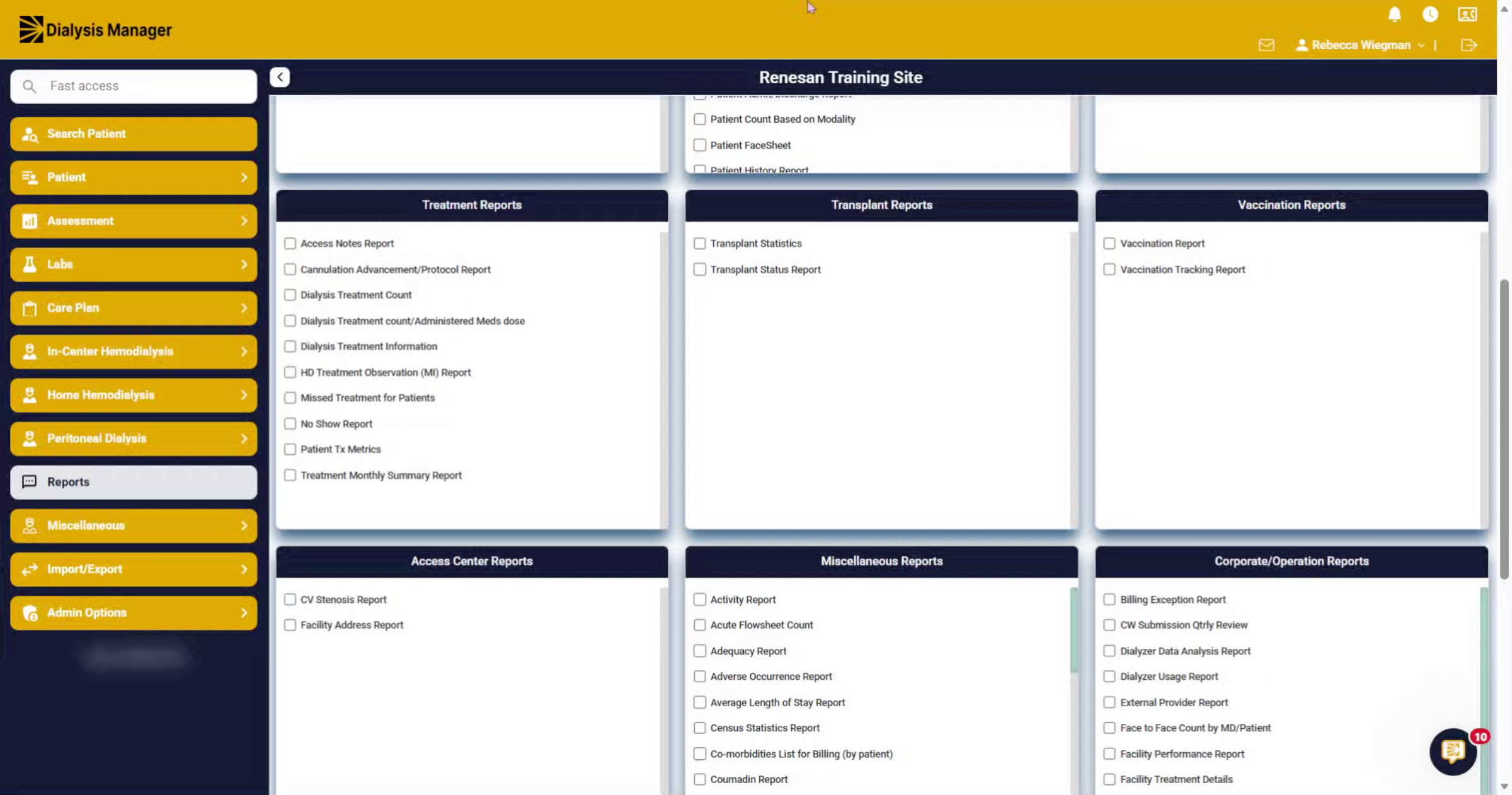
2. Navigate to Reports Section
Click the Reports menu to access available report options.
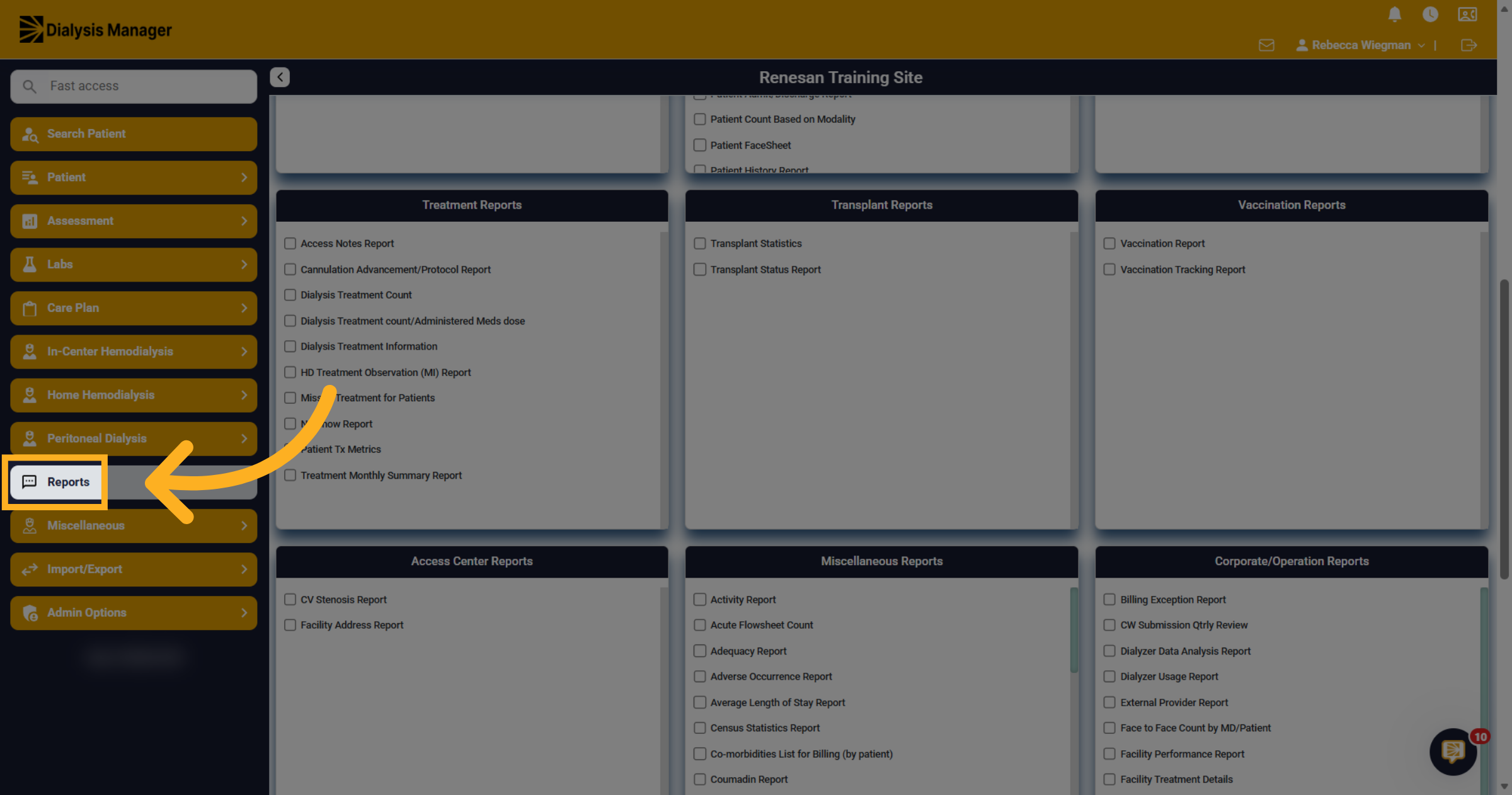
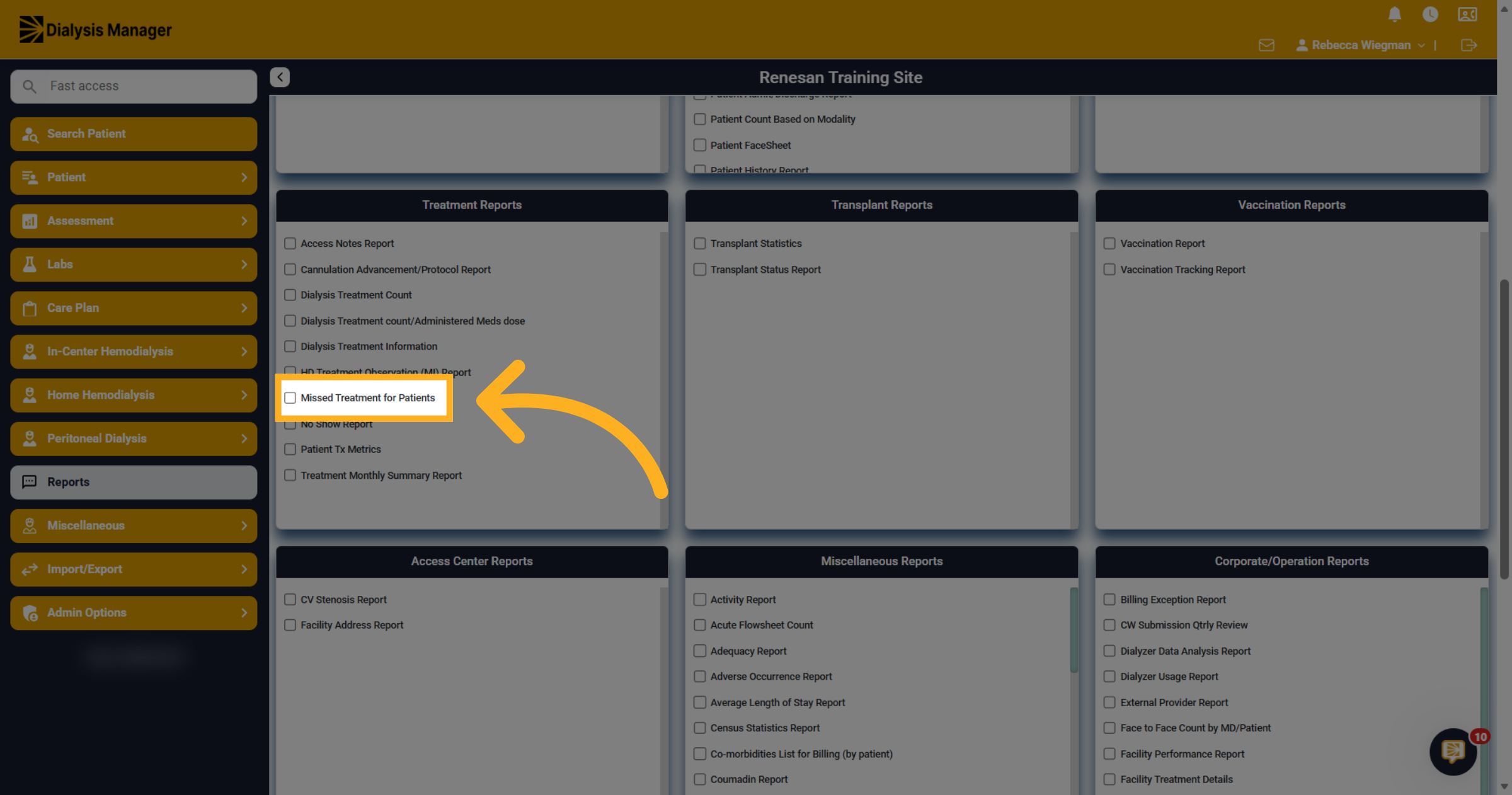
3. Select Missed Treatment Report
Under the Treatment Report section, select Missed Treatment for Patients.
4. Filters
Select your date range and facility you would like to run the report for.
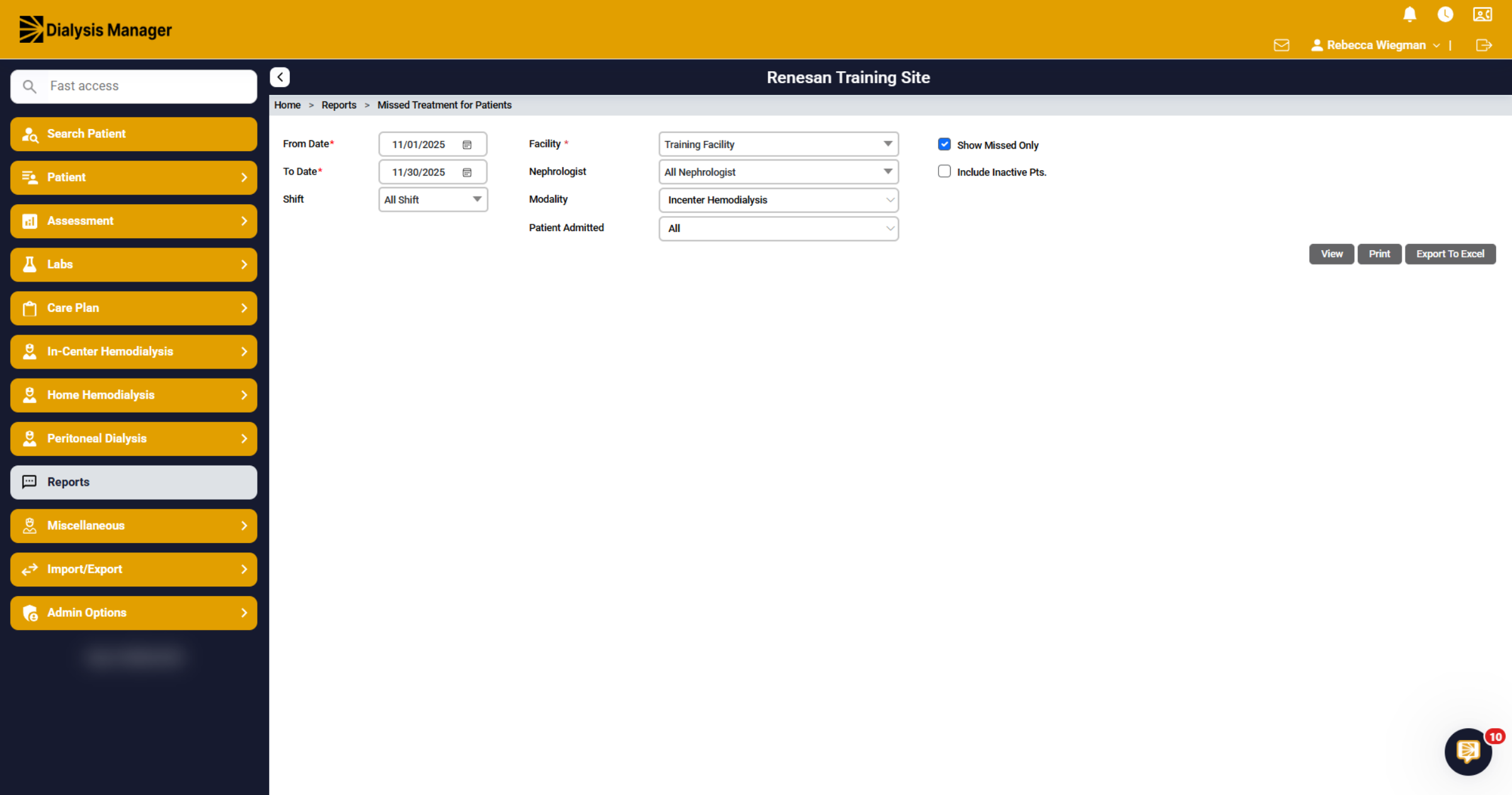
5. Missed Treatment for Patients
Upon selecting View, a list of patients will be displayed based on the chosen criteria. You can observe the number of treatments scheduled within the specified date range, along with the counts of visits, missed appointments, and deletions. You can click the blue hyperlinks to access further details.
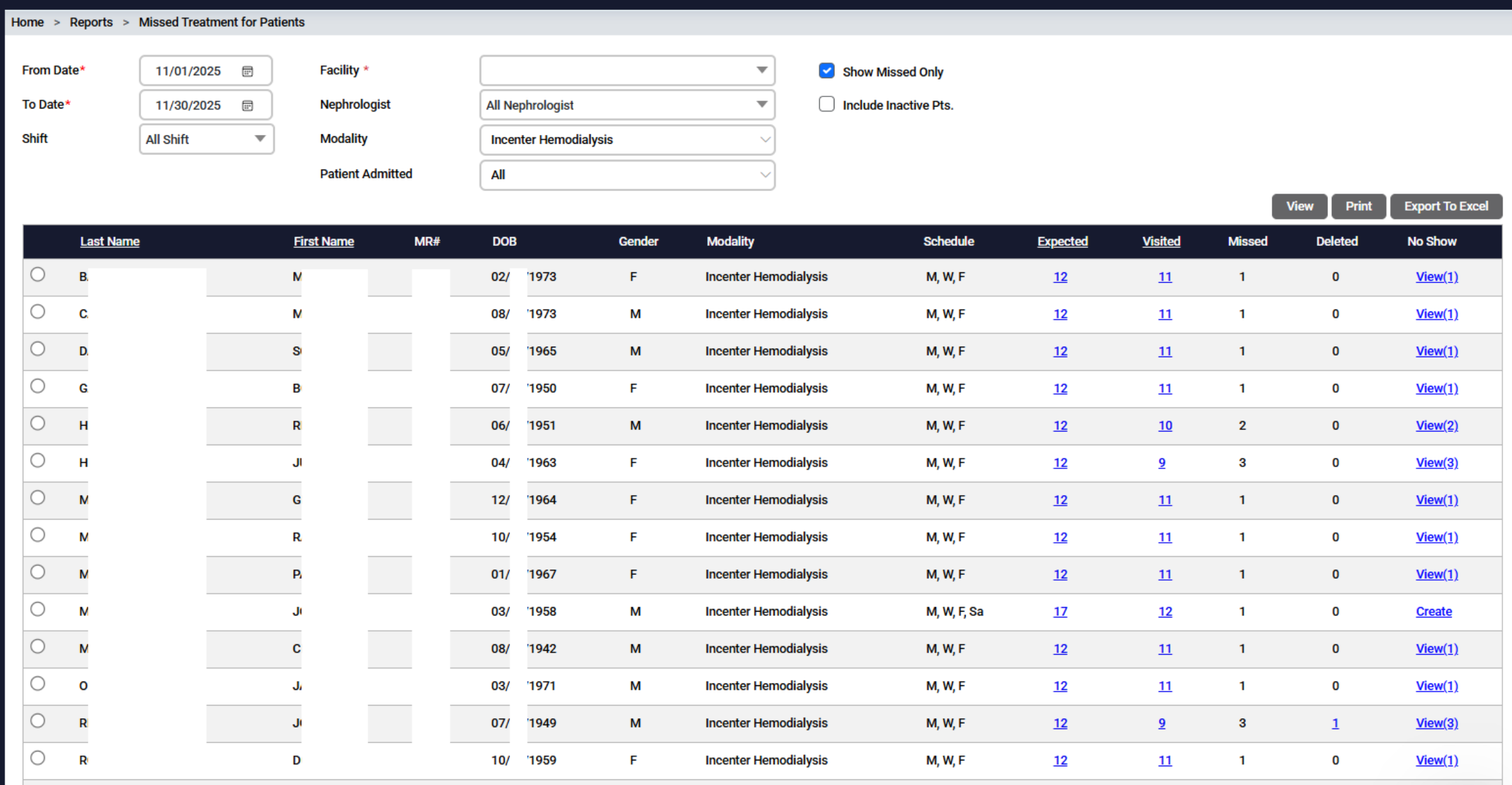
6. No Show
Clicking the No Show hyperlink opens a new screen displaying the missed date, along with the reason and relevant notes provided. At the bottom of the screen, you will find a summary of the "reasons," including categories such as canceled by patient, no show, hospitalized, and more.