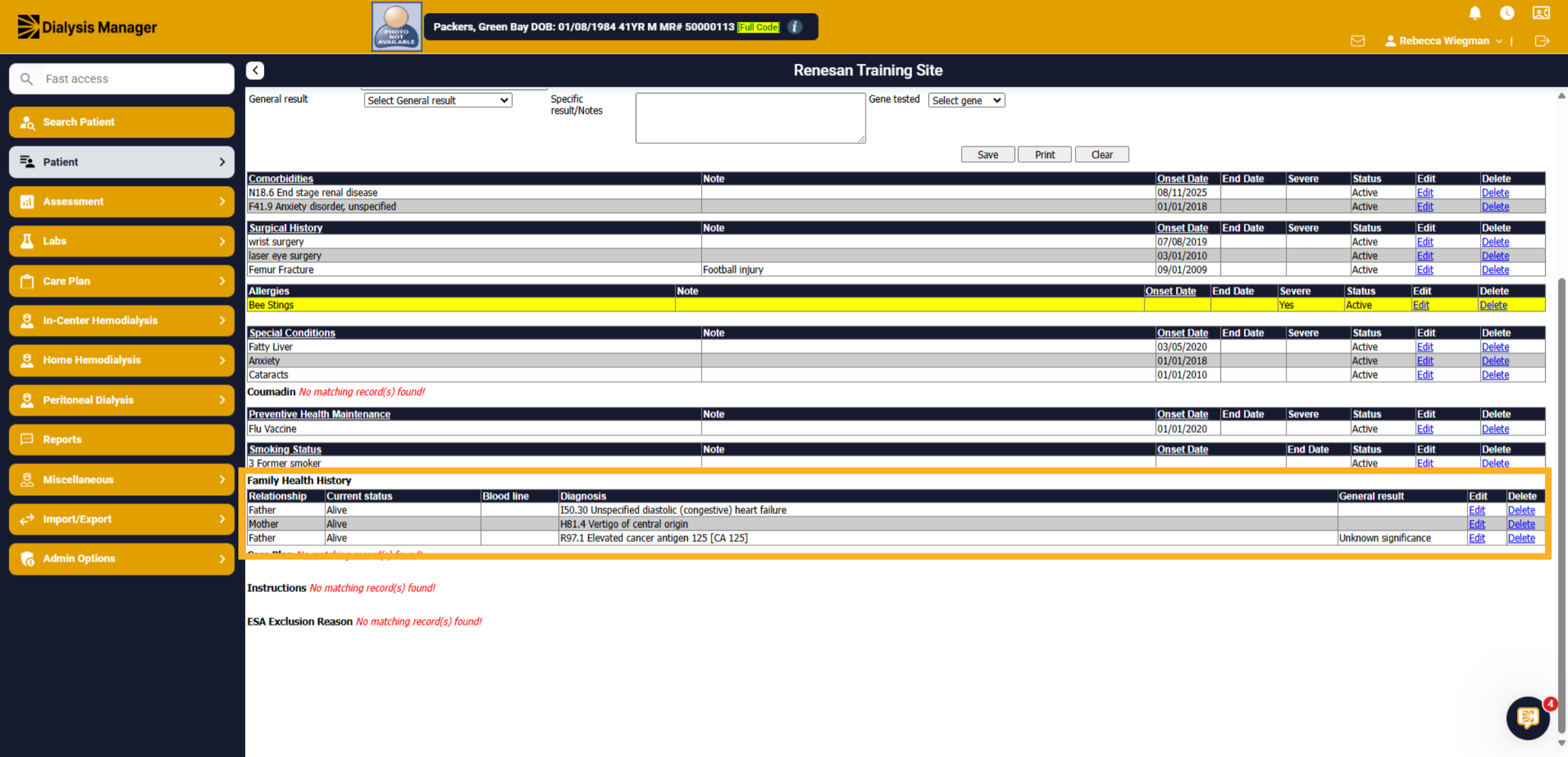
Problem List - Family History
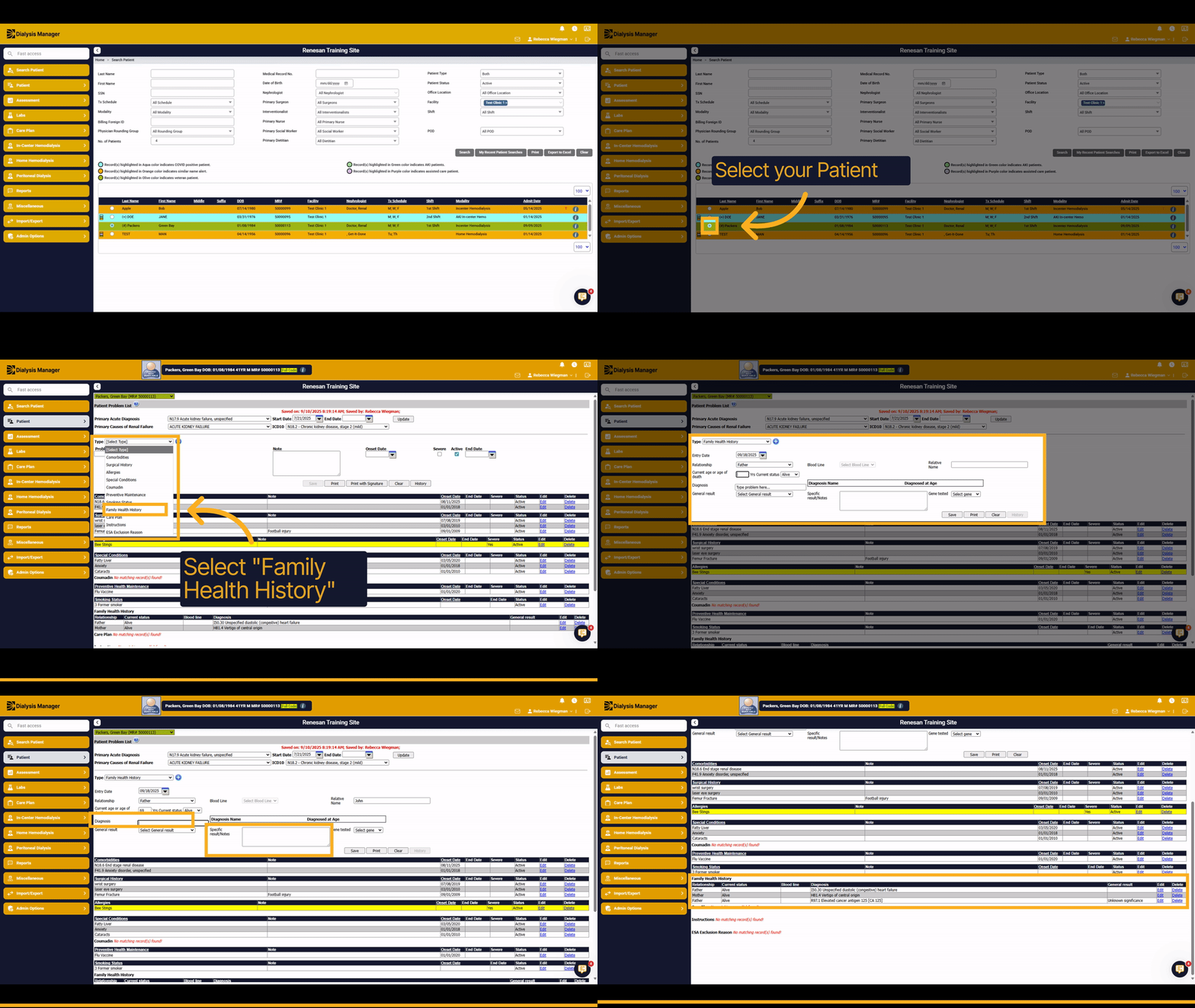
1. Introduction
This tutorial will guide you through adding a family health history problem to the patient's problem list.
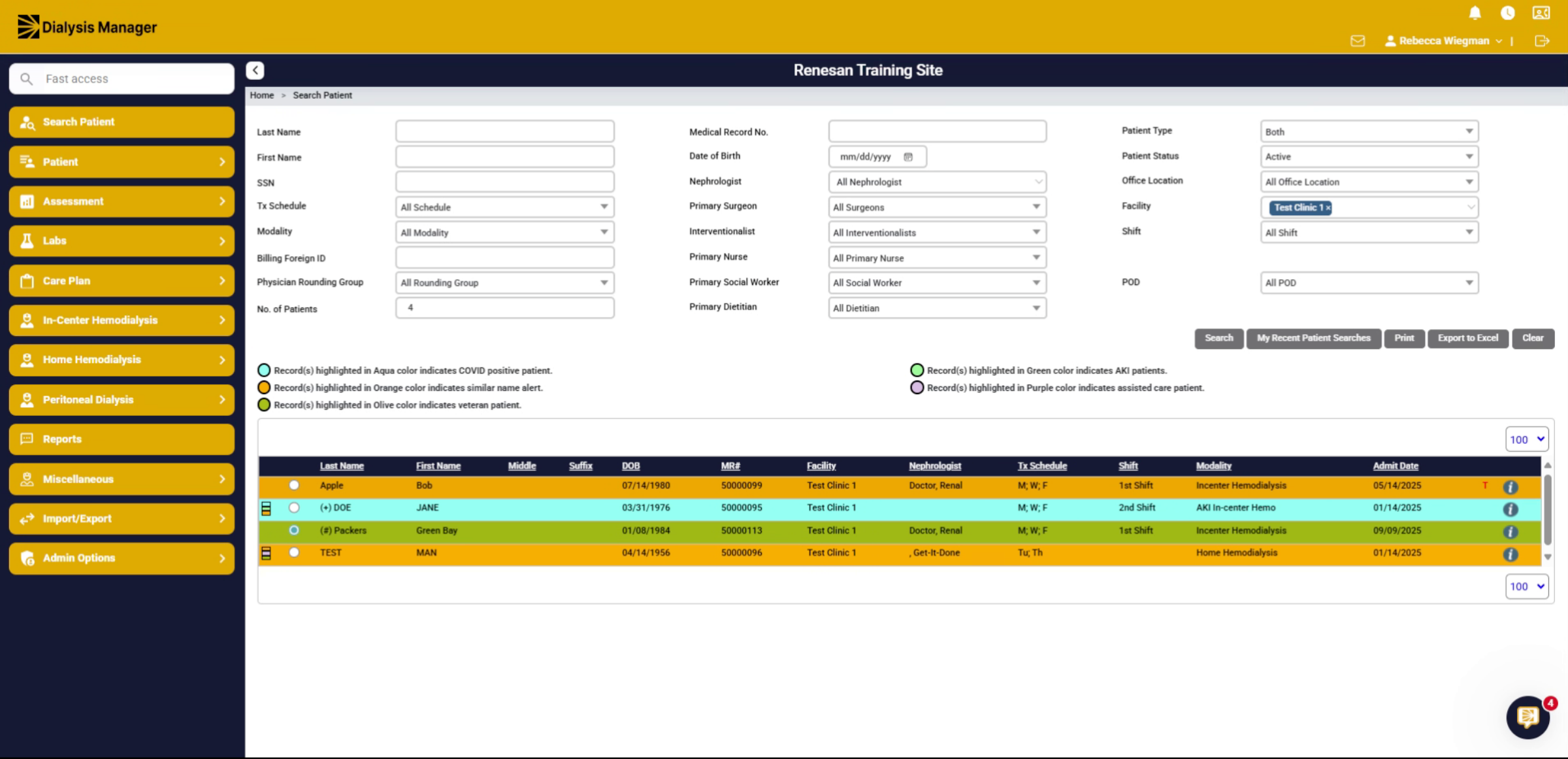
2. Patient
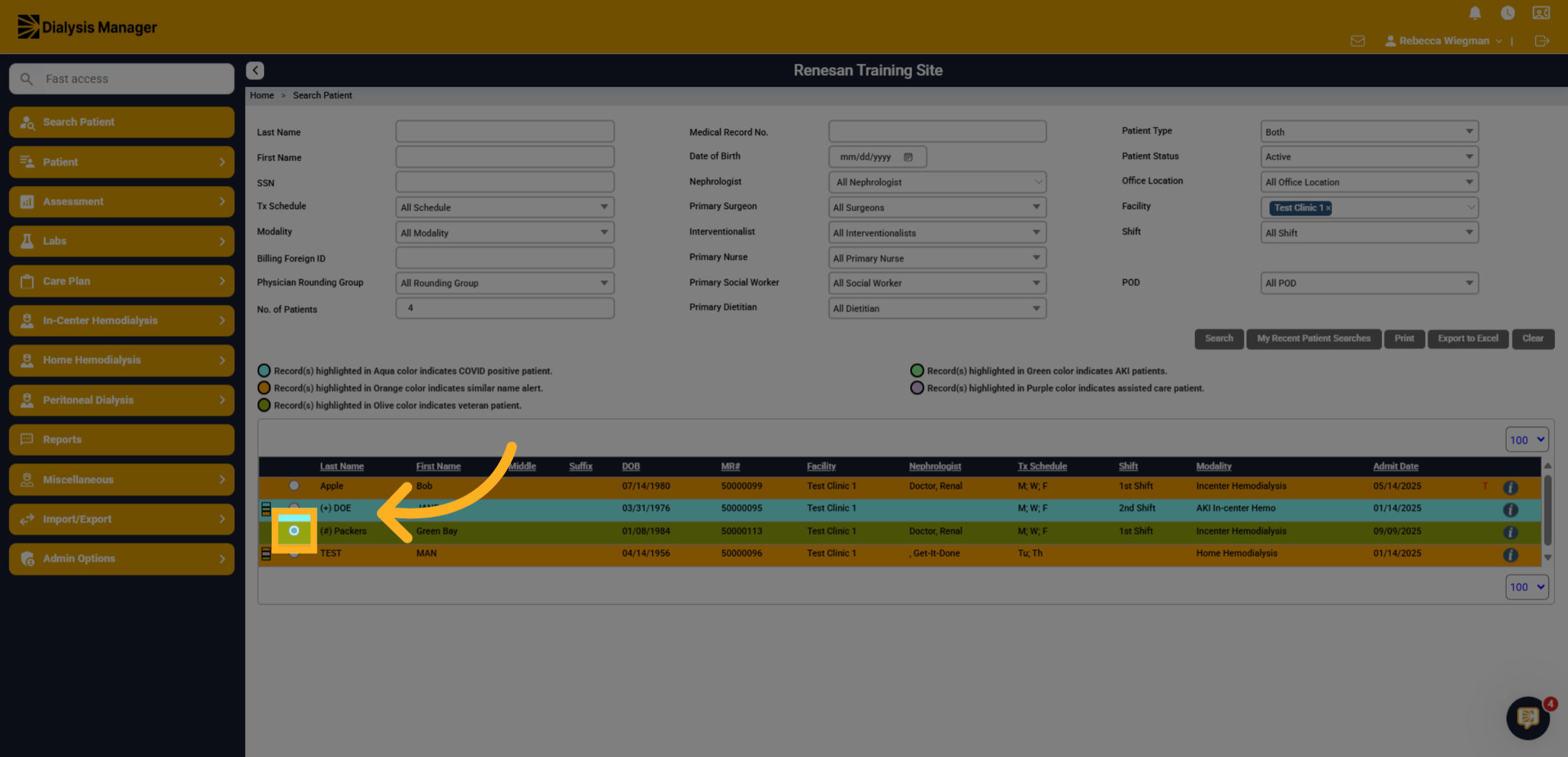
Start by searching for your patient and selecting the Radio Button to the left of the patients name.
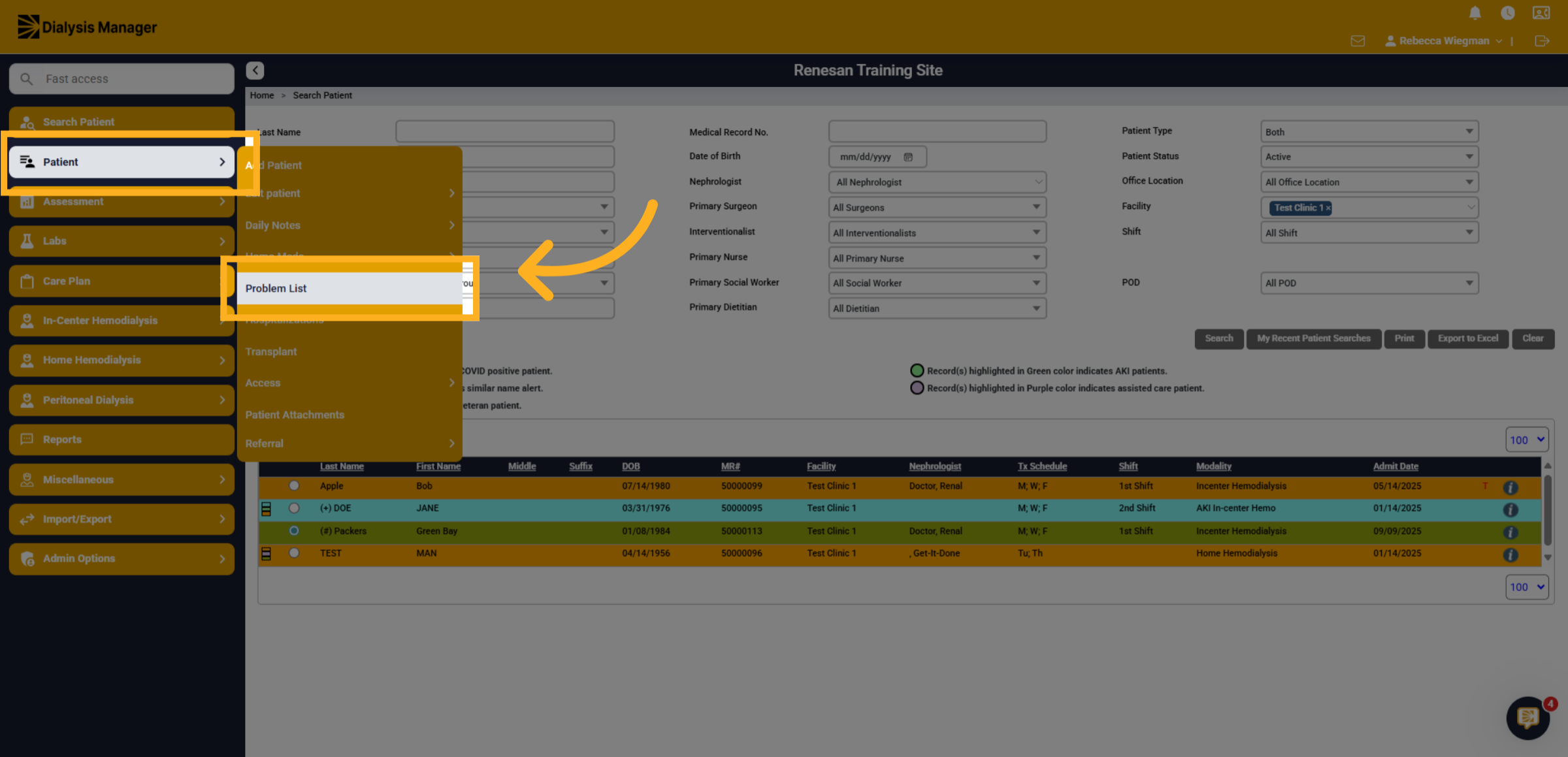
3. Click "Problem List"
Click Patient and Problem List.
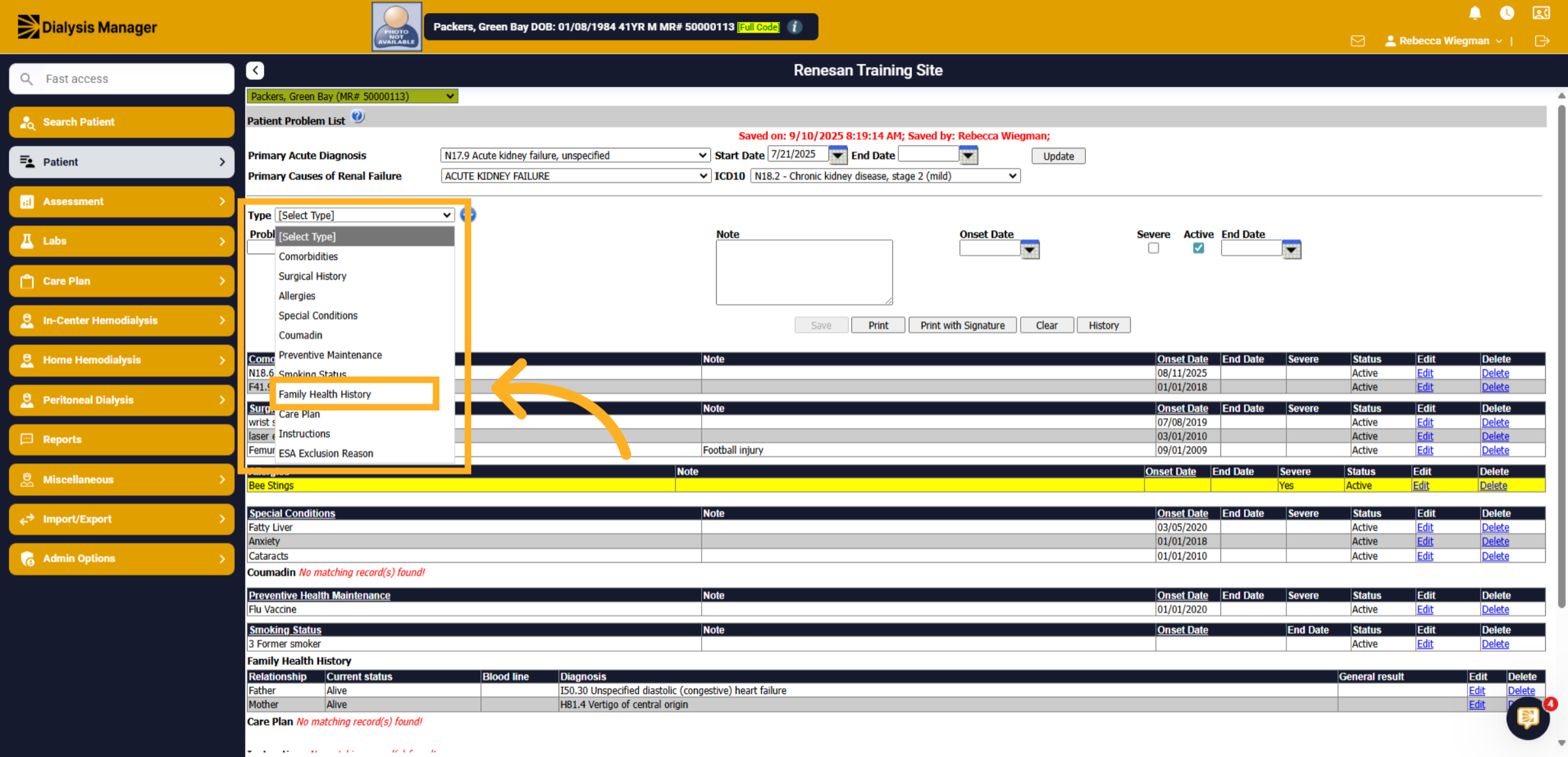
4. Type
In the "Type" dropdown click "Family Health History".
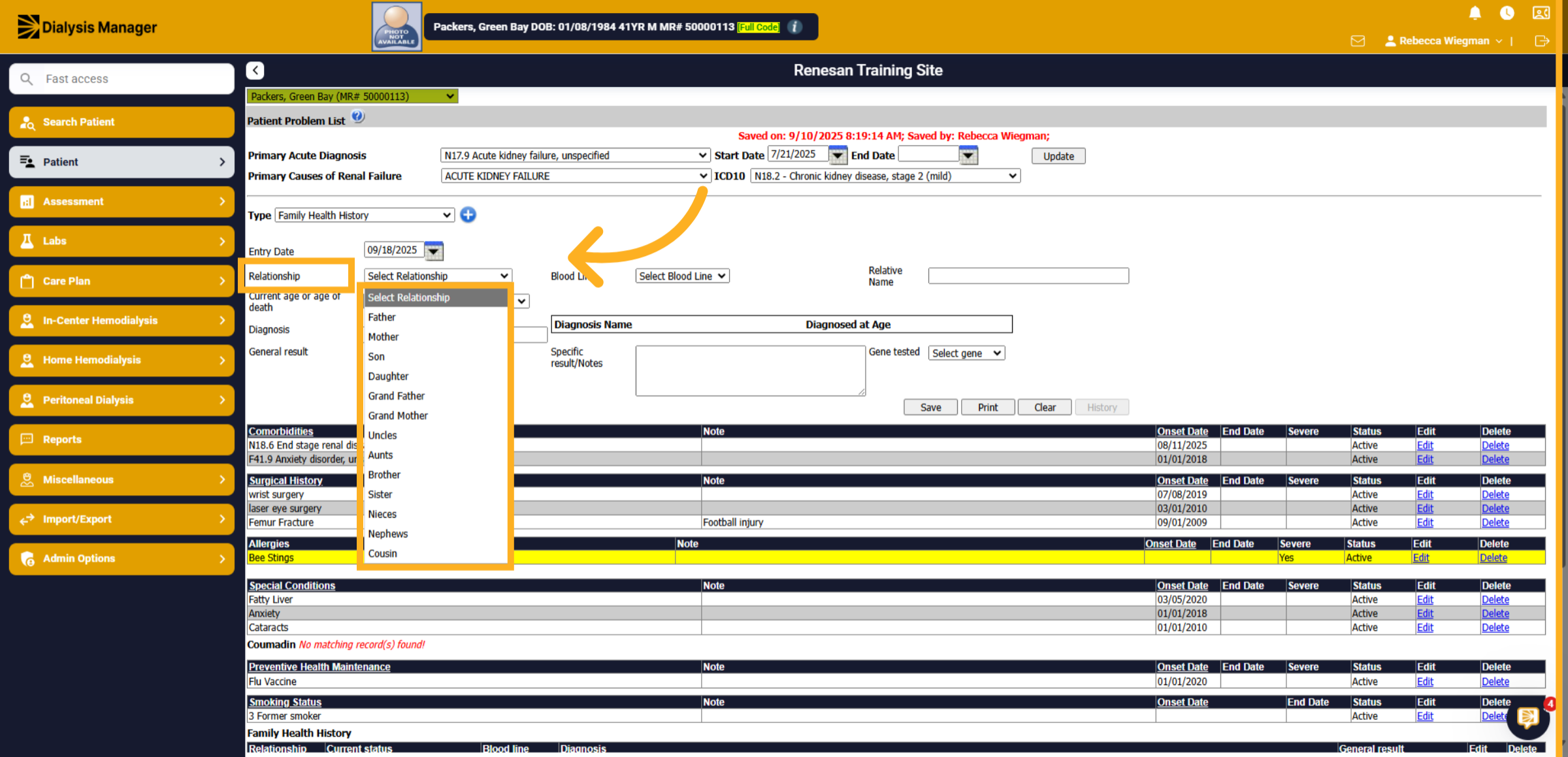
5. Relationship
Click Select Relationship to identify the family member related to the problem.
6. All other information
Enter the information that is known. Such as Blood line, Current age or age of death, Gene Testing etc.
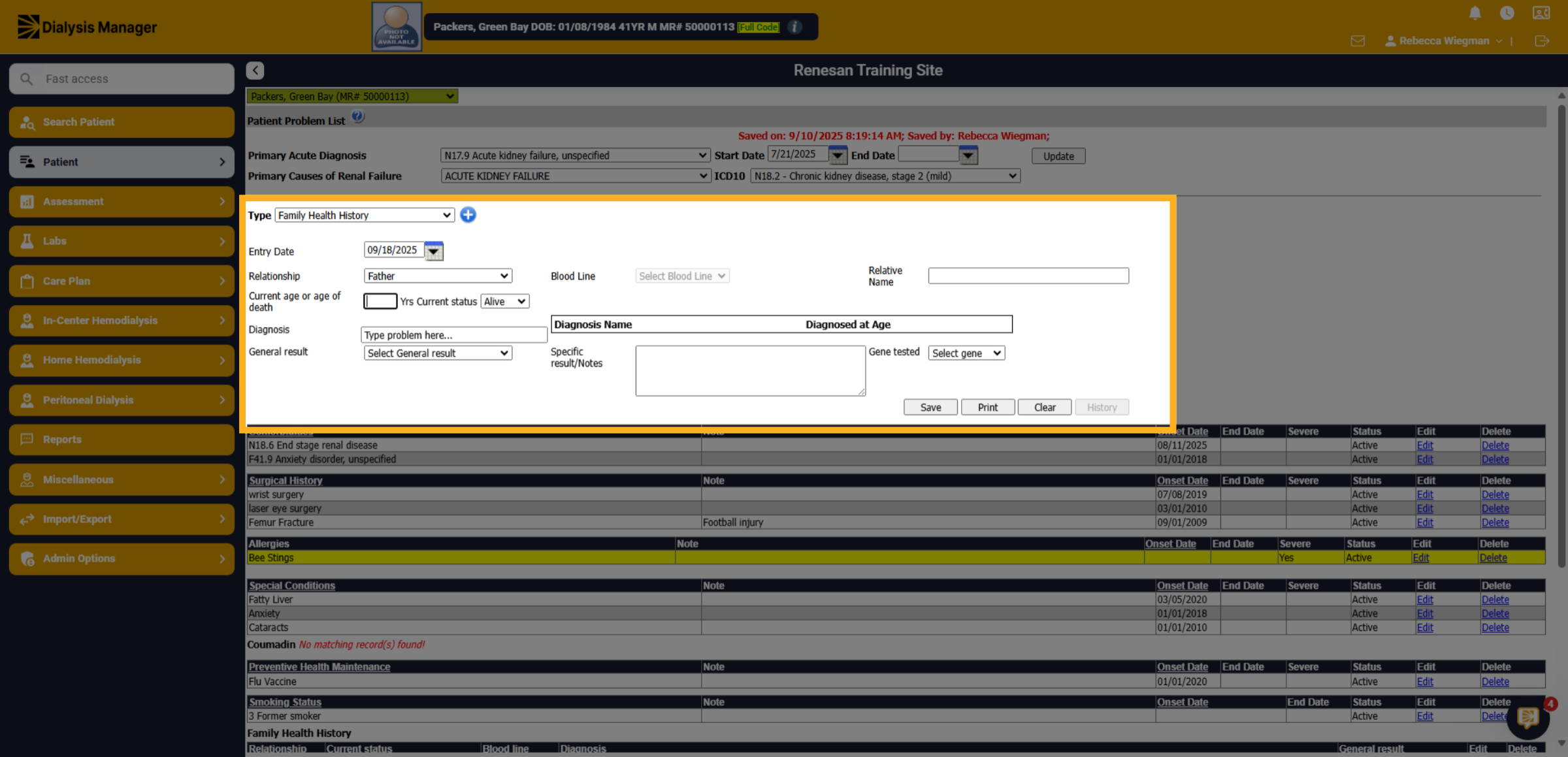
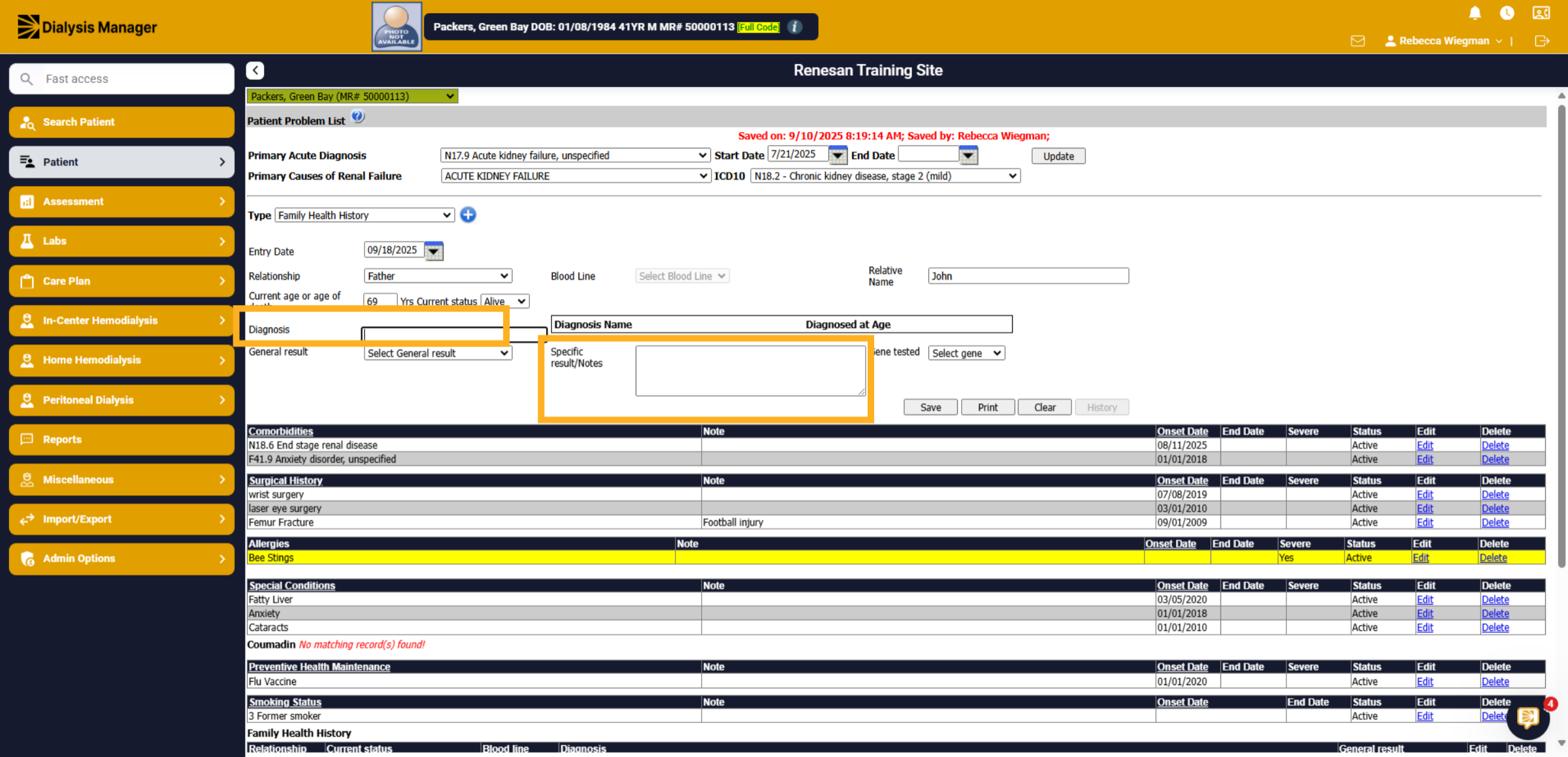
7. Diagnosis
If you have the ICD-10 code you can enter otherwise enter a basic diagnosis and add notes!
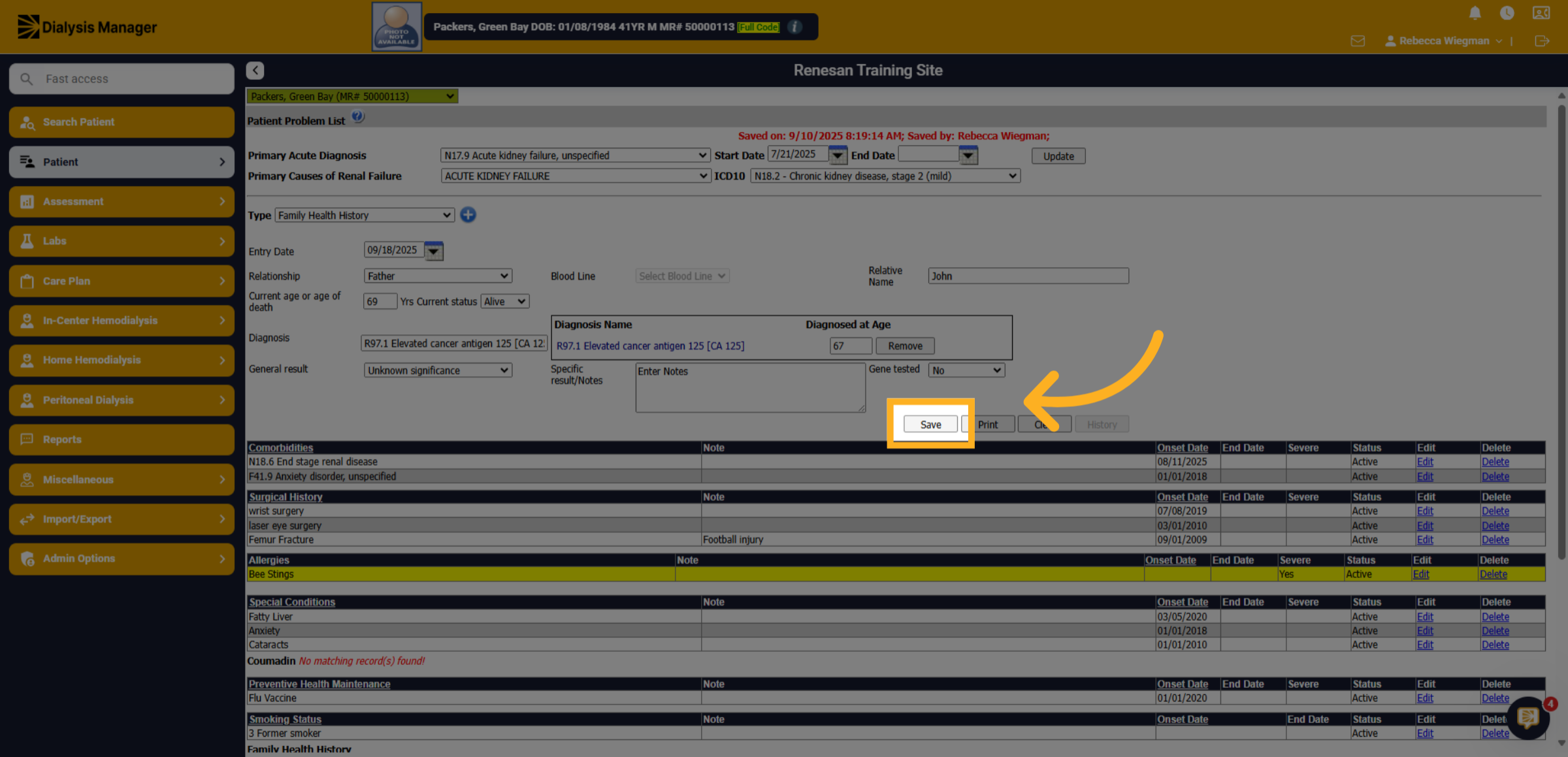
8. Click "Save"
Click Save .
9. Display
Once saved the information will drop into the Family Health History towards the bottom.