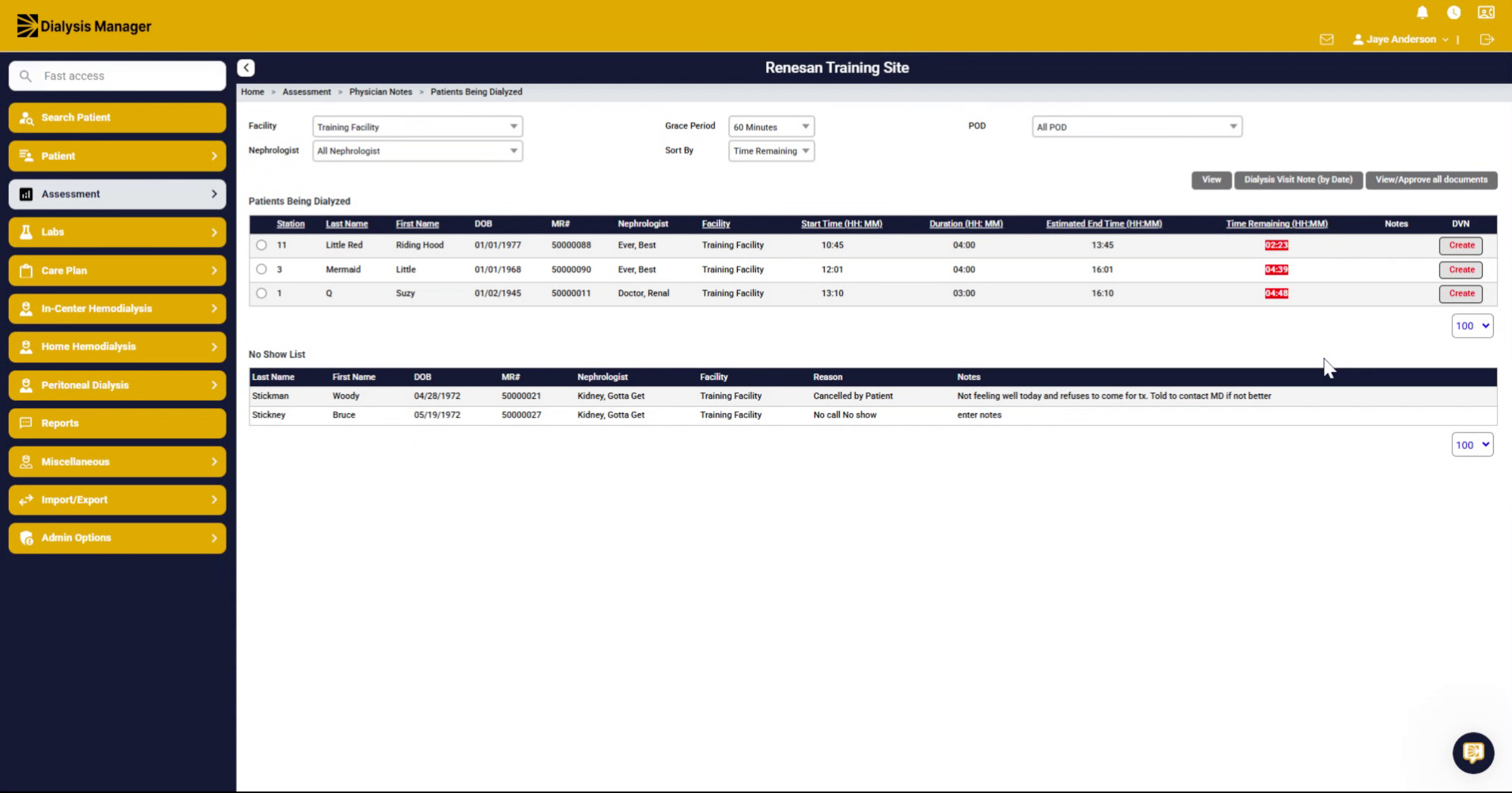
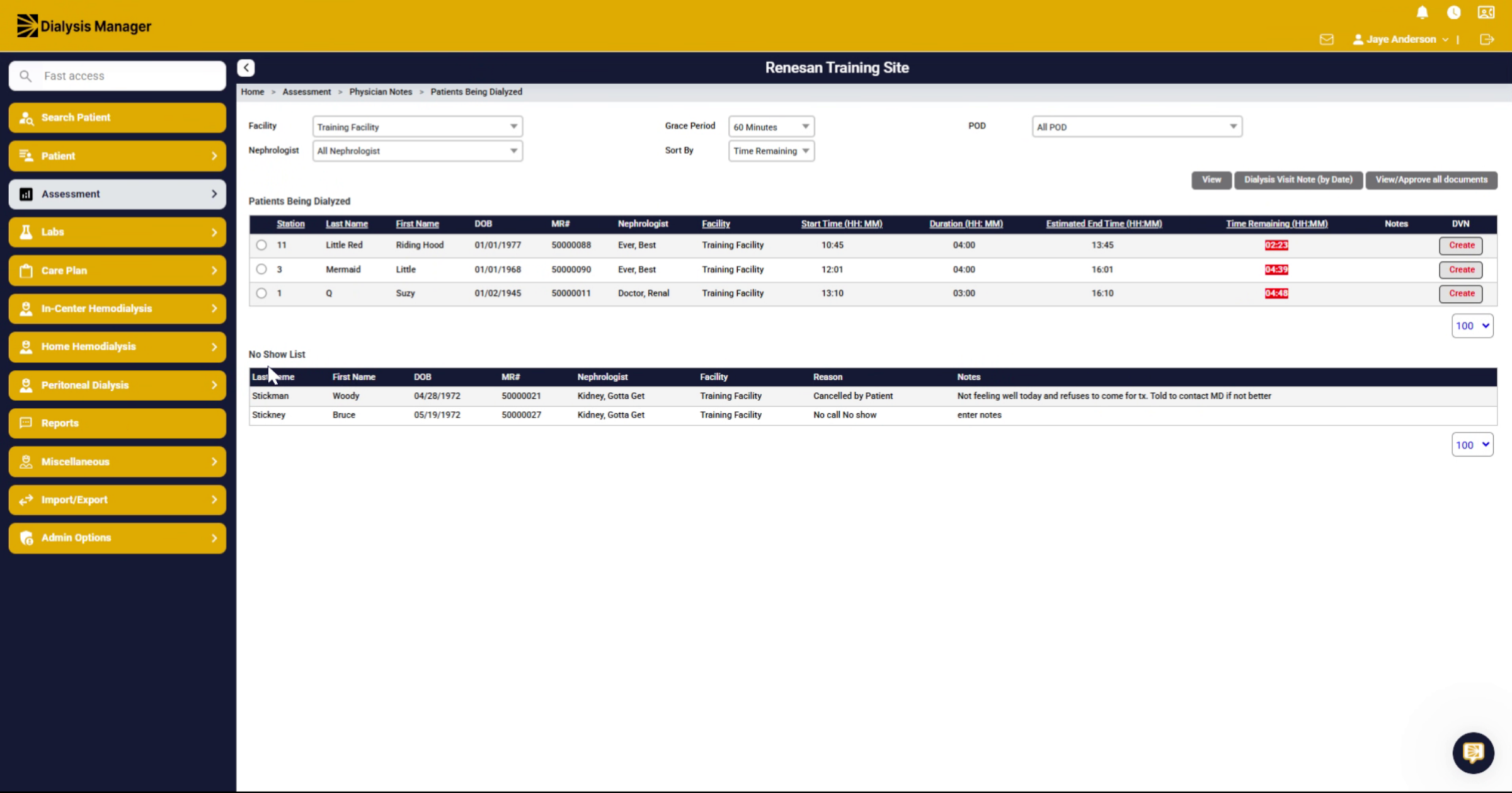
Patients being Dialyzed screen
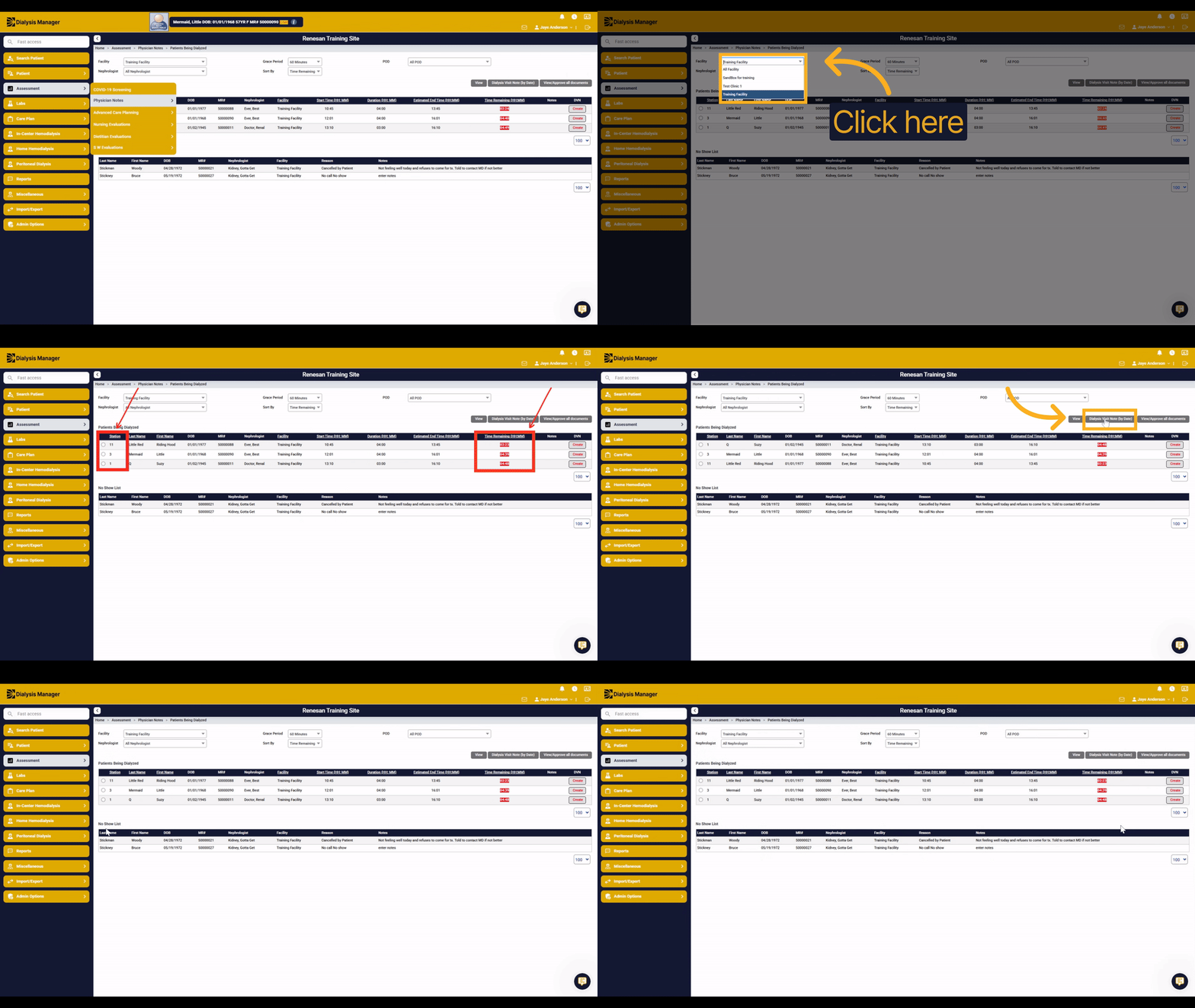
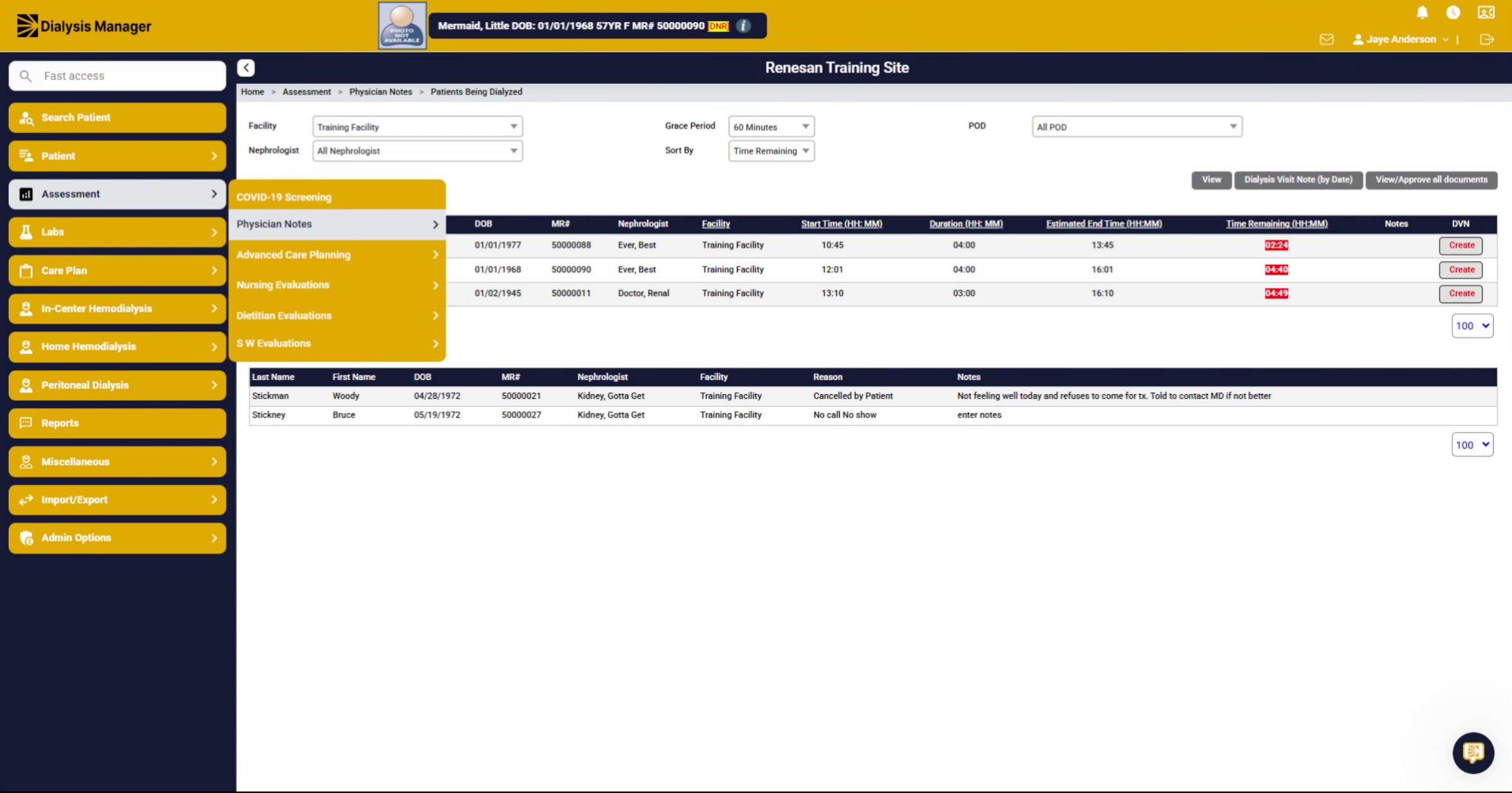
1. Locate Physicians Homepage
This Section is typically the Physicians homepage where they will land when they first log in. You can find this under assessments, then physician notes, and patients being dialyzed.
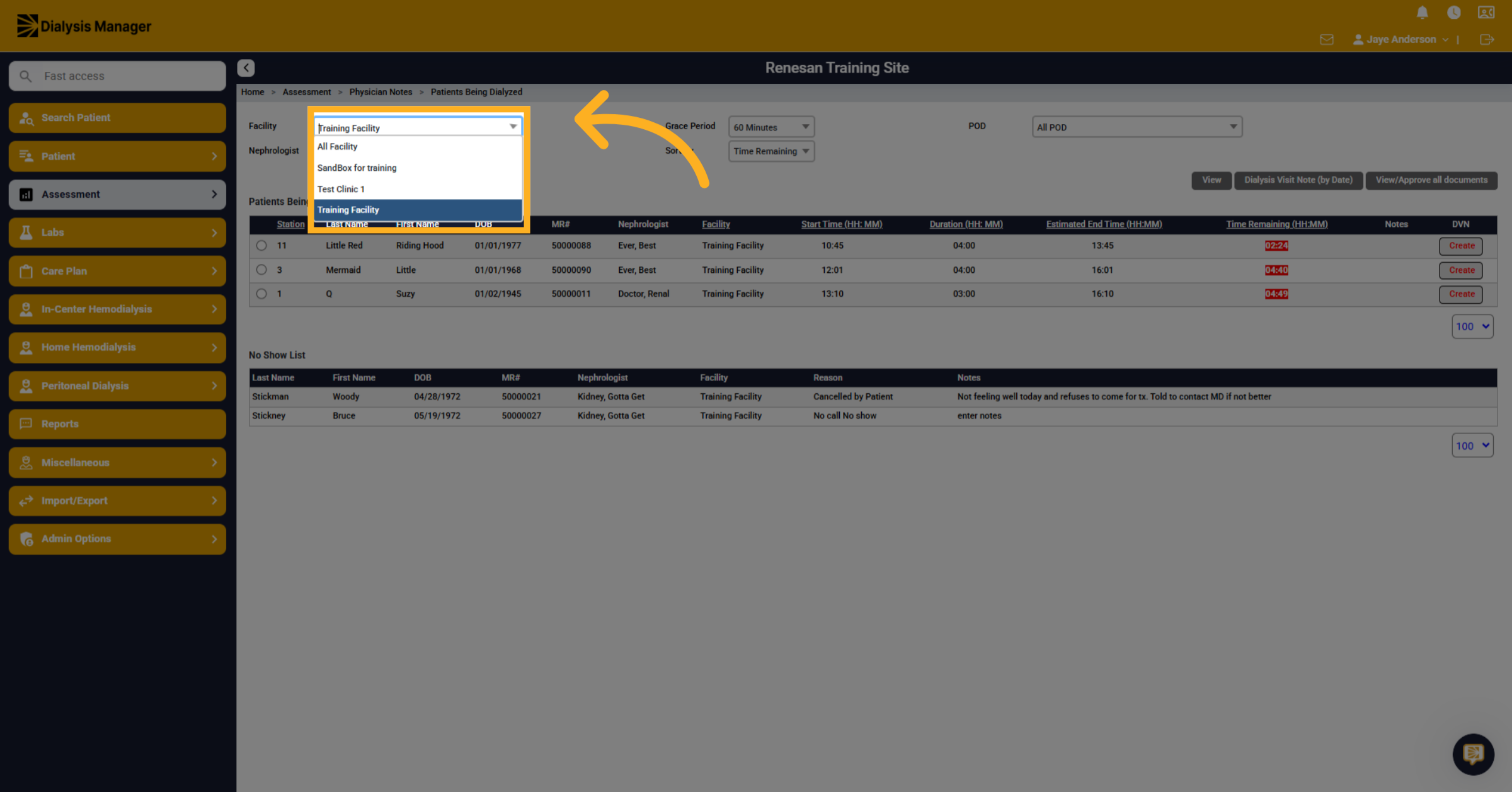
2. Serach Patients Being dialyzed
Click here to open the search by the facility, if applicable. You can also search by different primary nephrologist, or you can select all.
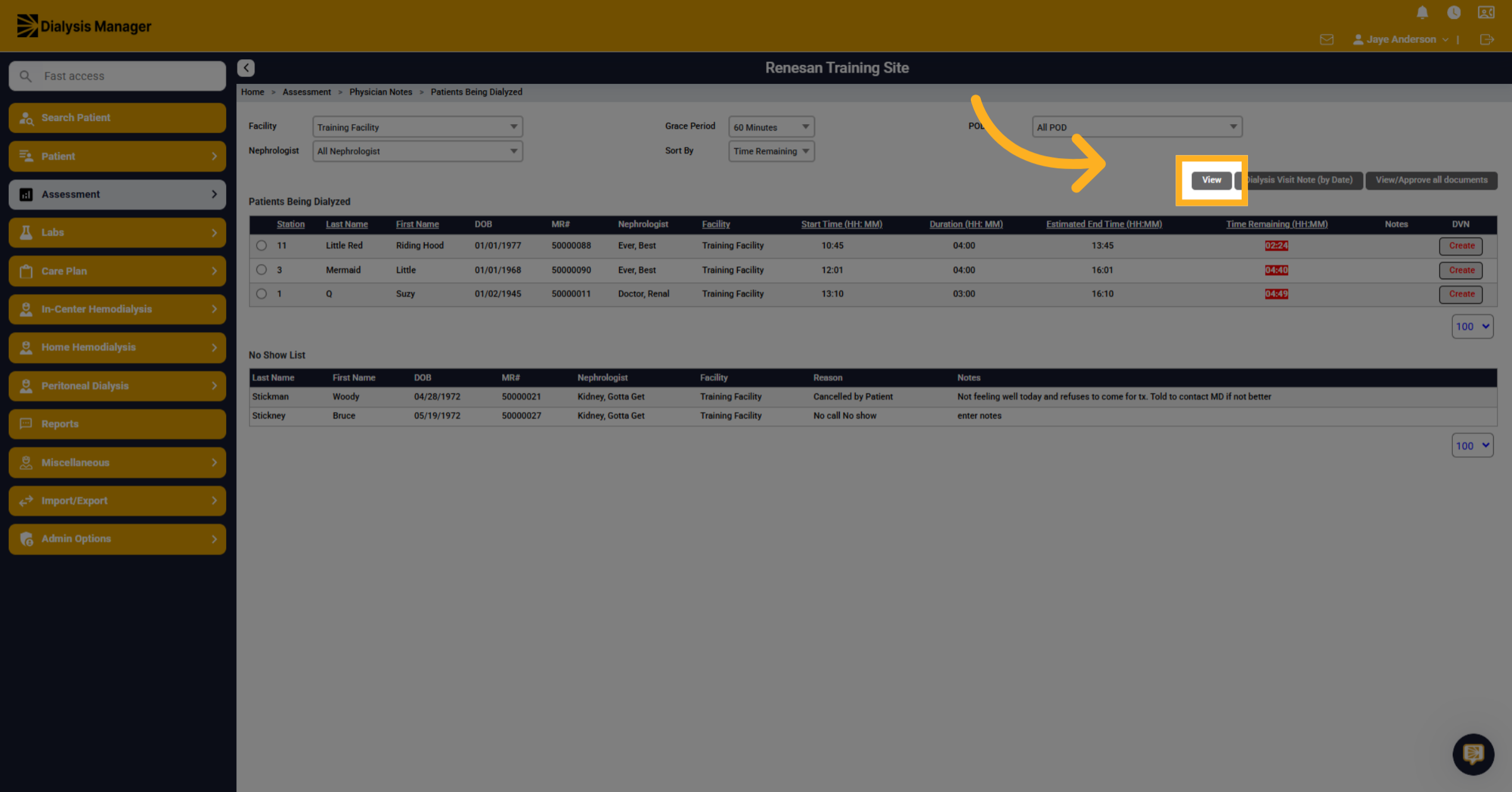
3. Select View Option
Click "View" to proceed to detailed patient information.
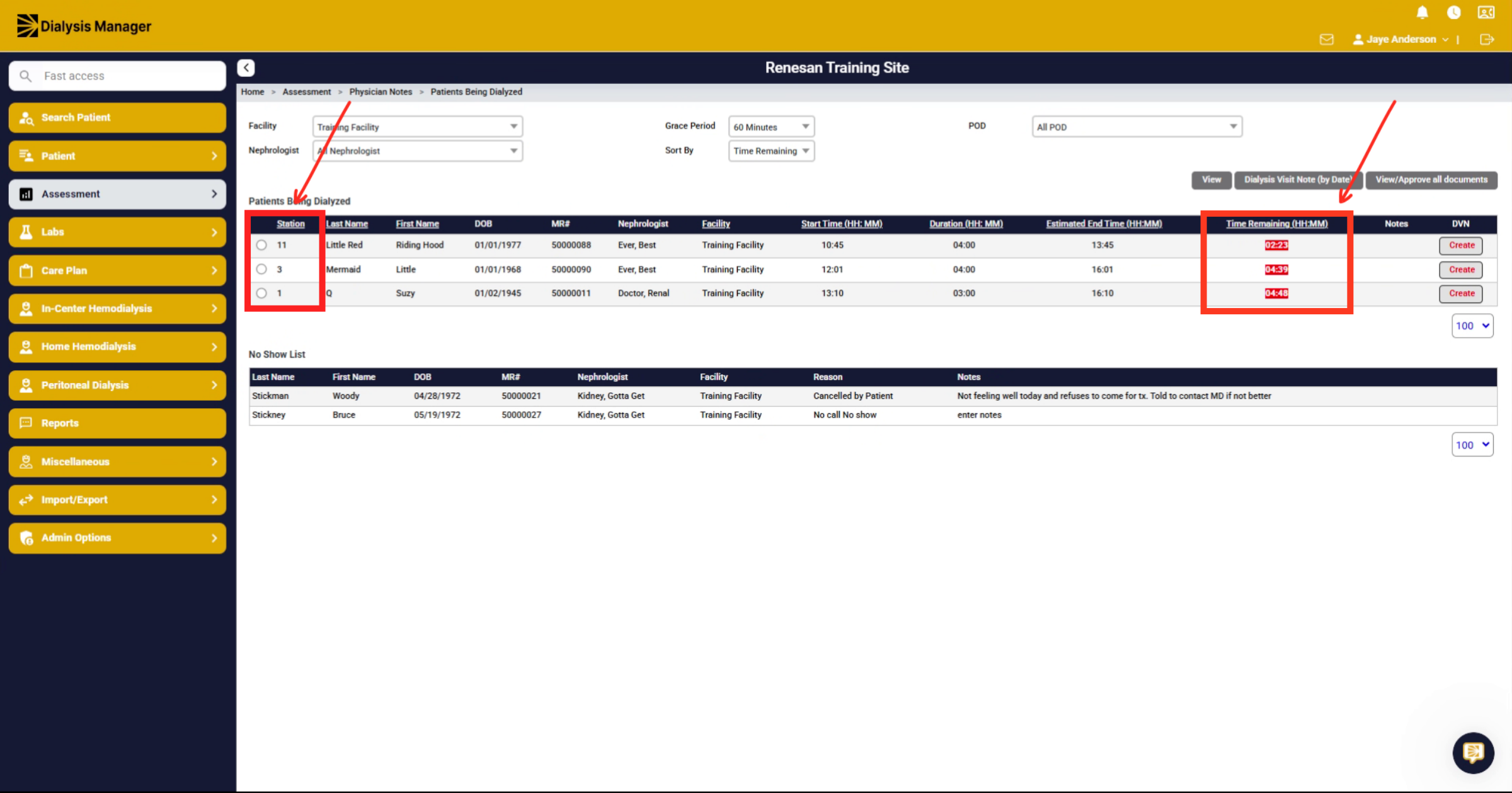
4. Sort Patients by Time Remaining
This will sort by time remaining and how much time is left for the patients. If you wish you could also sort by any other column header for example by station
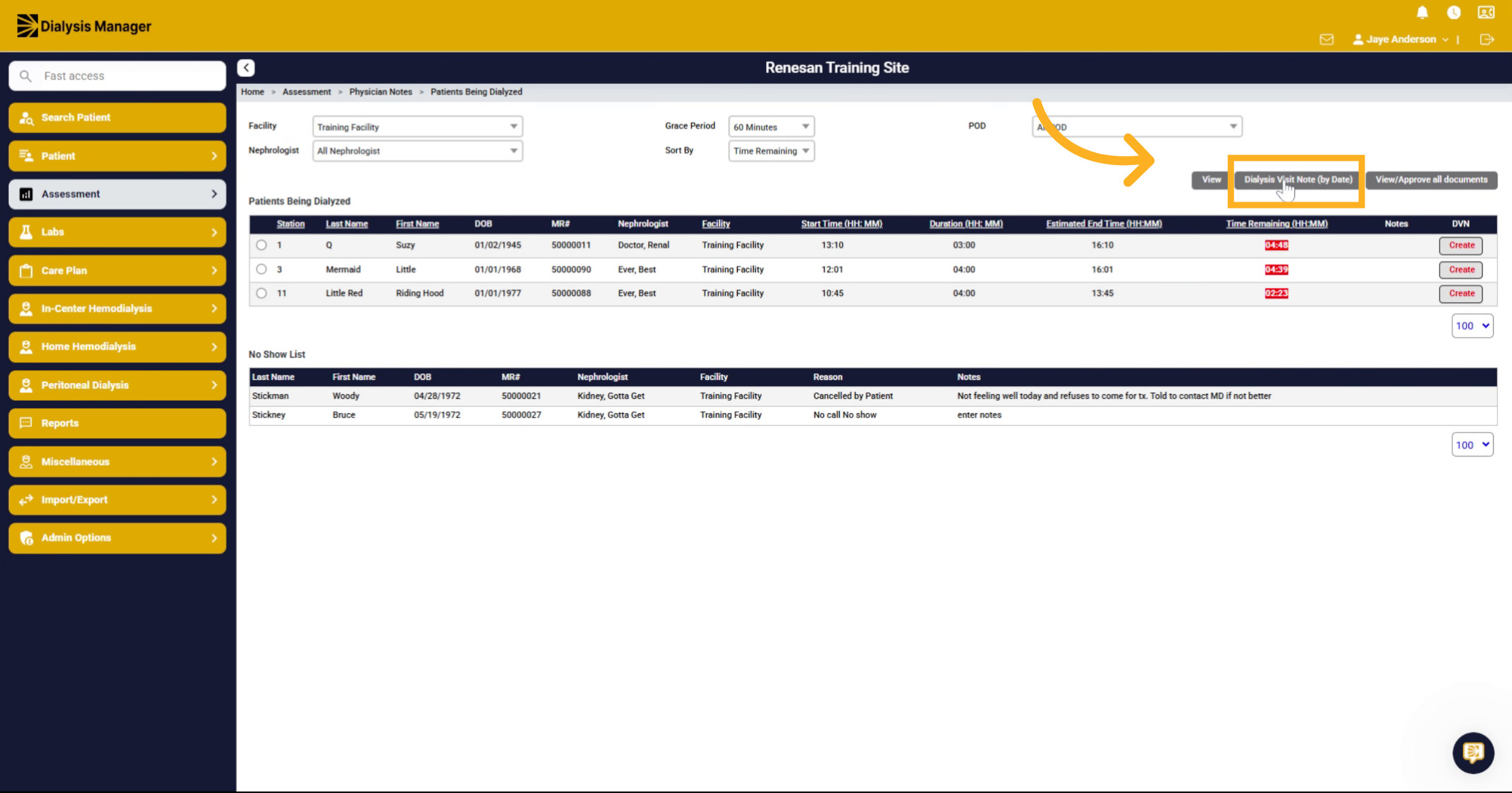
5. Navigate to Dialysis Visit Notes
You can also click the dialysis visit note by date button to go to that screen.
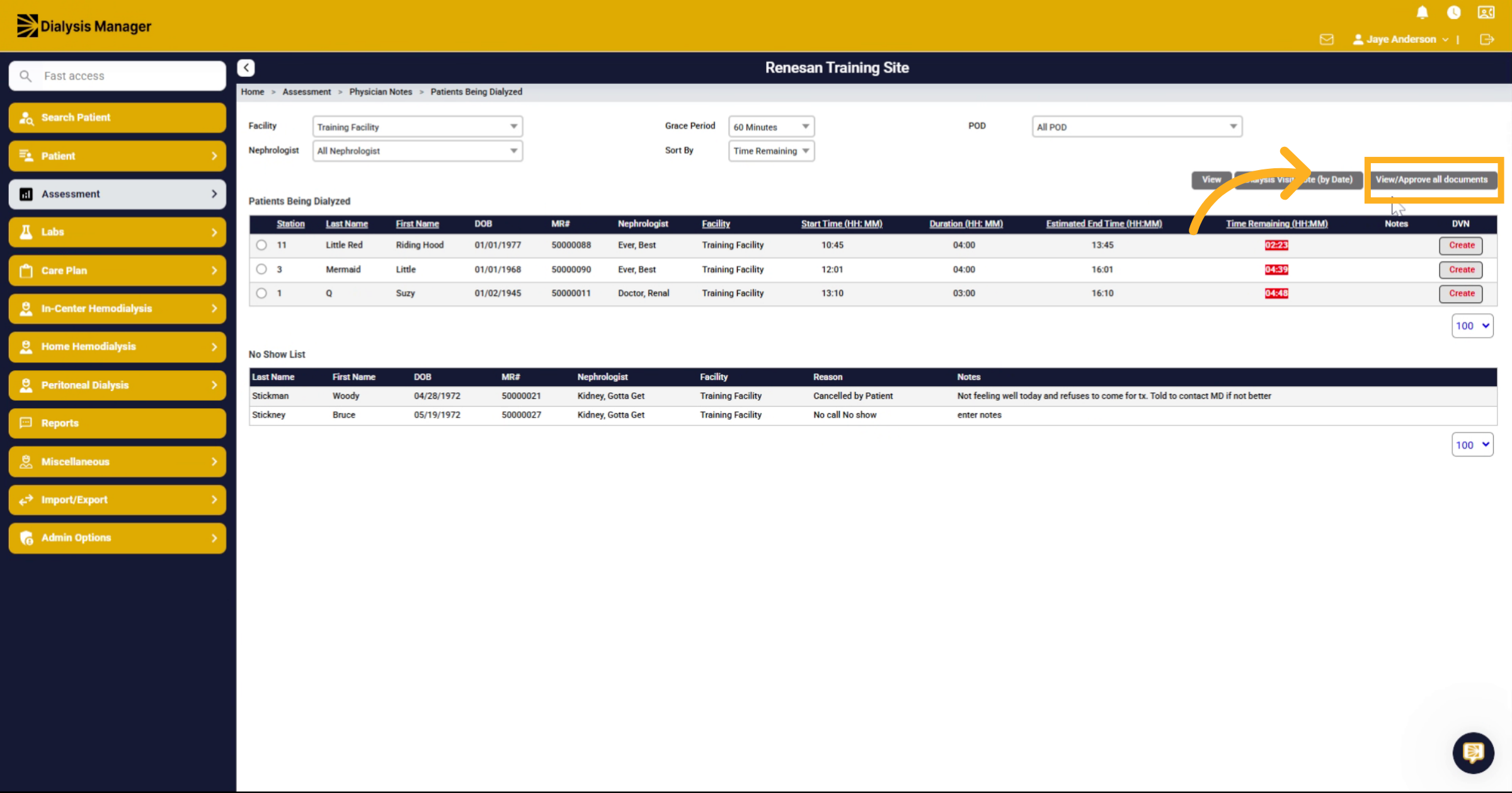
6. Approve Documents
Or you can click or hover over the "view, approve All documents". Click to View and approve your documents.
7. Review No-Shows and Notes
The screen will also show any documented "no shows" or "cancellations" along with notes that have been charted by the staff.
8. Create Dialysis Visit Note
And you can click on the create option to create your dialysis visit note.