Patient height documentation and how to see if any patient's is missing.
1. Introduction
This tutorial demonstrates how to document patient height and identify any missing height data within the Renvio application. You will learn to navigate patient records, update height information, and generate reports to ensure data completeness.
2. Activate Patient Module
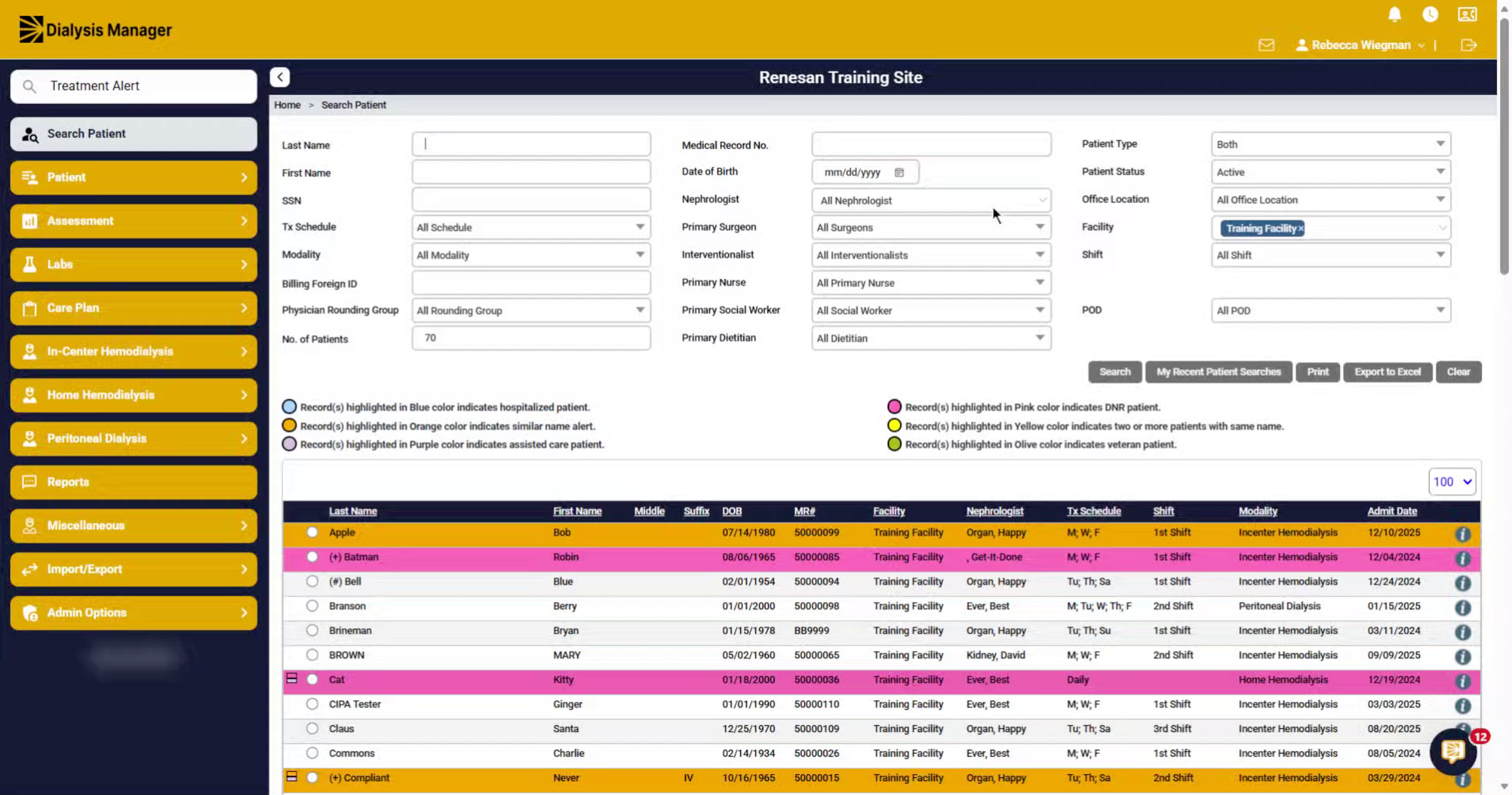
At the Search Patient screen, you will select your patient by clicking on the radio button, to the left of the patient's name.
3. Open Patient Edit Screen
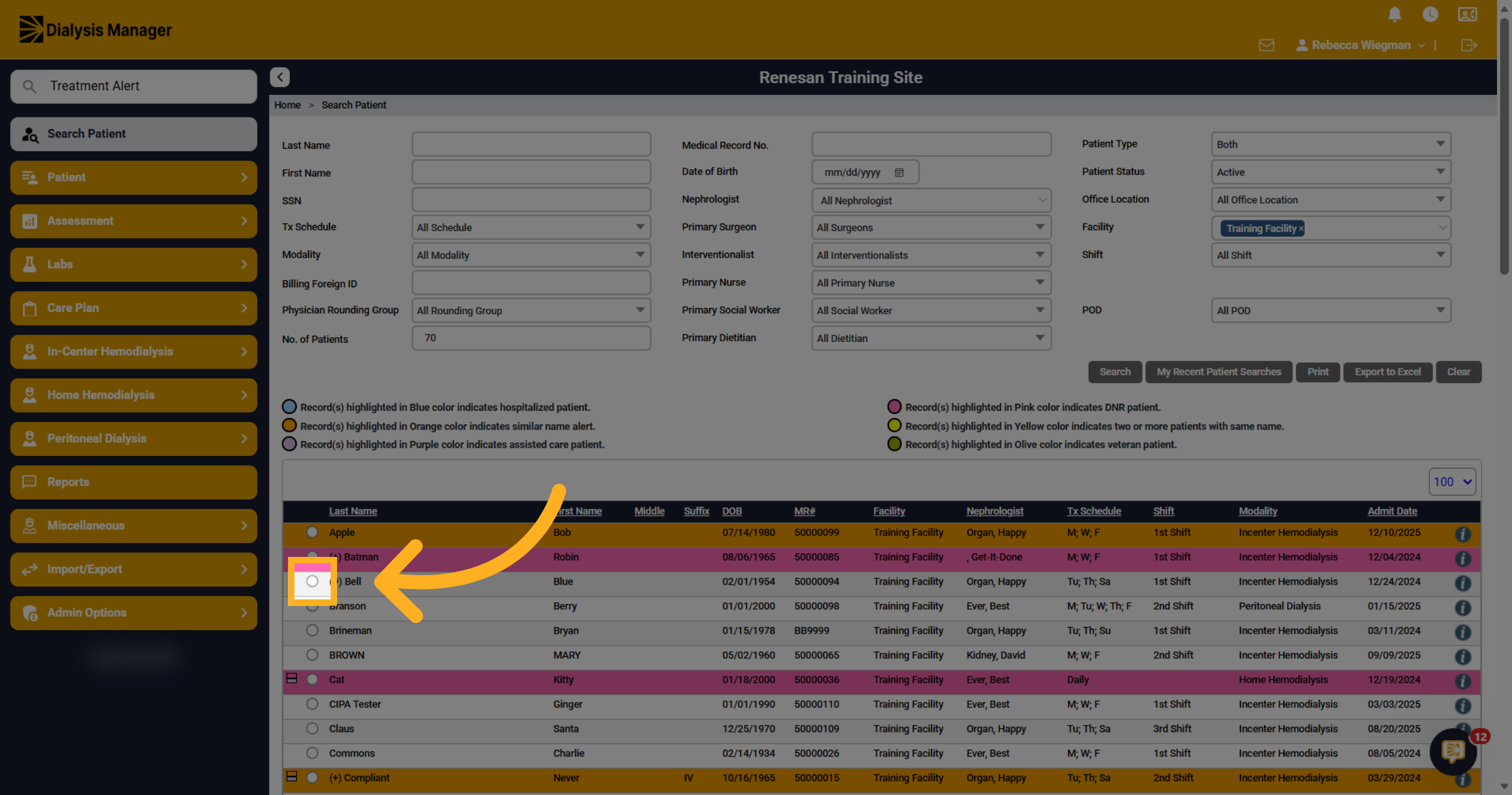
Inside the Patient Menu, select Edit Patient.
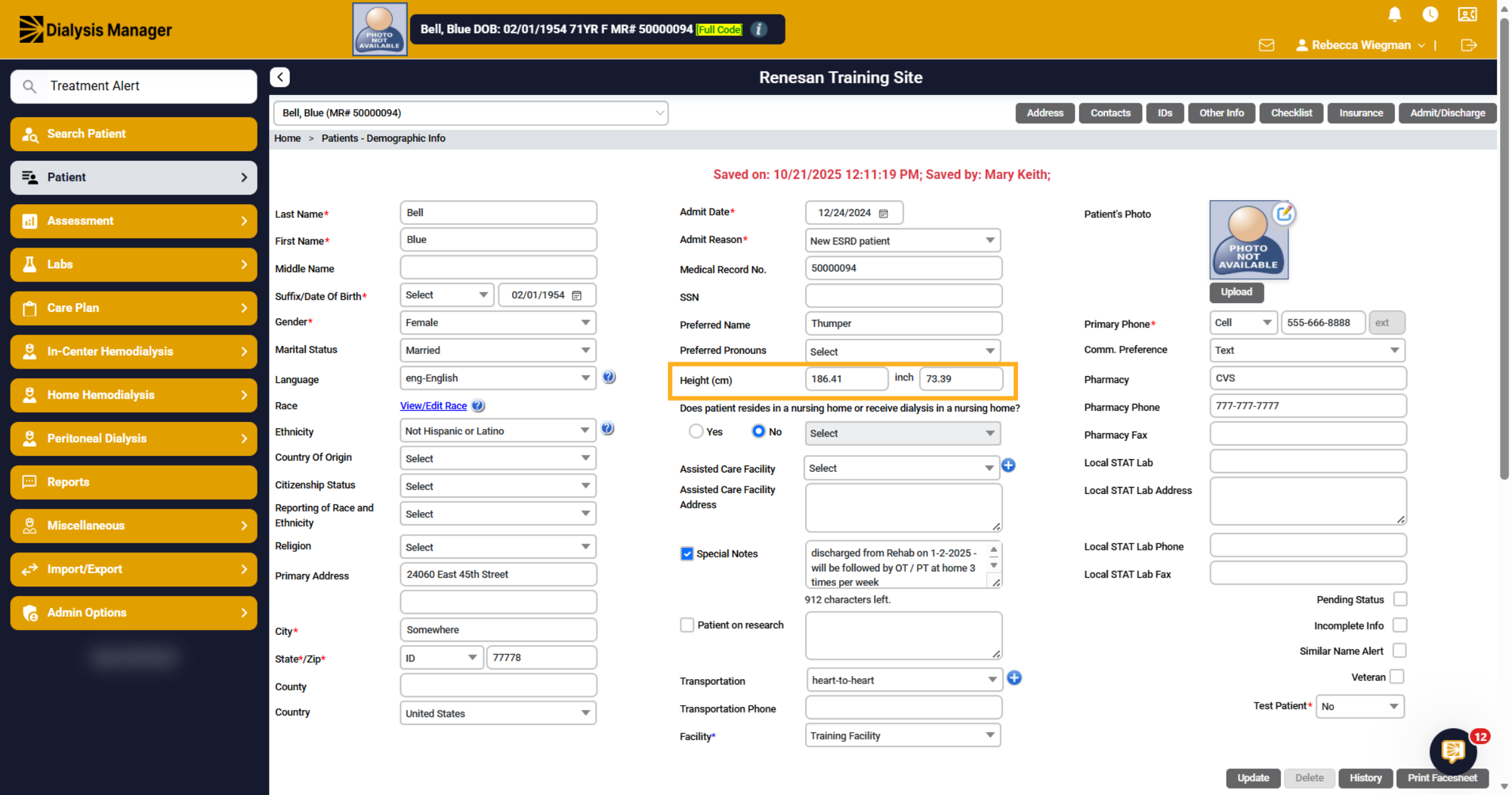
4. Height
Input your patient's height in centimeters or inches. The system will automatically convert the measurement to the alternate unit.
5. Importance
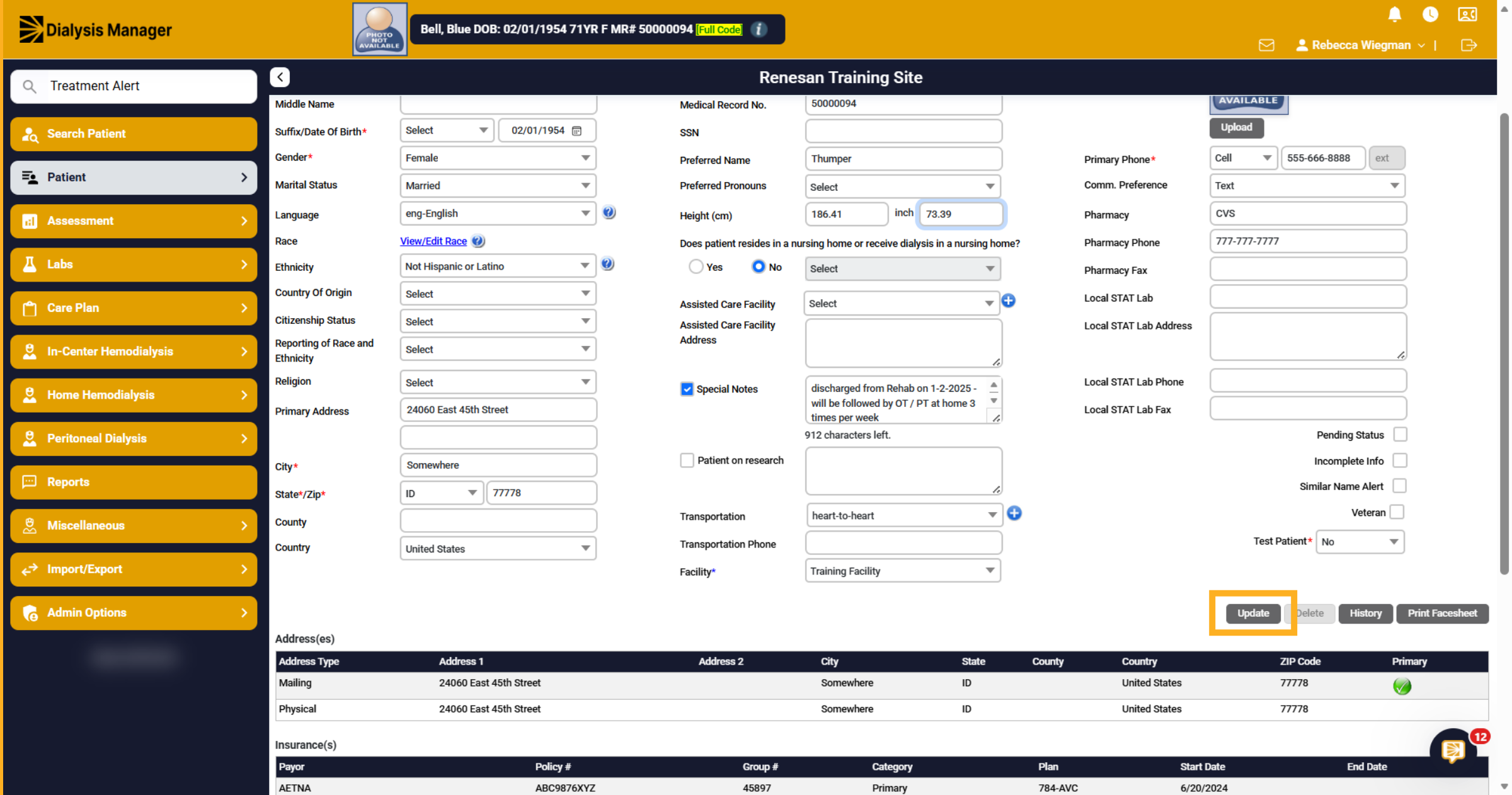
After entering the height and reviewing all other information, click "Update." While entering the height is optional, it is crucial as it impacts various sections within Dialysis Manager.
6. Importance
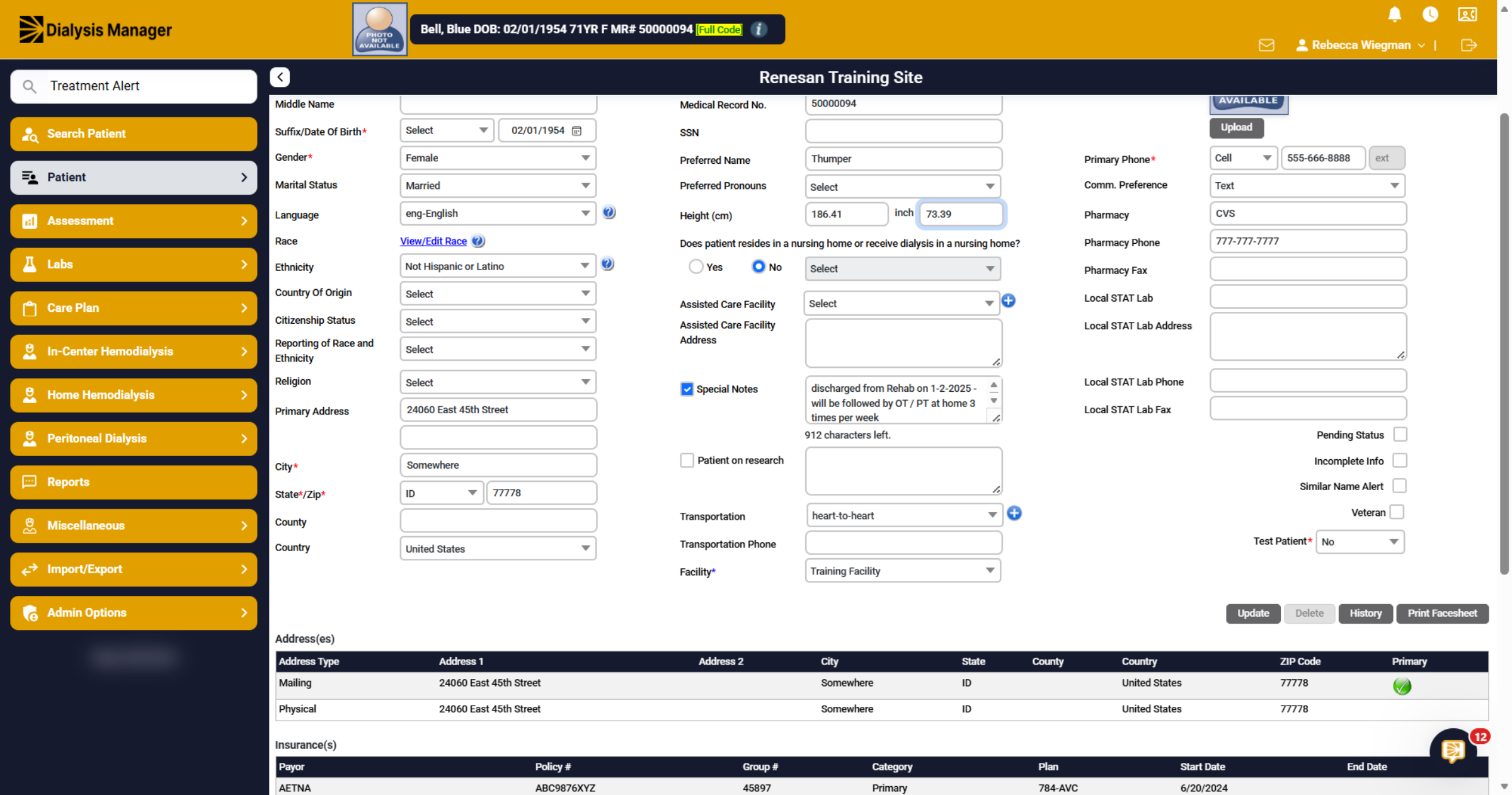
The patient's height is needed to calculate lab results. Required for EQRS submissions and will flow once entered. and required for Billing reimbursements. You can enter the patient's height into the Dialysis Order but if the height is entered on the Edit Patient screen it will flow into the Orders. It will also flow into the patient's flowsheets when entered on the Edit Patient screen.
7. Report - Demographics Info
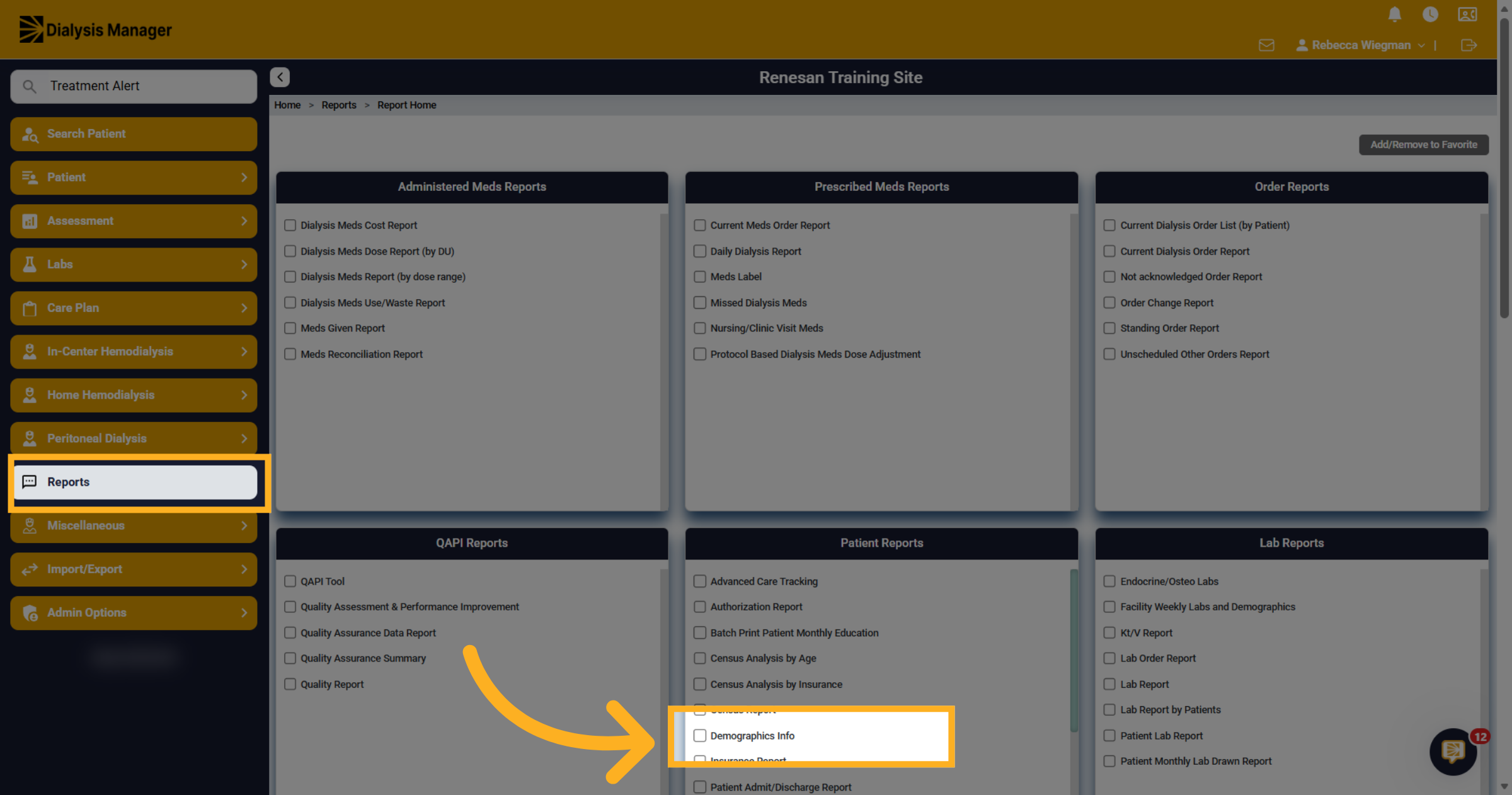
To check for any patients missing height information, you can run the Demographics Info Report from the Reports menu.
8. Demographic Info
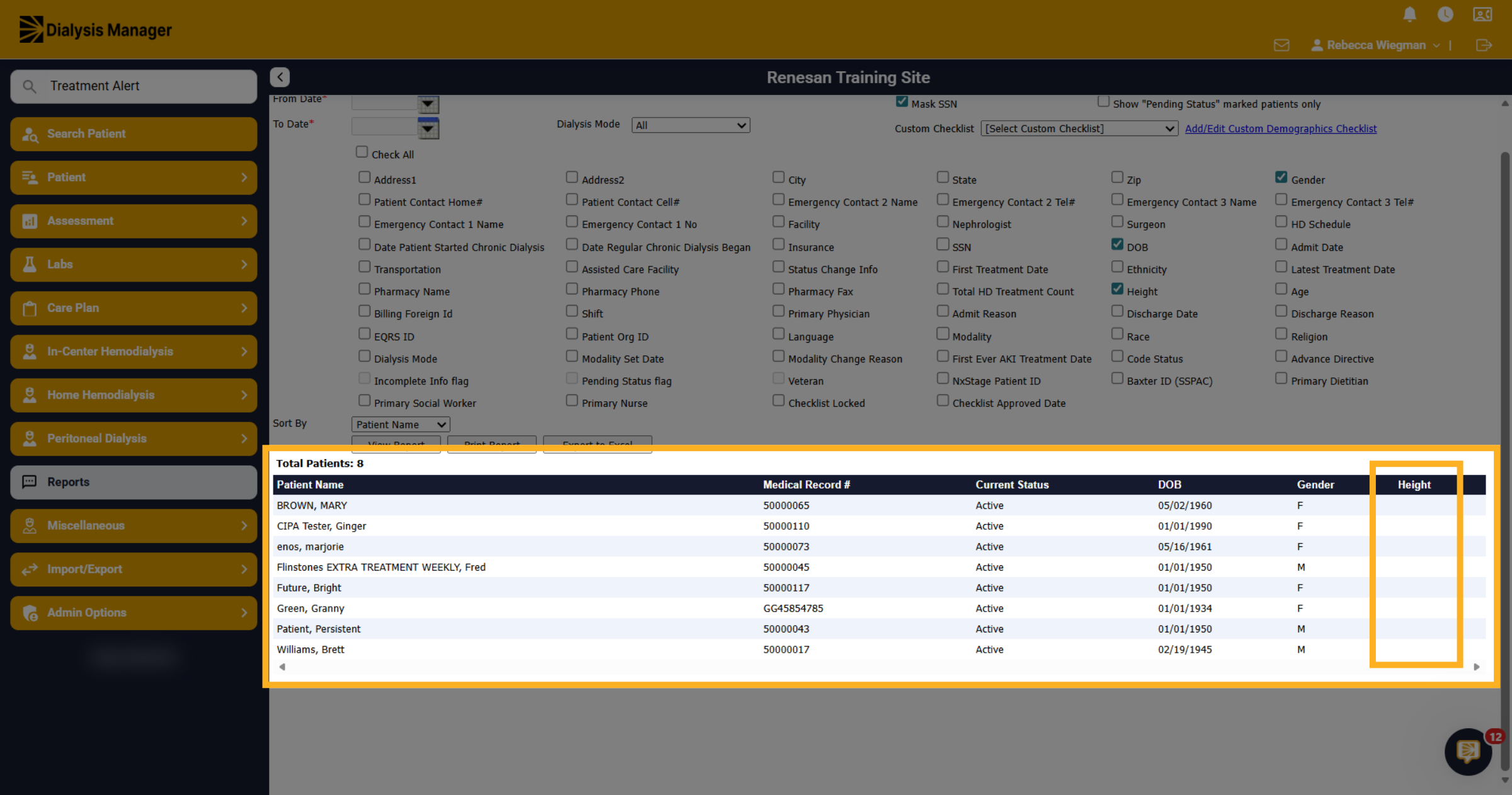
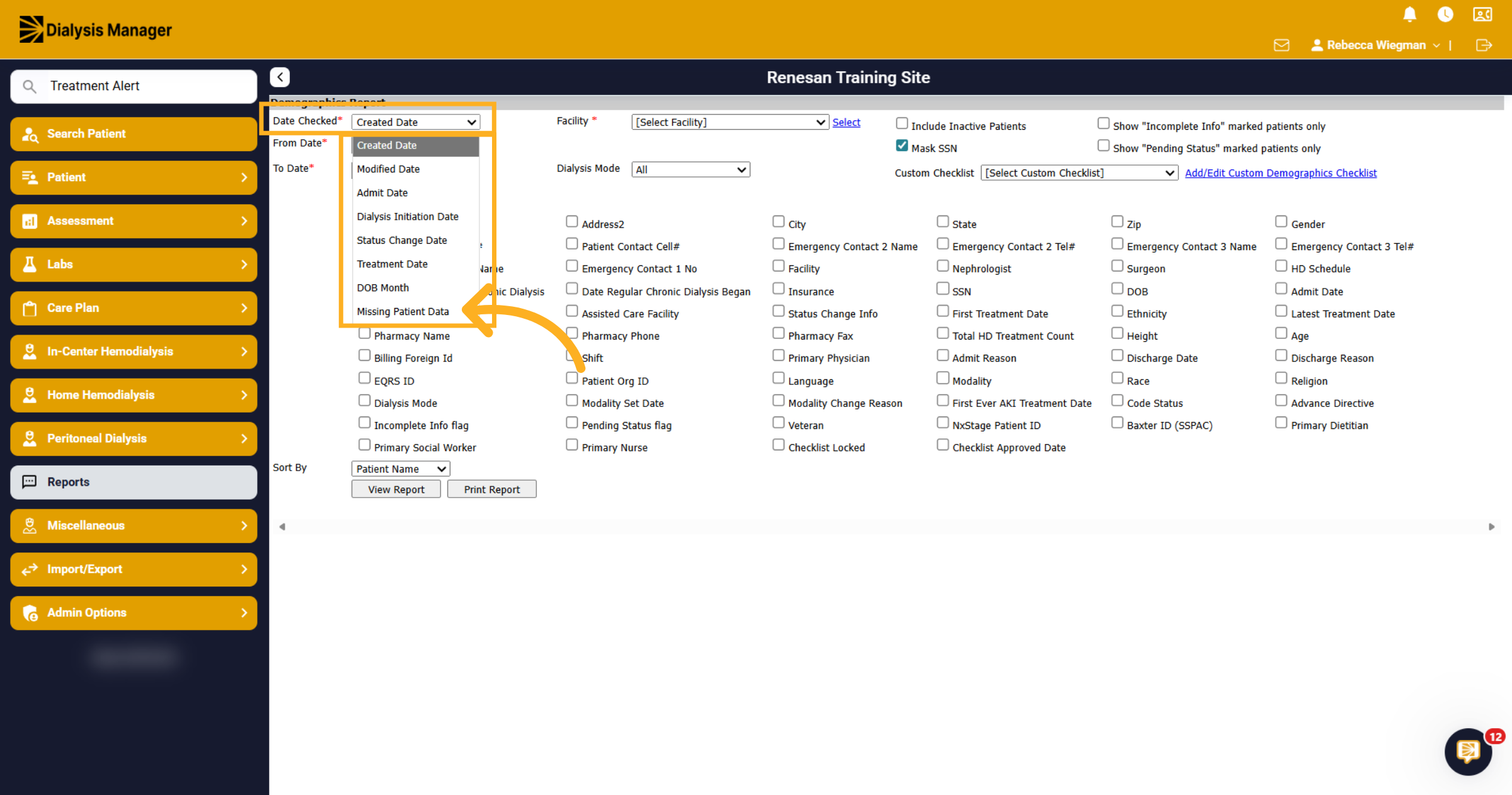
When inside the Demographic Info Report you will need to filter the "Date Checked" to "Missing Patient Data".
9. Select Height
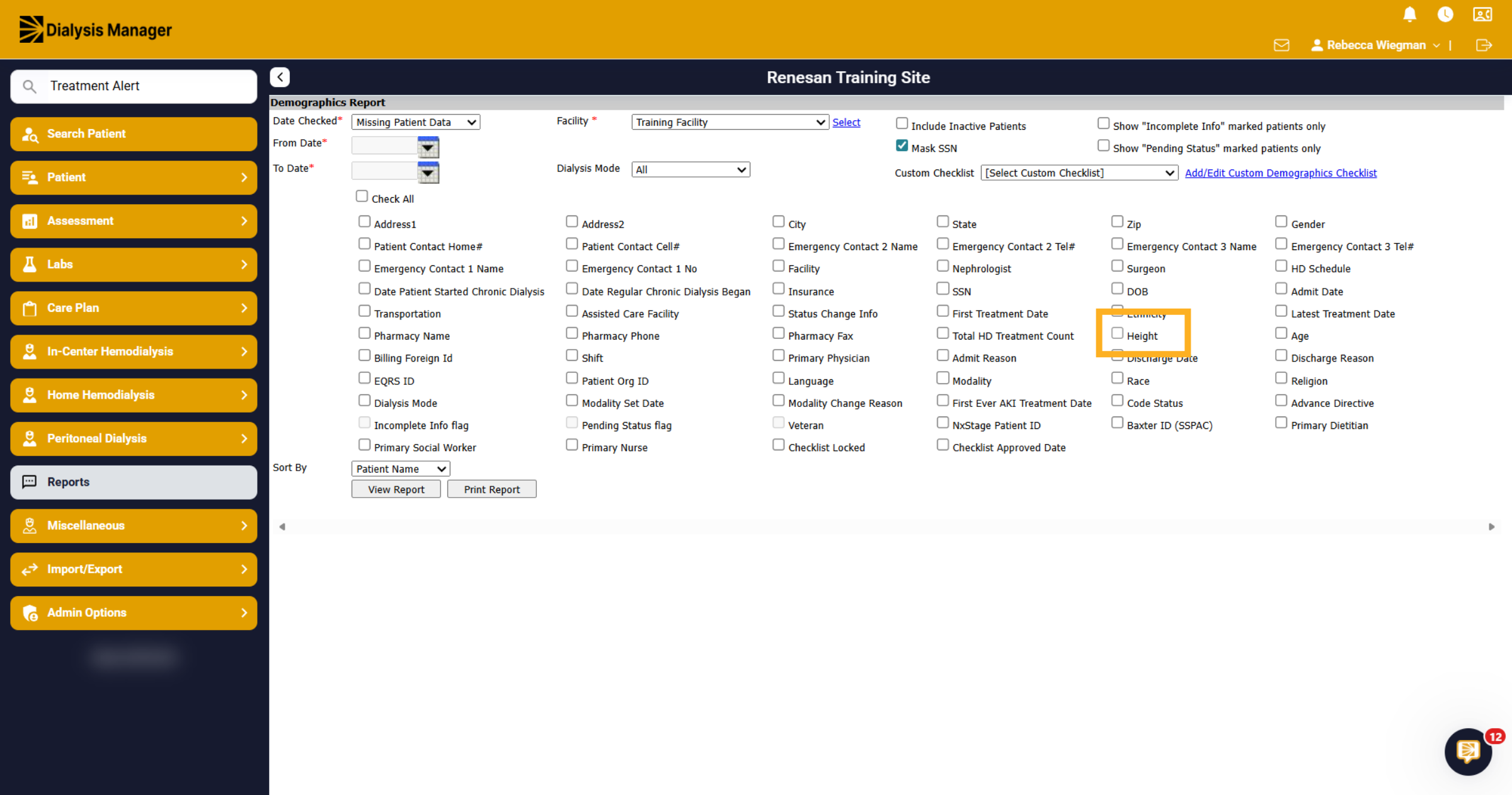
From the list below select "Height". please note that your able to select multiple if need be!
10. View Generated Report
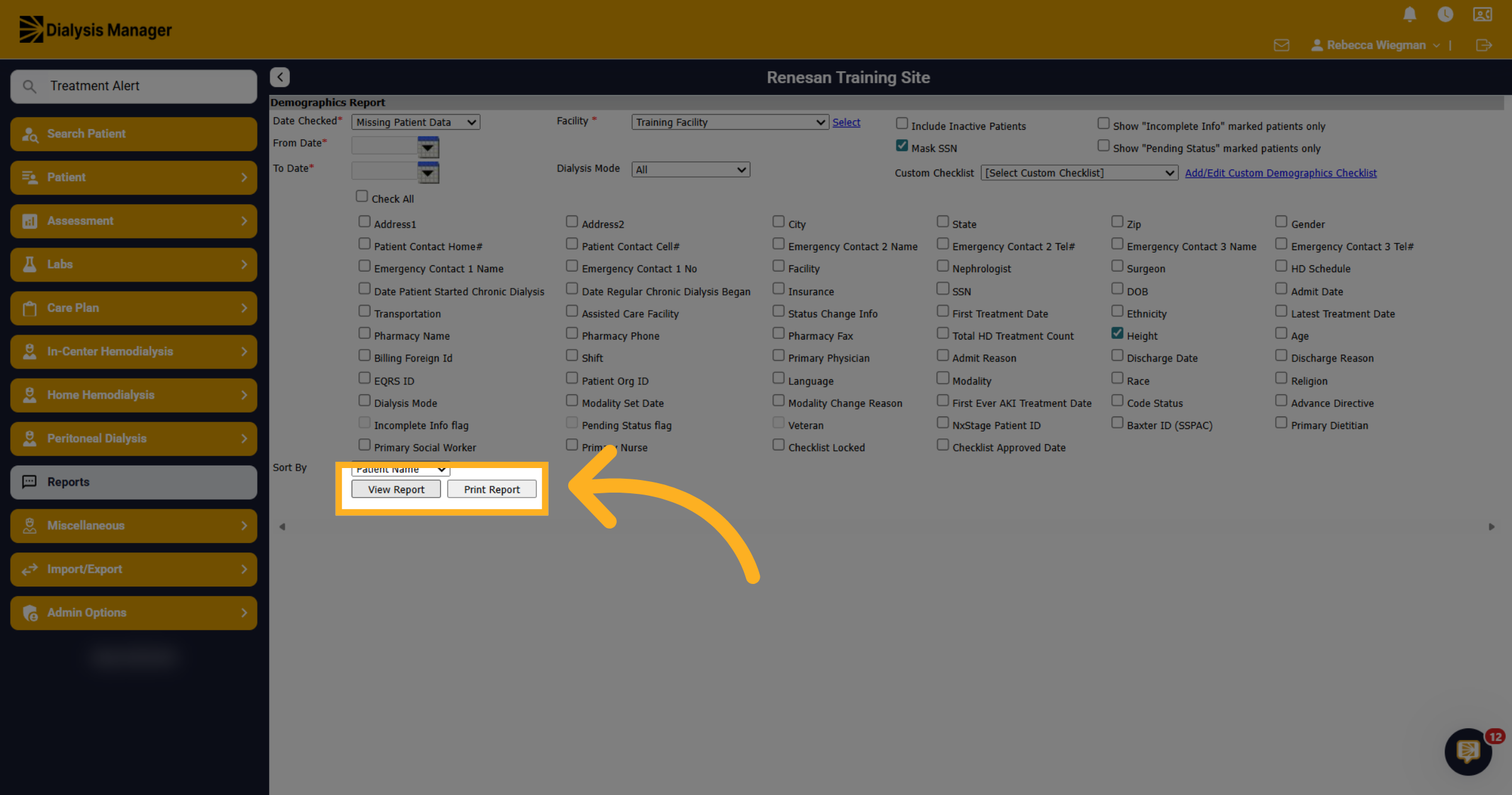
Click View Report to generate and display the patient height report or Print Report.
11. Patient Records
A list of patients will populate showing a Height column with no information. Again, if you selected additional options above, the column will be blank indicating the missing information.