Moving or Transferring a Patient to a Different Clinic
1. Introduction
This tutorial shows you how to move or transfer a patient to a different clinic by updating their discharge and admission information within the system. Before starting, ensure you have access to the patient's profile and the necessary permissions to edit patient records.
2. Click "Edit patient"
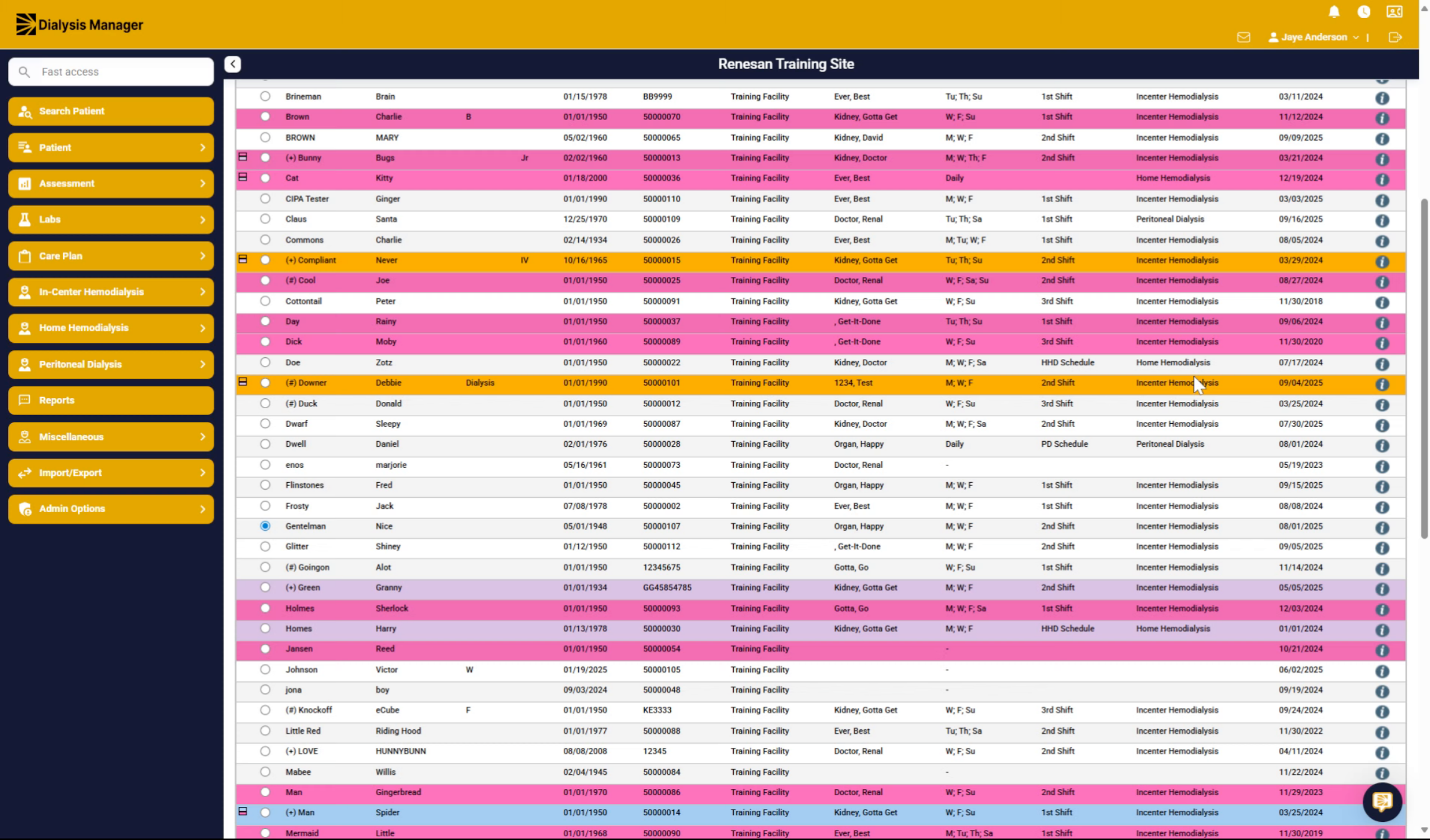
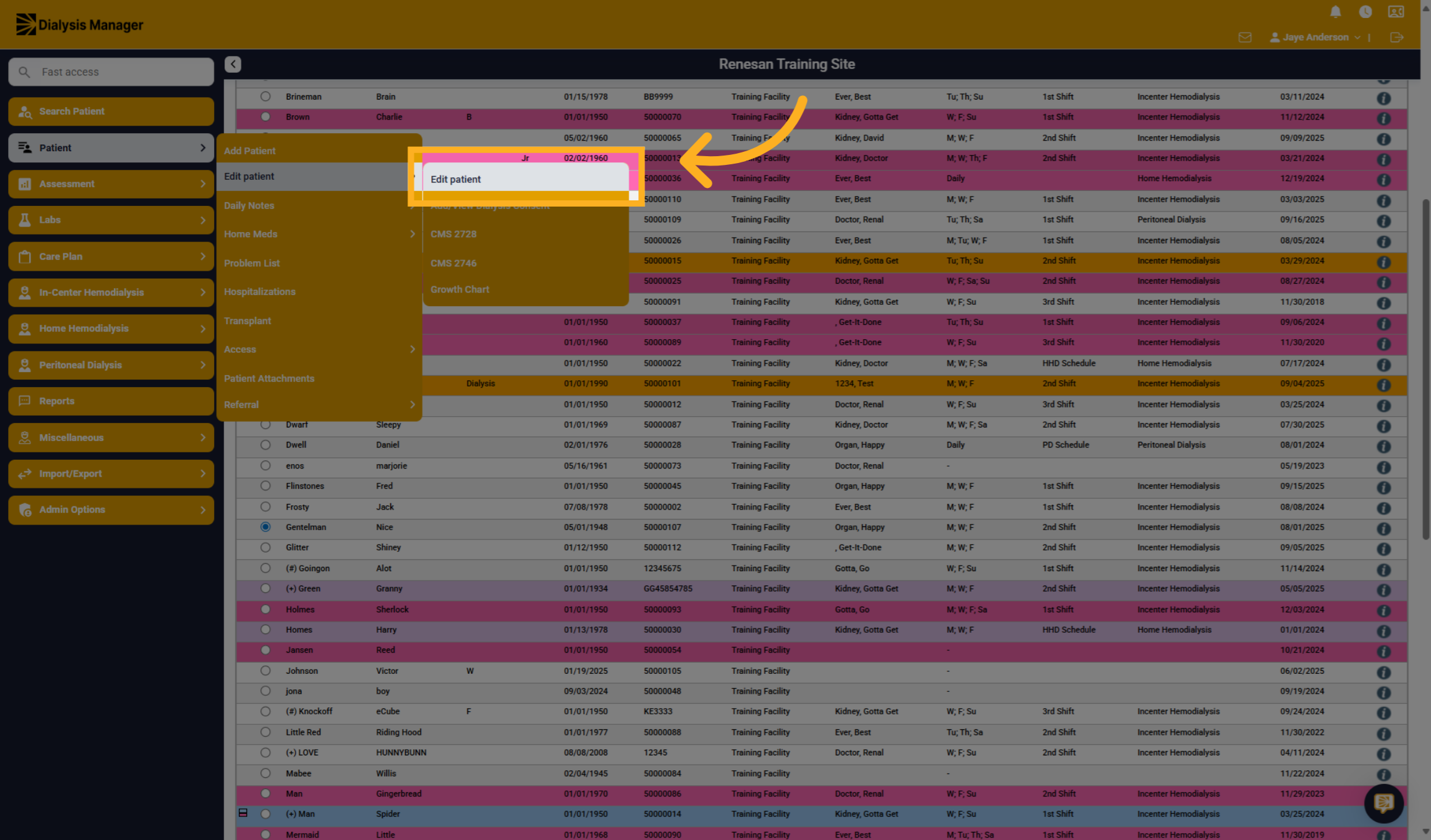
Click "Patient" then "Edit patient" and "Edit Patient" again to open the patient's profile for modifications.
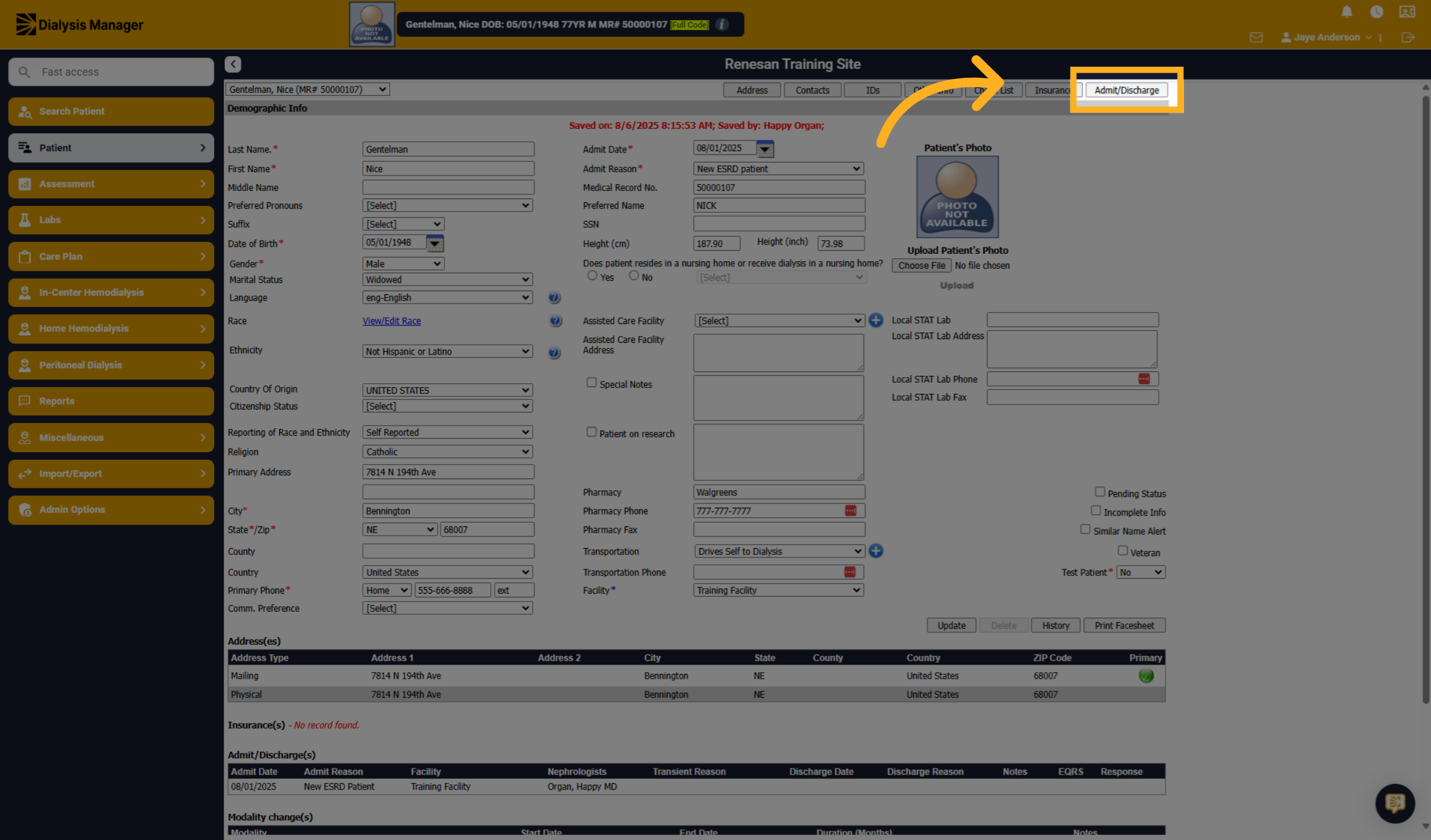
3. Click "Admit/Discharge"
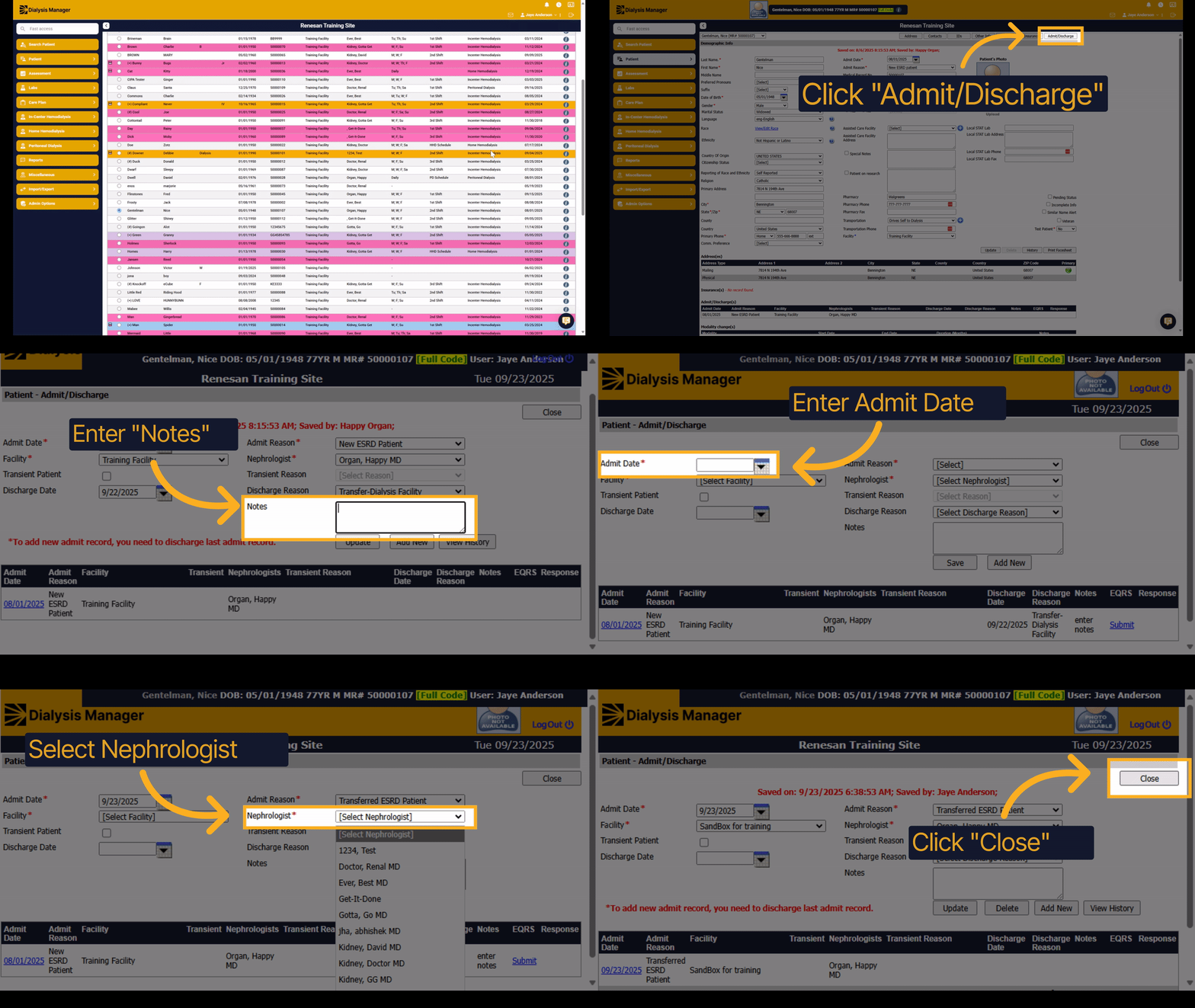
Click "Admit/Discharge" to manage the patient's admission and or discharge status.
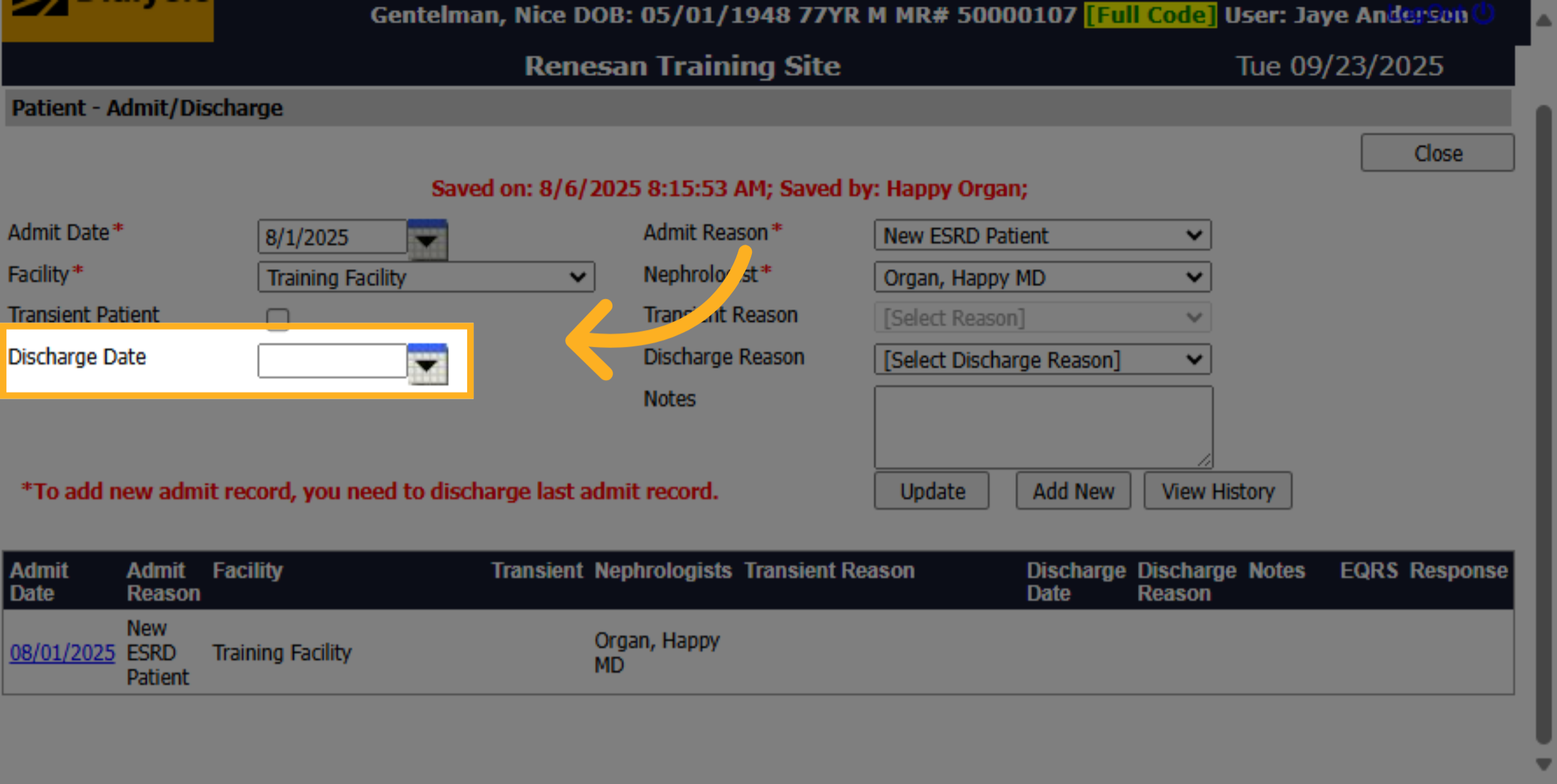
4. Enter Discharge Date
Click here to select the discharge date for the patient.
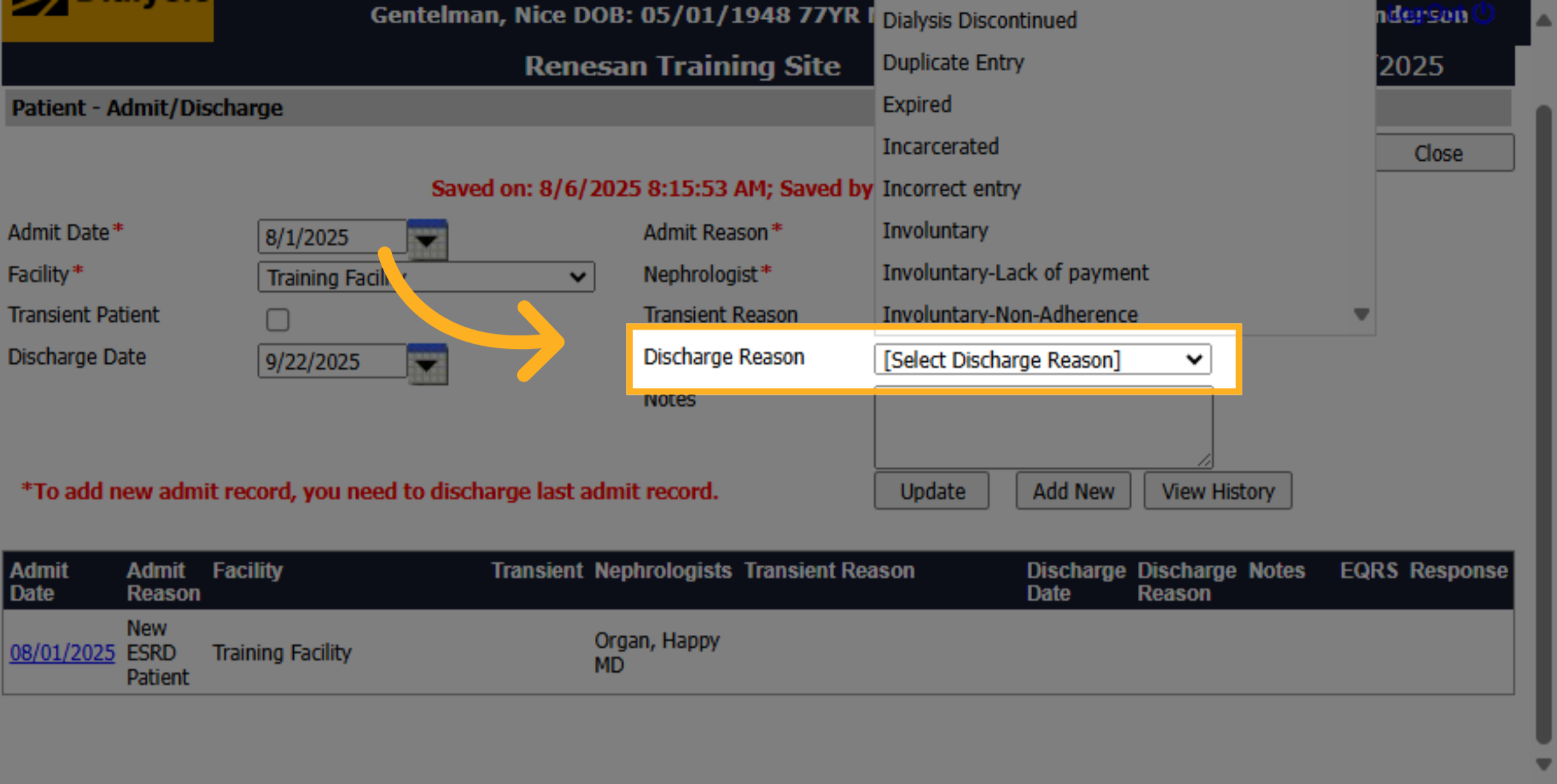
5. Select a Discharge Reason
From the Discharge Reason dropdown, choose the appropriate reason.
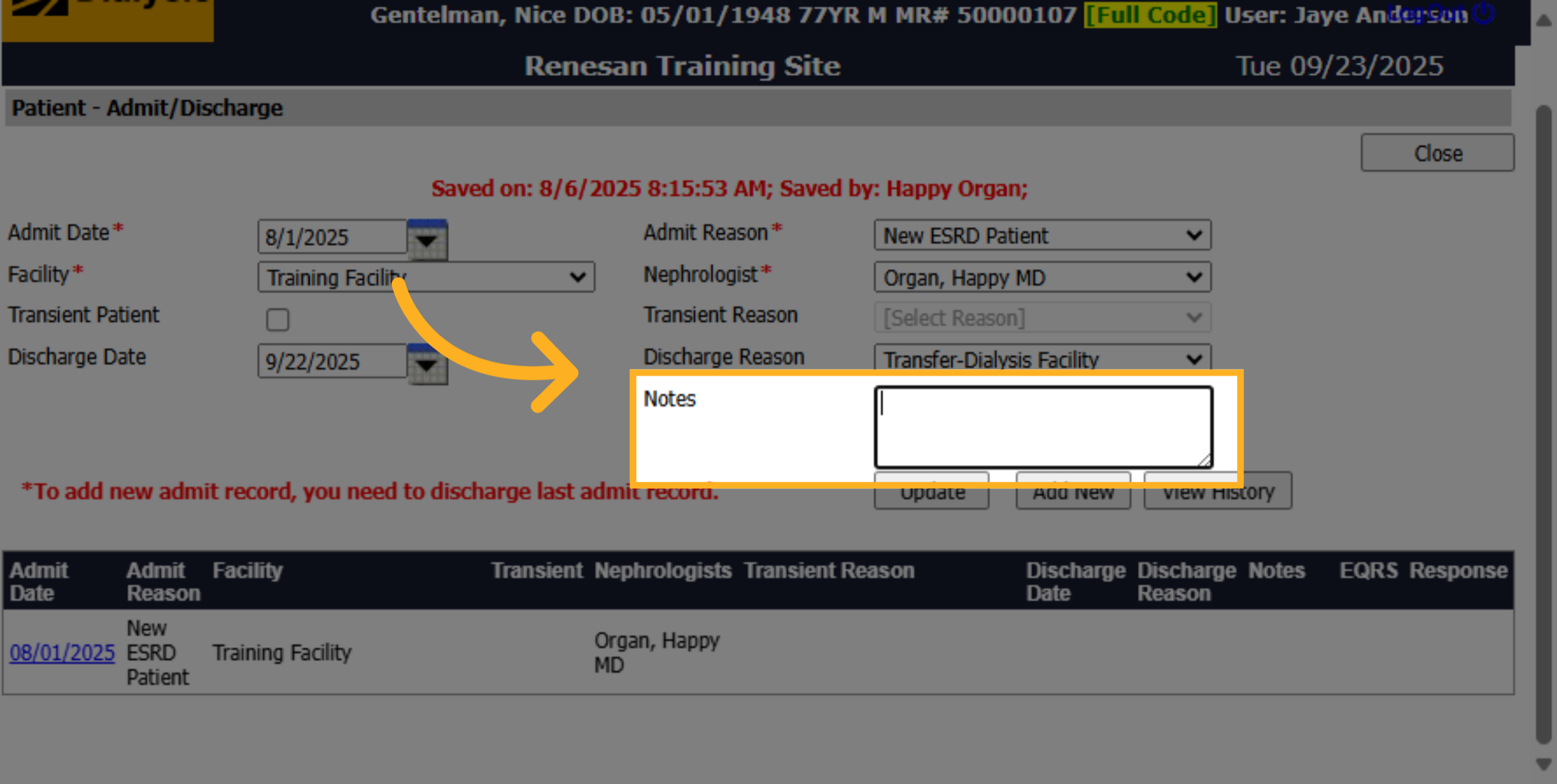
6. Enter a Note
Click "Notes" to add any relevant information regarding the discharge.
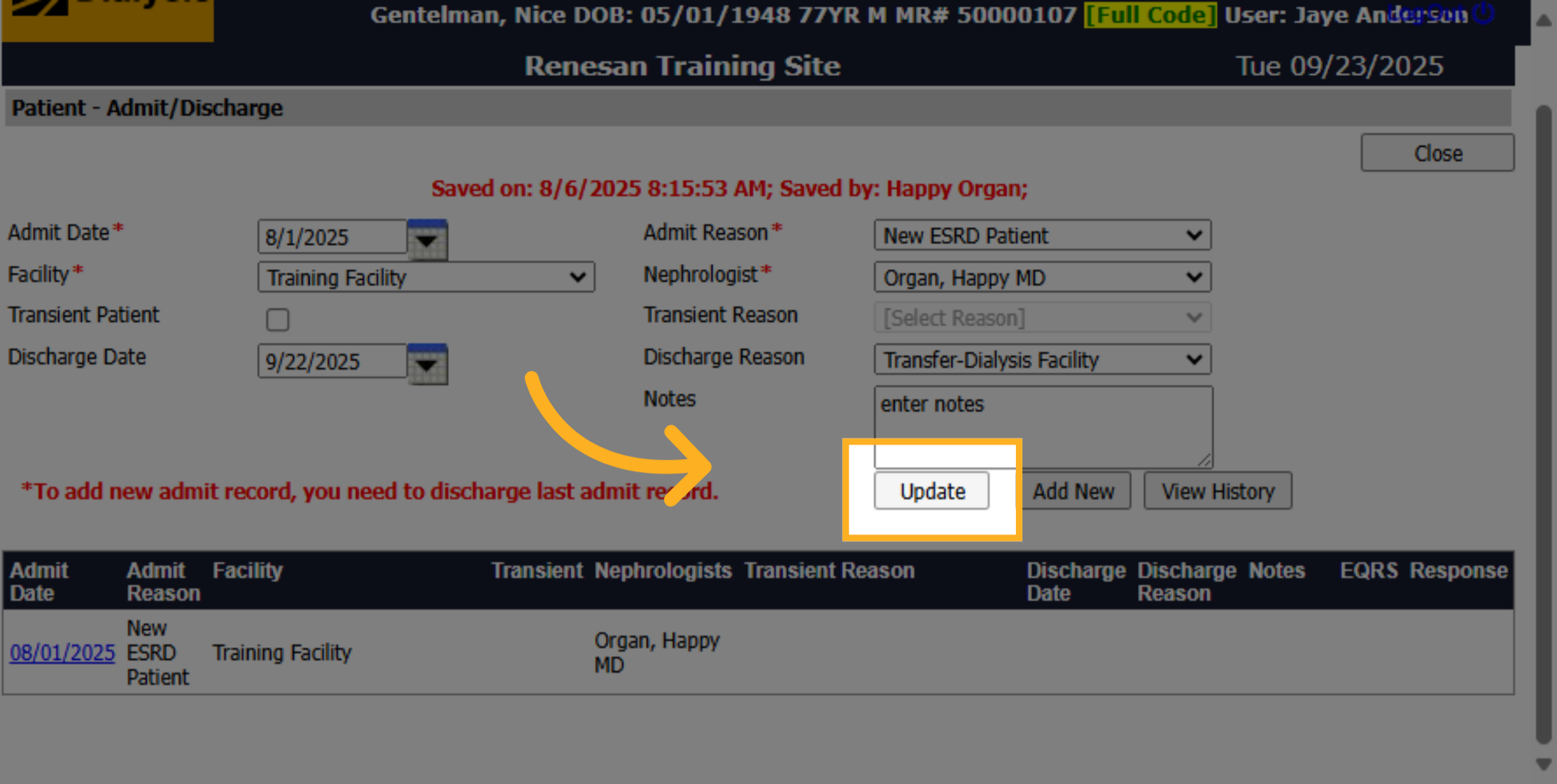
7. Click "Update"
Click "Update" to save the discharge information and update the patient's record.
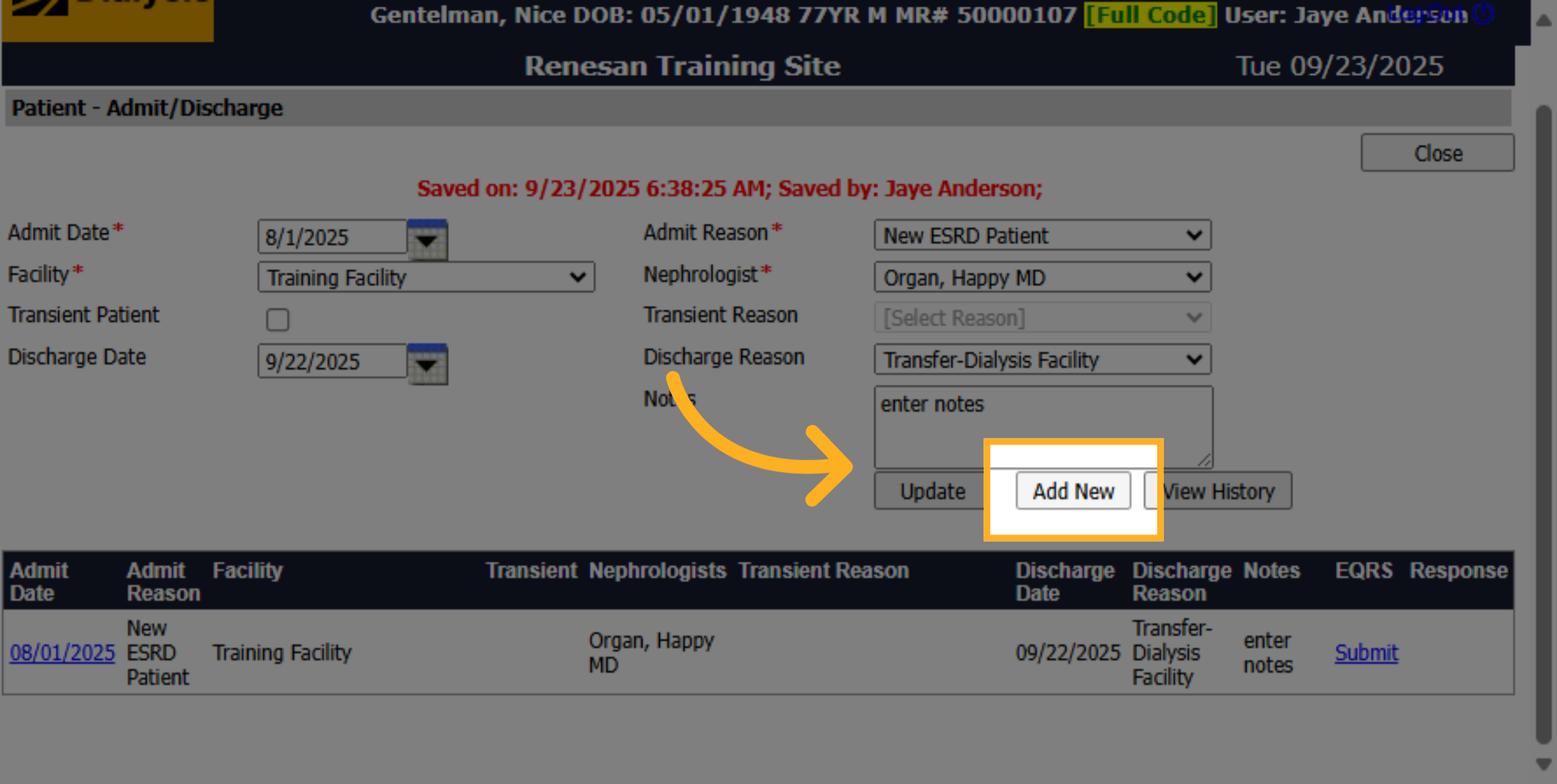
8. Click "Add New"
Click "Add New" to begin admitting the patient to another internal facility.
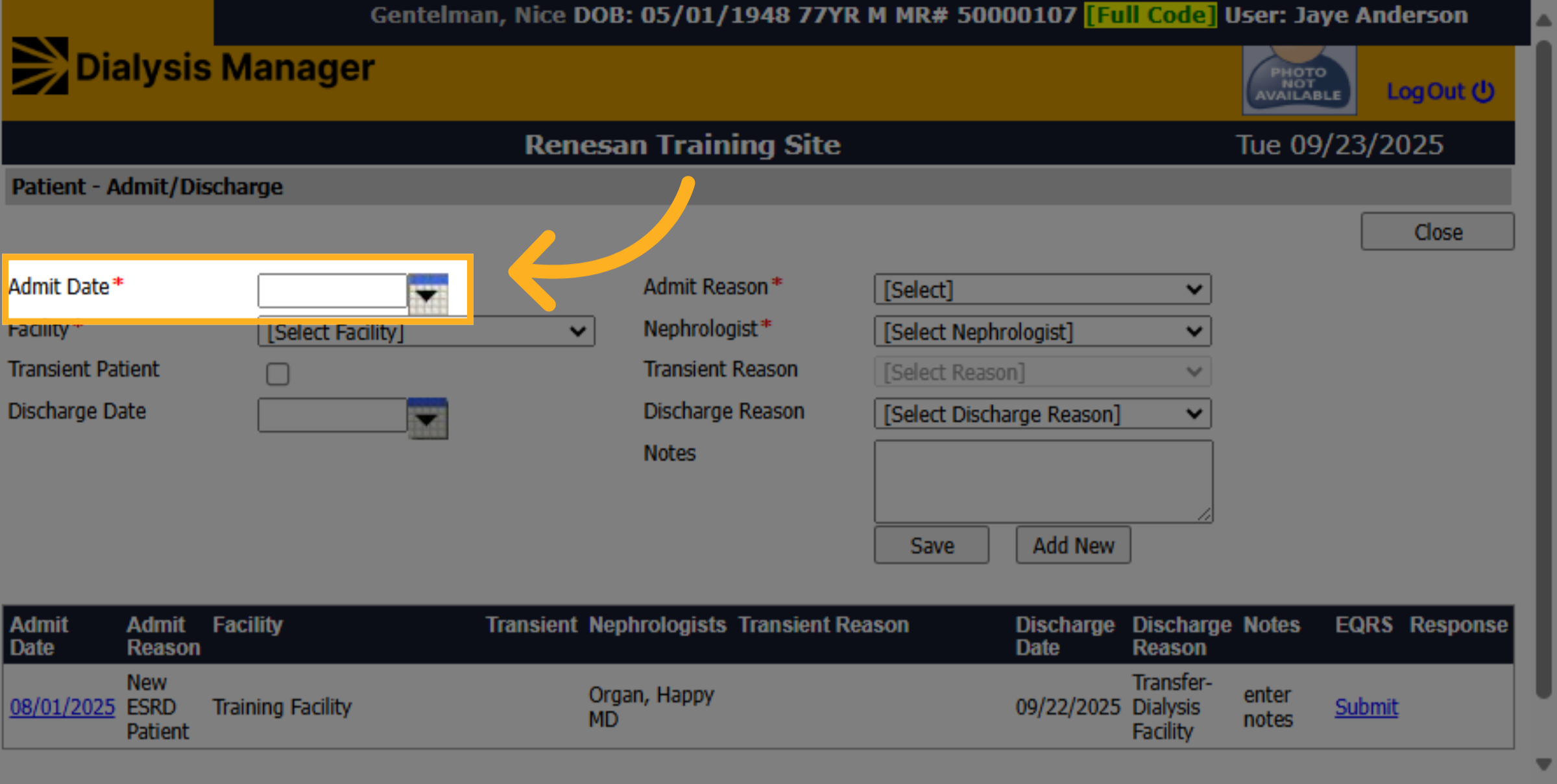
9. Admit Date
Enter the admit date for the patient at the new facility.
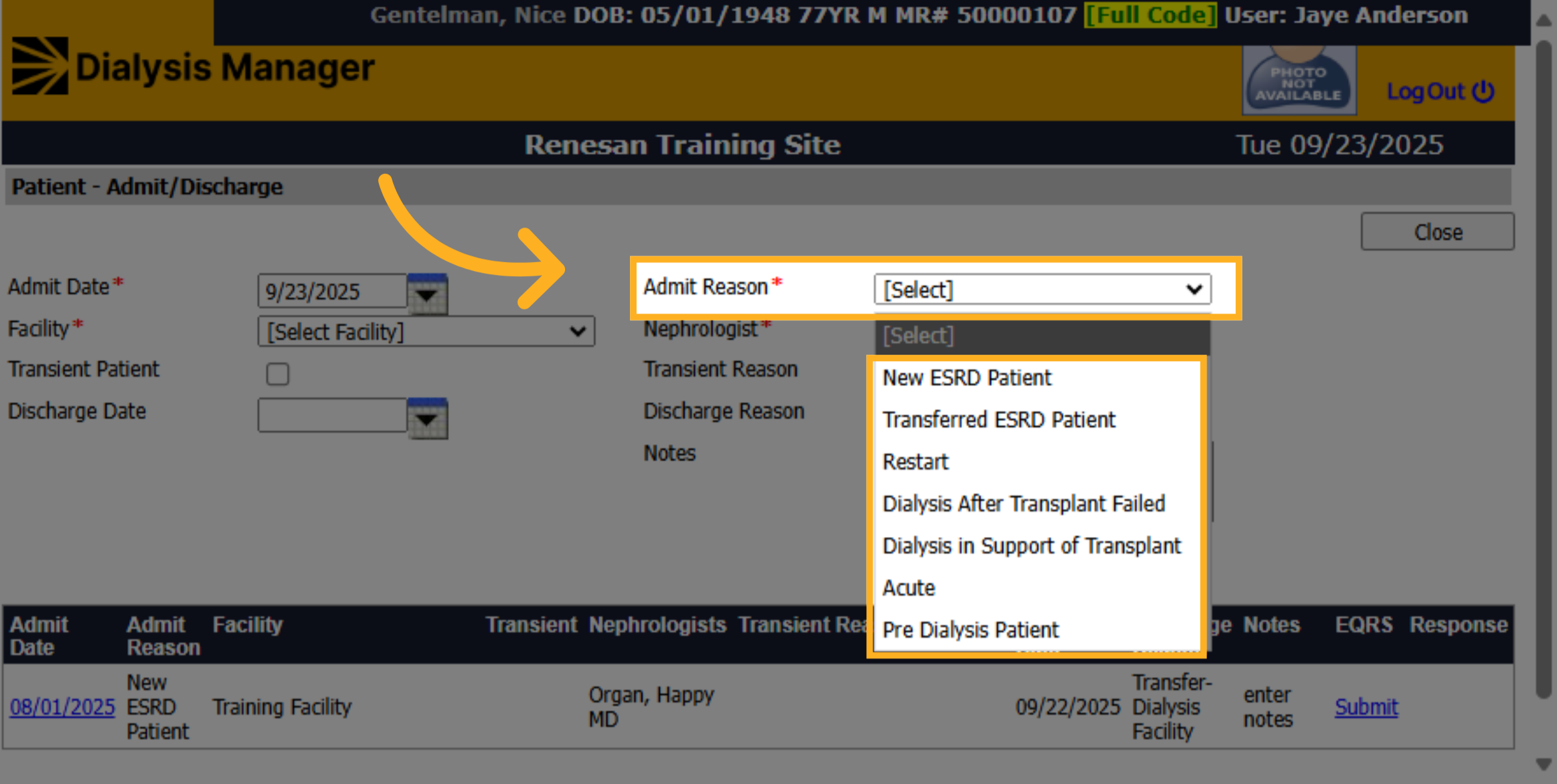
10. Select Admit Reason
In the Admit Reason dropdown, choose the patient's admission type from options like New ESRD Patient or Transferred ESRD Patient.
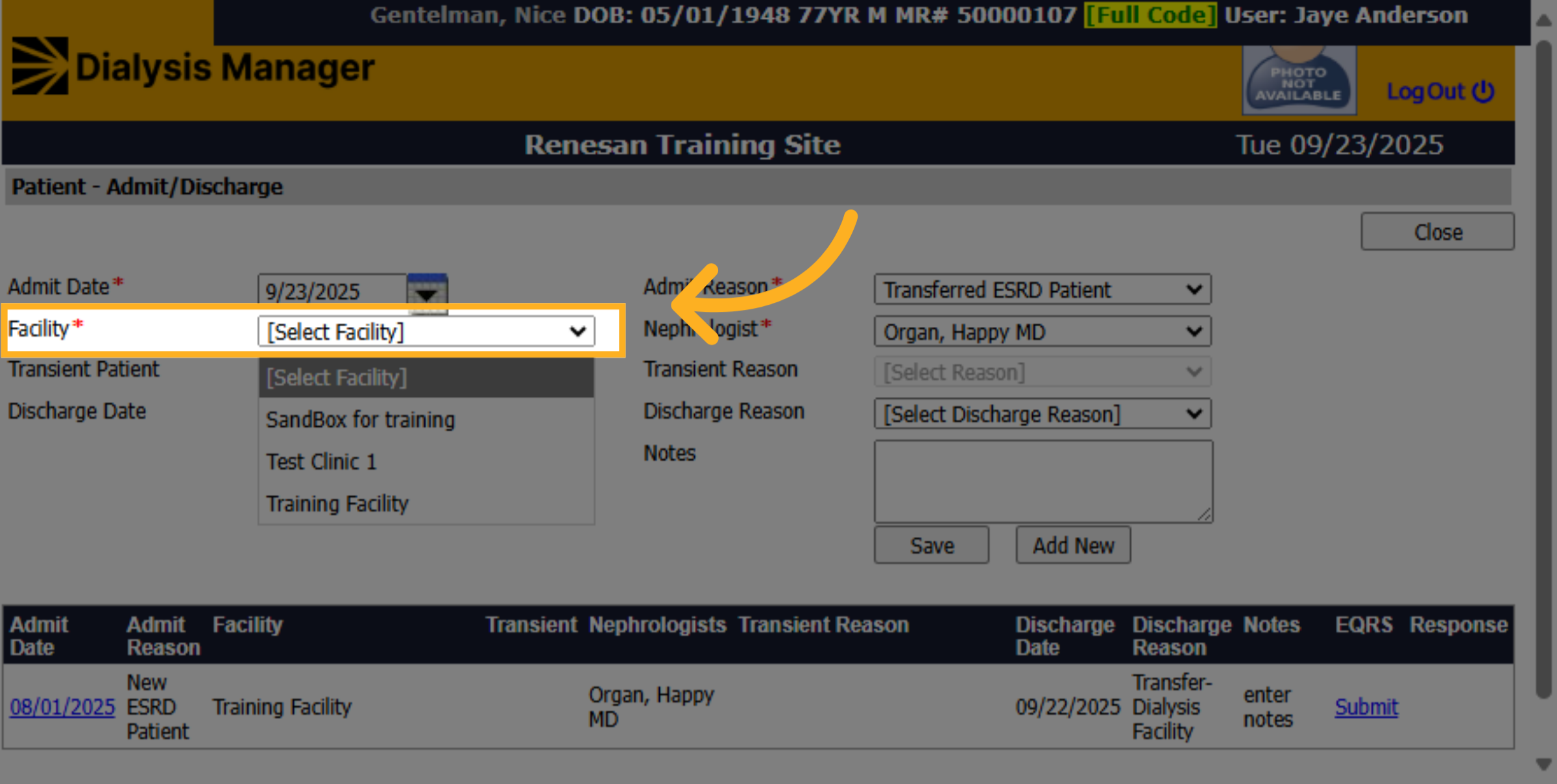
11. Select Facility
Select the clinic or facility where the patient will be admitted.
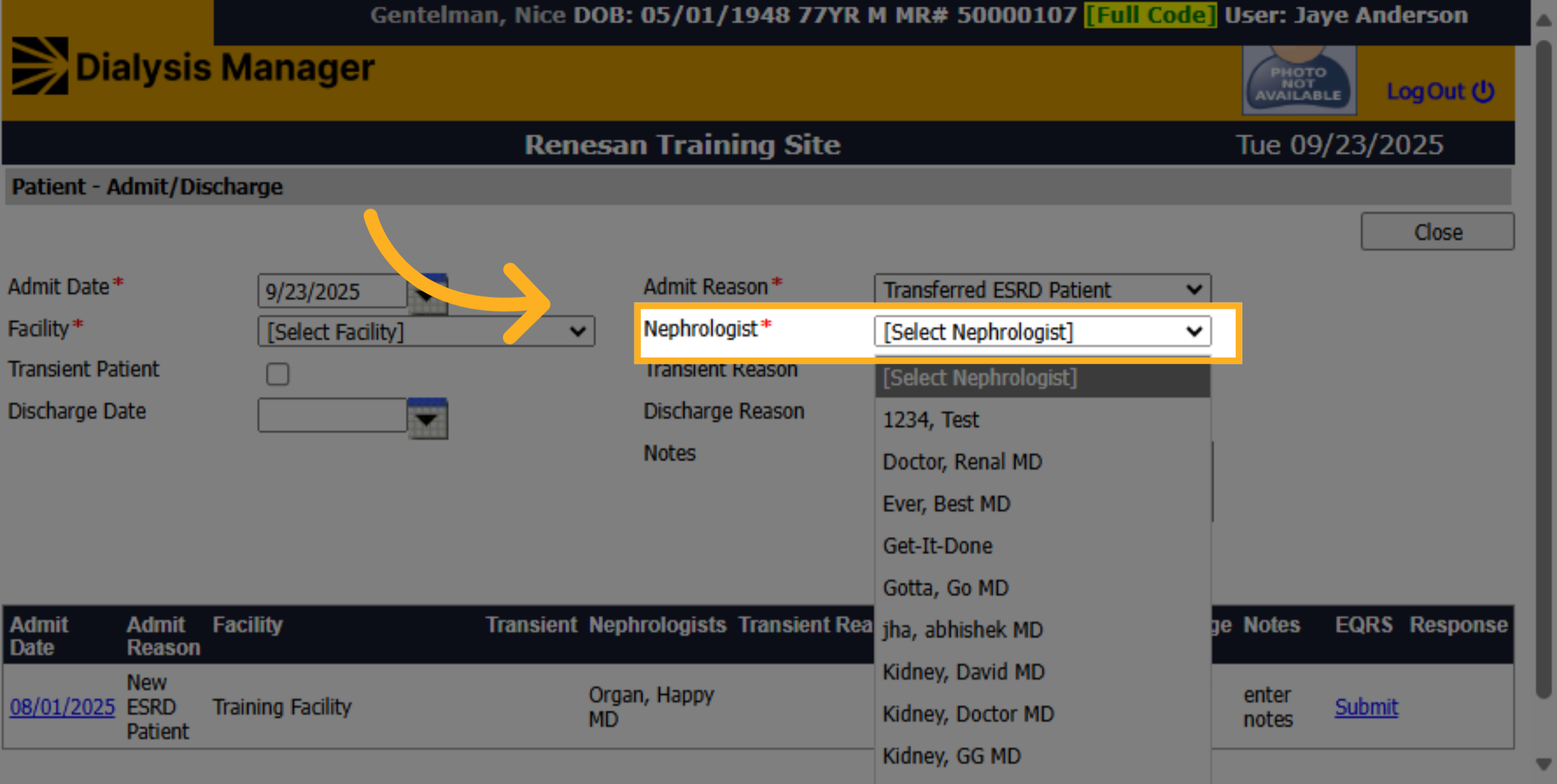
12. Select Nephrologist
Select the Nephrologist to assign to the patient from the list of available doctors.
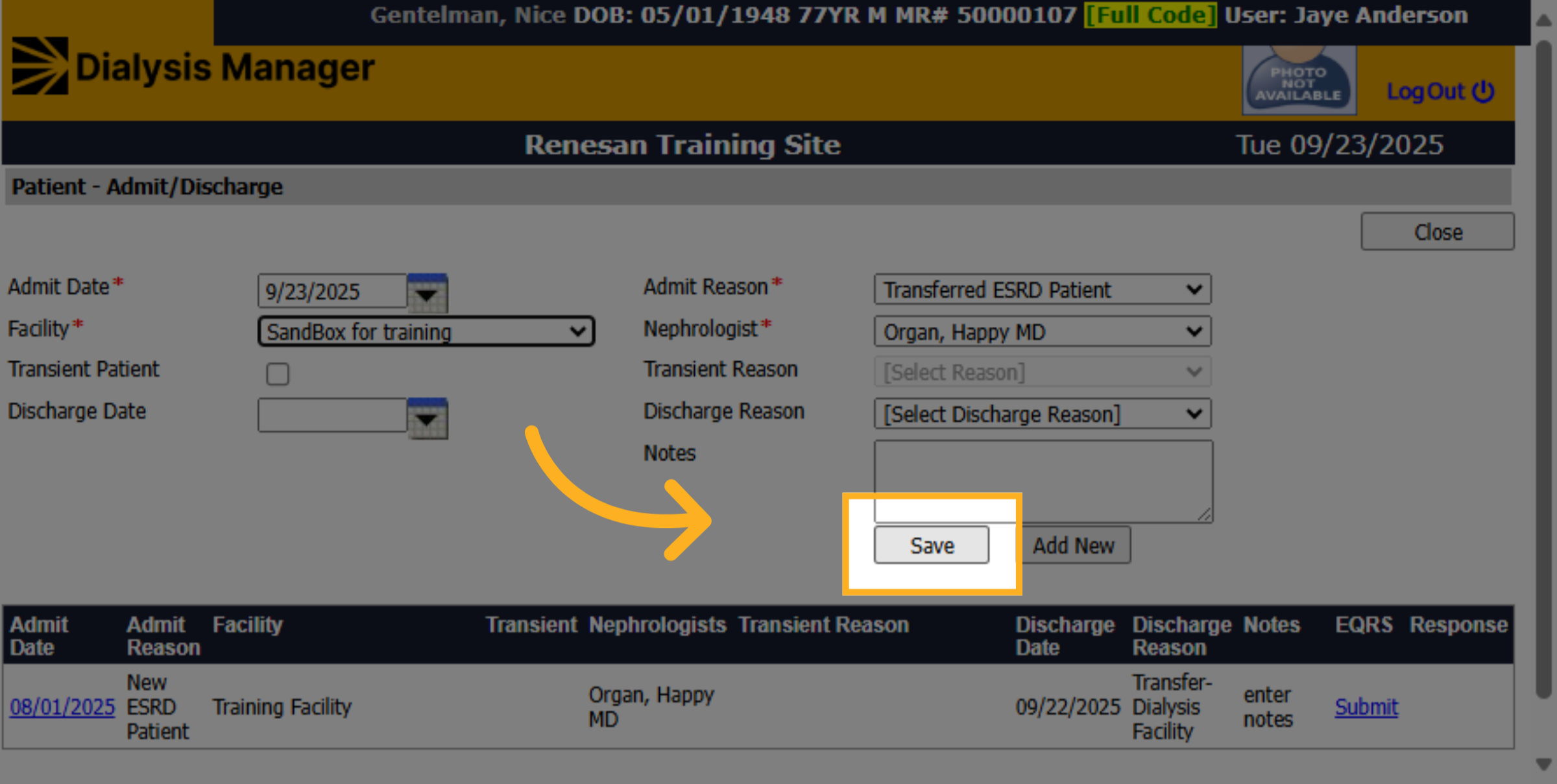
13. Click "Save"
Click "Save" to confirm and save all changes related to the patient's admission.
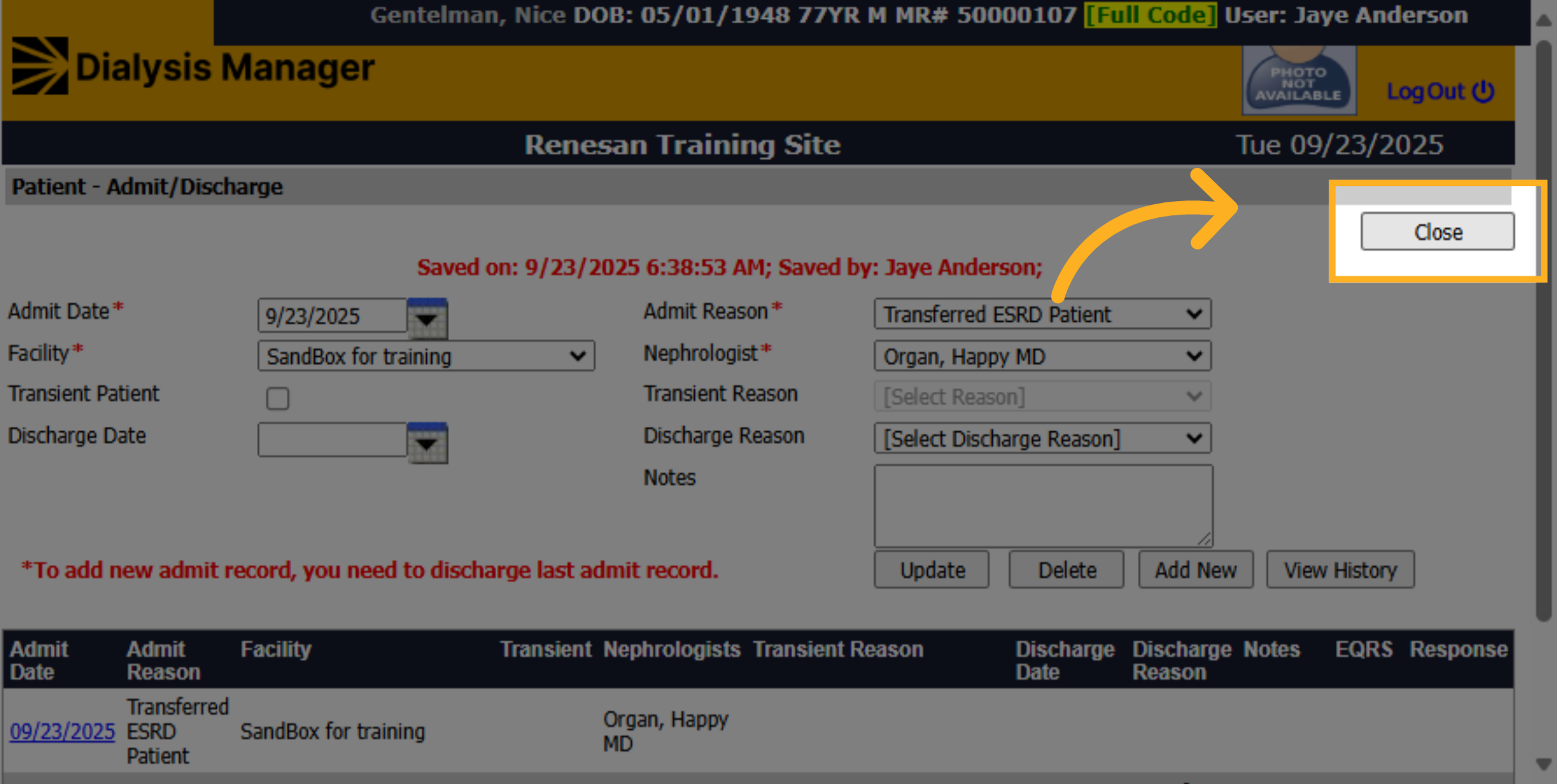
14. Click "Close"
Click "Close" to exit the patient edit screen and return to the main patient management area.