Reason labs may be missing:
1. Mis-match in name or MRN
2. Labs may be missing due to missing MRN, therefore unable to match import to any patient record.
Use the following steps to troubleshoot why labs are missing and what to do to make corrections:
1. Go to Admin Options > Log Events > Lab Log Events.
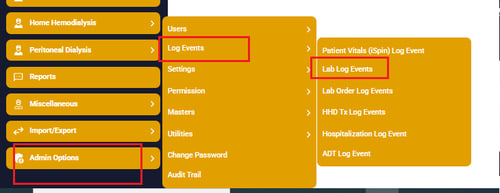
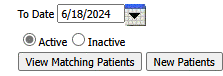
a. Enter From Date & To Date
b. Select Active or Inactive (usually Active is selected after lab draws monthly)
c. Click View Matching Patients button which displays:
1. Current MRN & Secondary MRNs
2. Renvio Patient Name & First Name/Last Name (as listed in lab software).
1. In View Matching Patients page, review unmatched Name &/or MR Detail
2. Select Edit next to Unmatched/Matched
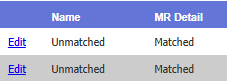
3. Make corrections to open fields
a. Caution: validate using the correct patient, DOB & Gender
b. Verify no additional spaces in fields (before or after entry of patient First and Last name fields)
Select Update
1. In Lab Log Events > New Patients button, displaying patient(s) missing MRN to match to:
NOT NEEDED
2. Select Edit next to View Lab button
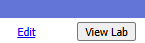
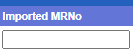
3. Enter Dialysis Manager MR number in Imported MRNo field
4. 'select Update
a. Moves patient from New Patients page to View Matching Patients page
1. In Lab Log Events > View Matching Patients button
2. Check box in front of the corrected patient information

3.
Select Import Labs button

4. Then click Map Labs button followed by Map patient's button
NOTE: Please verify If patient is still showing in View matching patients if yes then
a. Go to Map patients button
b. Search for patient in Lag log Name and select it and then select the patient in Renvio Log name box
c. Once 100% sure the patient is same in both boxes click on MAP button. This should process the labs
5. Validate labs now present in Labs > Labs for the month/date of lab draw.