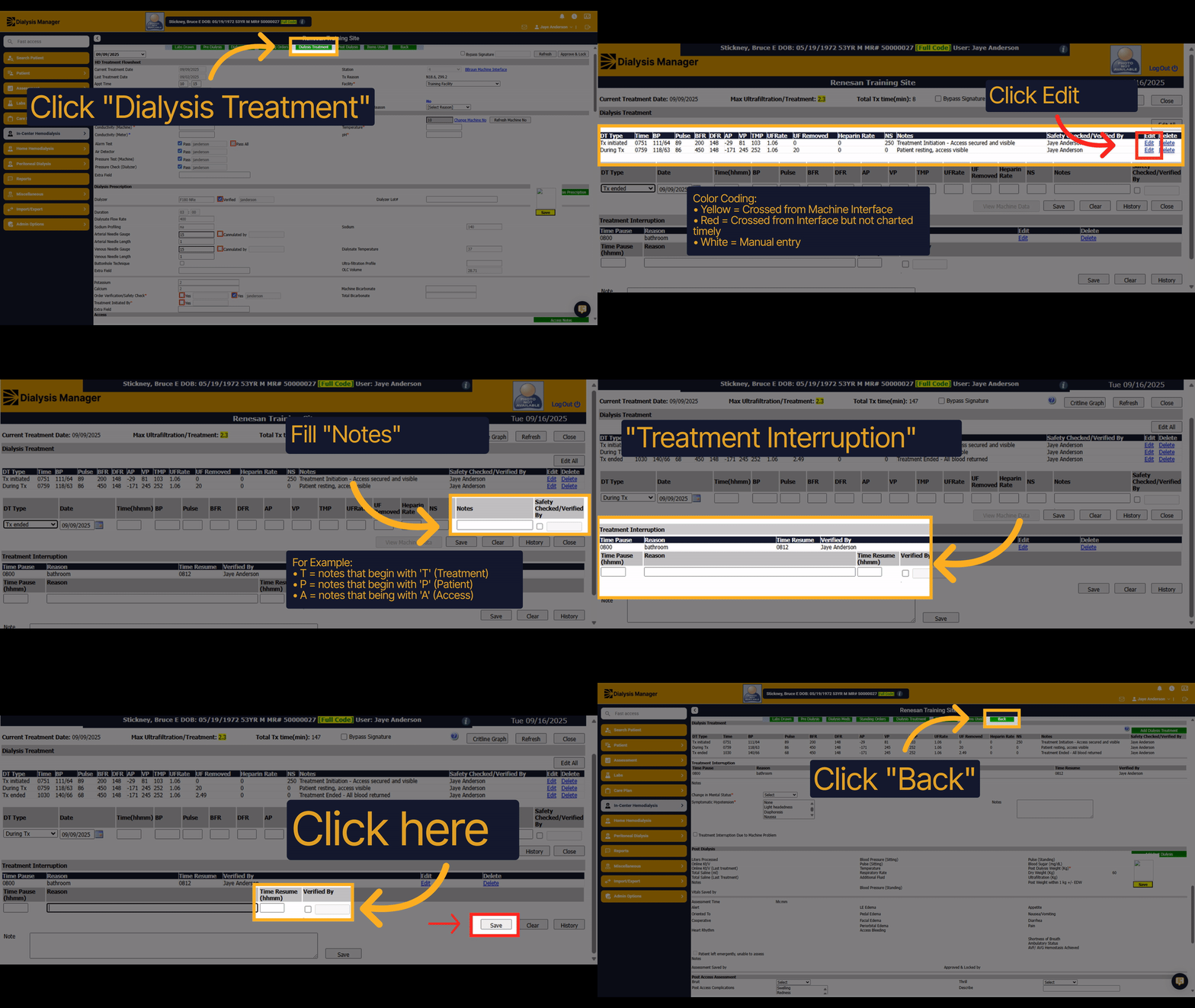
z Documenting patient vitals during treatment in dialysis manager.
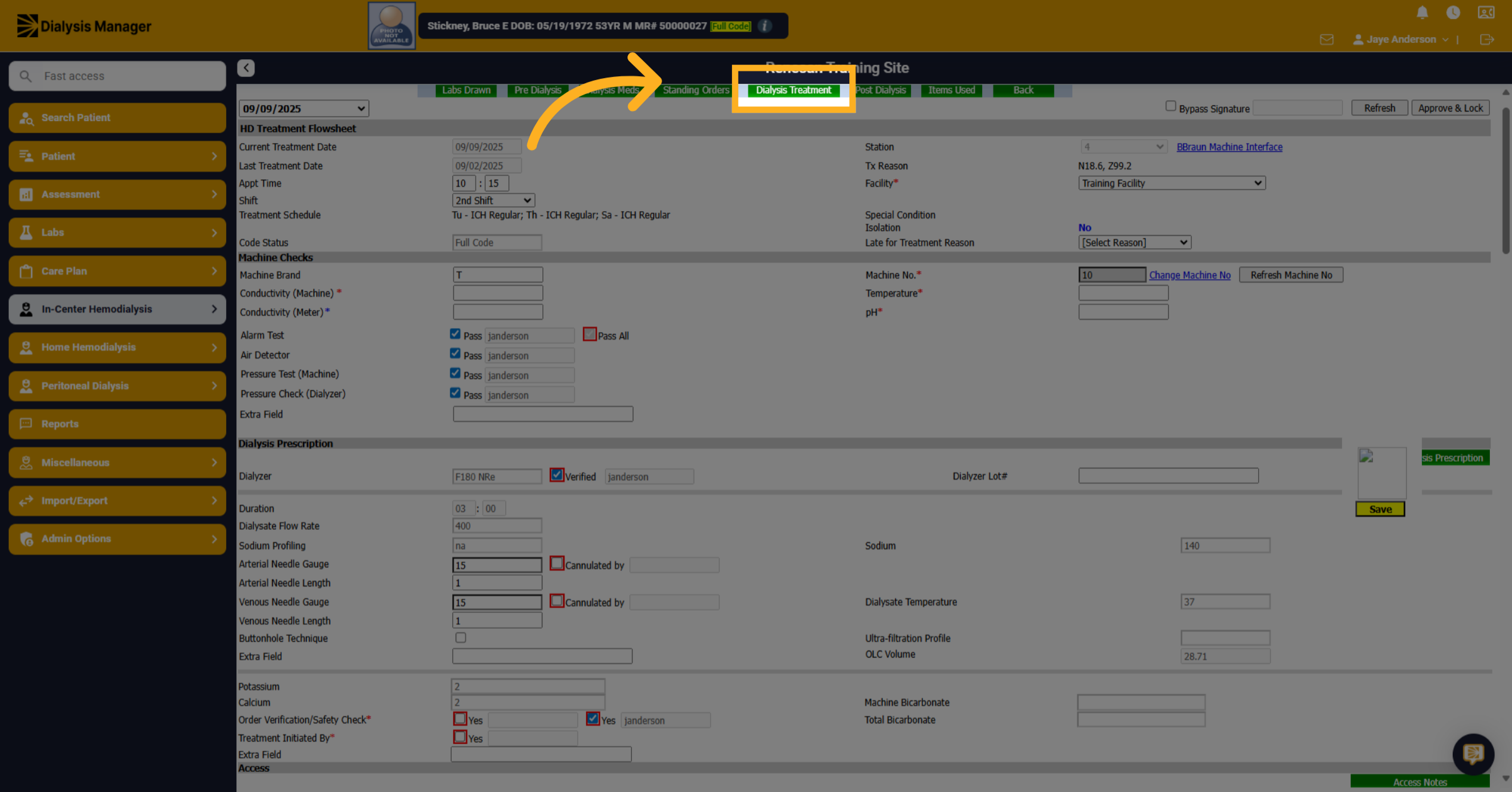
1. Click "Dialysis Treatment"
Click on the dialysis treatment to begin documenting patient vitals.
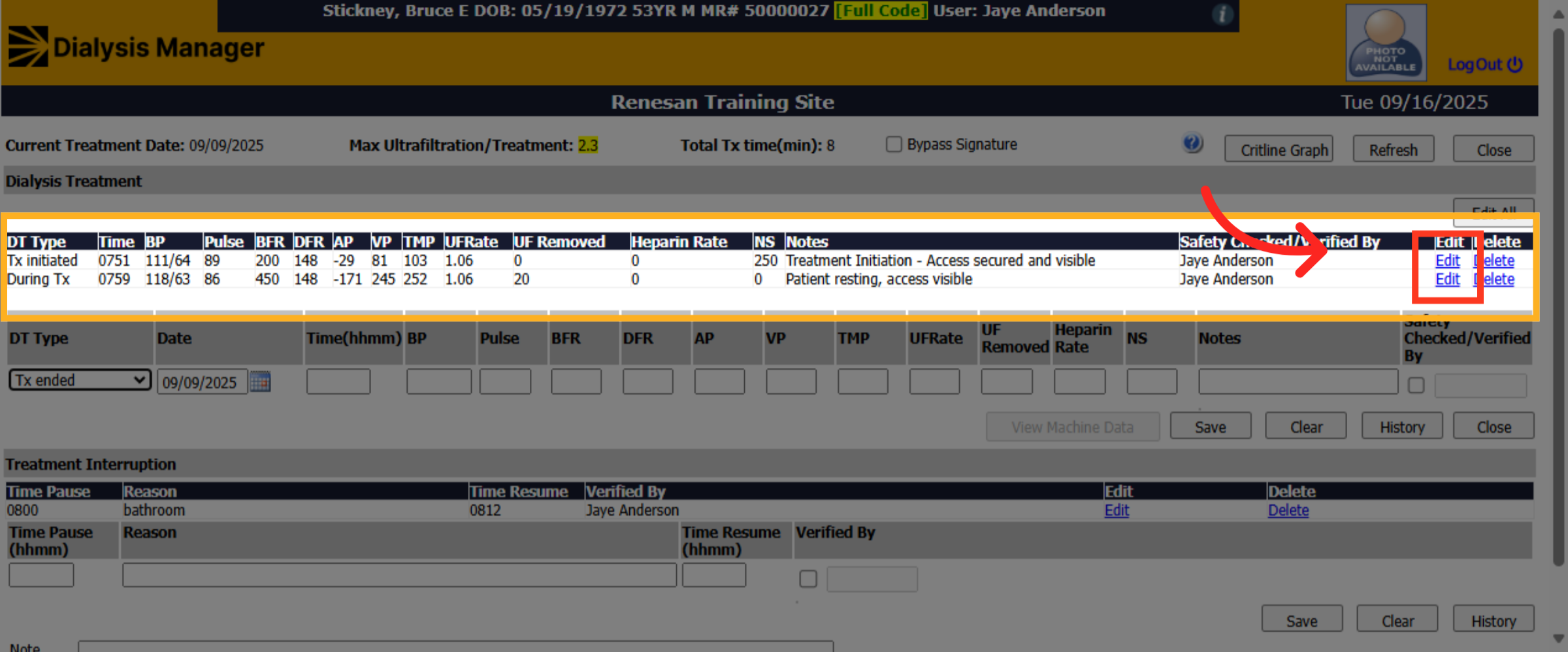
2. Fill "Select Notes Safety Check"
If vitals crossed from the machine interface they would be listed with a Yellow highlight. Red means the information was not charted timely and white is a manual entry. Click Edit.
3. Click "Select"
Choose or change the treatment type, if applicable; note you must have a "treatment initiated" and you also must have a "treatment ended" to finalize and lock your patient flowsheet.
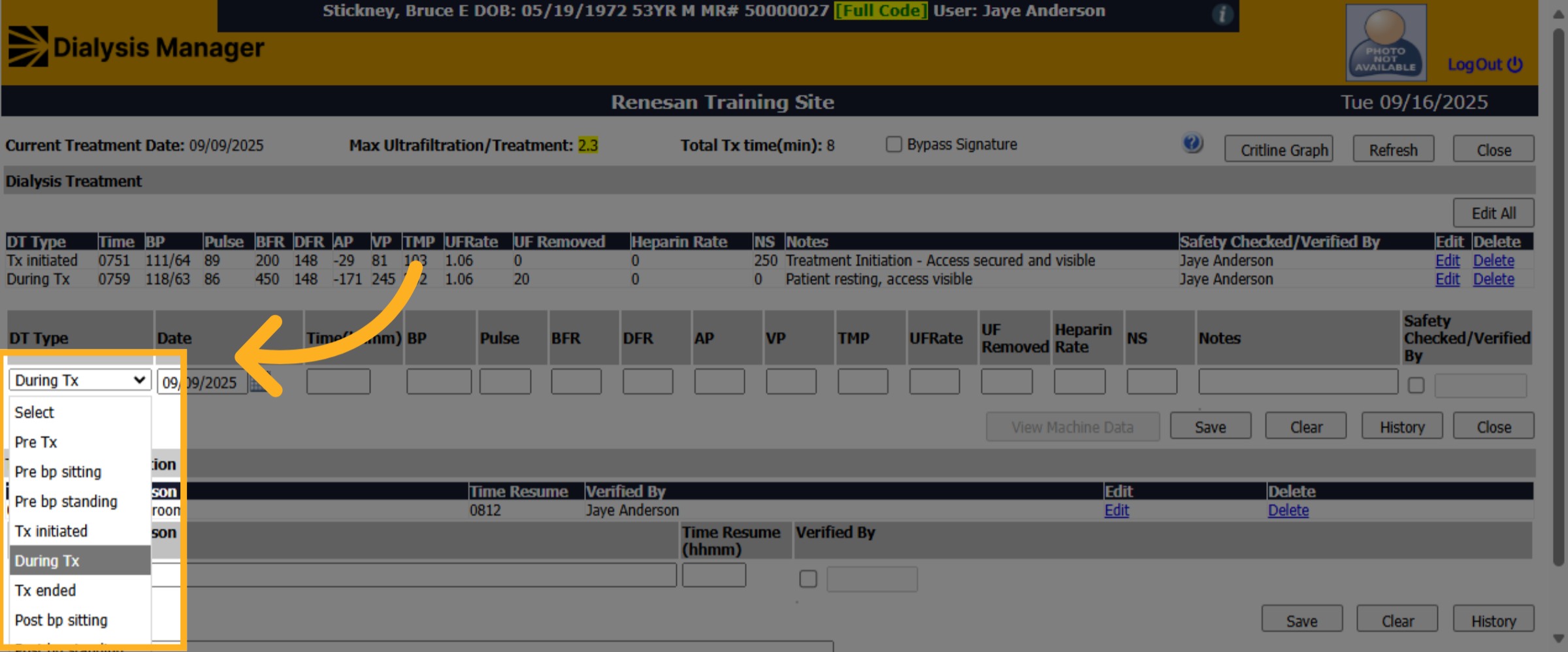
4. Fill "Select Notes Safety Check"
If this is a manual entry all fields are required unless your treatment type is listed as a note. Complete the treatment Note accordingly. Hint: if you type in the letter 'p' all predetermined notes that start with p will display. Or you can free type your own notes.
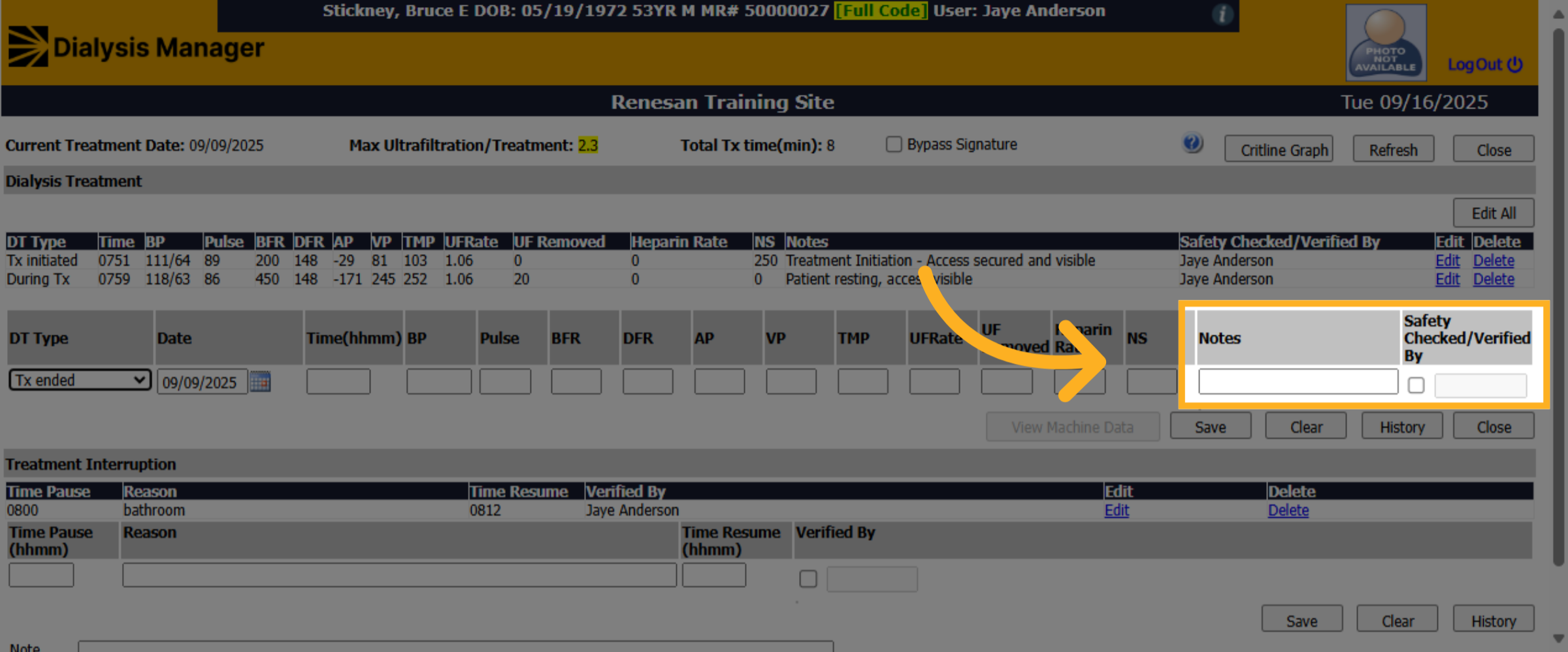
5. Click "Save"
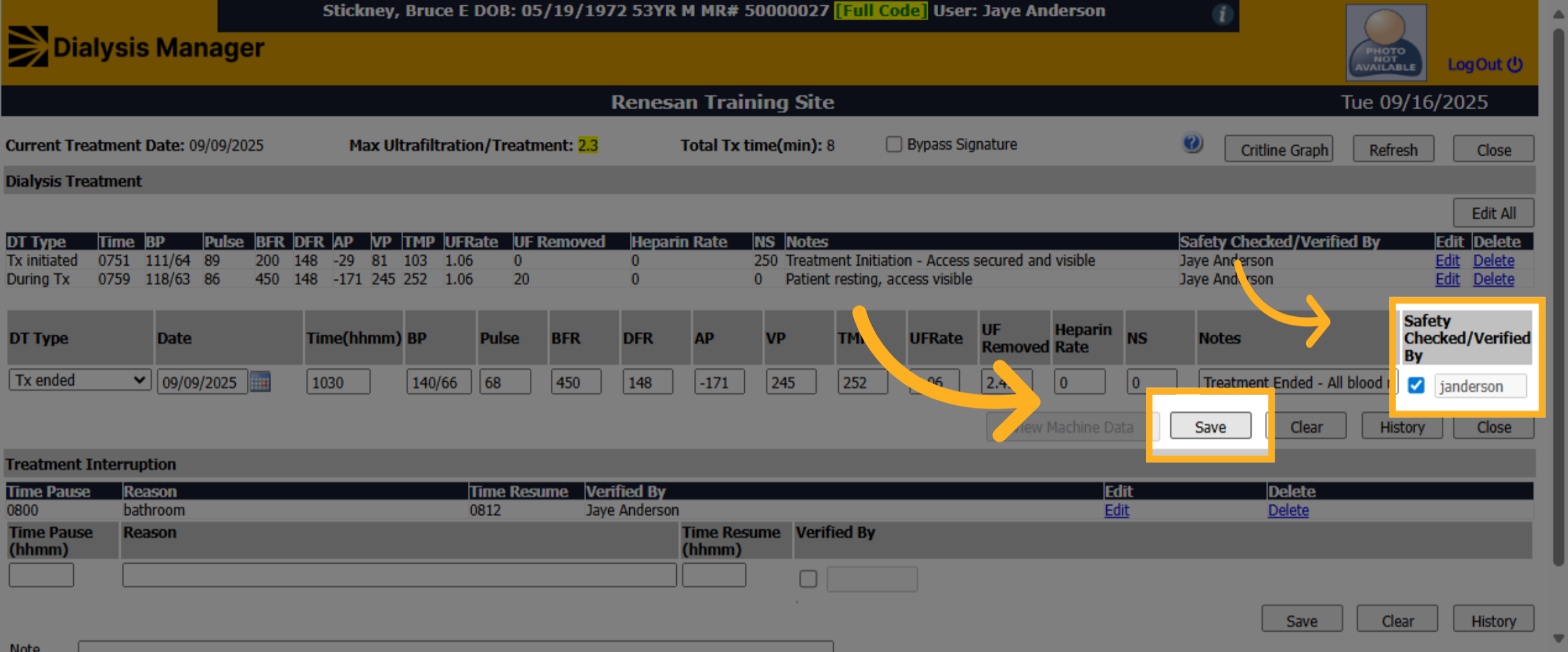
Click on the safety check and enter your PIN or Password then click on the save option.
6. Click "Treatment Interruption"
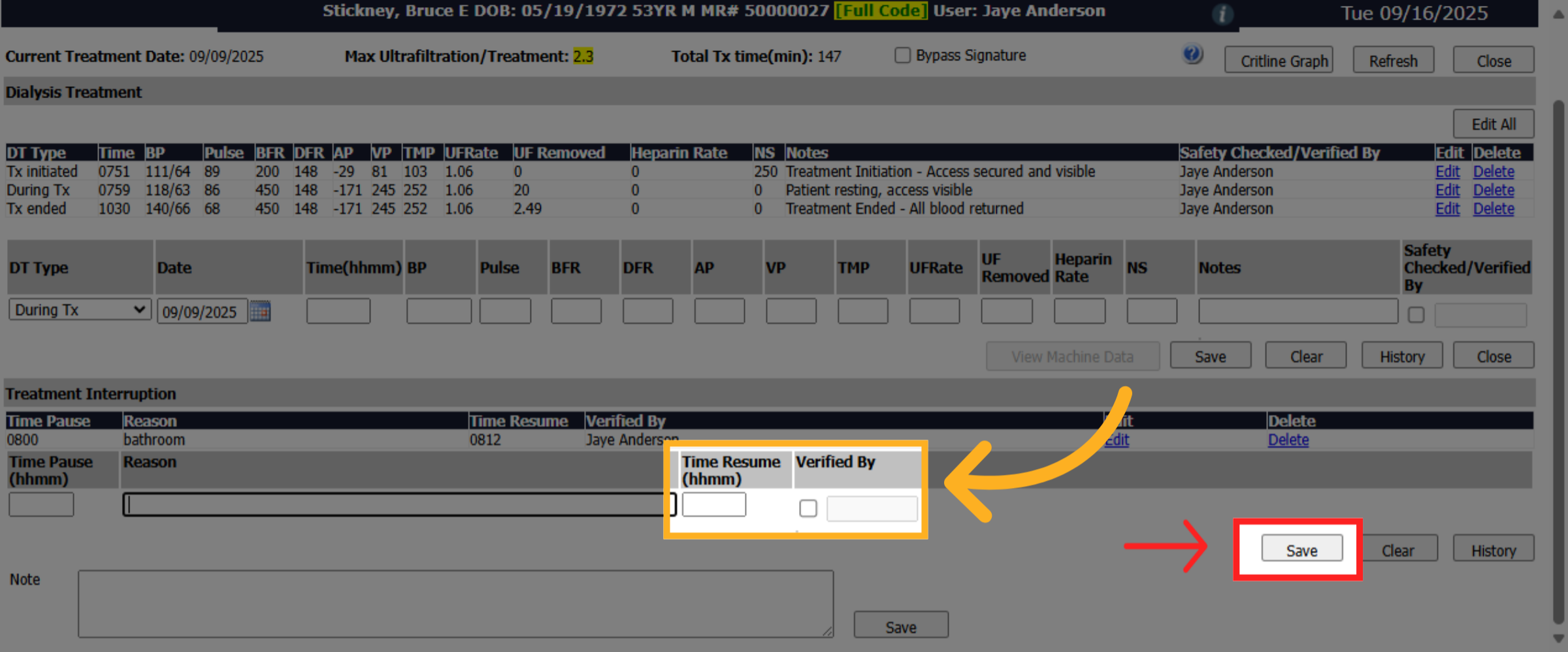
Click Treatment Interruption if there was a pause in the treatment. Enter your time and the reason for the interruption.
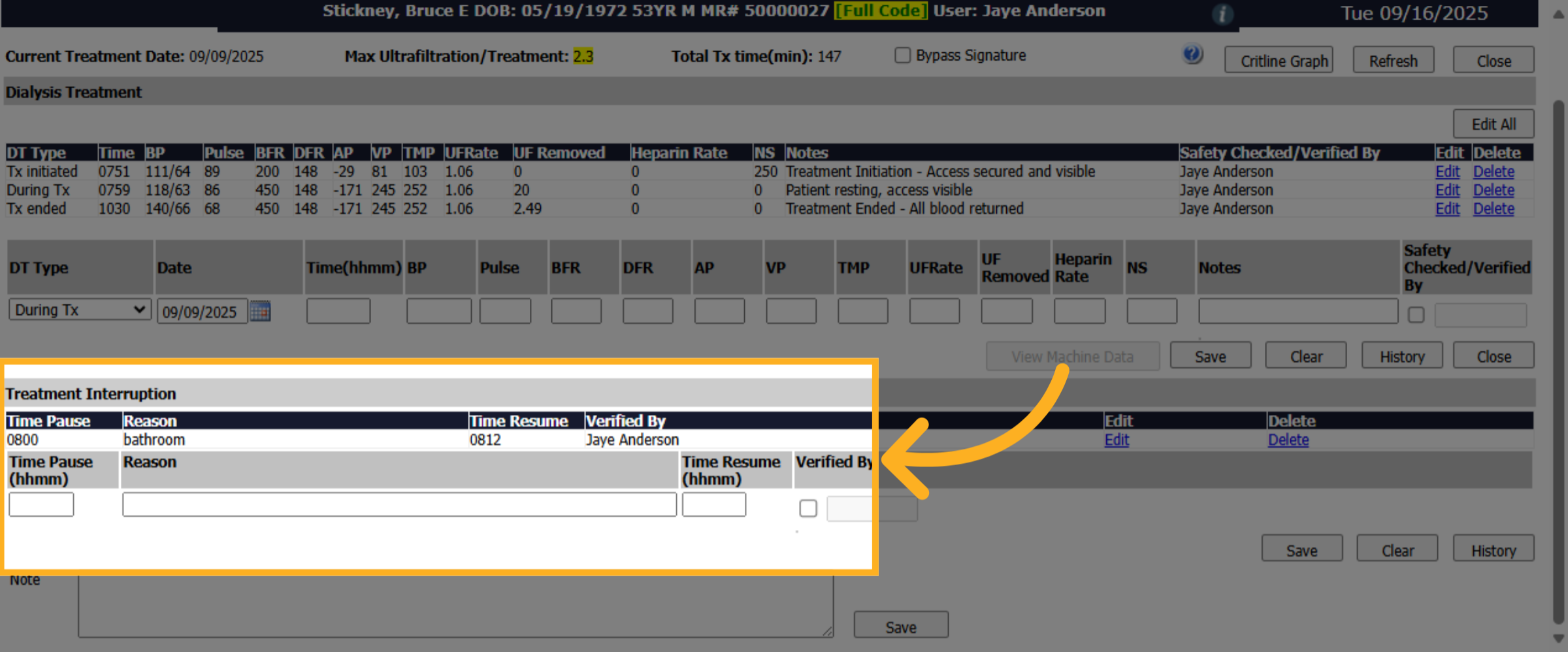
7. Click here
Enter the time resumed and verified by. Will need to enter your PIN or password and don't forget to SAVE!
8. Click "Close"
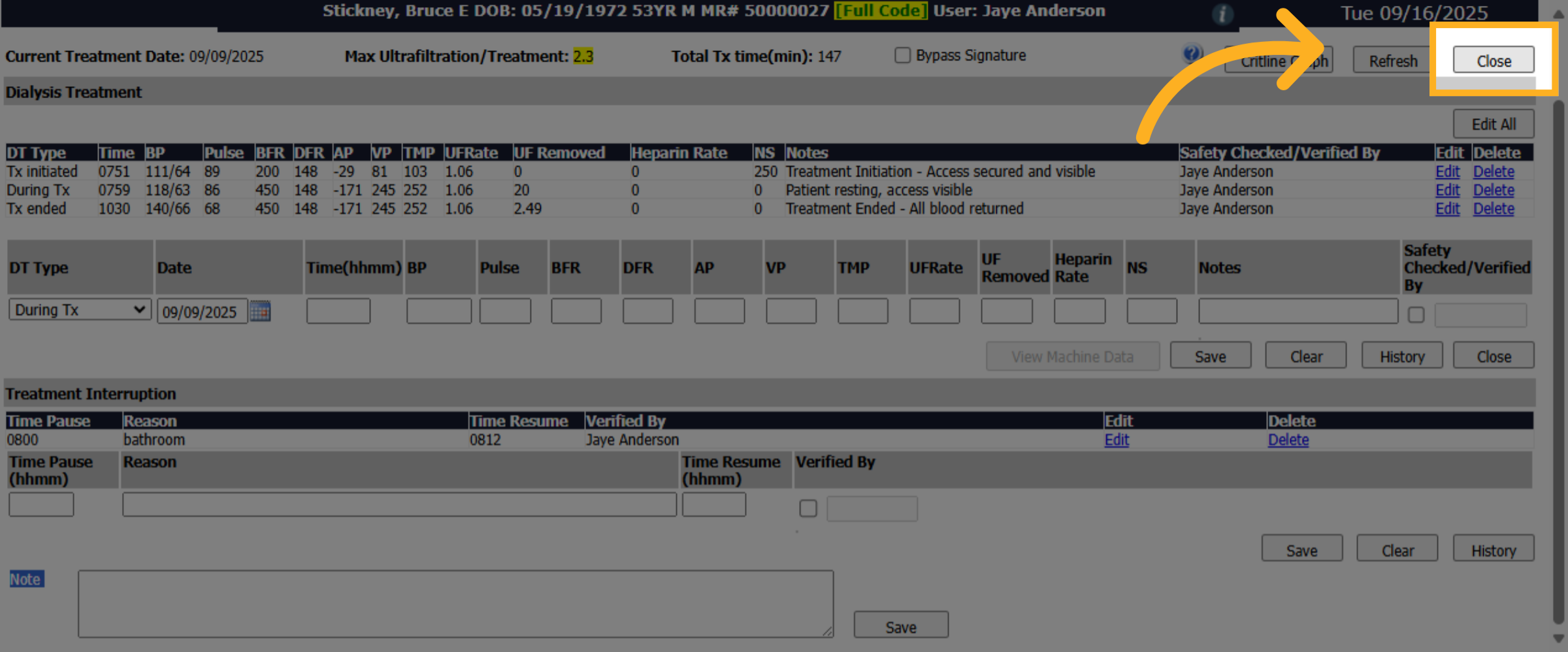
Once you're completed, you'll click on close.
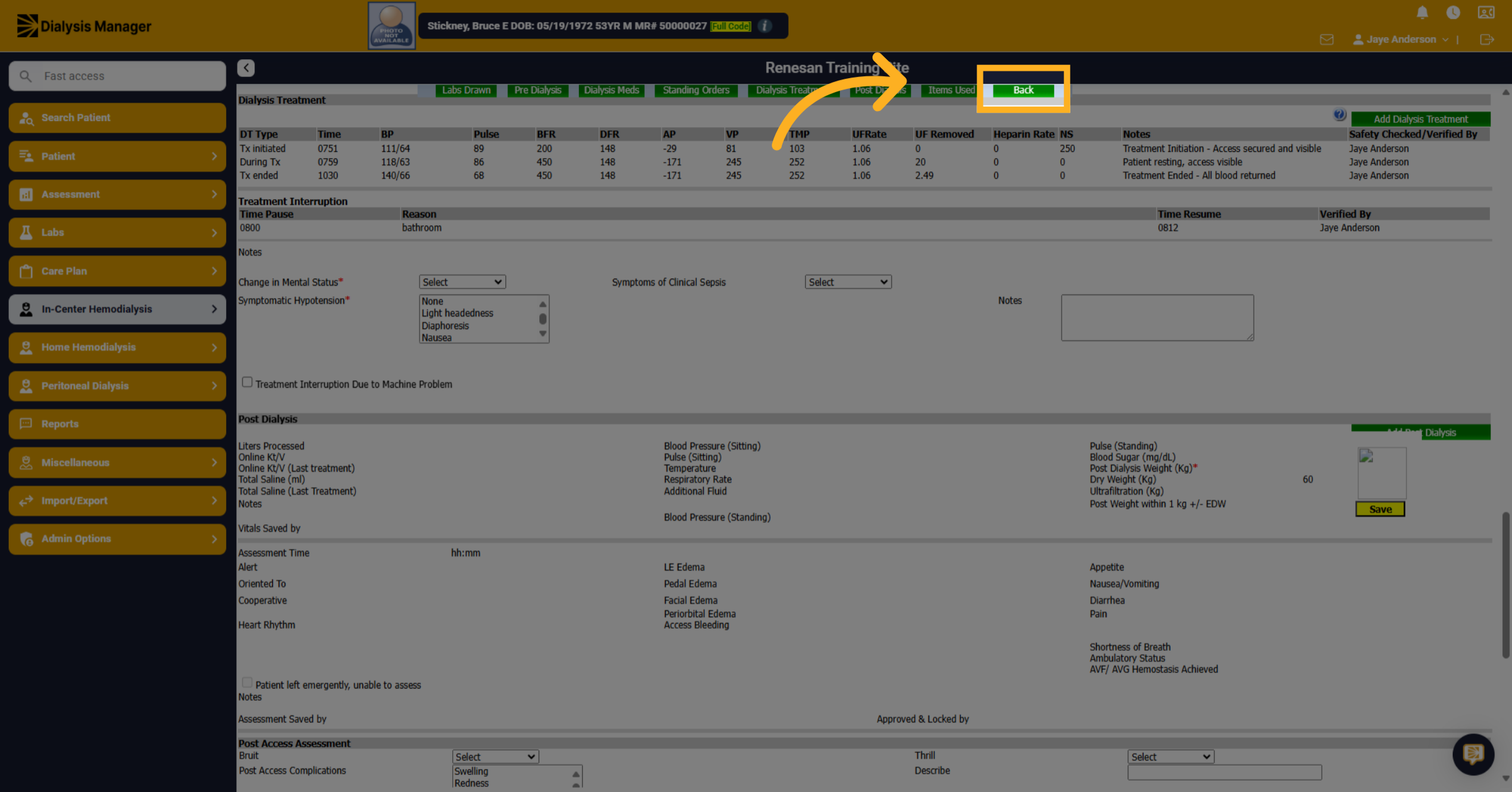
9. Click "Back"
Then click back to go back to your treatment by date screen.