Documenting a Medication Reconciliation in Dialysis Manager
1. Introduction
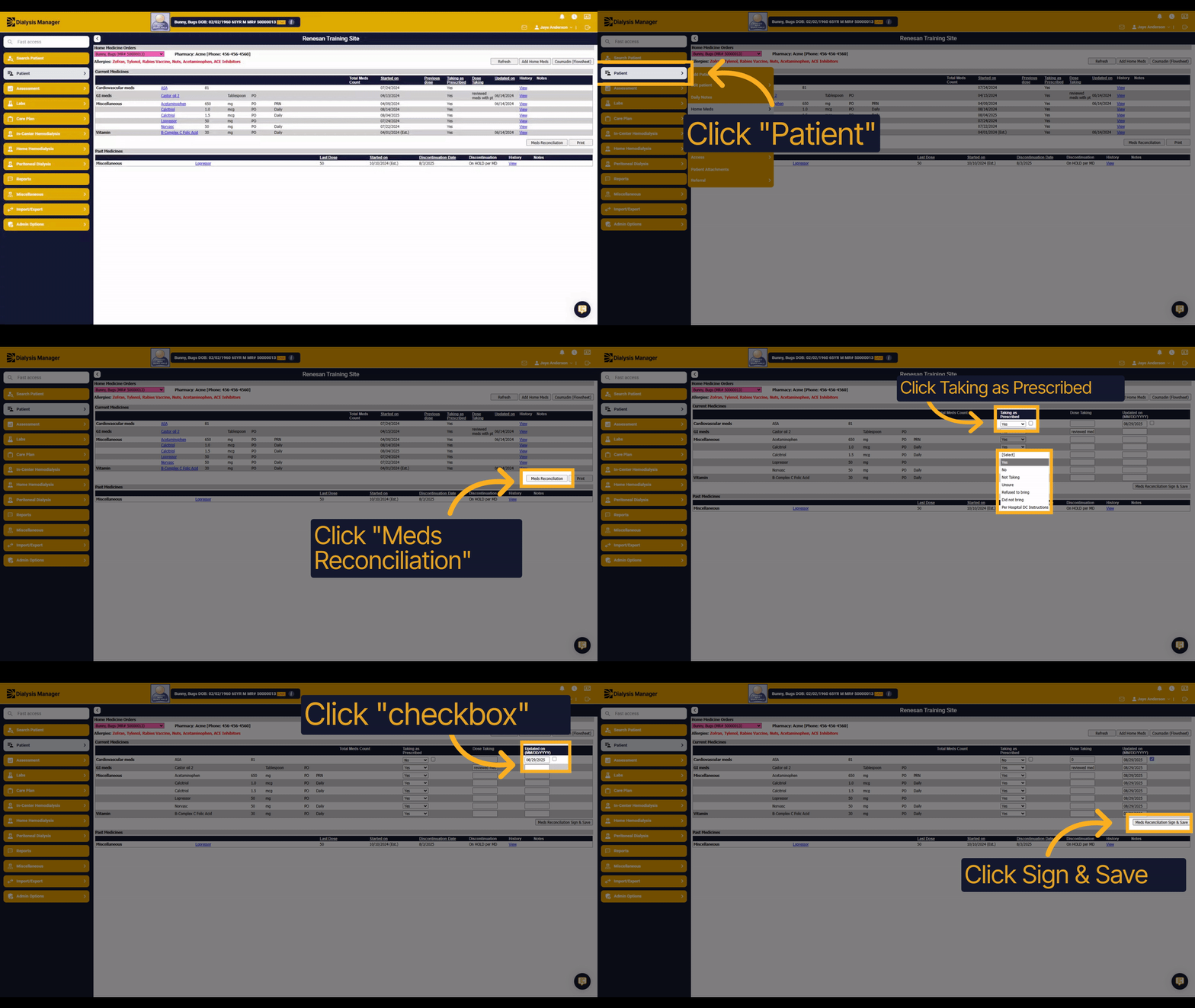
Learn how to document a medication reconciliation in Dialysis Manager efficiently. This guide walks you through each step to ensure accurate and complete medication records for your patients.
2. Click "Patient"
Navigate to the Patient section to access individual patient records.
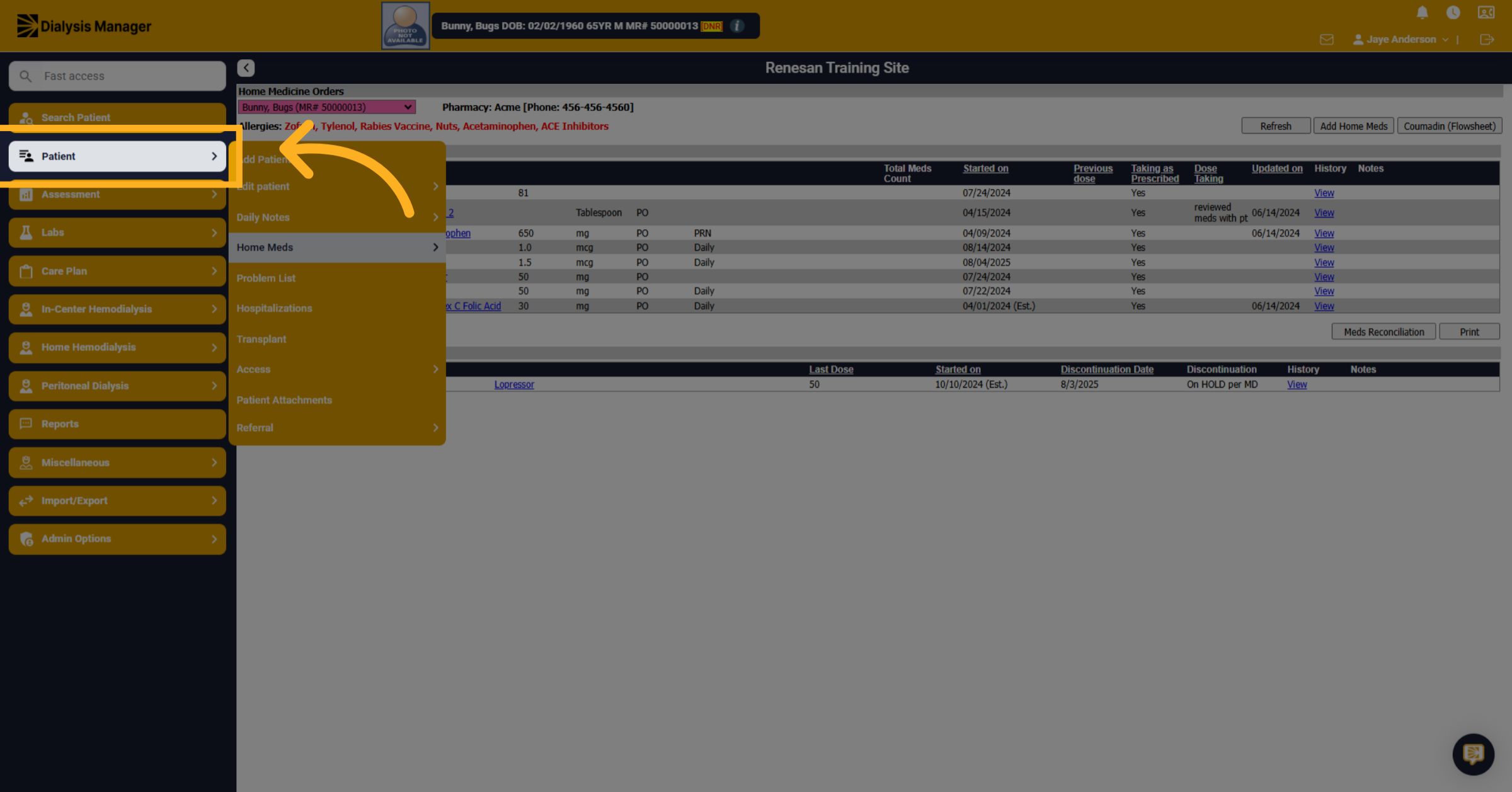
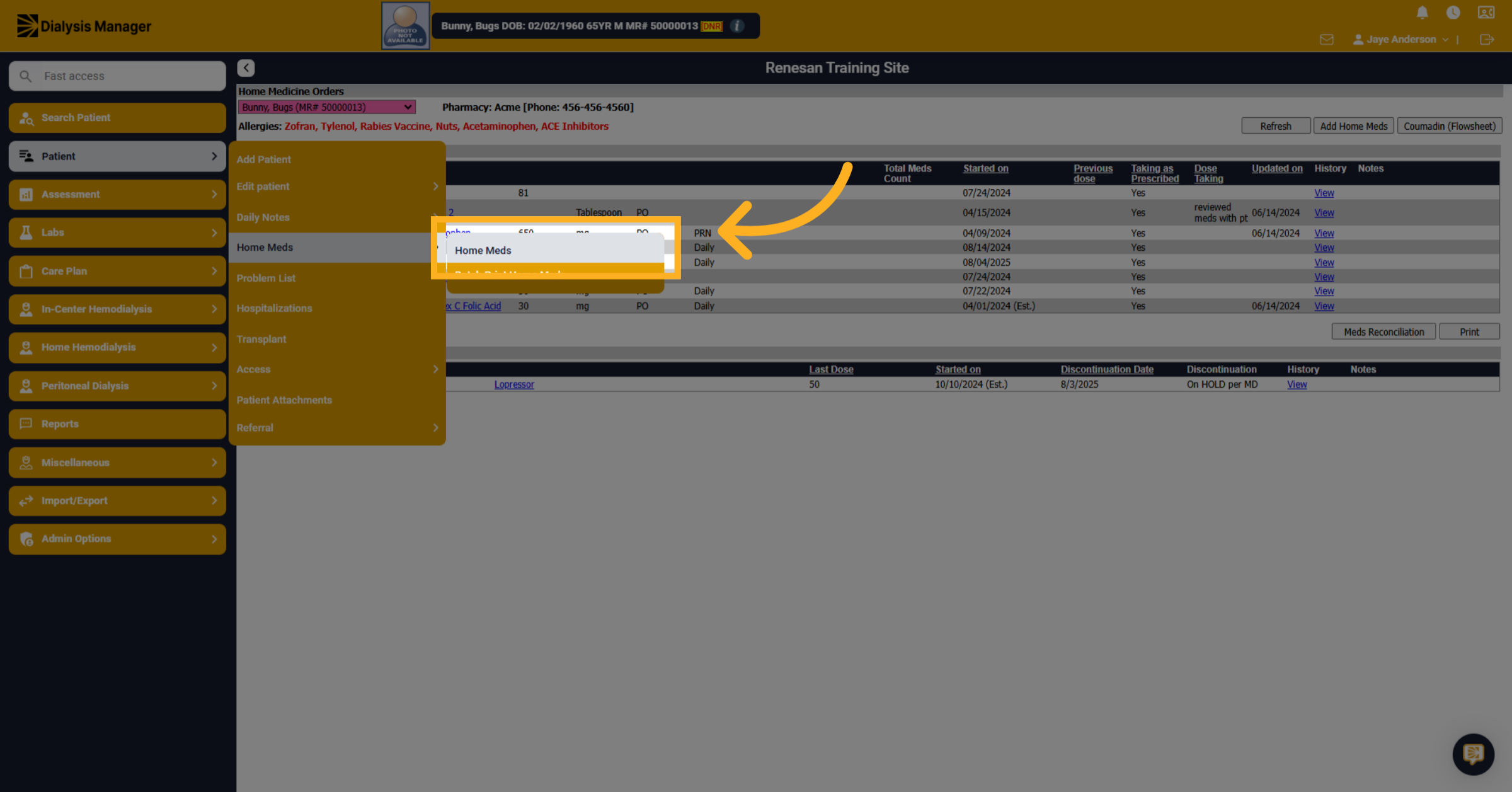
3. Click "Home Meds"
Confirm your selection by clicking Home Meds to proceed to medication details.
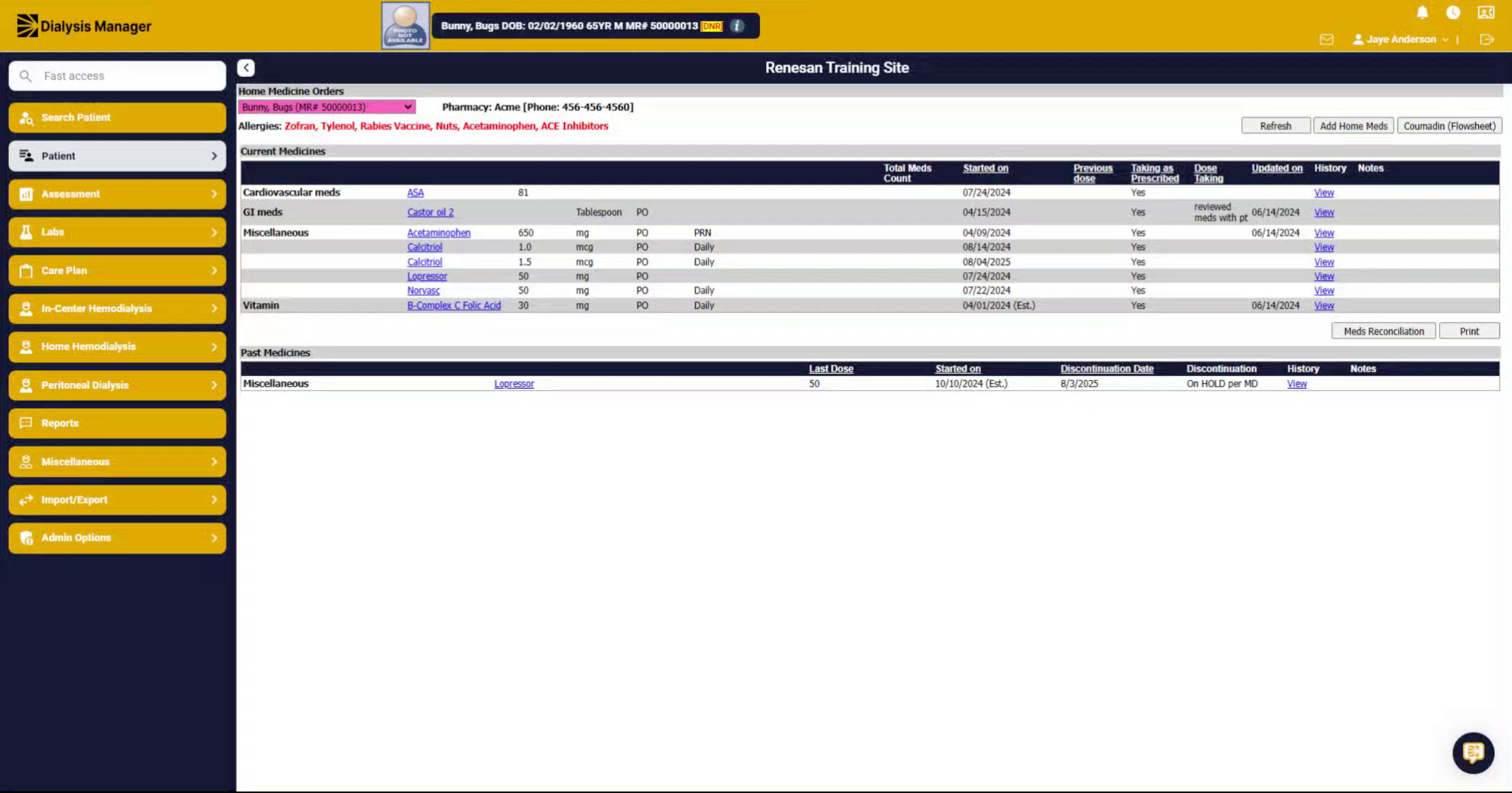
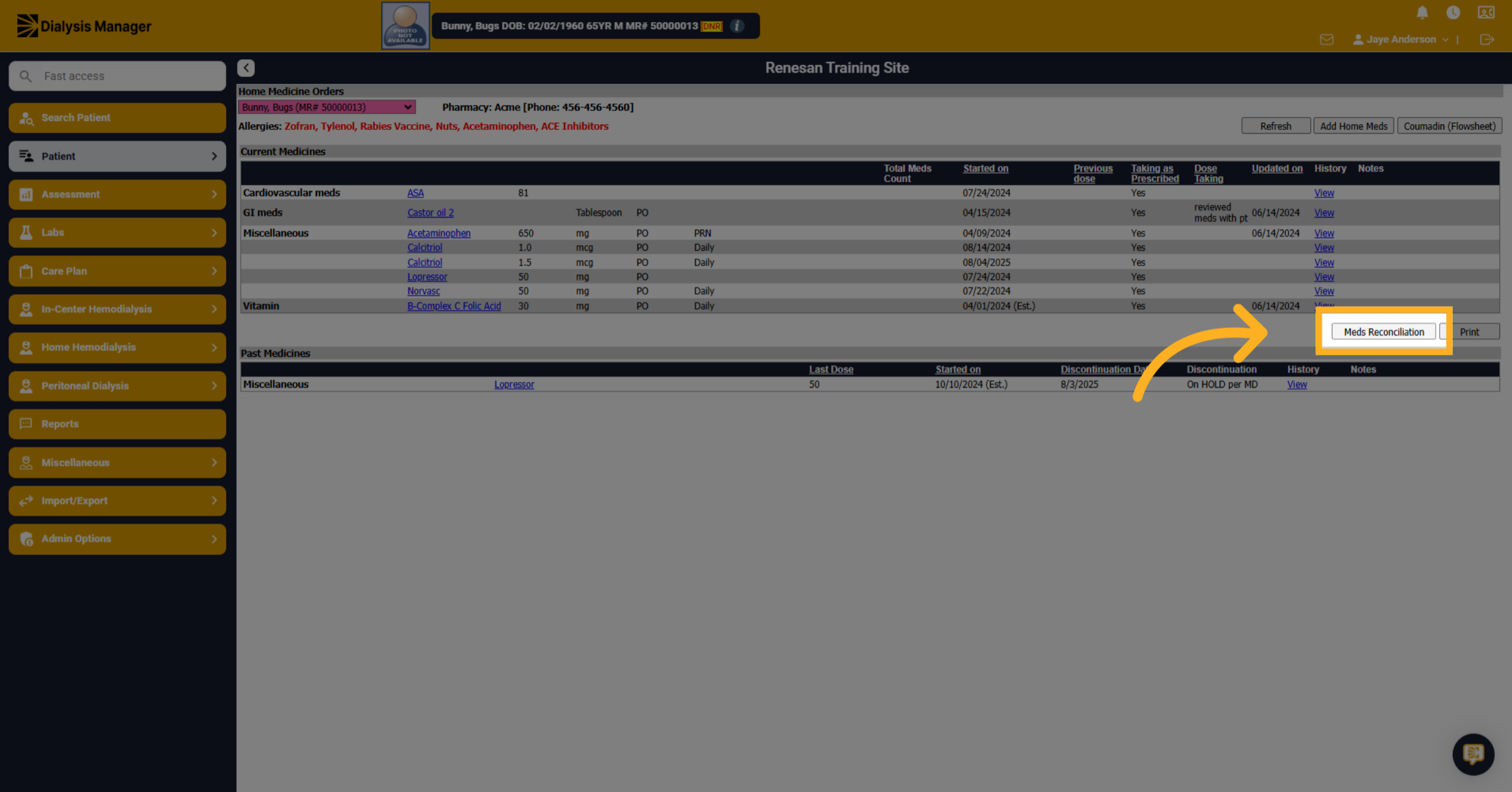
4. Click "Meds Reconciliation"
Access the Meds Reconciliation tab to begin documenting medication reconciliation.
5. Click "[Select]"
Choose the appropriate medication status from the provided options to accurately reflect the patient's medication use.
![Click '[Select]'](https://knowledgetest.renvio.com/hubfs/Intercom%20knowledge%20base/qg-2FIroXeNJHrNYcFwtsPJSFDGN82g23-2F8wegDPHoffudKfzxTPfs4B-2F1rQAoDnQAyAHFmv8fy6gsh_doc.png)
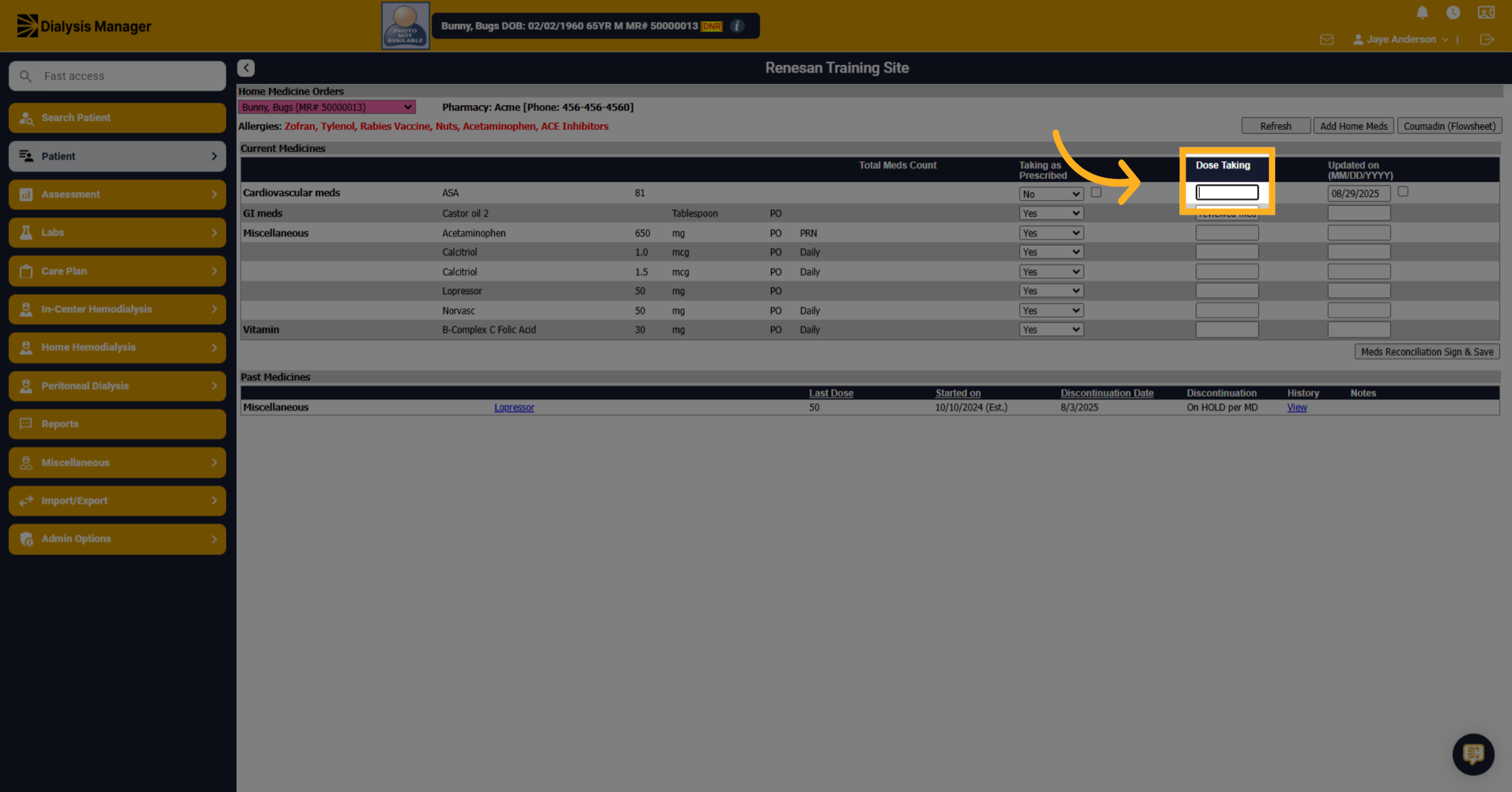
6. Click here
Click the designated area to input quantity or medication dose amount patient is taking.
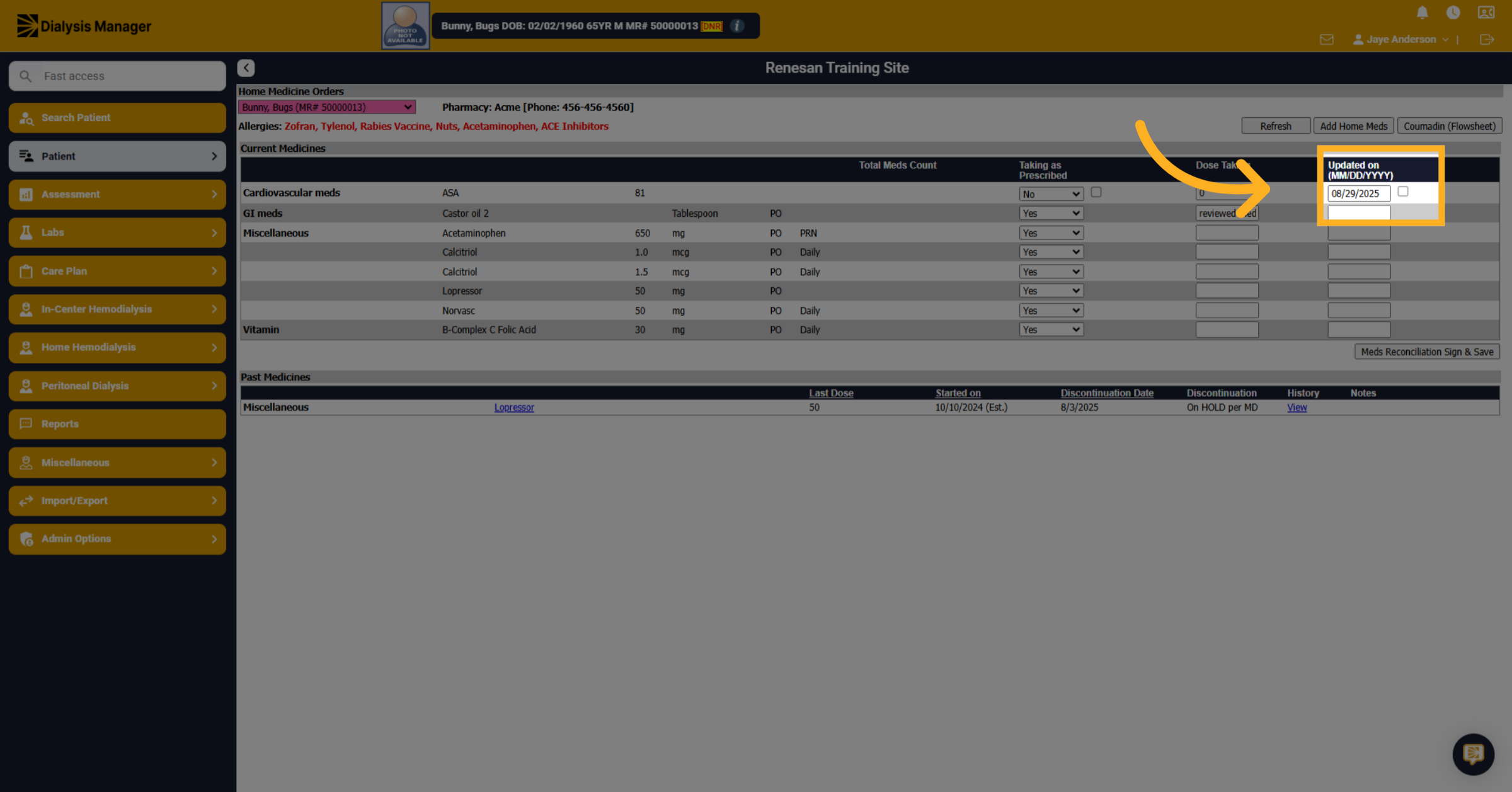
7. Click "checkbox"
Enable or mark the box to auto populate date entered for all medications listed below.
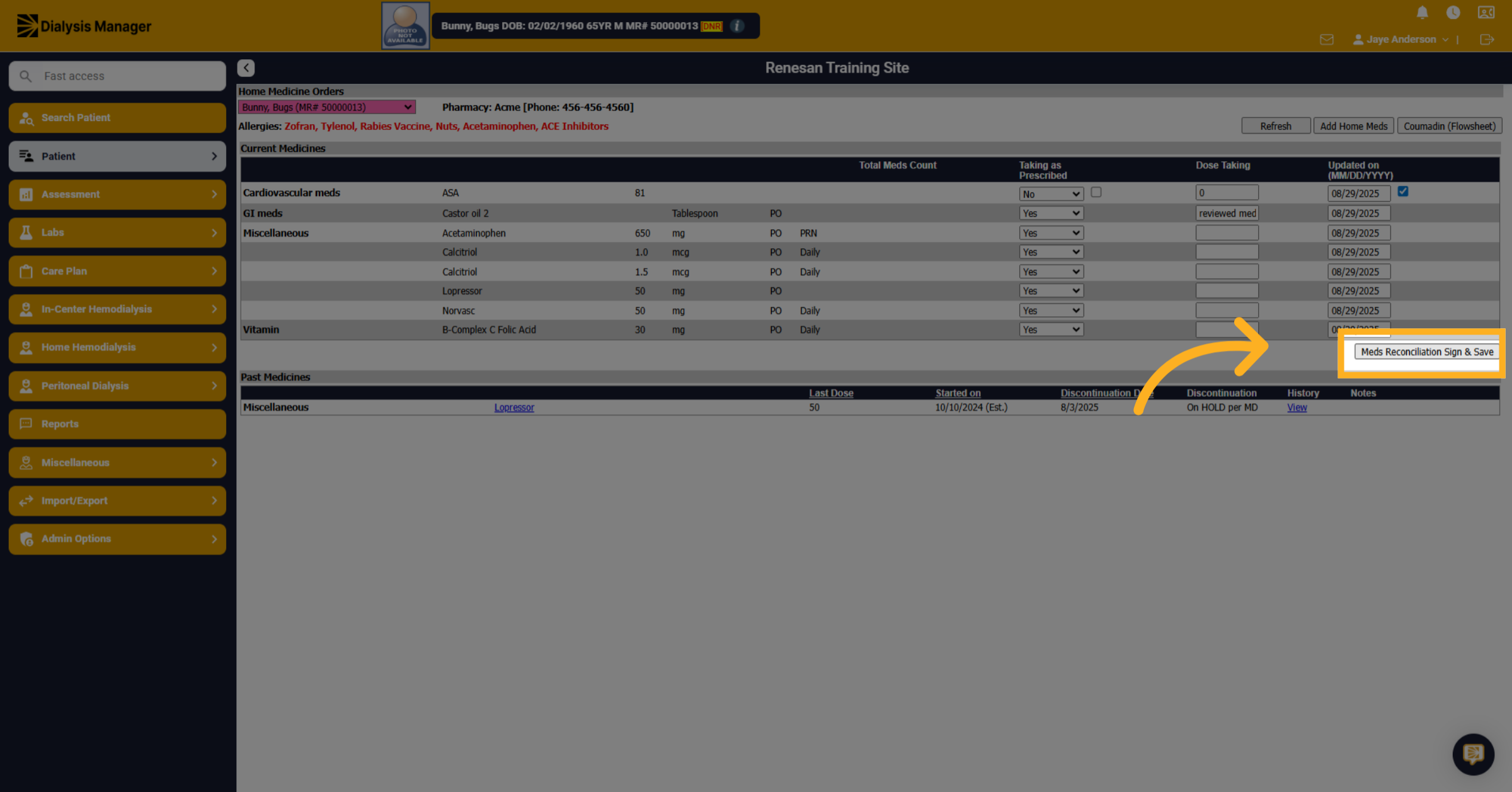
8. Click "Meds Reconciliation Sign & Save"
Finalize the process by clicking Meds Reconciliation Sign & Save to securely save the documented information.