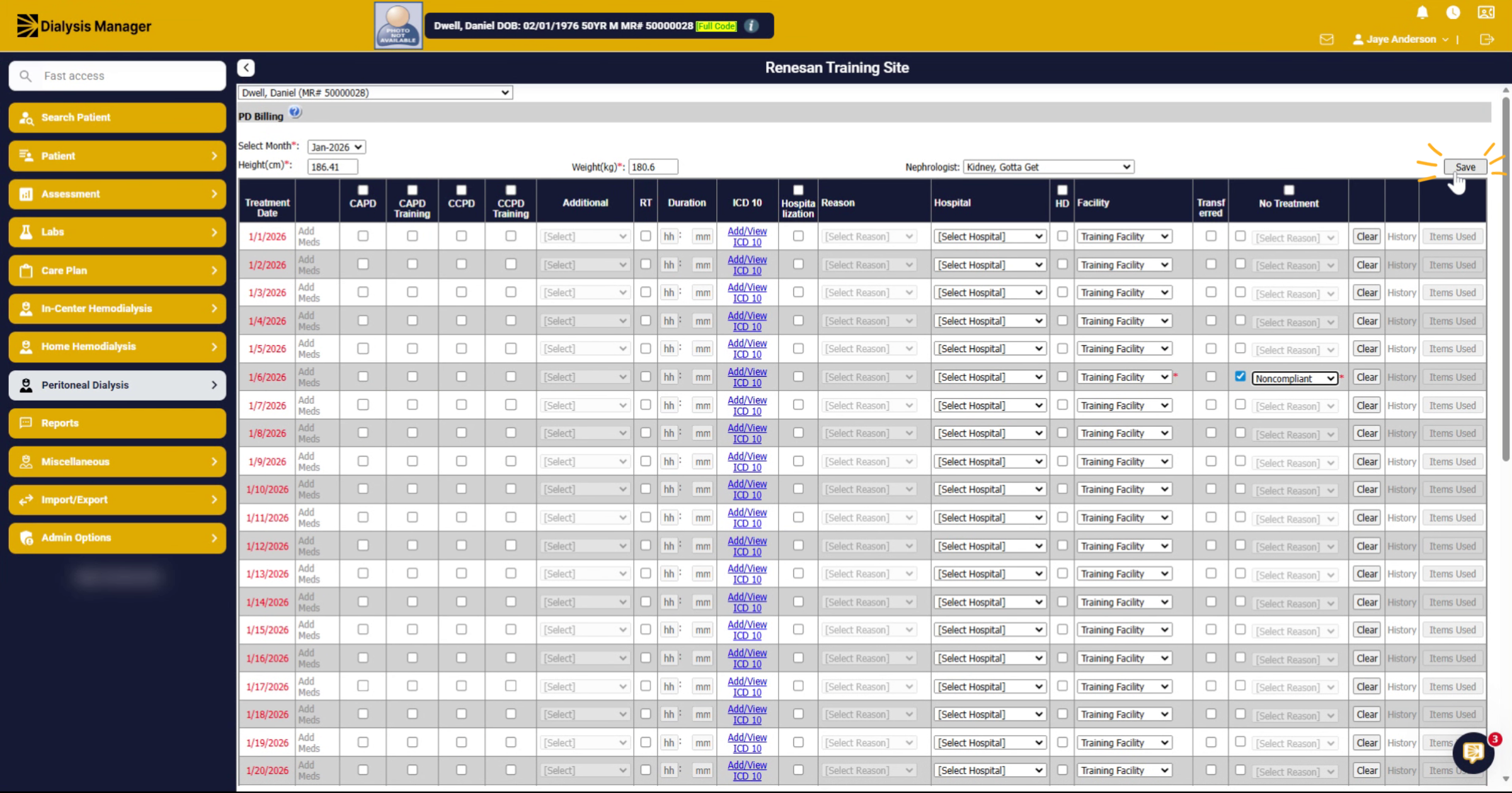
Document No-Show Records for PD Patients.
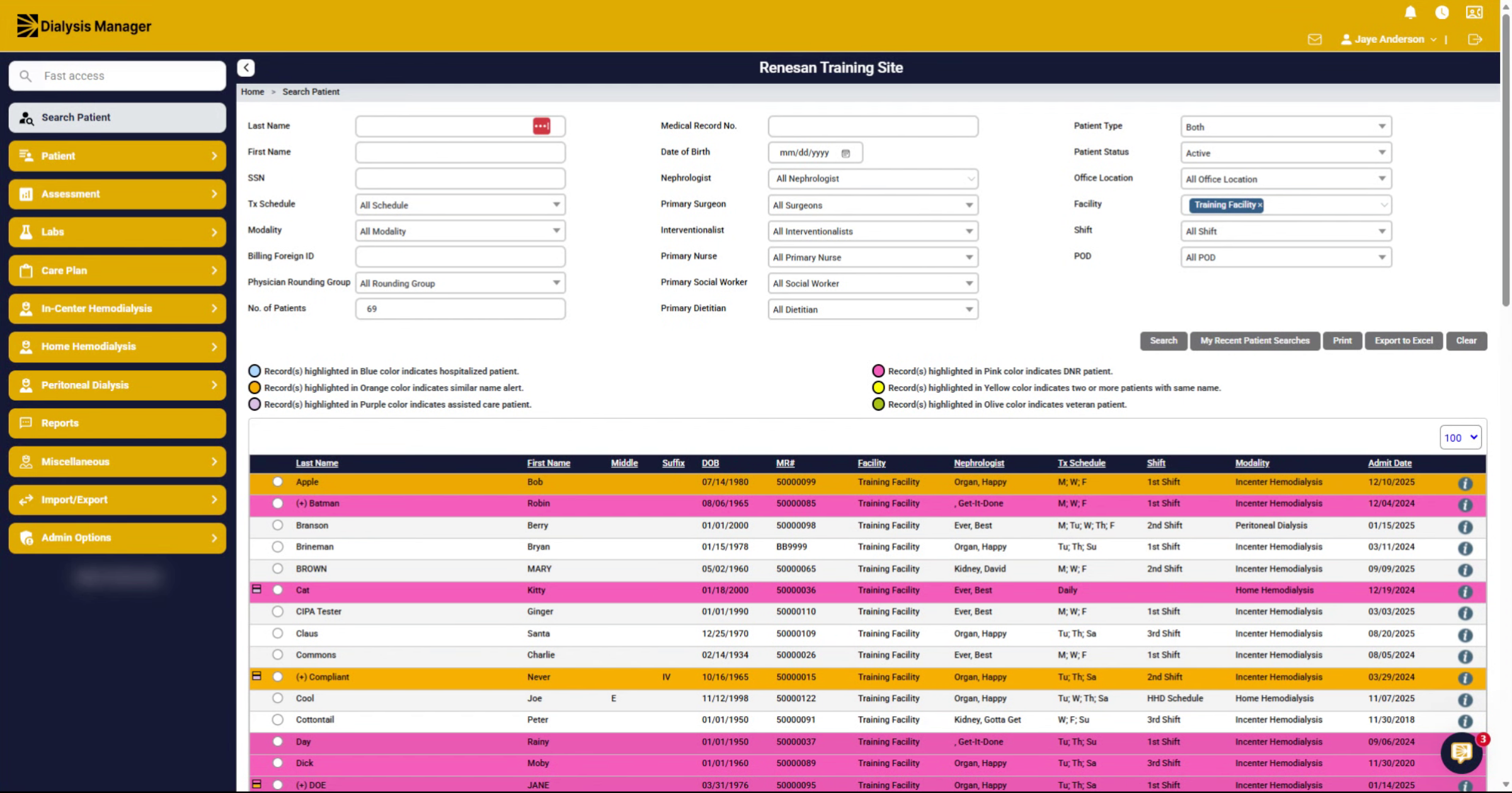
1. Select Your Patient
We're going to document a no-show record for your PD patient. Select your patient from your screen.
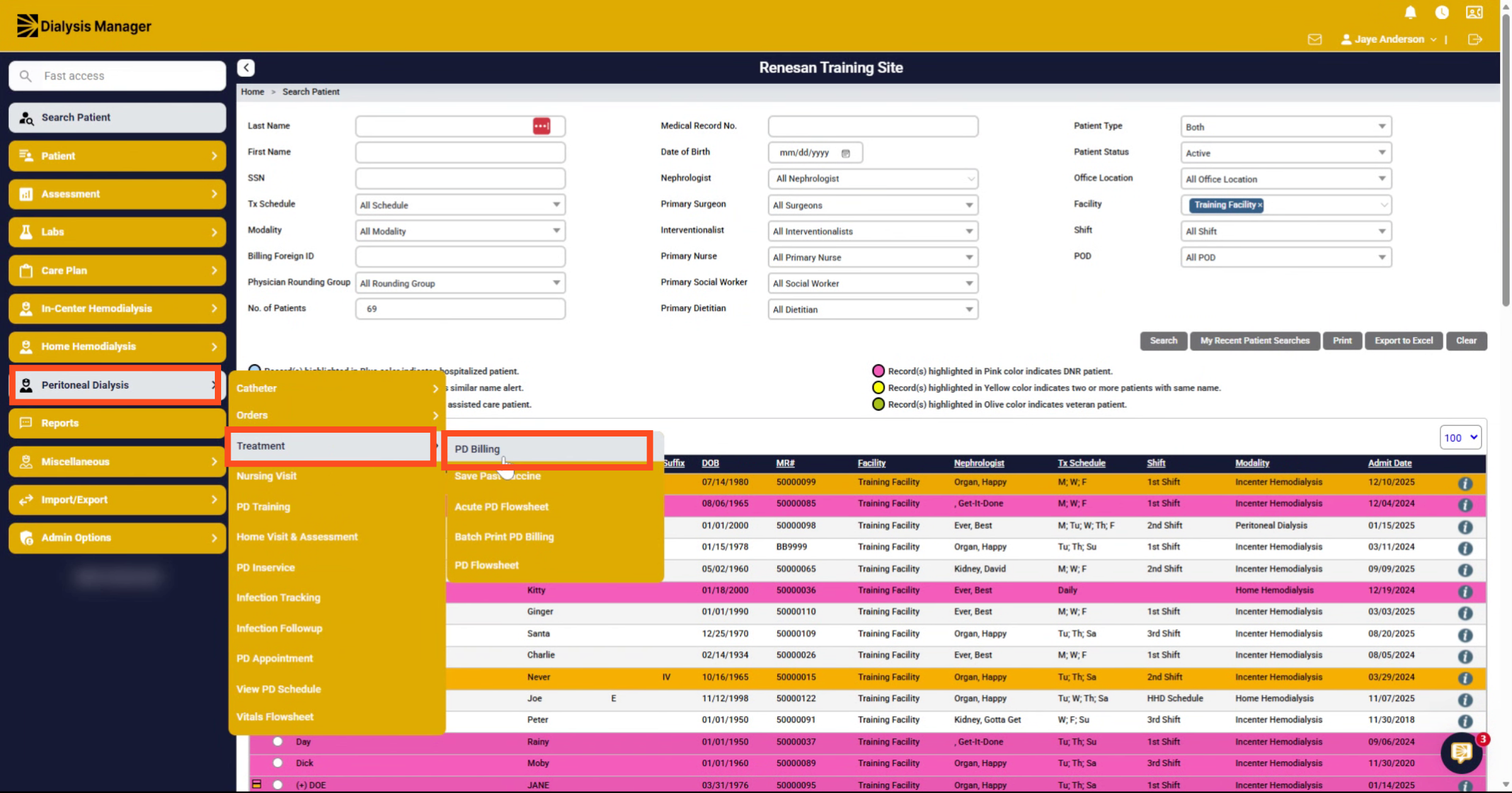
2. Open PD Billing Section
Inside the Peritoneal Dialysis Menu select Treatment and then PD Billing.
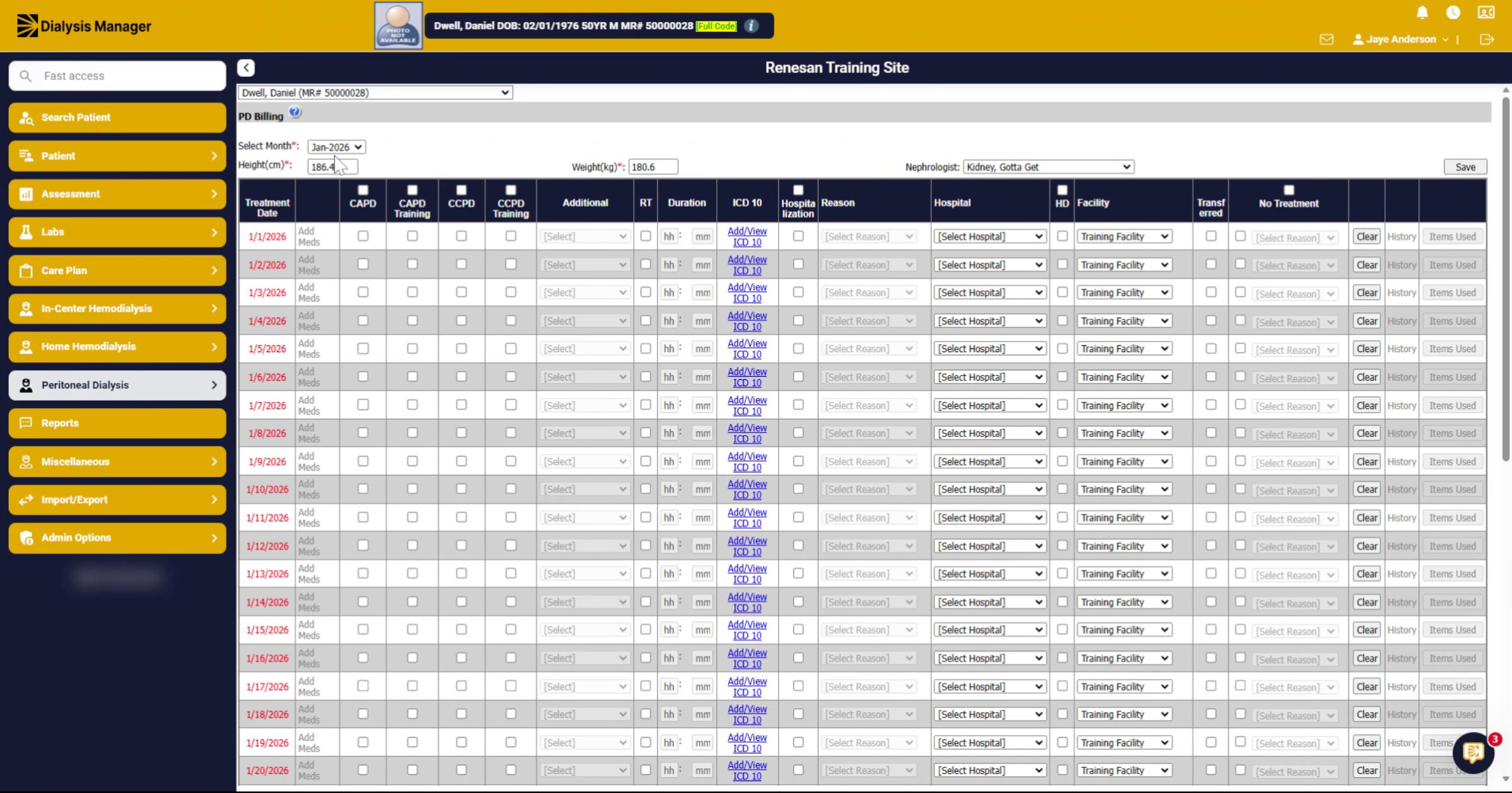
3. Choose Applicable Month
Choose the applicable month in the drop-down.
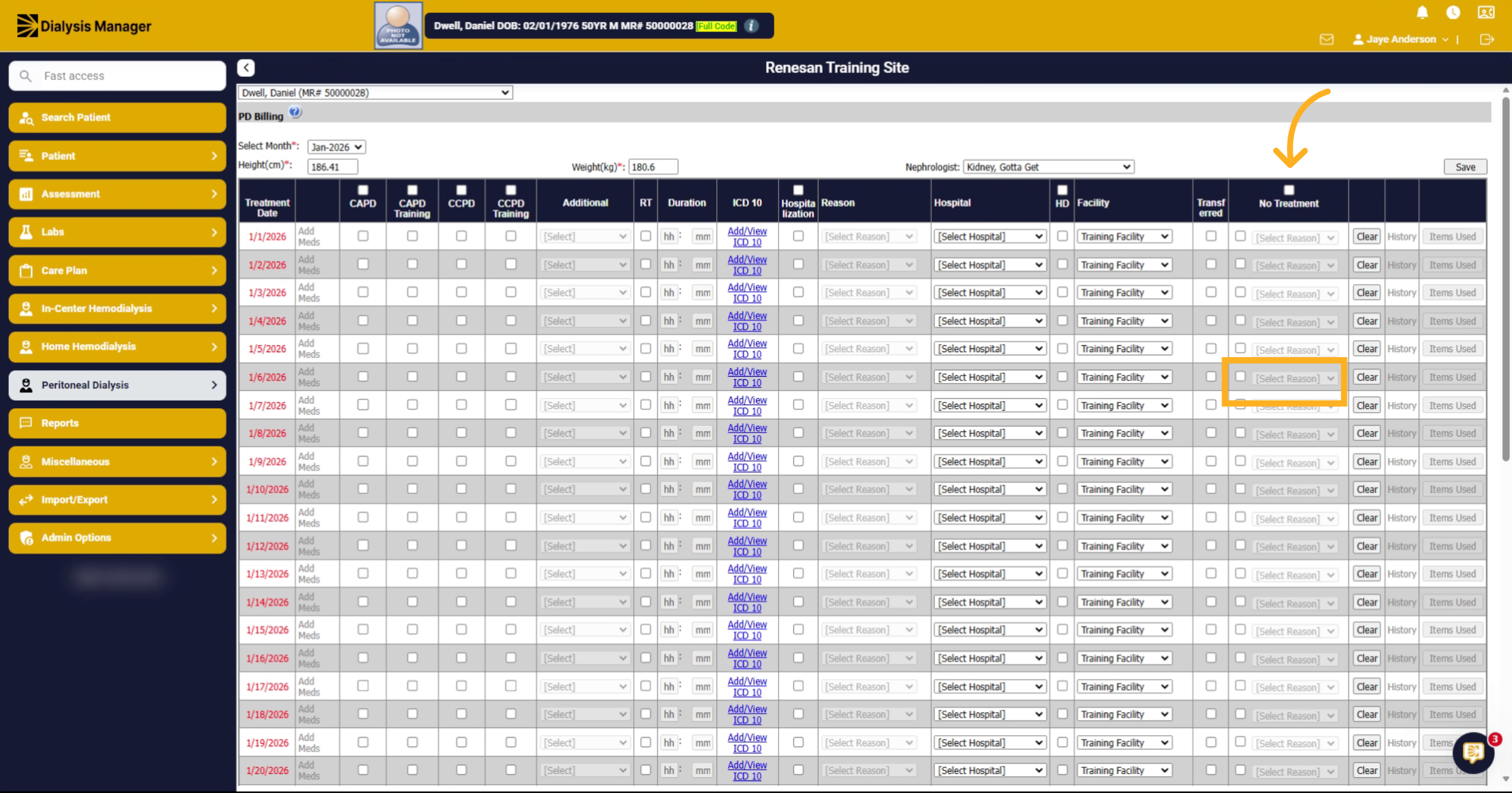
4. Select Missed Treatment Date and Reason
Find the date that the patient missed treatment, check the box and choose a reason from the dropdown under the No Treatment column.
5. Save No-Show Record
And click save to complete the No show documentation.