1. In the Flowsheet, navigate to Pre-Dialysis shortcut button OR scroll the Flowsheet and find the Green button that states Pre-Dialysis.

2. Click on COVID-19 Screening in upper right-corner.

3. Select date and answer each section of questions.
Note: If No is selected, all required questions will be auto-selected.
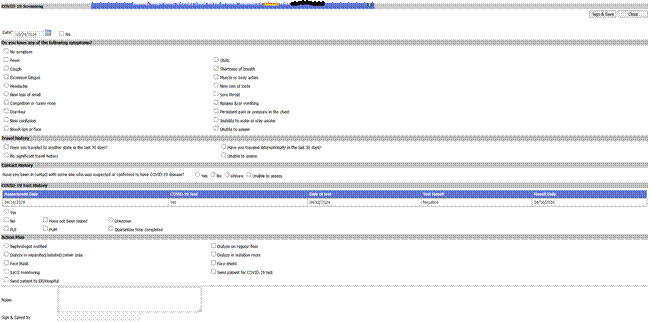
4. Sign & Save, then Close.
*Note: Covid-19 Screening button becomes orange/yellow.
