Discontinue a patient allergy in Dialysis Manager
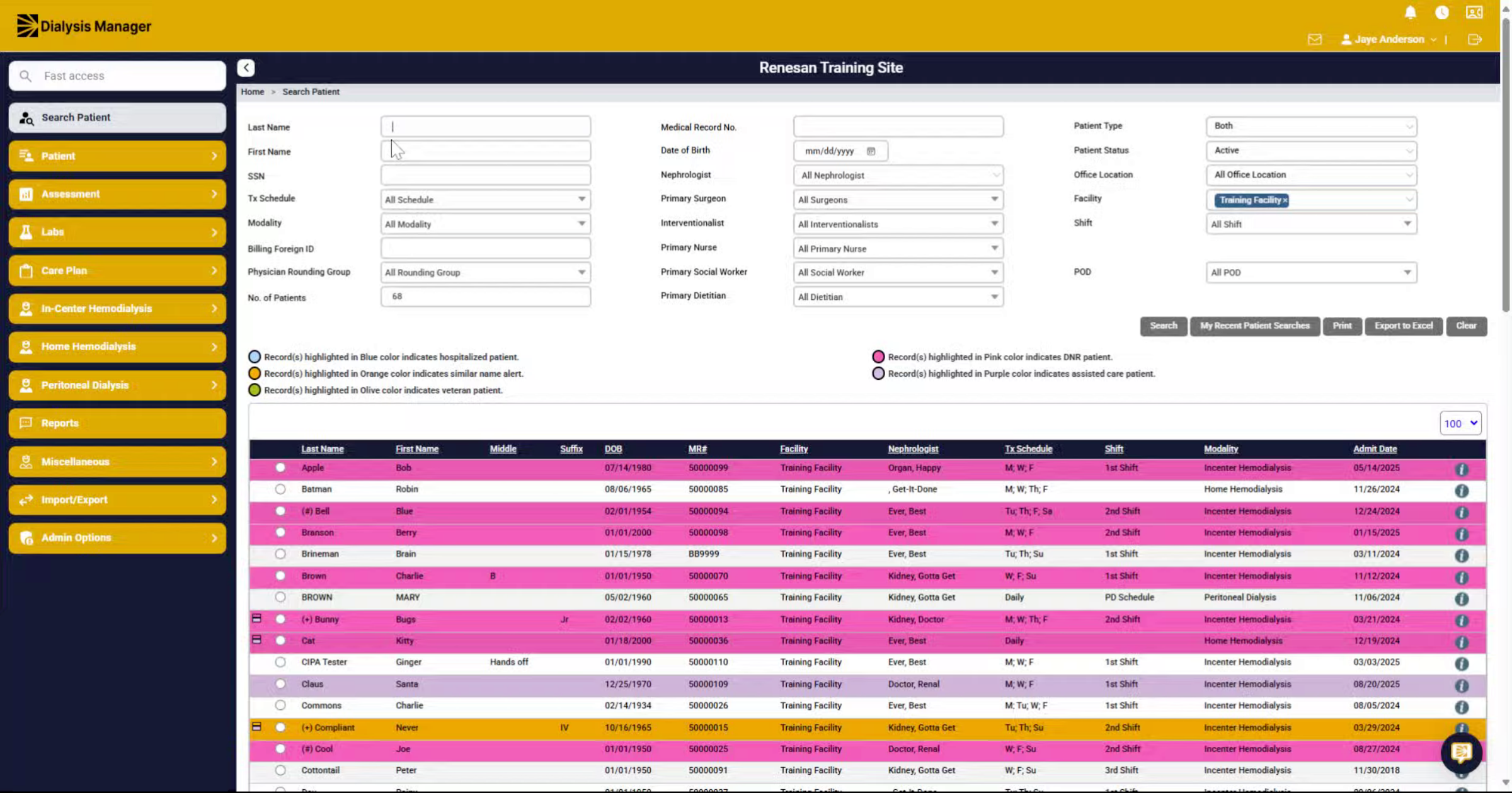
1. Introduction
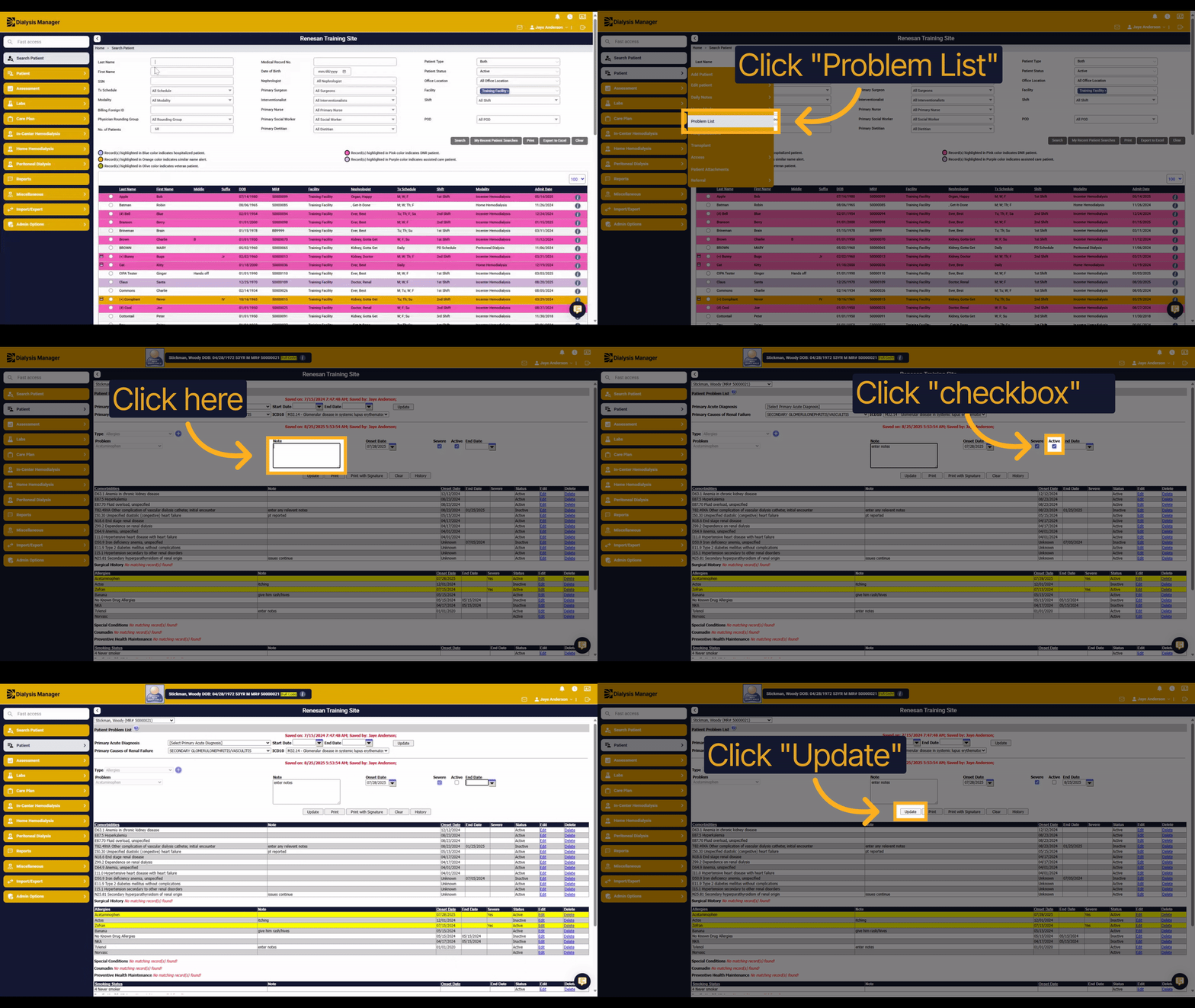
This guide explains how to discontinue a patient allergy in Dialysis Manager. You will learn how to update the allergy status and record the end date to properly manage patient information.
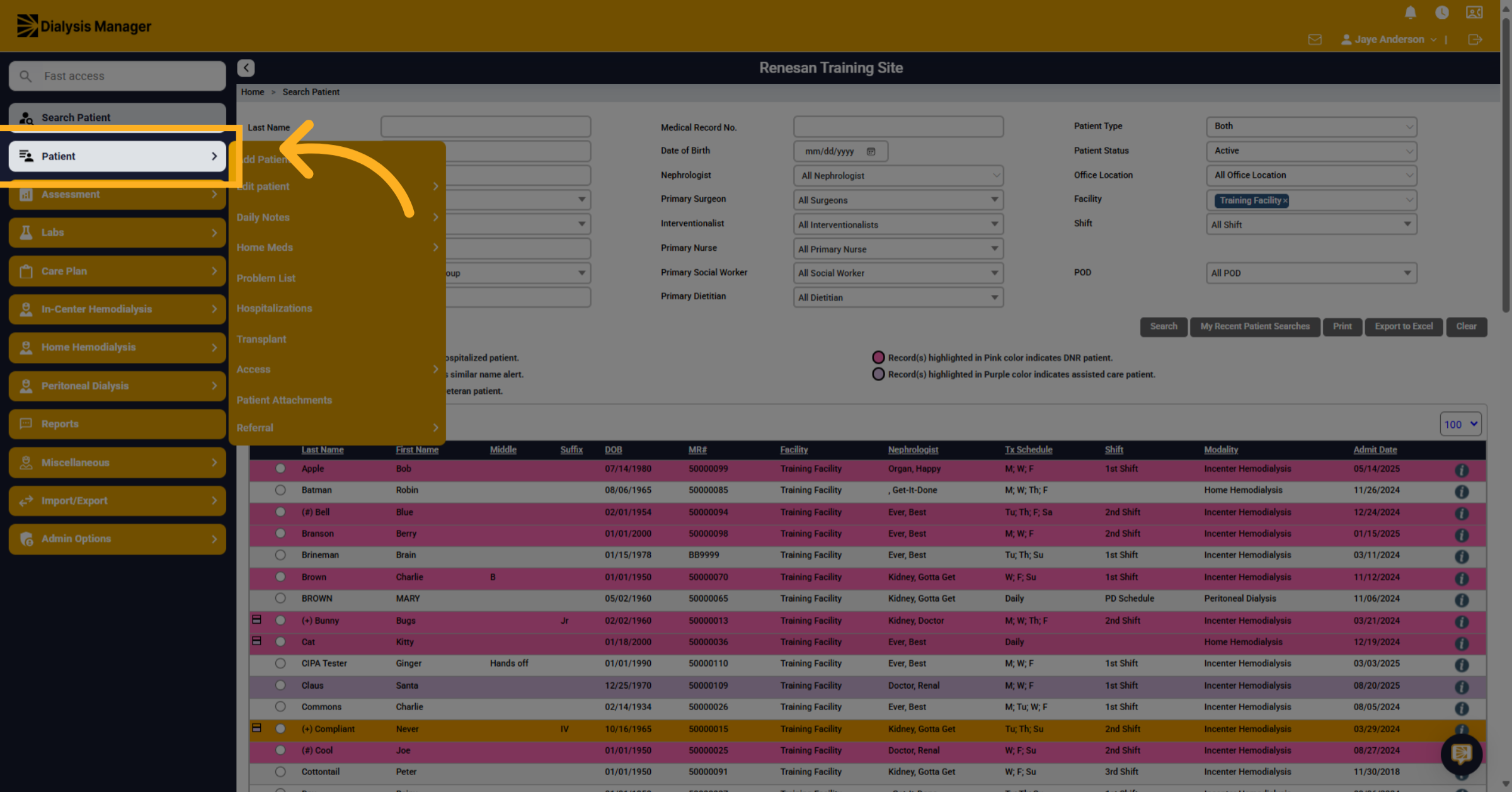
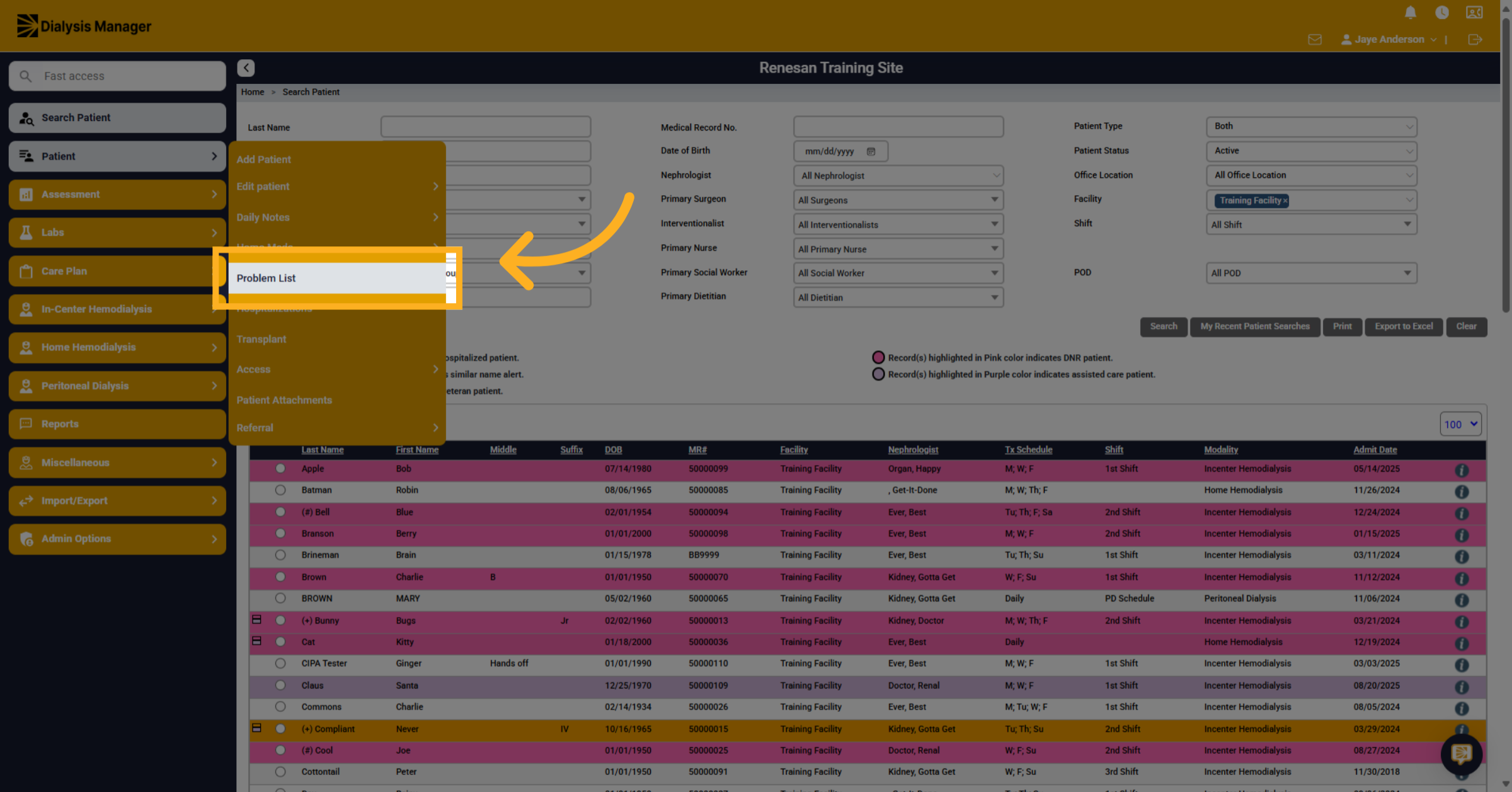
2. Click "Patient"
Click on the "Patient" tab to access patient information.
3. Click "Problem List"
Select the "Problem List" option to view the patient's allergies.
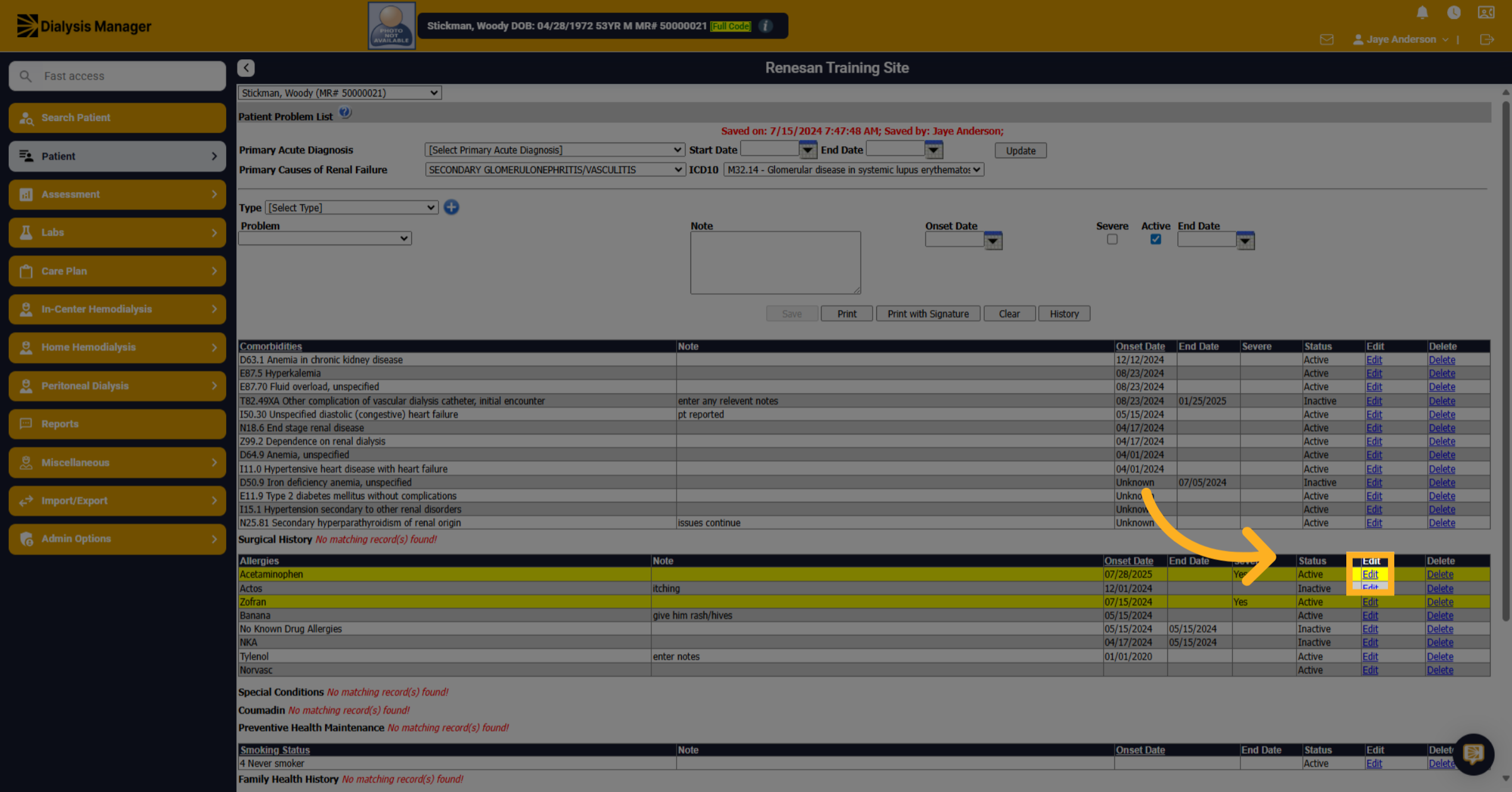
4. Click "Edit"
Click the "Edit" button to modify the allergy.
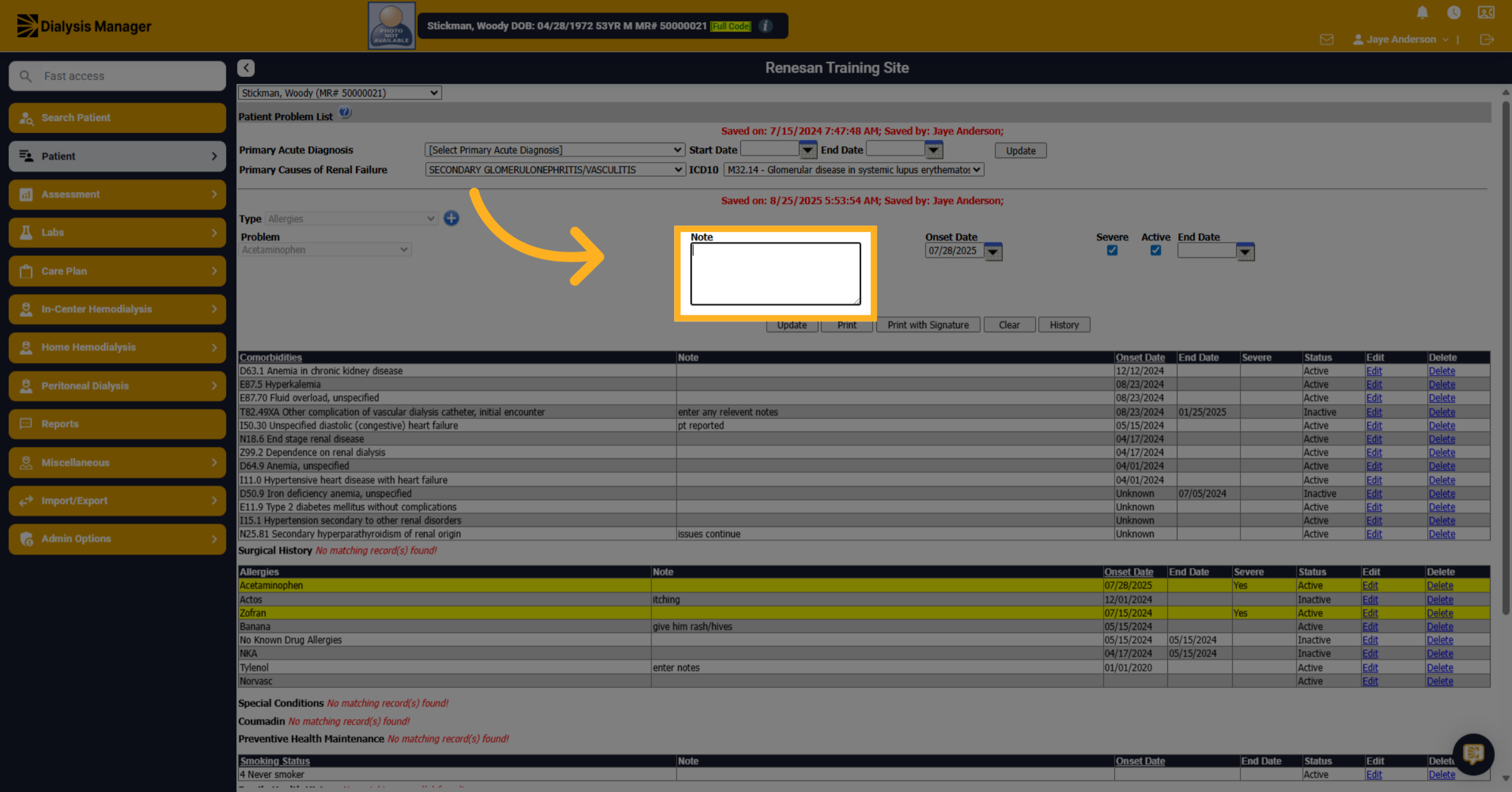
5. Click here
Click to enter notes related to the discontinuation of the allergy.
6. Fill "enter notes"
Type allergy discontinue related notes in the notes field.
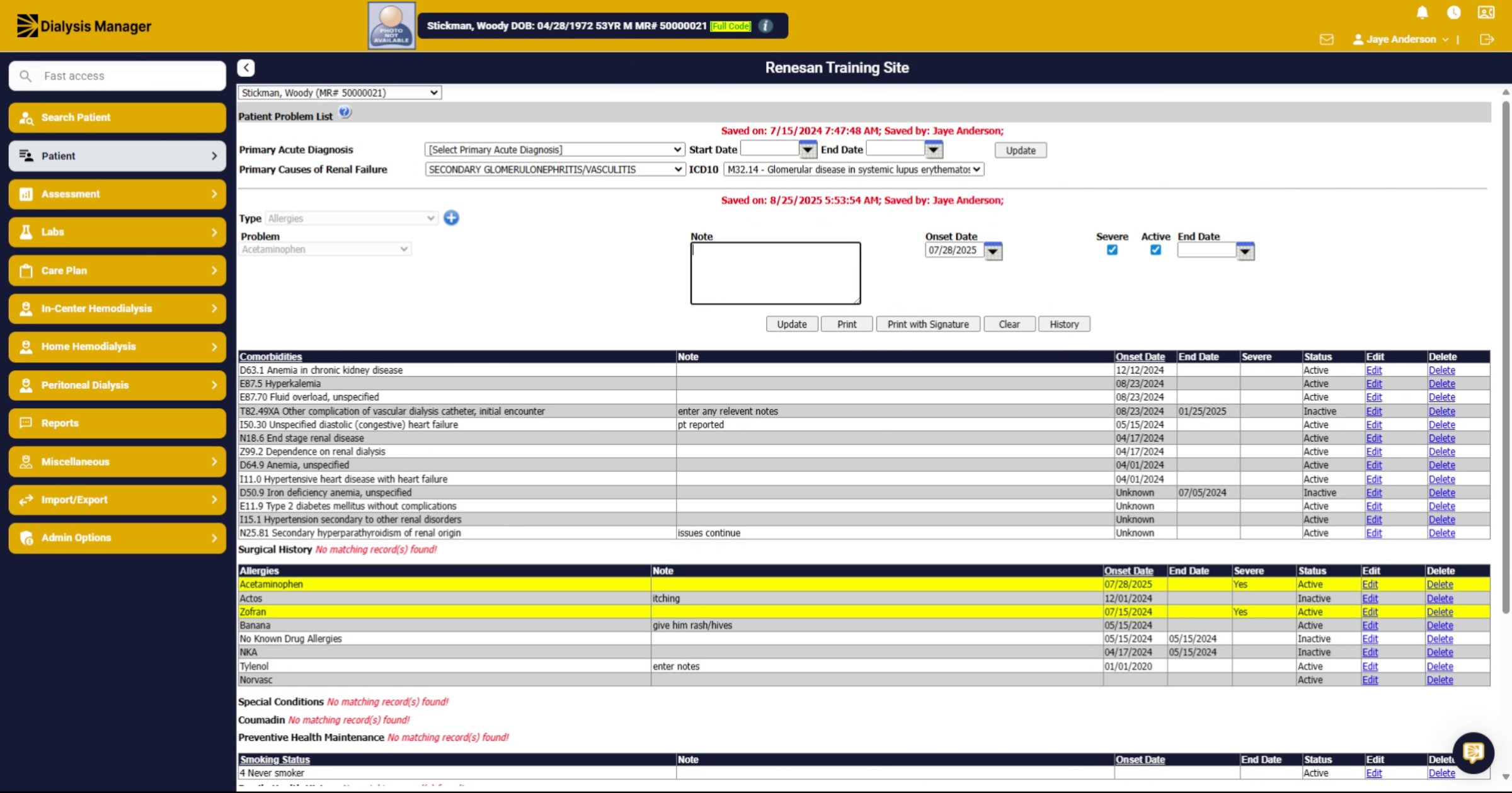
7. Click "on"
Click the toggle to indicate the allergy is no longer active.
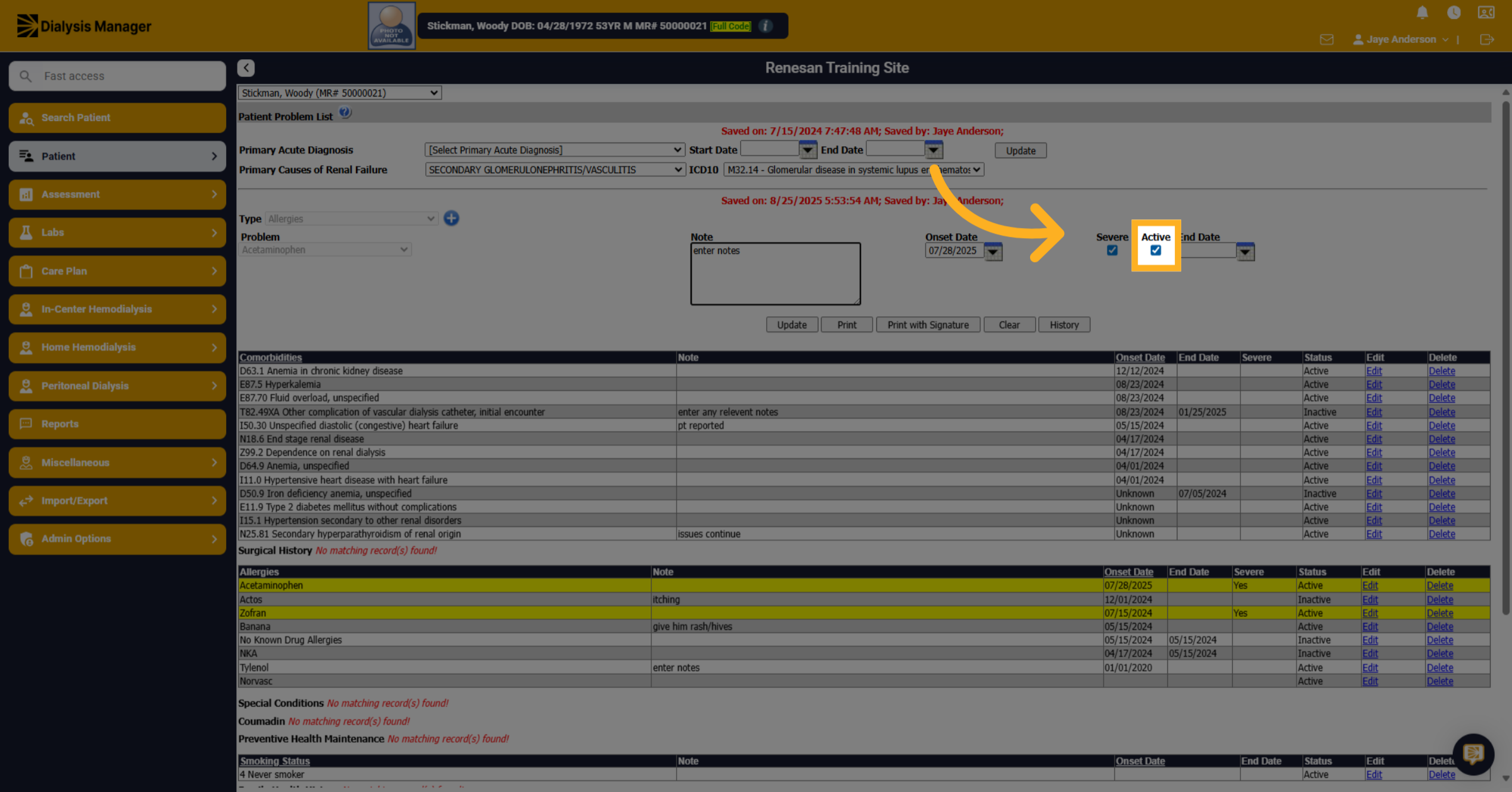
8. Click here
Click on the date field to specify the end date of the allergy.
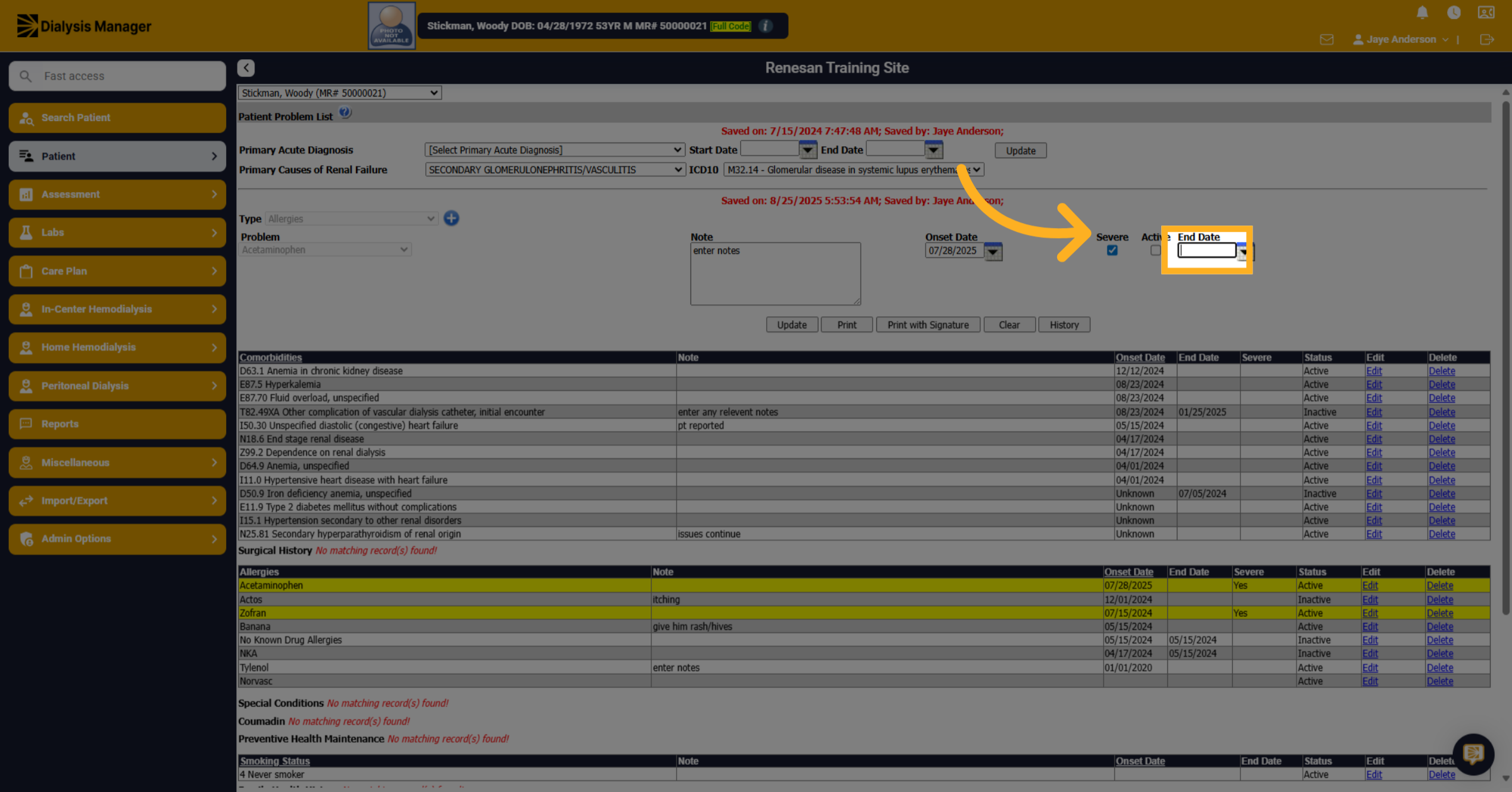
9. Fill "08/25/2025"
Enter the end date for the allergy to document when it was discontinued.
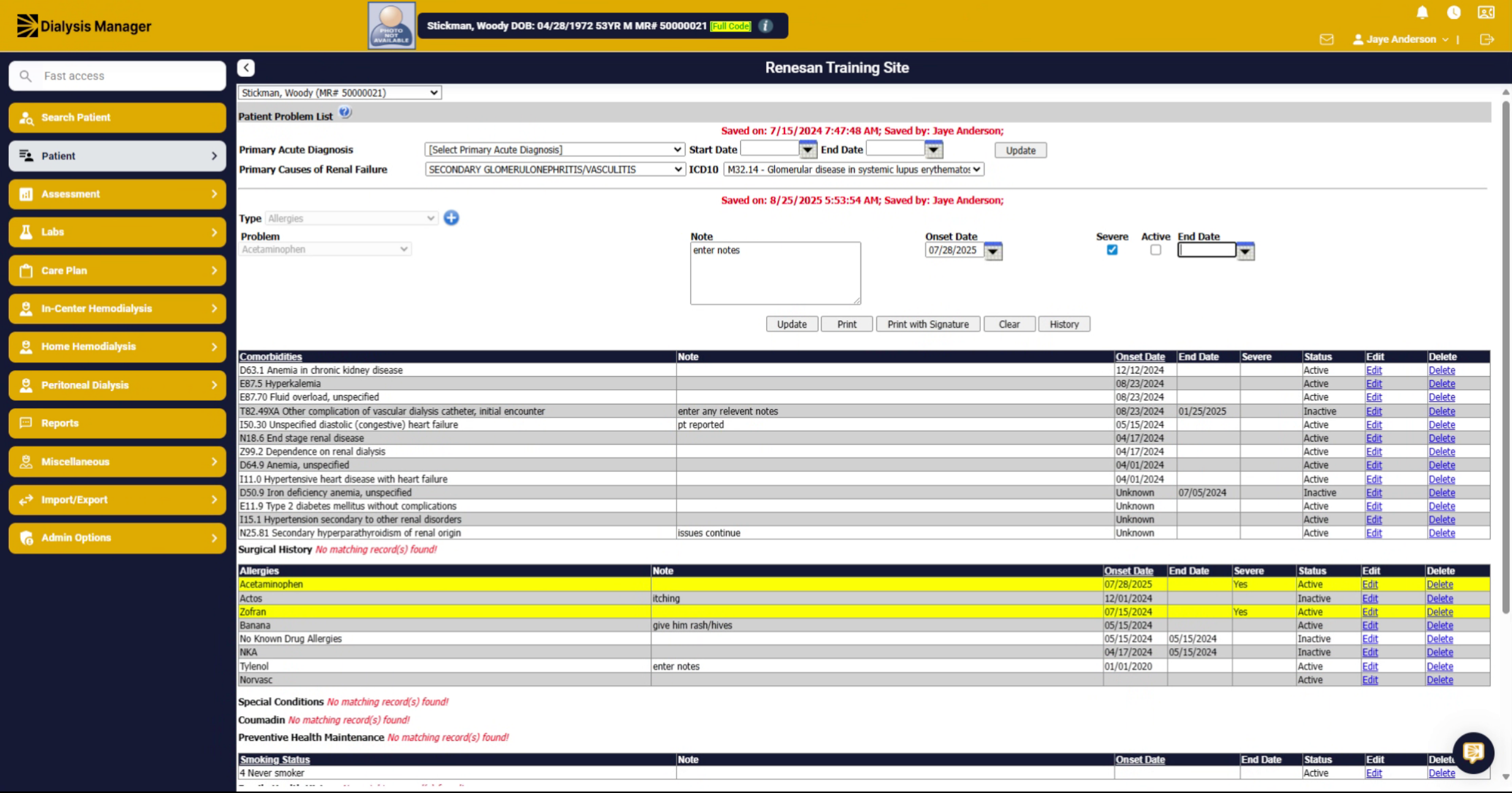
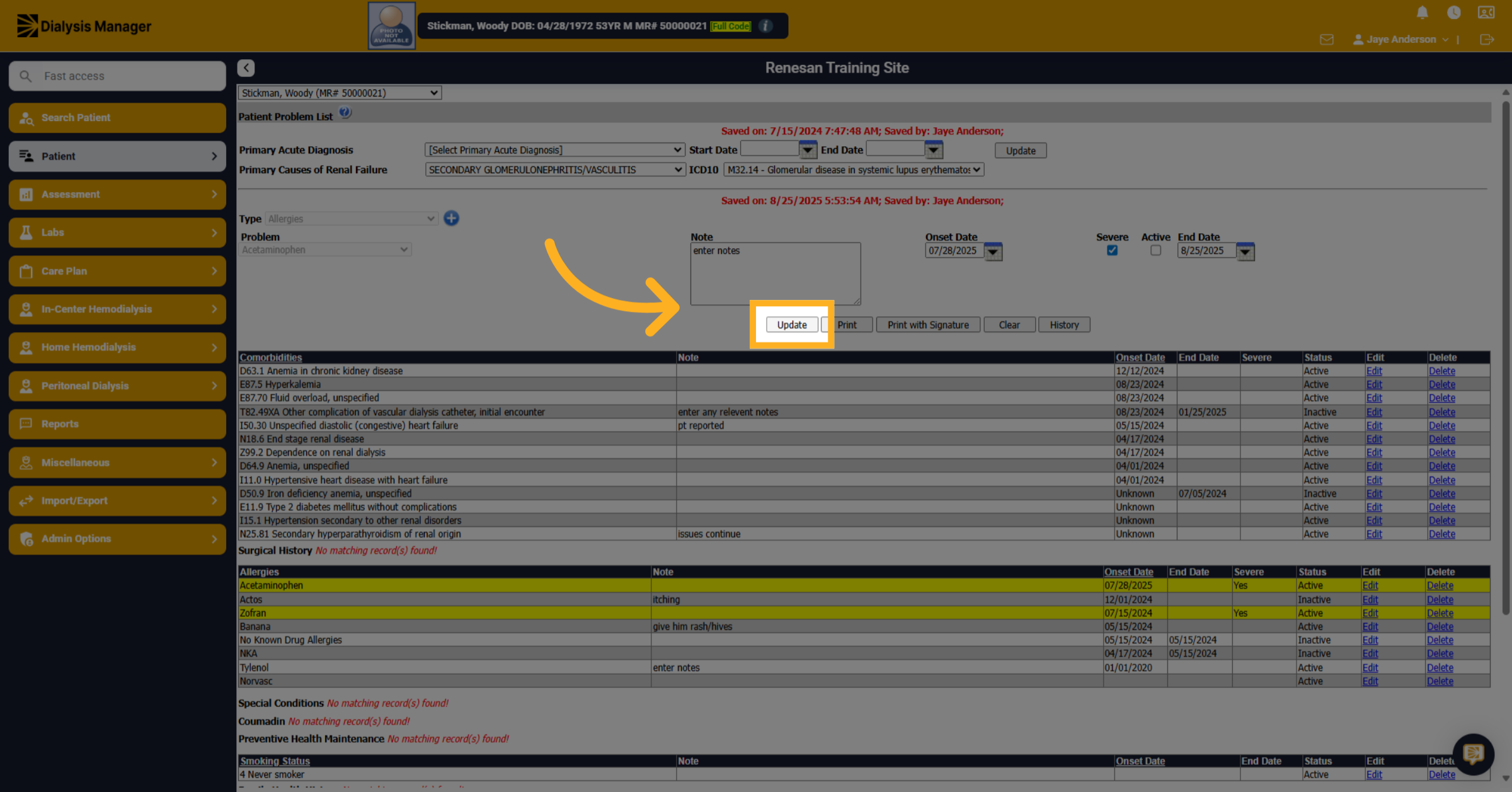
10. Click "Update"
Click the "Update" button to save the changes and discontinue the allergy.