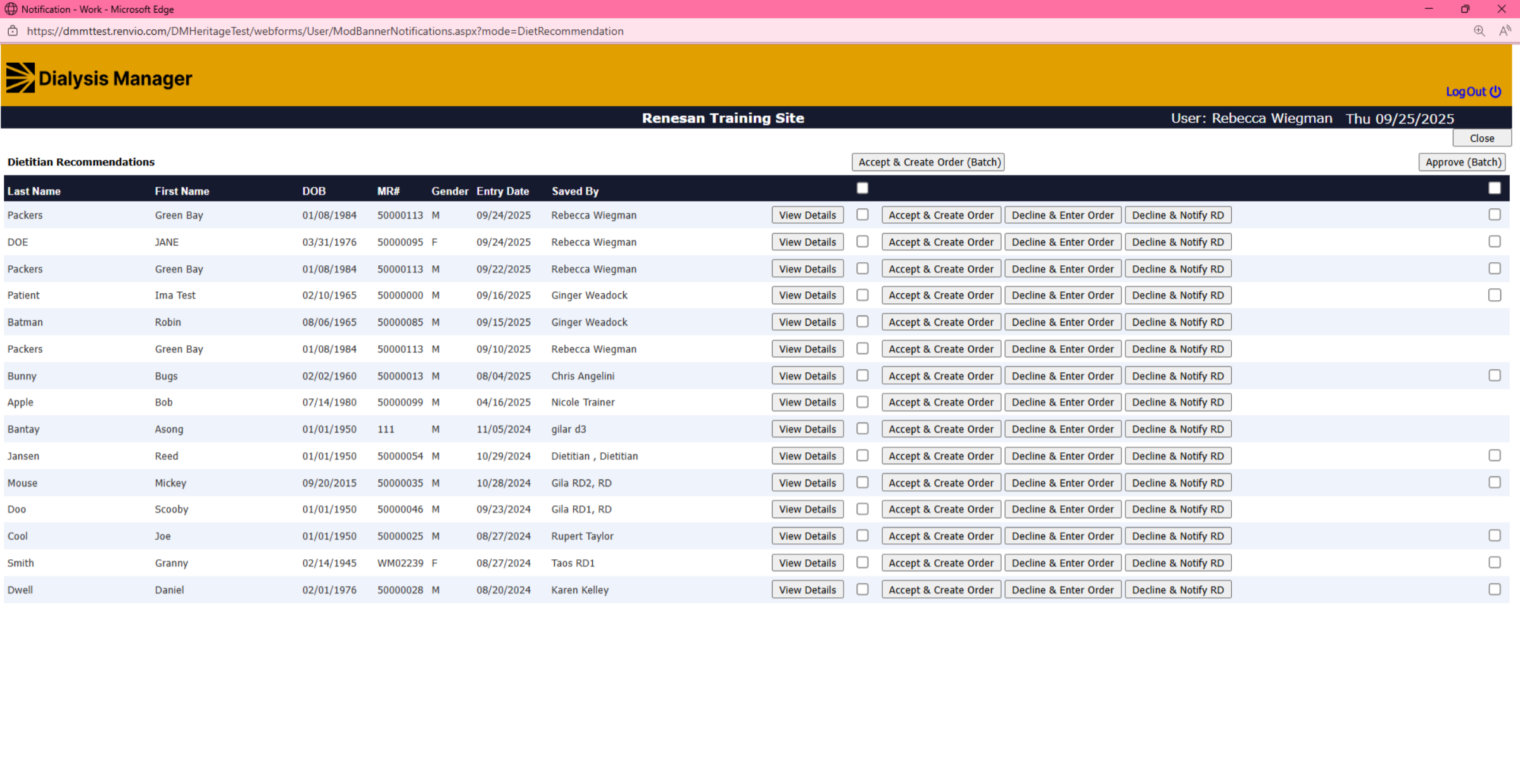
Dietitian Recommendations.
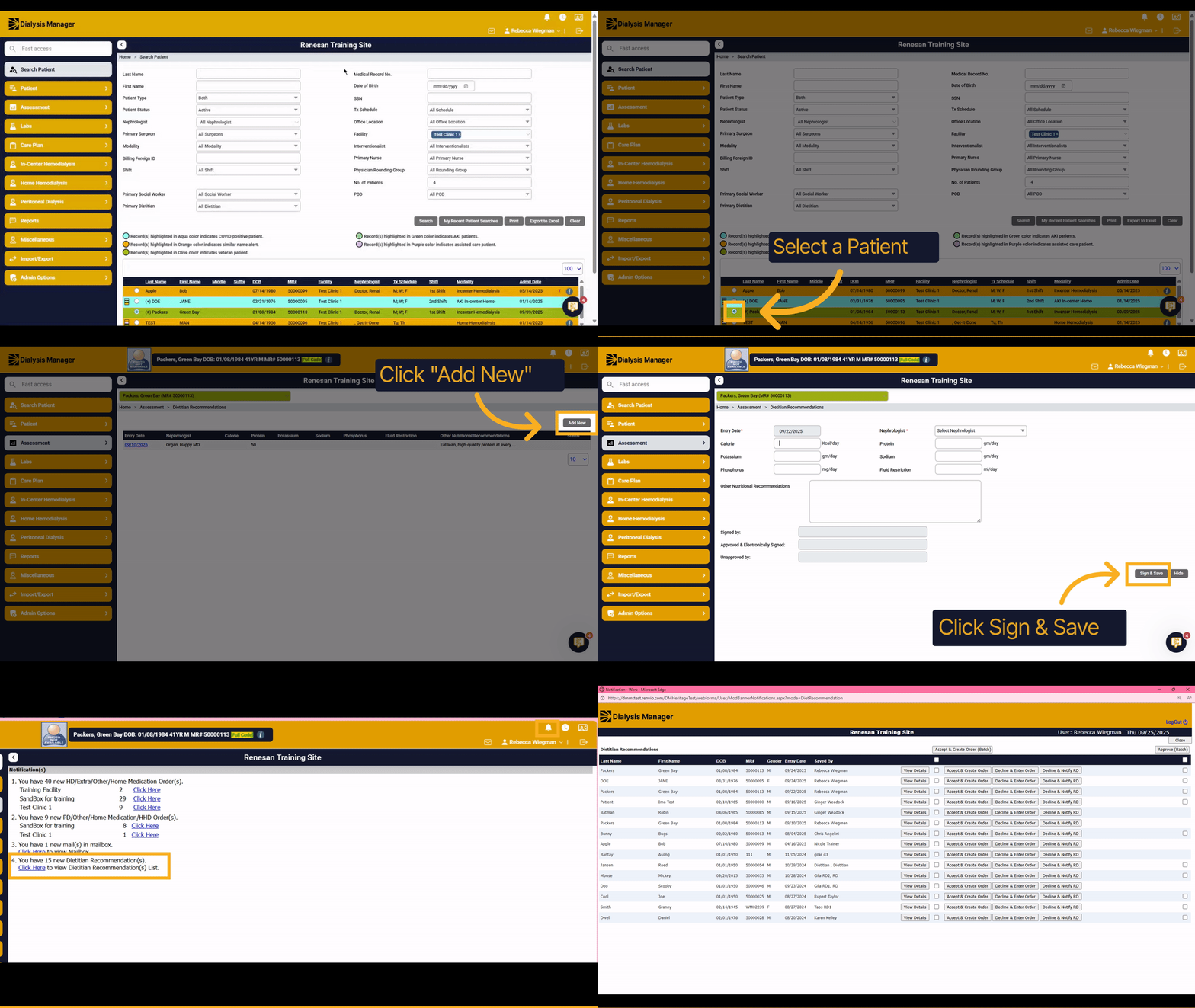
1. Introduction
This tutorial guides you through creating a dietitian recommendation. Diet Recommendations are used when dietitians are restricted from writing orders. The nursing staff will review these recommendations and send this to the MD generating a Diet Order.
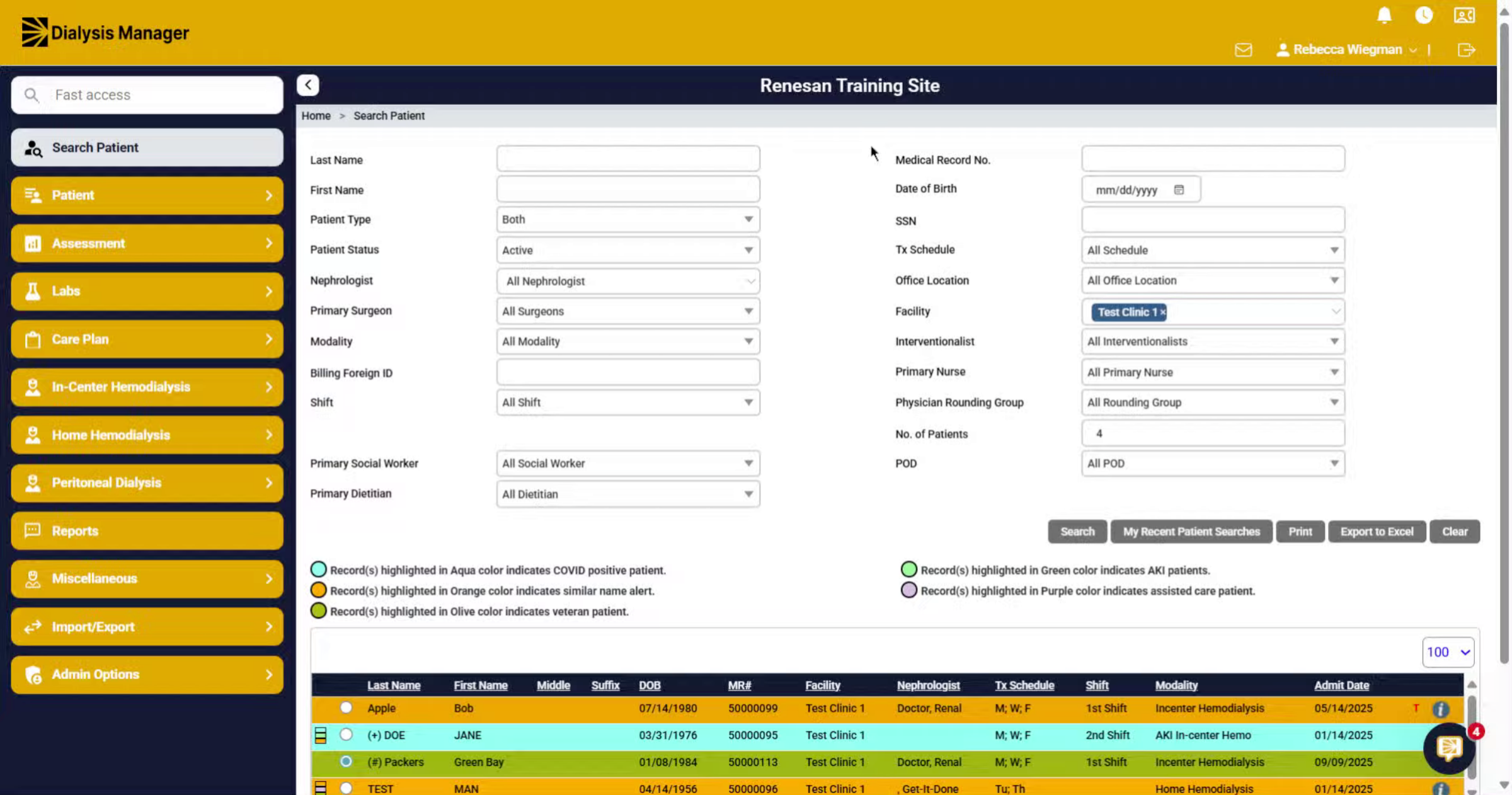
2. Select a Patient
First you'll need to select your patient.
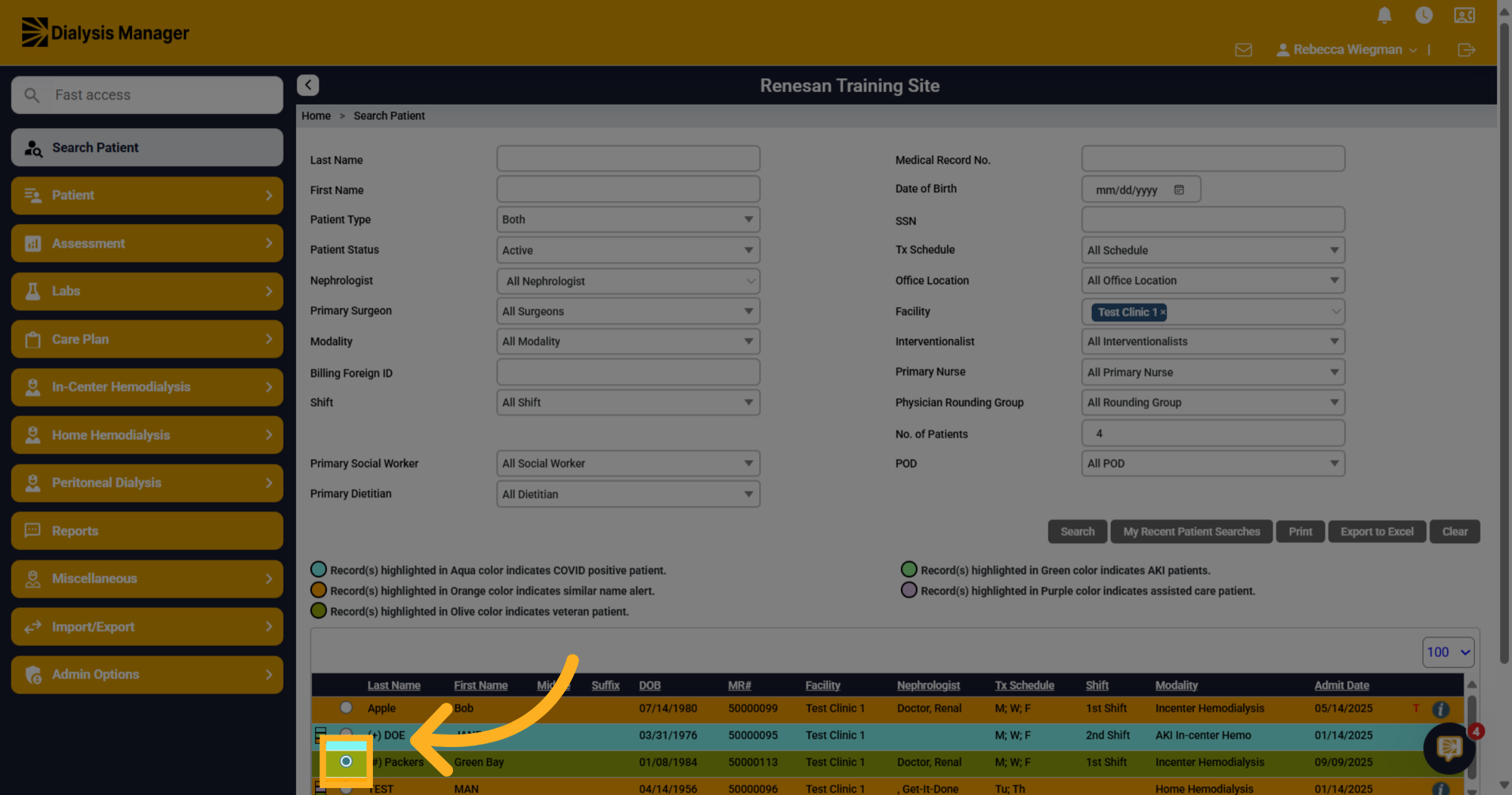
3. Navigate to Dietitian Recommendations
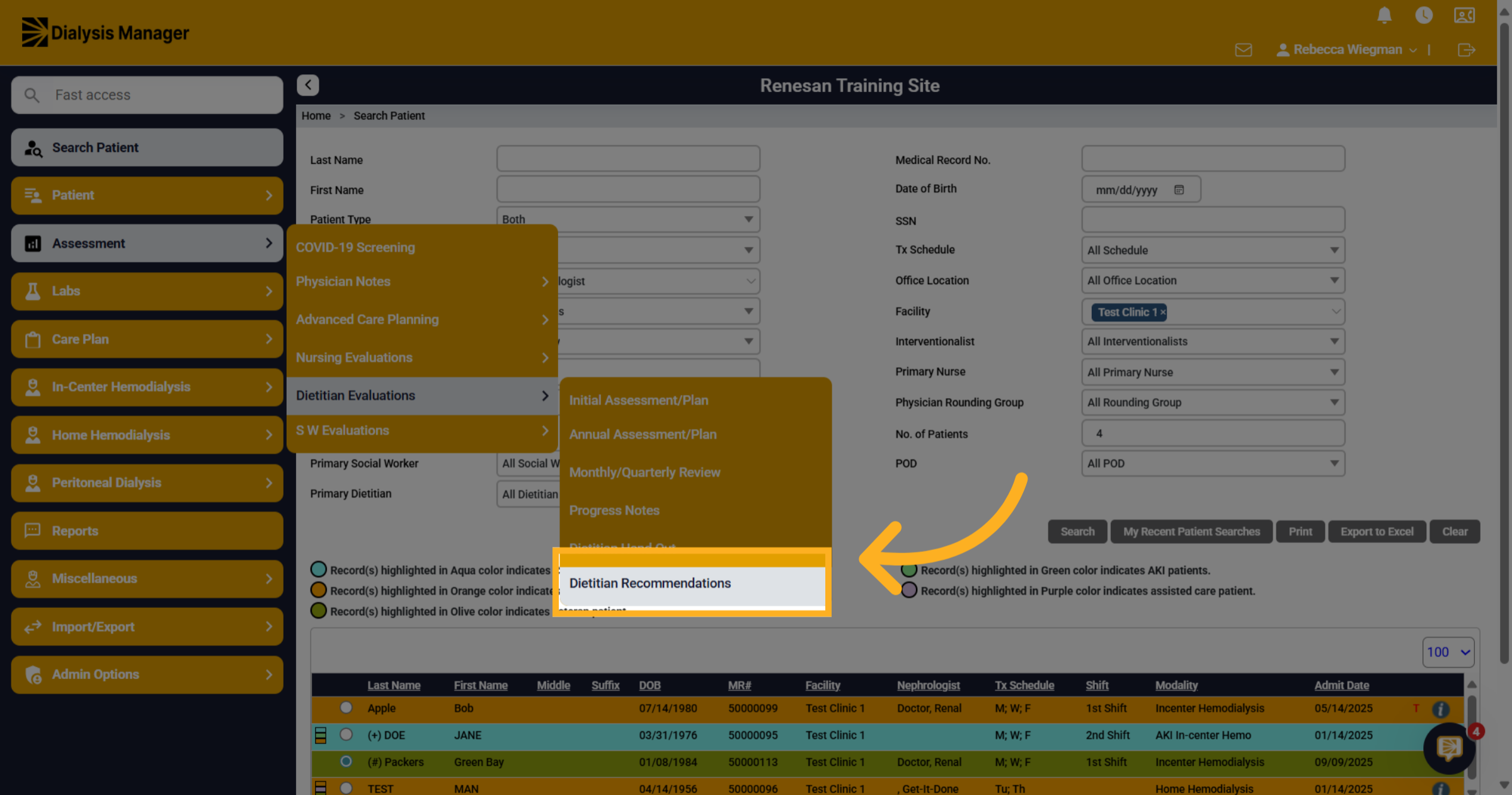
Navigate to Assessment. Dietitian Evaluations then Dietitian Recommendations section to access existing entries and add new ones.
4. Click "Add New"
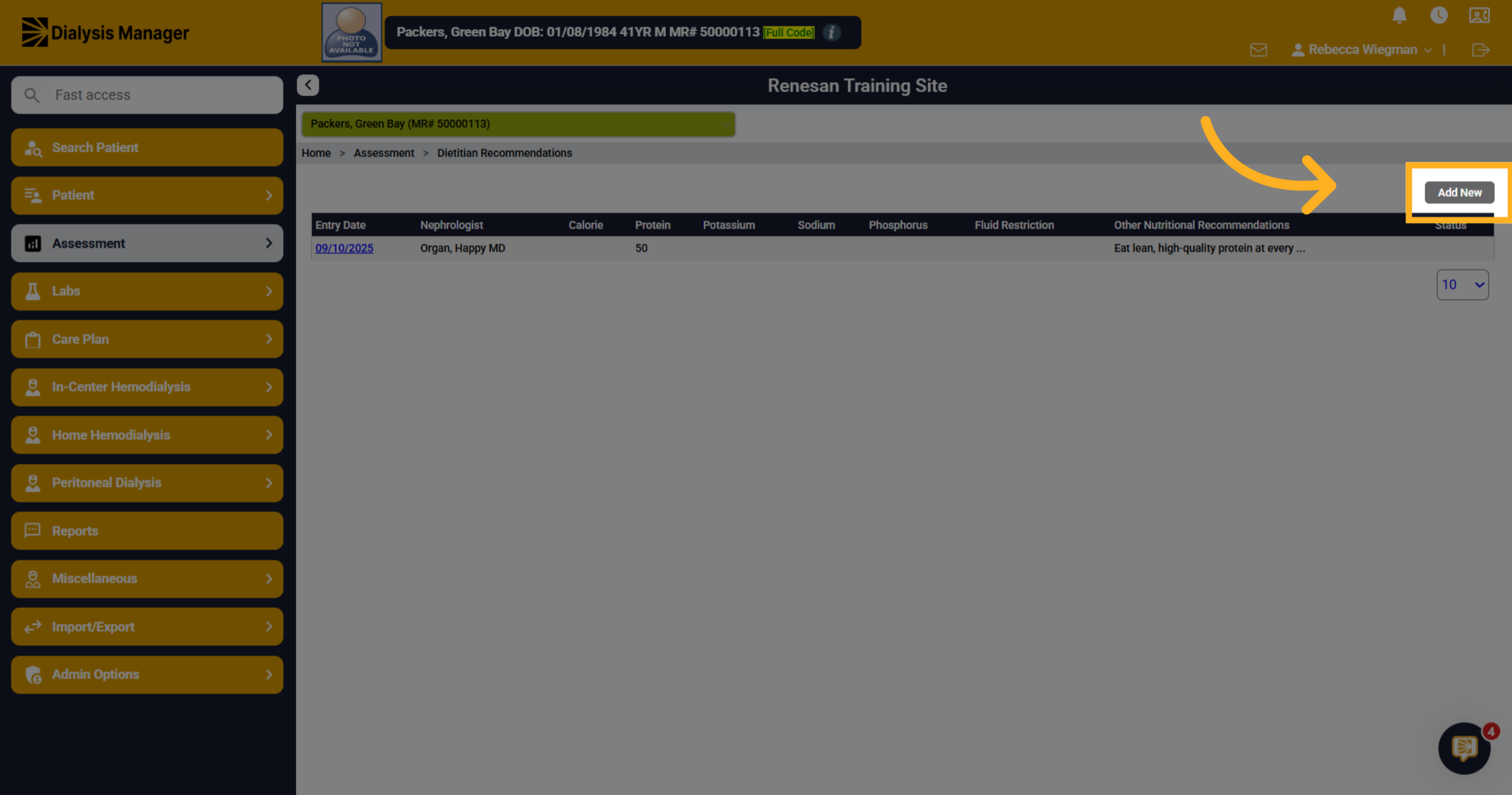
Here you'll see all prior or current diet recommendations. Click the Add New button to start creating a new dietitian recommendation.
5. Enter recommendation, Sign and Save
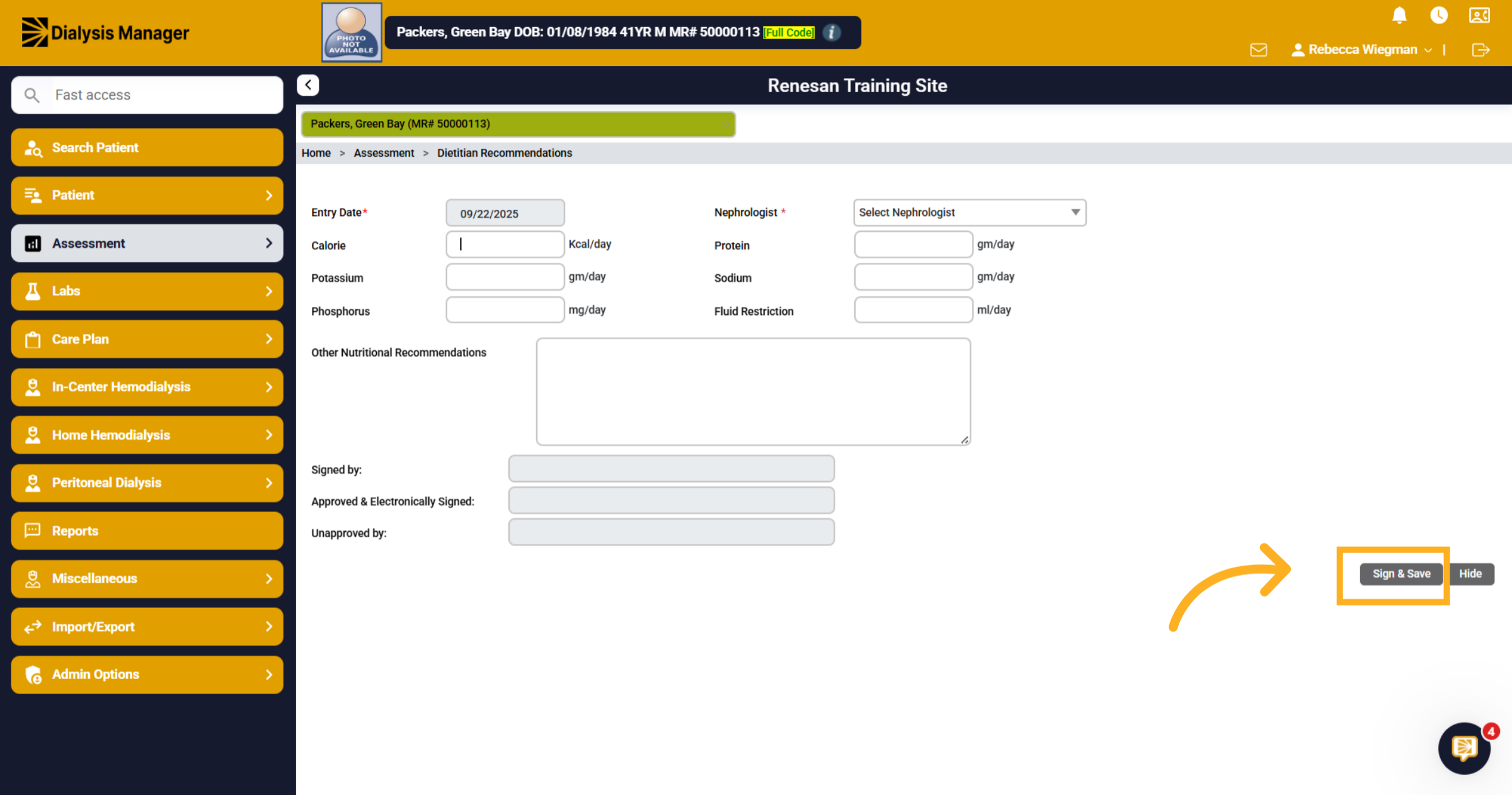
In the form, enter the patients individualized diet recommendations. Click the Sign and Save button. This will send a notification to the nurse
6. Notifications
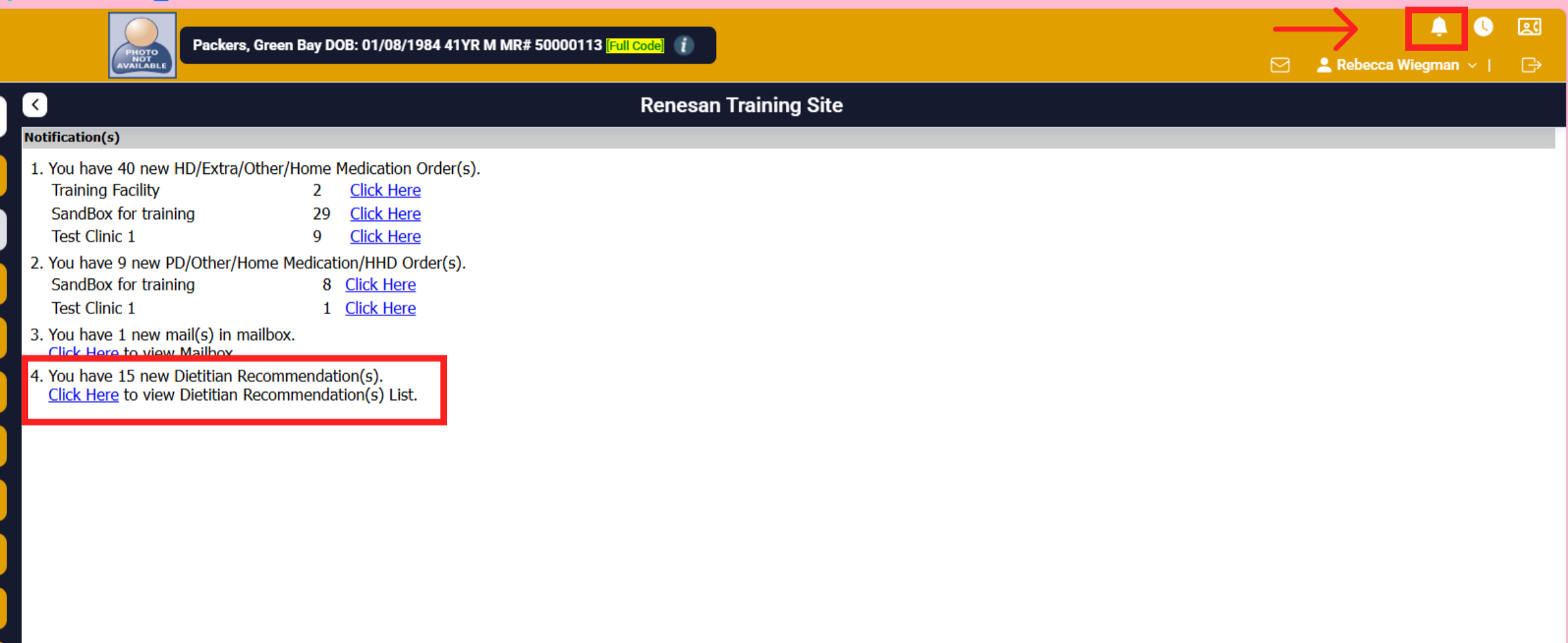
Selecting the notification Bell, appropriate staff will see Dietitian Recommendations. They will select 'Click Here' which will open the recommendations review section.
7. Approving Orders
Depending on your roles provided by administrators Staff can view the details, accept and create order, decline and enter order or decline and notify RD. When declining a pop up will appear and the staff is able to notify any user via the mailbox messaging feature.