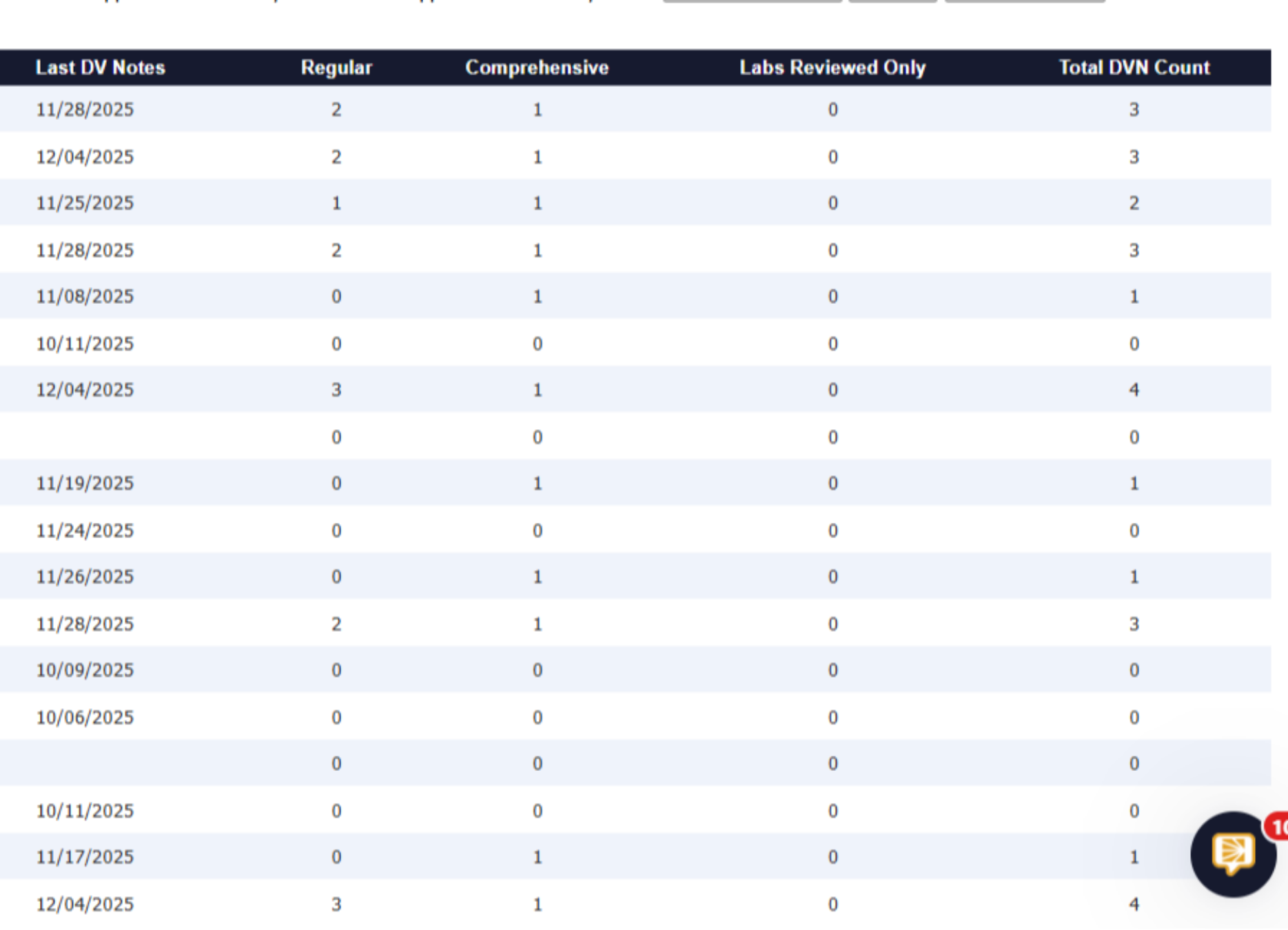
Dialysis Visit Note Count.
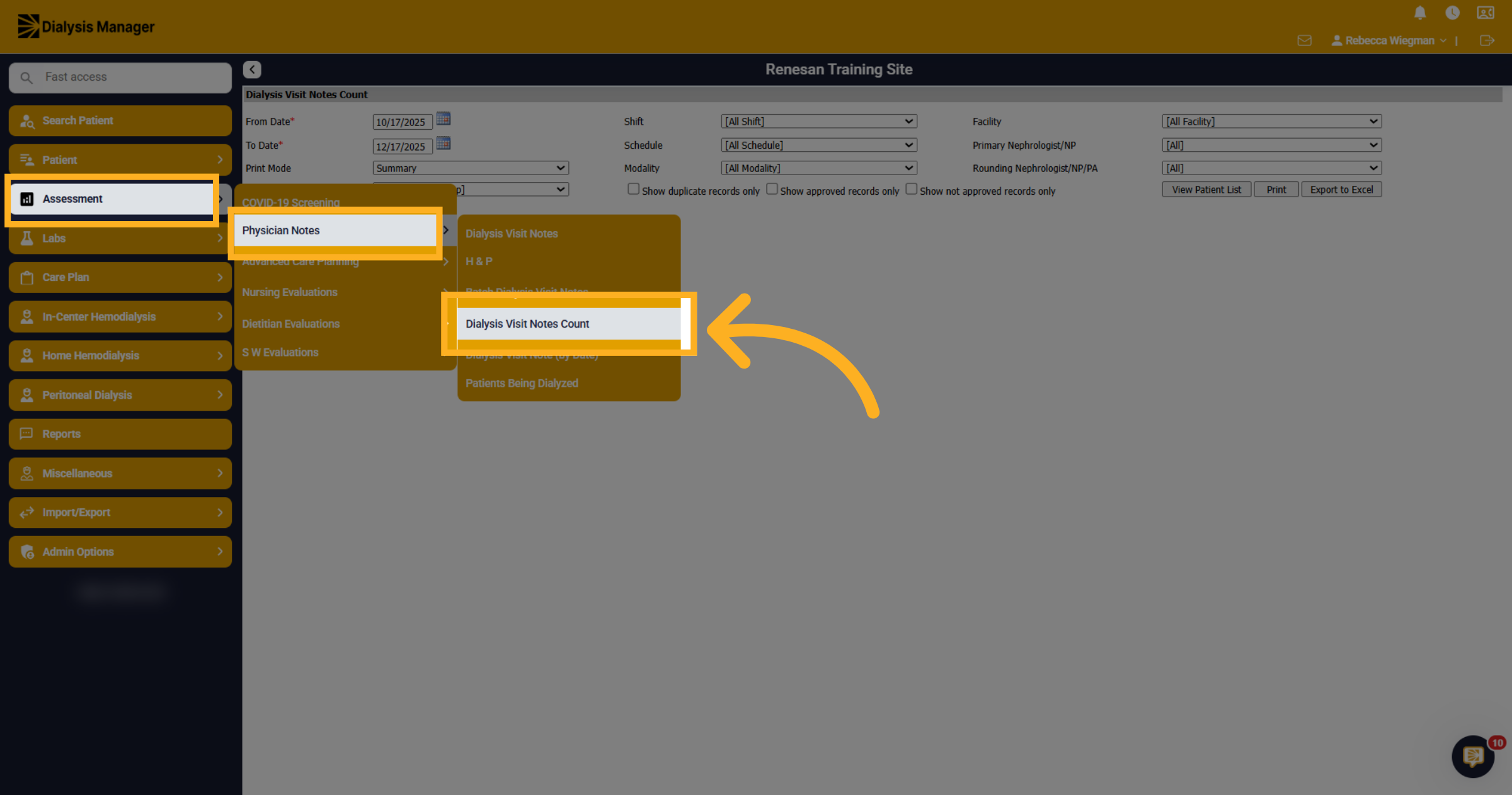
1. Open Dialysis Visit Notes Count
Now, lets take a look at Dialysis Visit Notes Count inside the Assessment menu and Physician Notes.
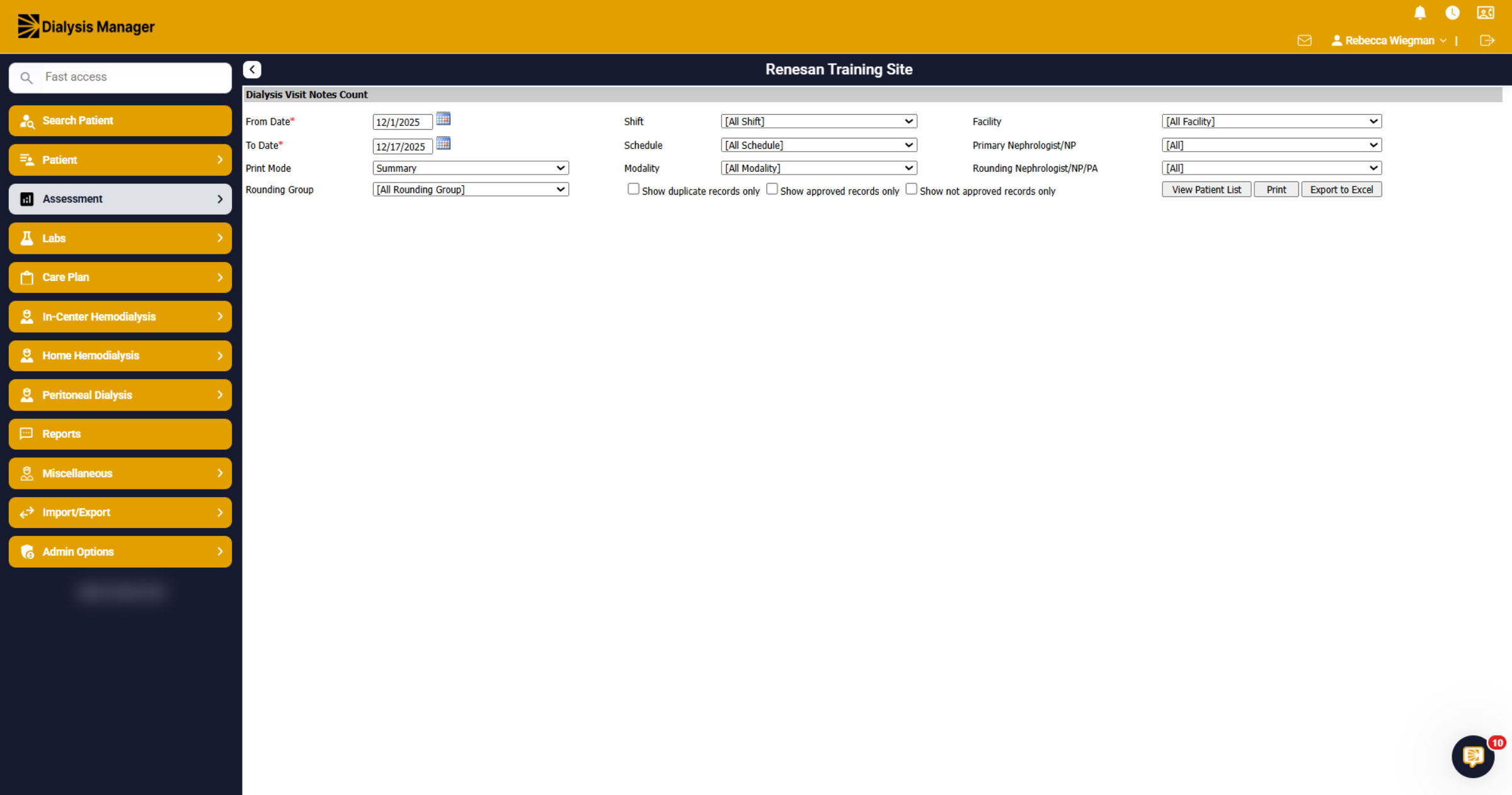
2. Access Additional Options
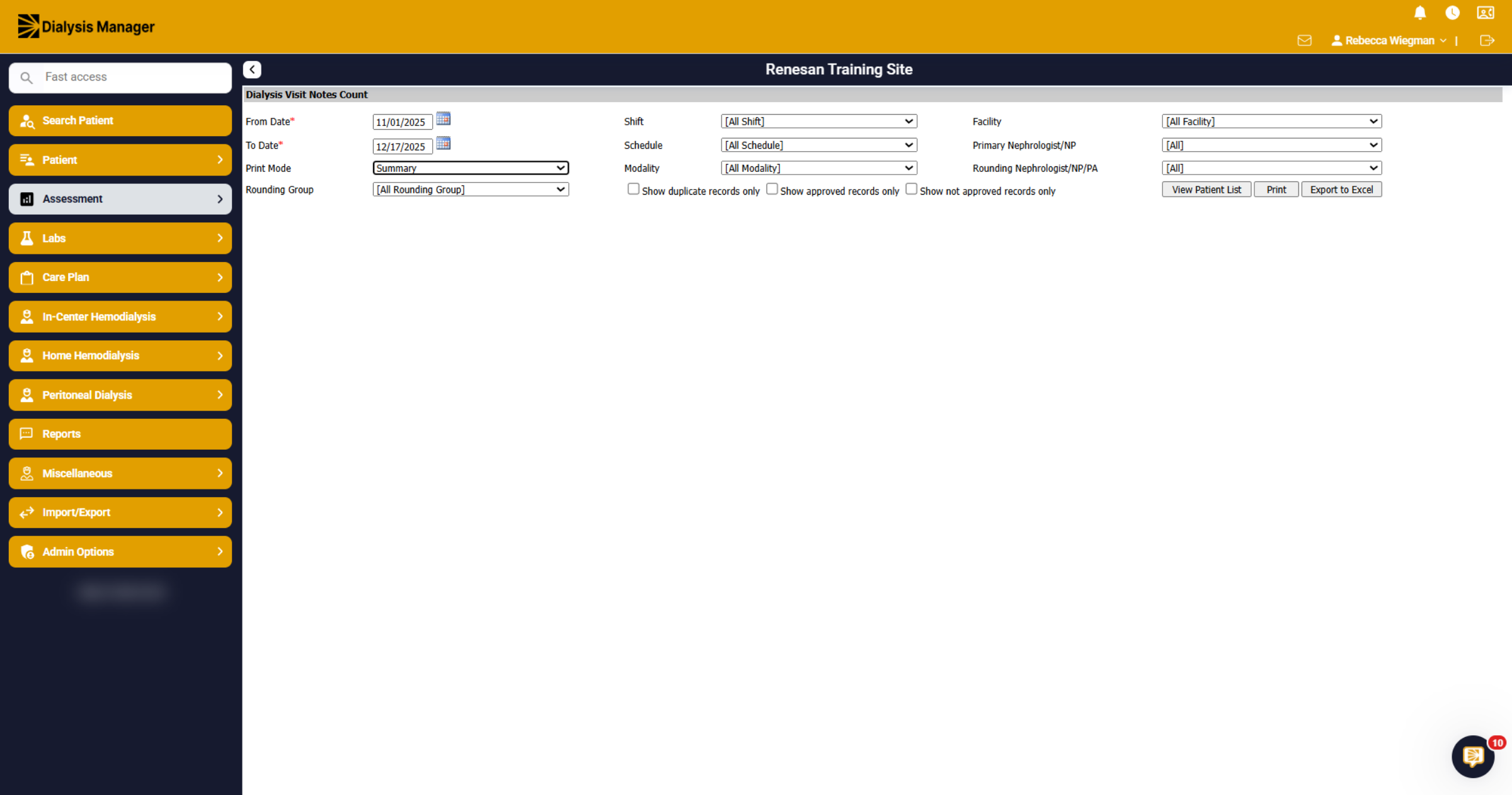
The Dialysis Visit Notes Count will give you the option to filter by different criteria. The date range can go back 2 months.
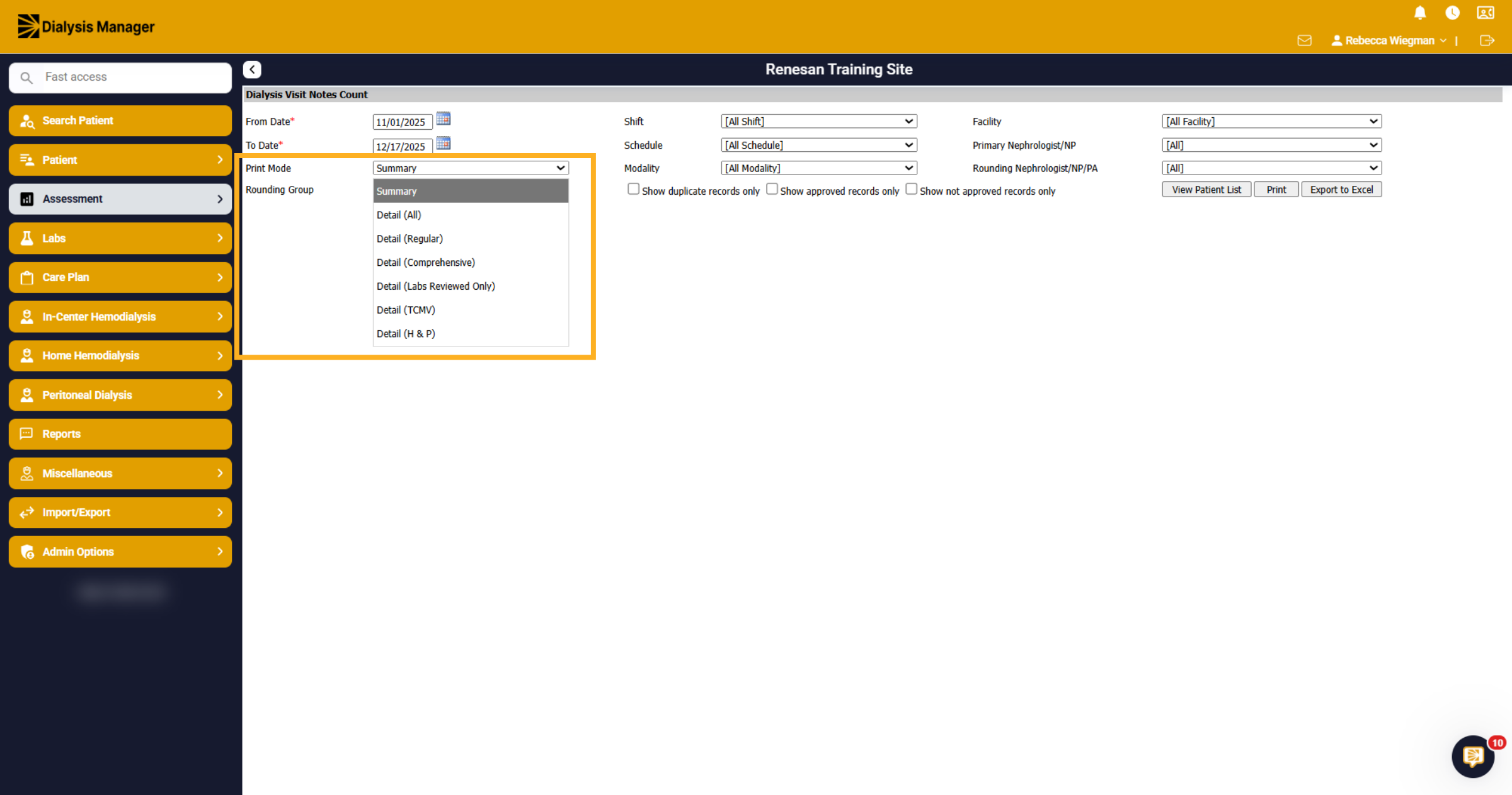
3. Print Mode
In the Print Mode dropdown, you'll have the option to view Regular, Comprehensive, Labs Reviewed Only, Transitional Care Management Visits, H & P or all Notes.
4. Other Filters
If you are looking for a specific Rounding Group, shift, schedule, facility, primary Nephrologist or even specific Modalities, you are able to set those parameters.
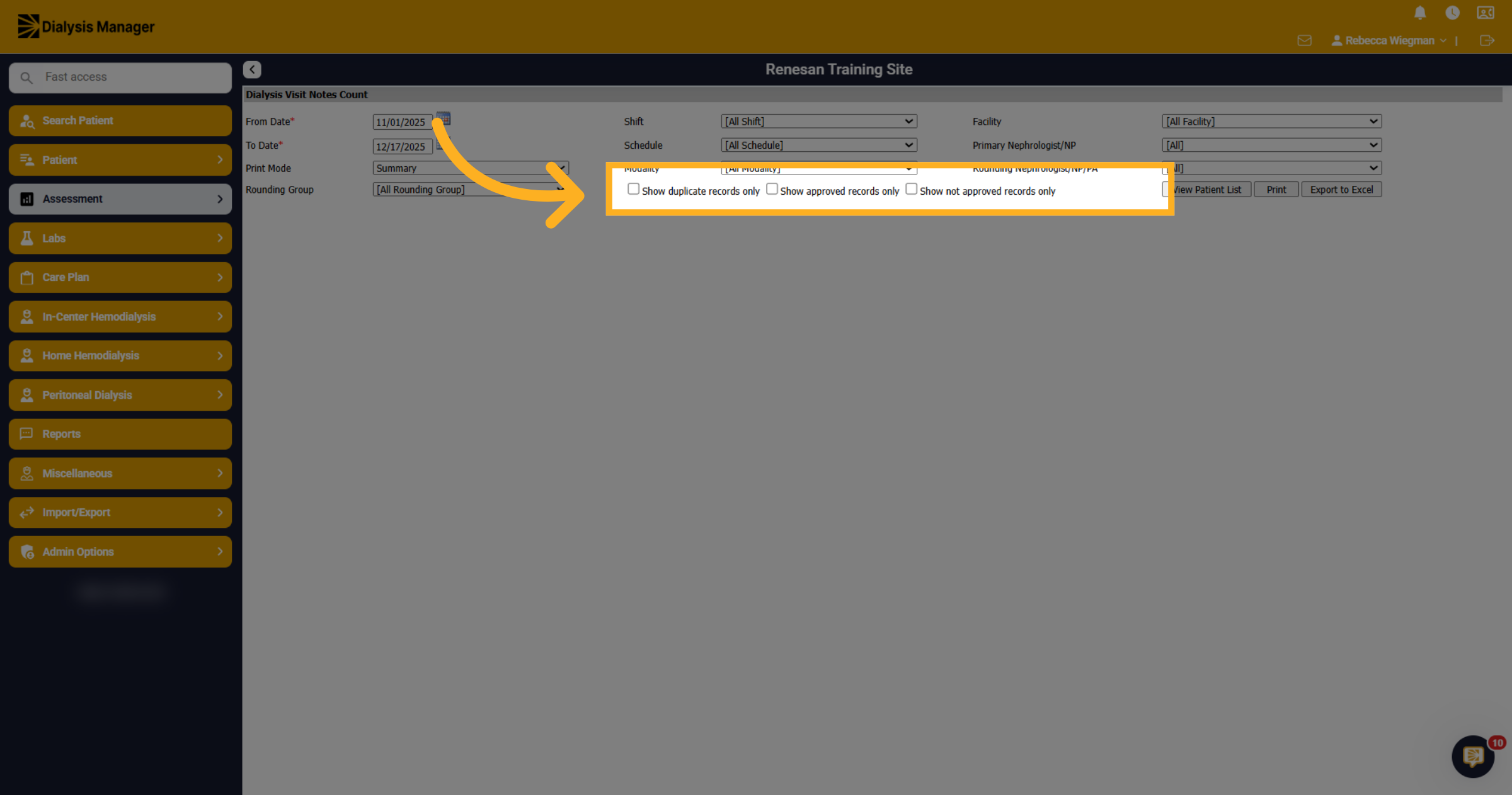
5. Additional filters
Also having the option to select Show Duplicate Records only, Approved Records or Not Approved Records.
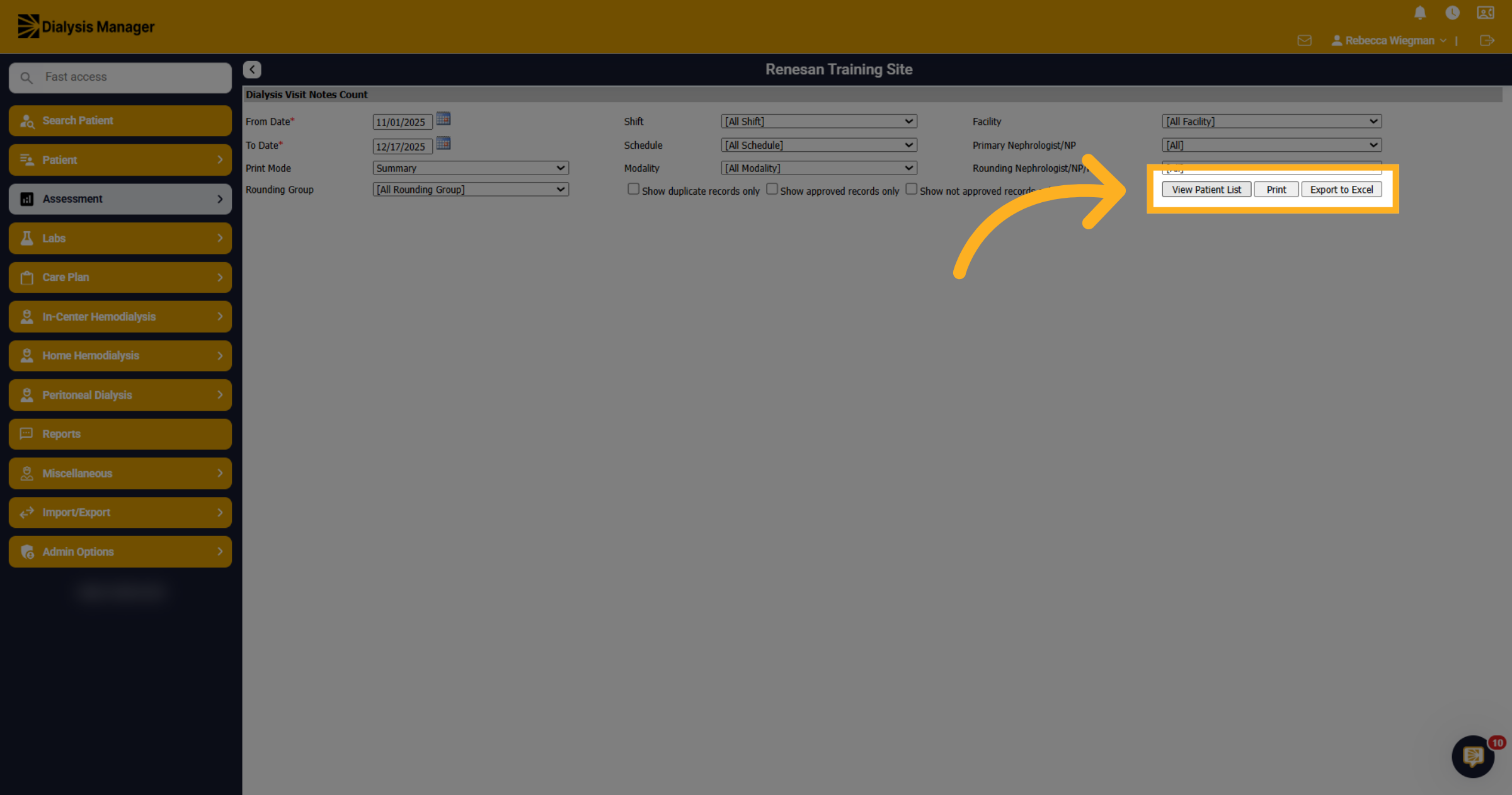
6. View Patient List
Click View Patient List to display the list of patients matching your selected filters. But also having the option to select Print or Export to Excel.
7. Access Additional Patient Options
Based on the criteria selected, you'll see a total patient number in red above the blue header. The patients will display alphabetically with some demographic information.
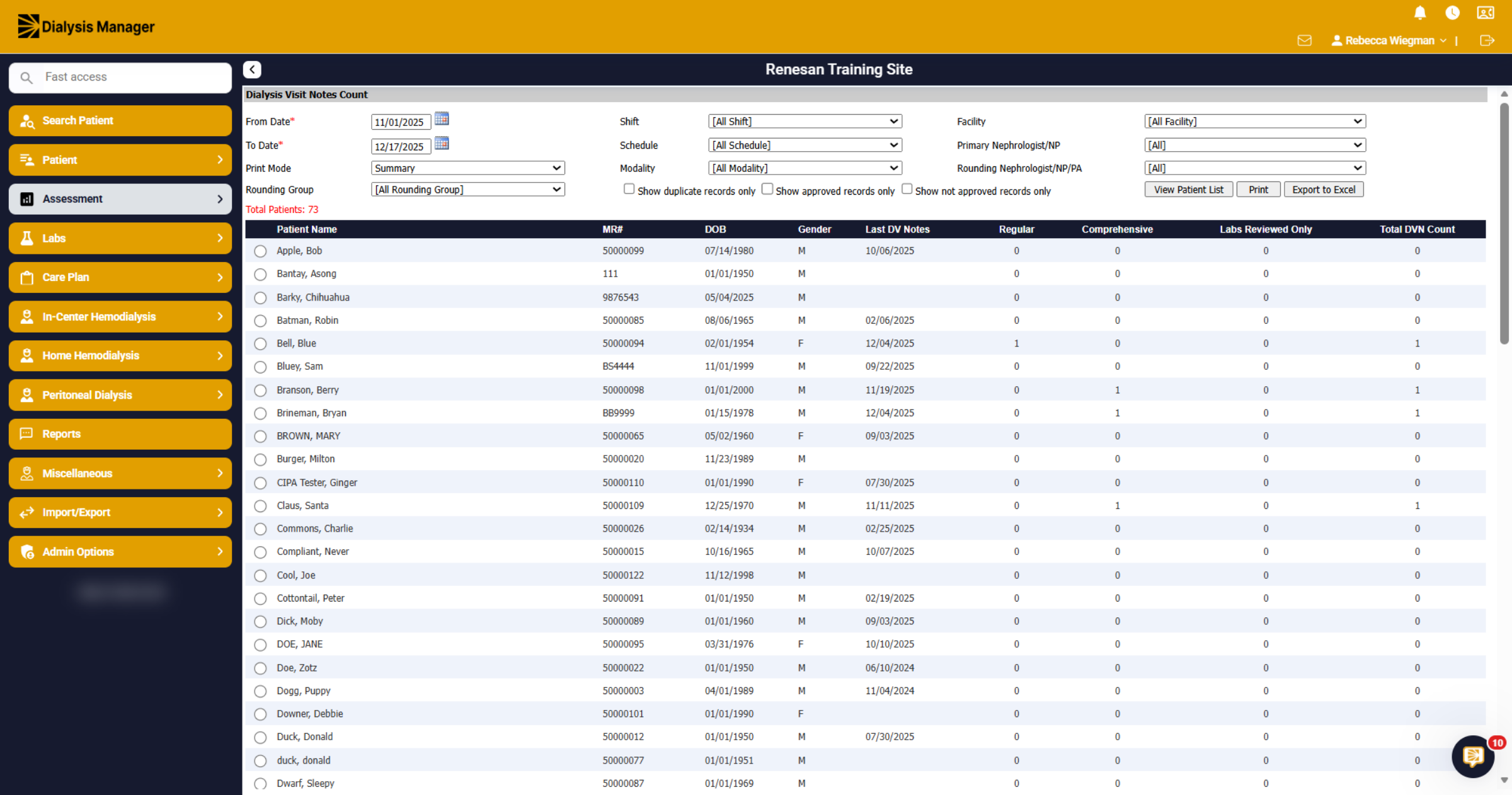
8. Last Dialysis Visit Notes
It will display the last Dialysis Visit Note for the patient and display how many Regular, Comprehensive, Labs Reviewed and Total Dialysis Visit Note Count. Please note that depending on the criteria you select within the Print Mode dropdown, will determine the information that is displayed. This report can be useful for verifying rounds were submitted and showing rounding dates.