1. Go to Admin Option > Masters (User must have permission to Masters menu to add/edit).
2. Select Doctors/Other Personnel from menu.
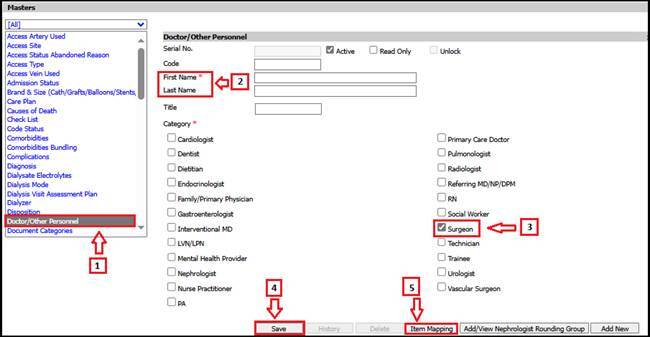
3. Add First & Last name of surgeon
4. Select the check box under Category as Surgeon.
5. Save the screen.
6. Now, click on Item Mapping to map surgeon to all/multiple facilities.
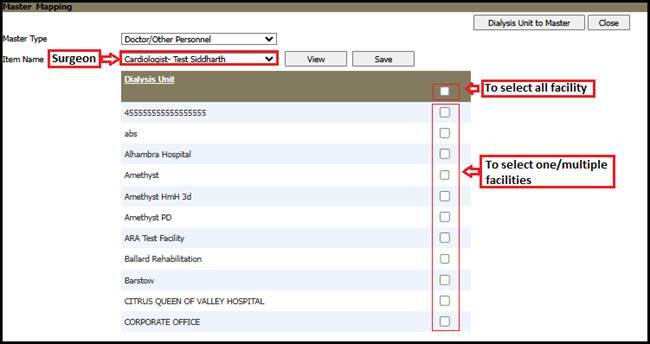
7. Click Save.