Adding a New Patient into Dialysis Manager
1. Introduction
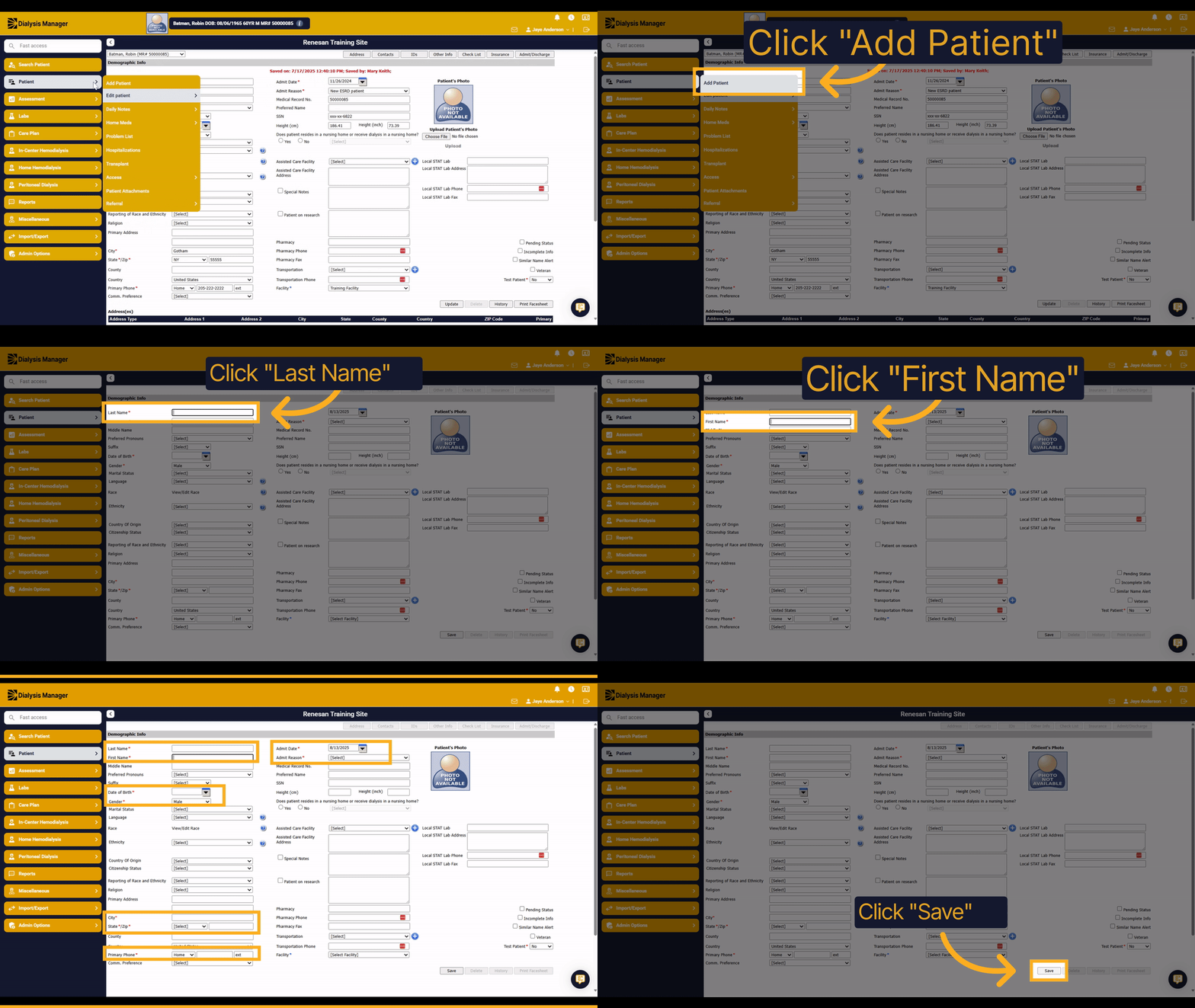
This guide explains how to add a new patient into Dialysis Manager. You will learn the step-by-step process to efficiently input patient information and save it in the system.
2. Click "Add Patient"
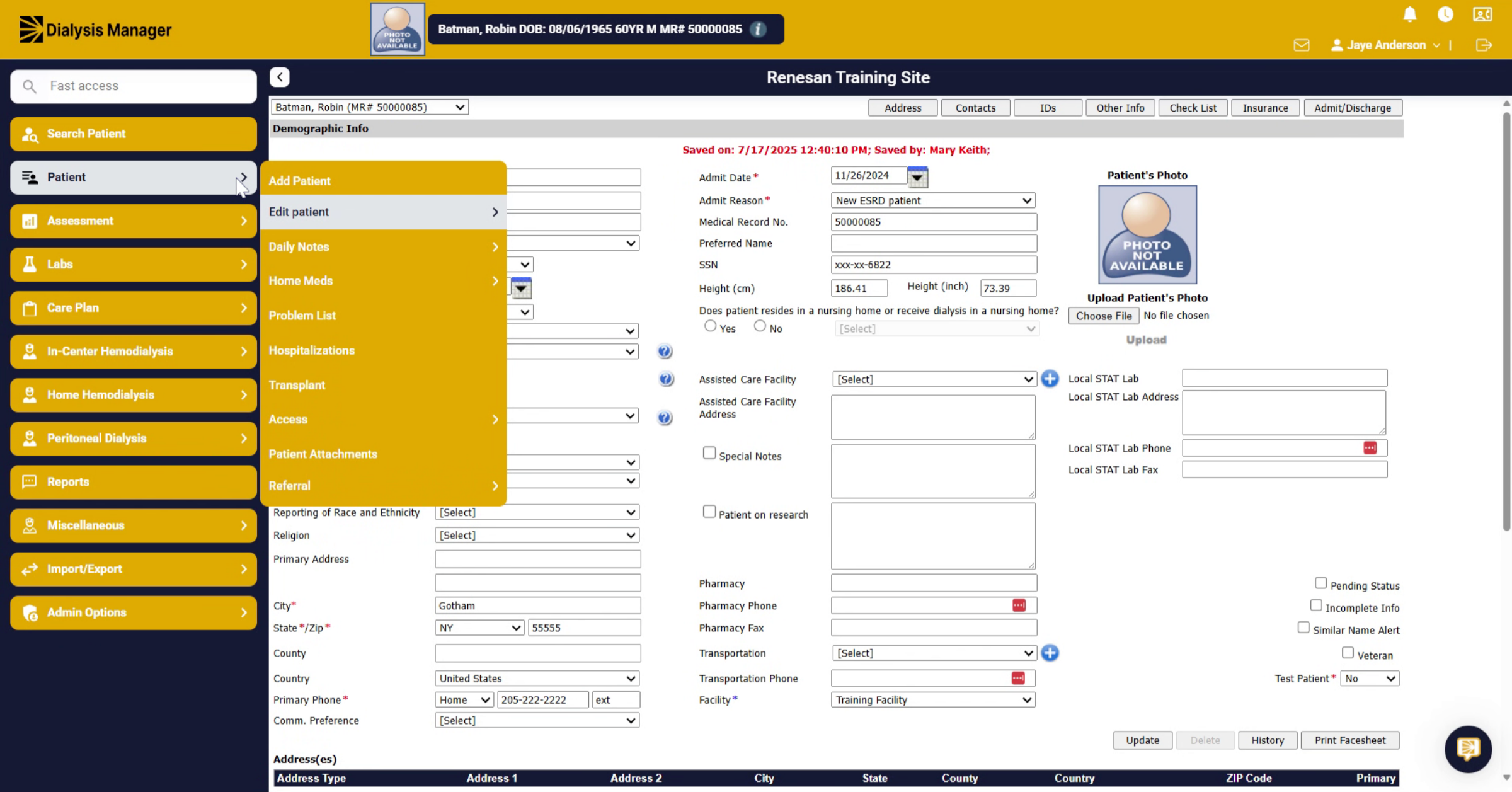
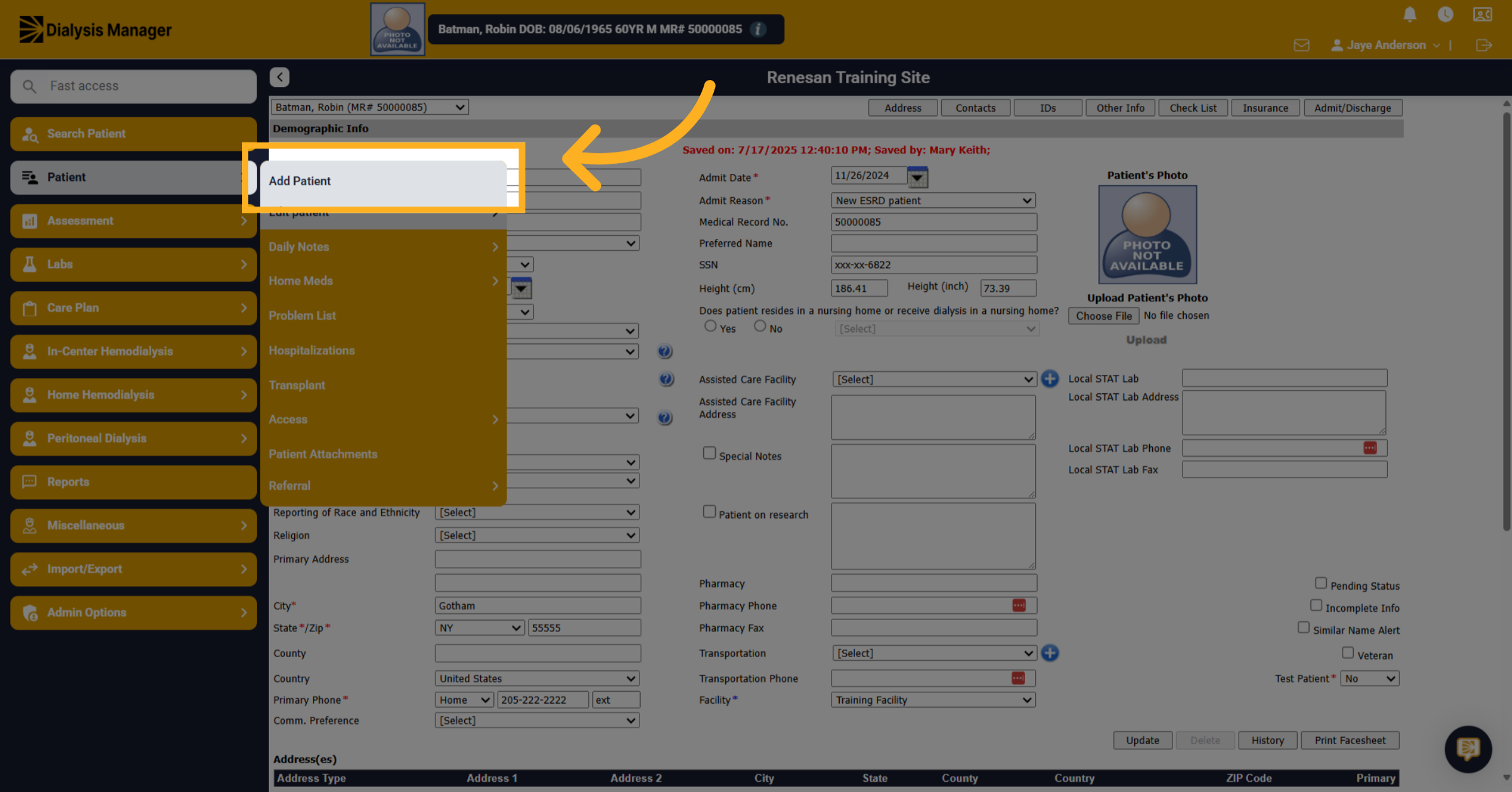
After you've tried searching for your patient, go to the patient menu and choose Add Patient.
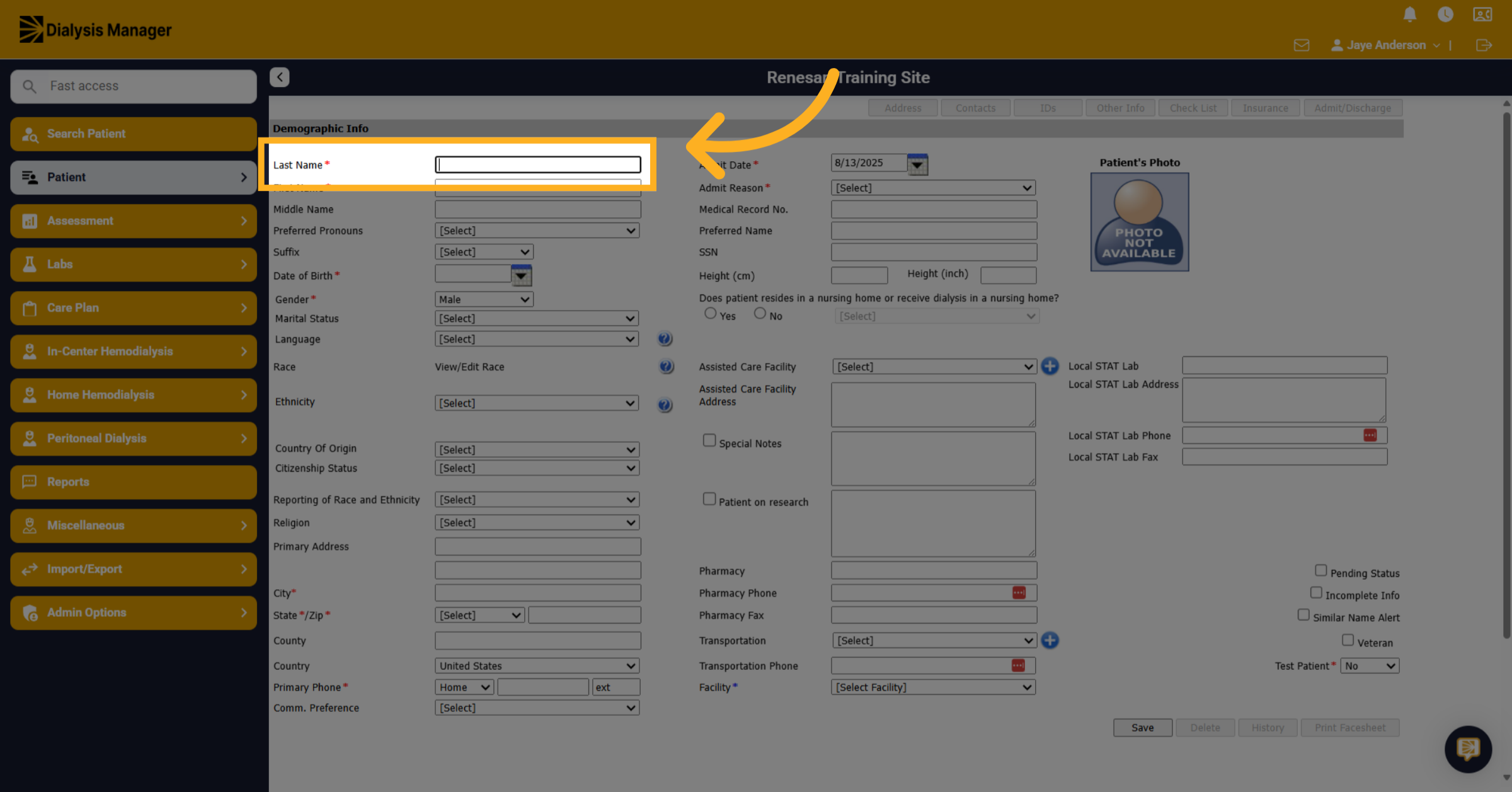
3. Click "Last Name"
Enter the Patients Last Name.
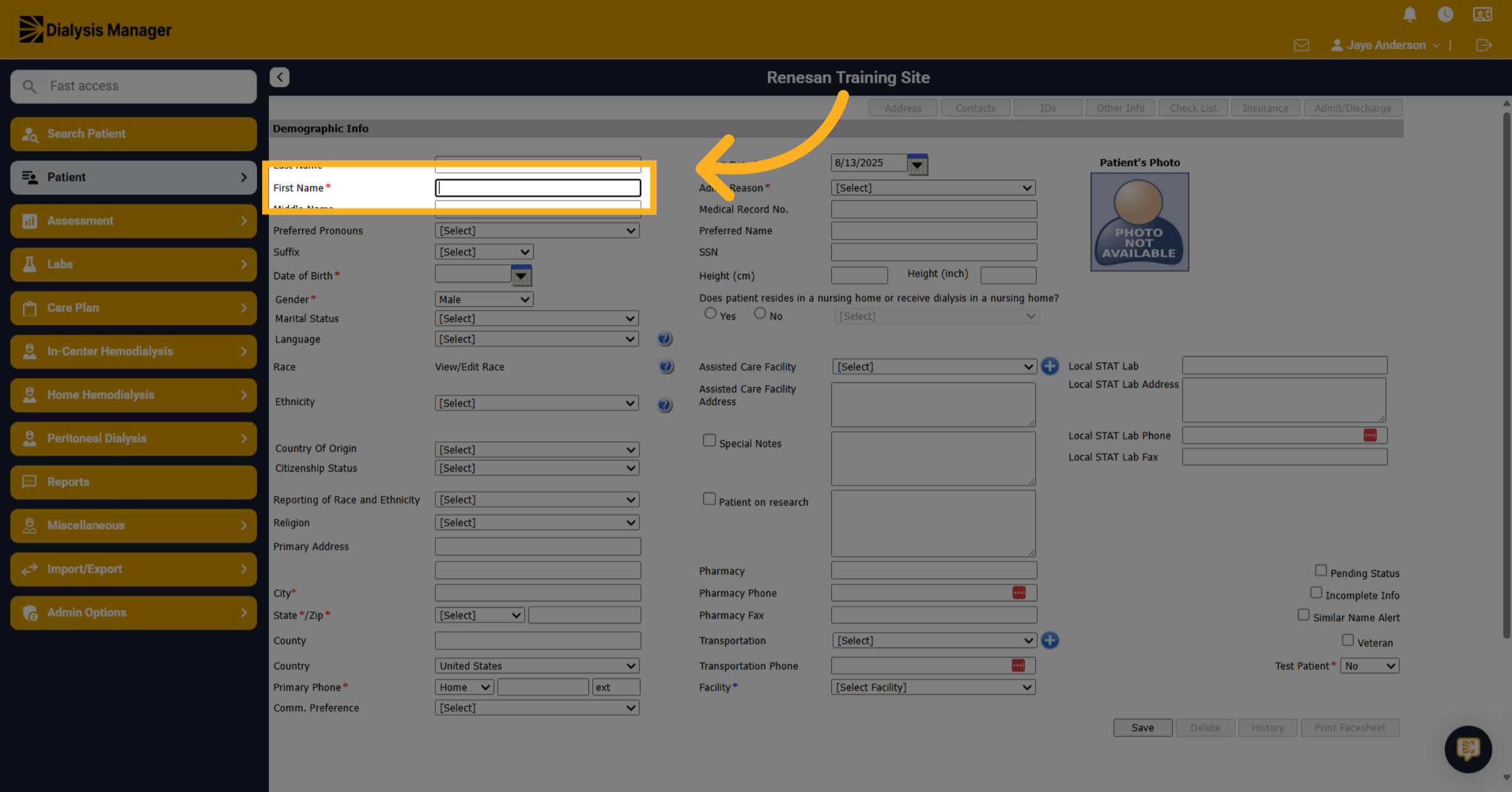
4. Click "First Name"
Enter the Patients First Name.
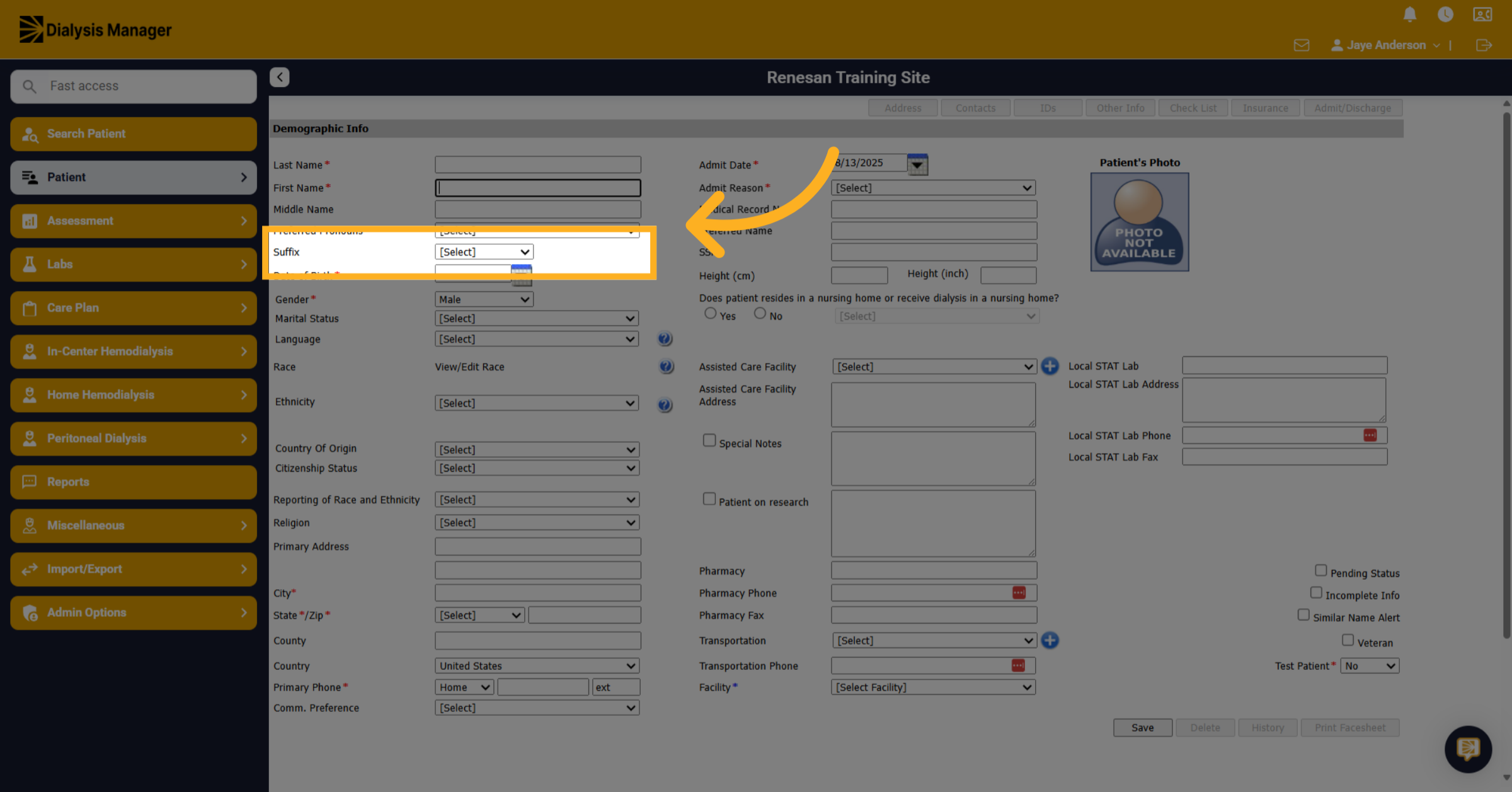
5. Click "Suffix"
Enter the Patients Suffix here. It is important that this is not entered into the patients first or last name field
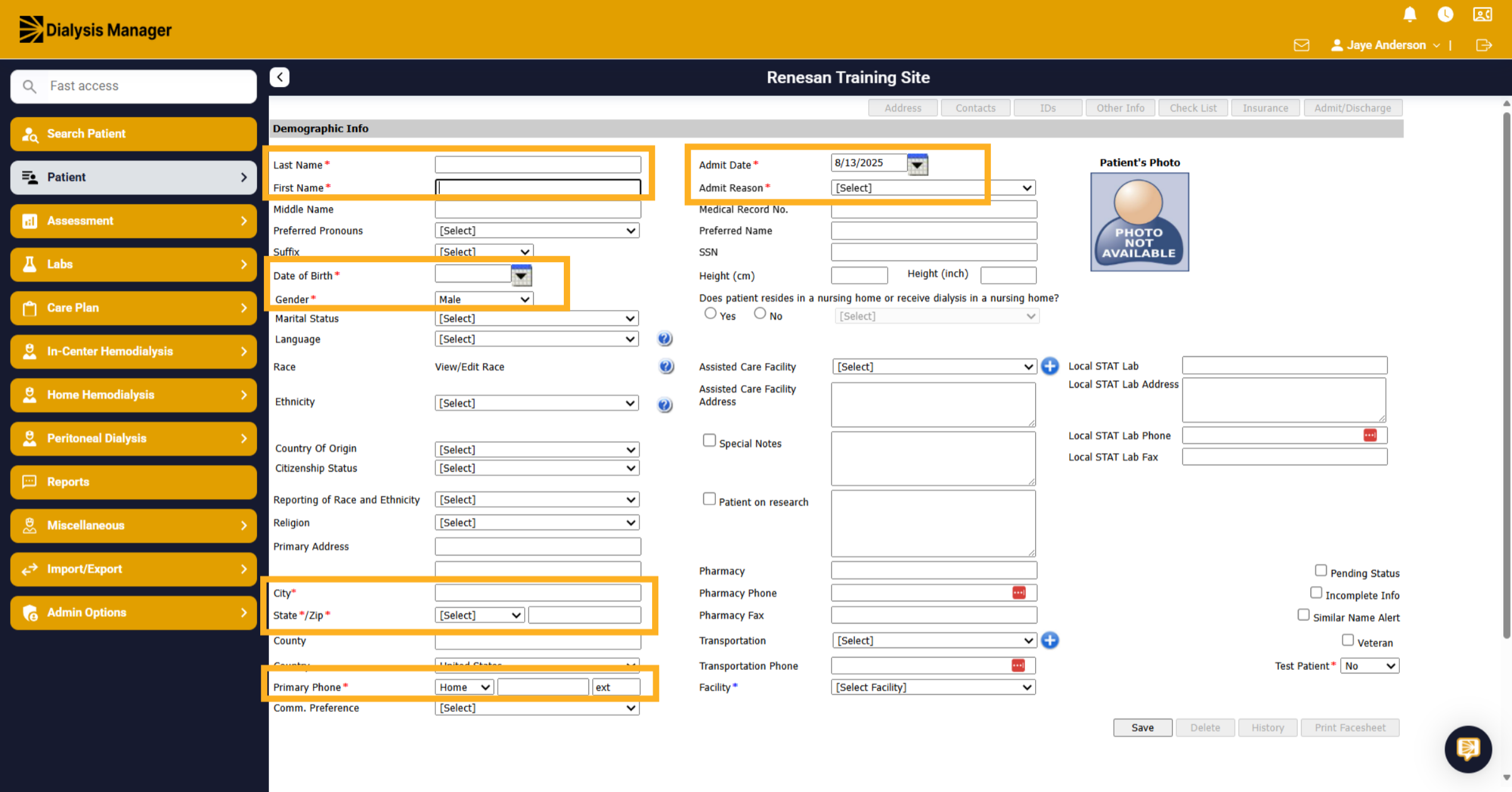
6. Click "First Name"
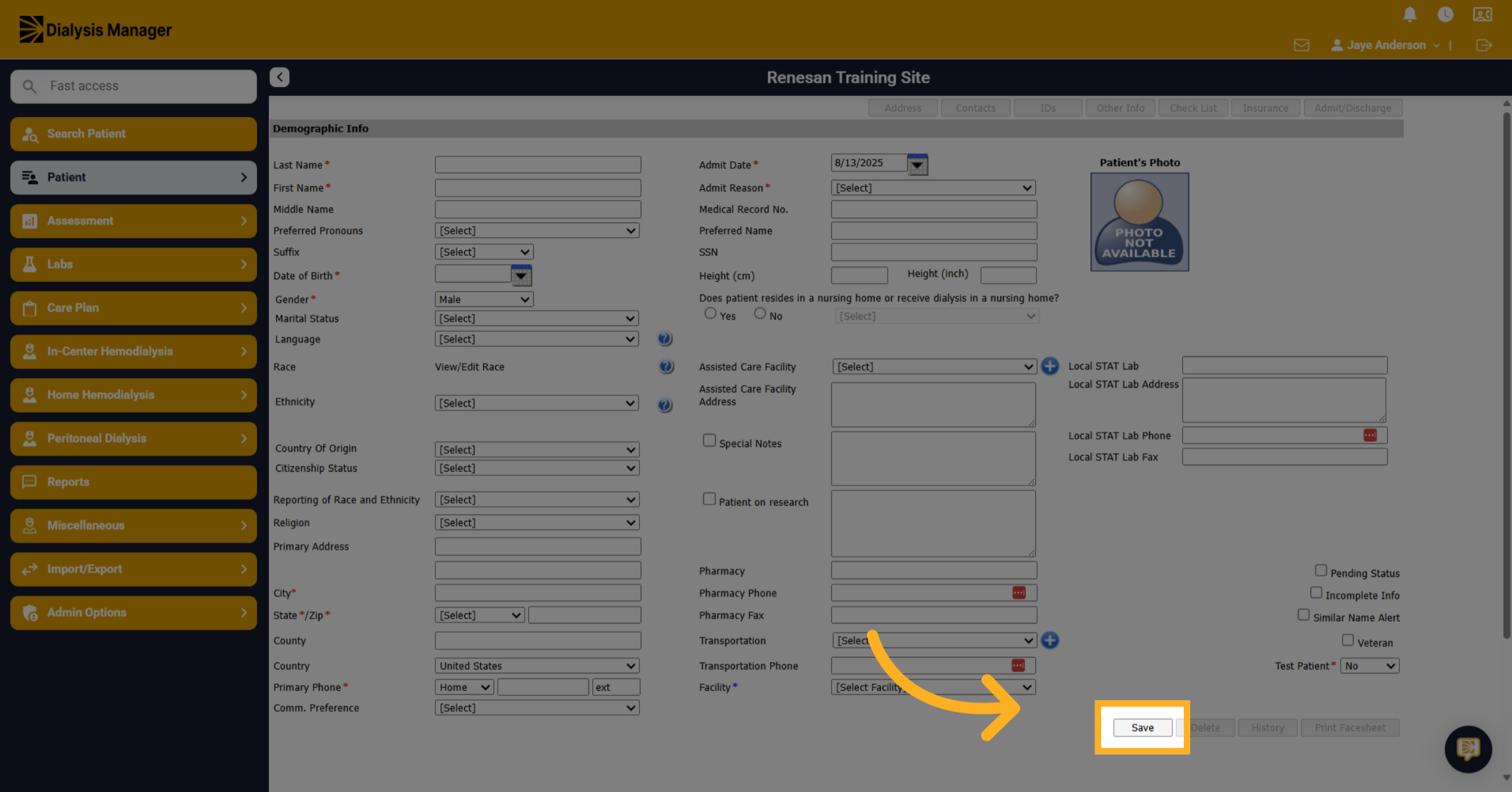
Fill in all other required fields marked with a red asterisk. .
7. Click "Save"
Once you have filled in the required fields marked with a red asterisk, click on the Save button to add the patient.