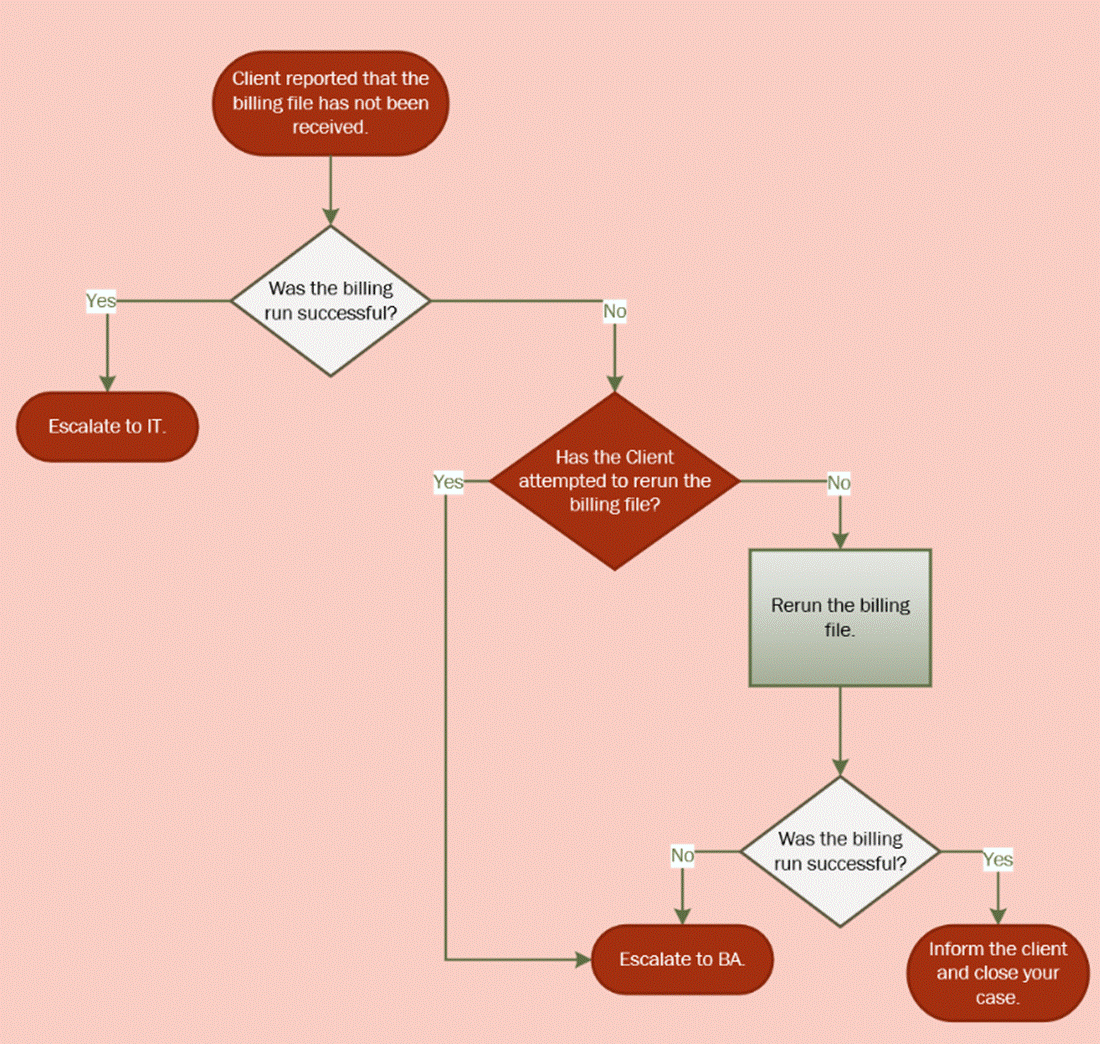
Use the following steps to troubleshoot and escalate a billing run error.
Rerunning a Billing Run
1. Go to Maintenance > Facility Billing > Schedule a Billing Run.
2. If you are unable to get to this area in Clarity, give yourself the Z External Billing role.
3. Click Retry on the run that errored under Current Jobs.

4.After clicking Retry, the Status row will update you with its progress. Time will vary based on how many treatments need to be processed.

5. If the job was successful, it will show under Completed Jobs < 45 days.

Note: The Run Date will be the day it was supposed to run, it will not be today's date.
6. If the job failed, it would stay under Current Jobs with the Status of Error.

Escalation Decision Tree