Treatment Alerts allow users to create a patient-specific notifications to alert staff of information pertaining to the patient's treatment.
How to Enter a Treatment Alert
1. Click Treatments > Treatment Alerts.
2. Select a patient.
3. Click Add New.
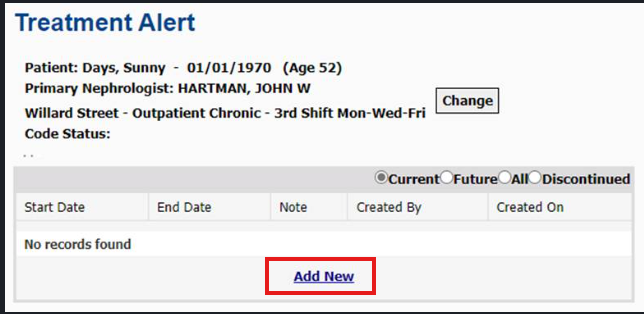
4. Enter the Start Date to begin the Treatment Alert
5. Enter the text of the Note (the details regarding the alert)
6. Click Add.
7. Repeat for all alerts, as necessary.
Note: Add each alert separately for easier reference and documentation.
How Treatment Alerts Display in Real-Time Charting
Active Treatment Alerts display in Real-Time Charting on the Pre Treatment tab.

To stop an active Treatment Alert from displaying on forms and reports in Clarity:
1. Click Treatments > Treatment Alerts.
2. Open the specific alert.
3. Once open, enter an End Date. This stops the alert from displaying on the forms and reports in Clarity.
4. Click Submit.
Note: Treatment Alerts display on the following reports:
Dialysis Prescription
Hemodialysis Setup Information
Treatment Flow Sheet
Treatment Alerts
Nurse Assignments