Adding a New Station
1. Go to Maintenance > Form Configuration.
2. Choose Stations from the dropdown.
3. Click Add New.
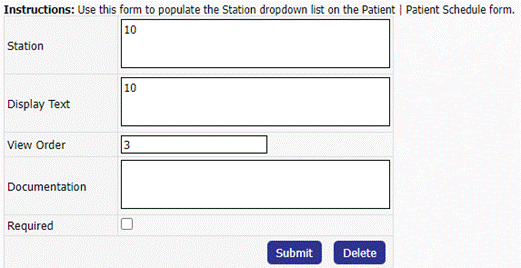
4. Add in the Station, using the Baxter Serial Number, and a Display Text > click Add.
- Note: The Station and Display Text should match.
- Note: For the ease of troubleshooting, it is important to create the stations using the Baxter Serial Number.
5. Next, go to Maintenance > Clinic Station Map.
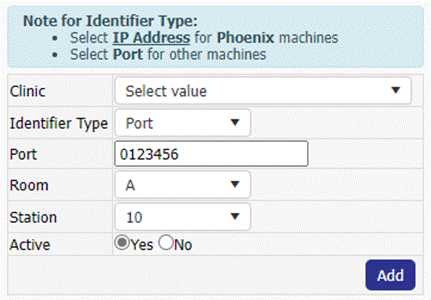
6. Click Add New > Choose the Clinic, select Port under Identifier Type, enter the Port, Room, and newly created Station> Add.
- Note: The Port should be the Baxter Serial Number leading with 0 and without the AK prefix.