Mapping Phosphate Binders in Dialysis Manager: A Quick Reference Guide
1. Phosphate Binders: Documenting in Dialysis Manager
This presentation provides a quick reference guide for documenting phosphate binders within Dialysis Manager. It covers procedures relevant to both the Dialysis Manager and Billing Manager roles, ensuring accurate and efficient documentation.
2. Phosphate Binder Quick Reference Guide Contents
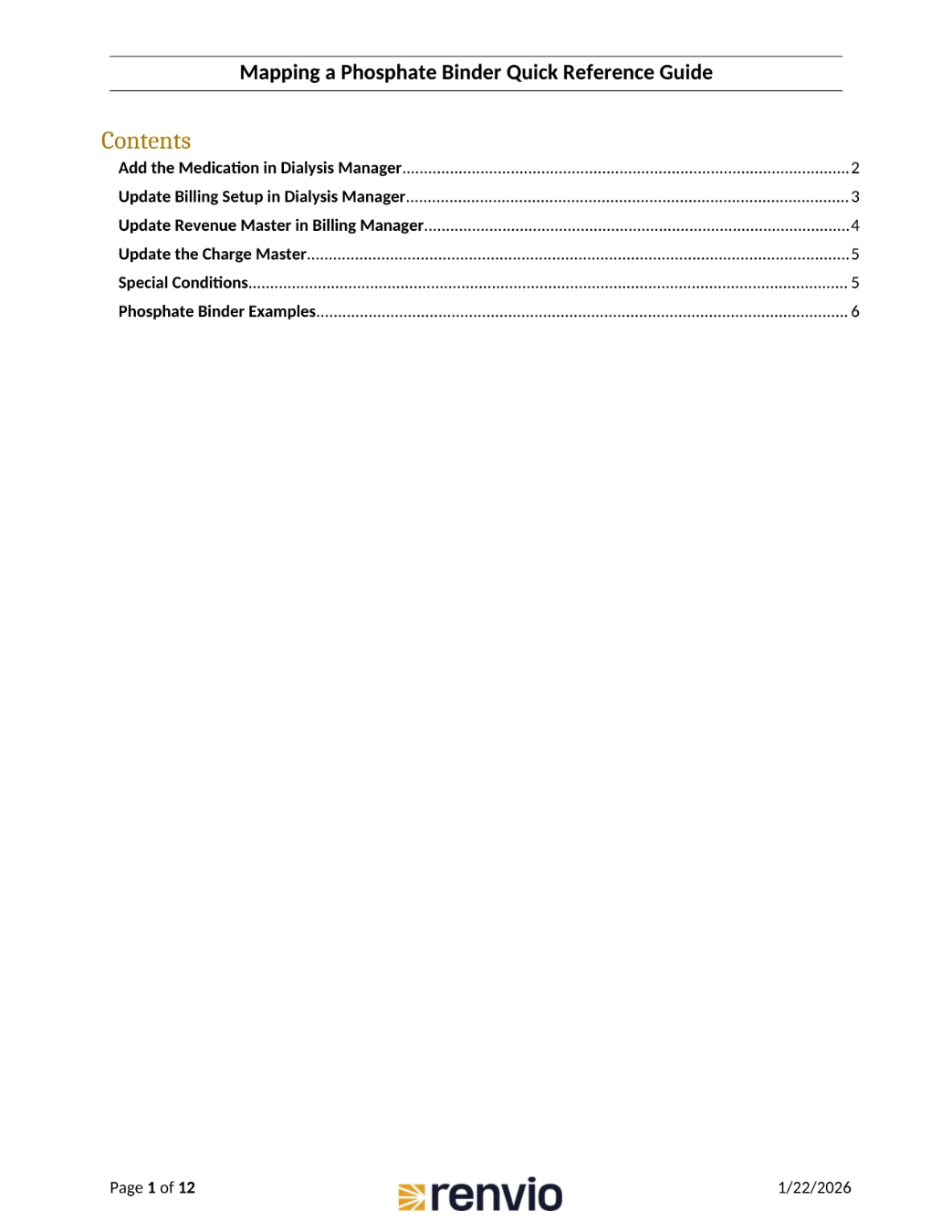
This guide covers several key areas, starting with how to add medication in Dialysis Manager. We'll then review updating billing setups, revenue masters, and charge masters. Finally, we'll discuss special conditions and provide examples of phosphate binders.
3. Adding Medication in Dialysis Manager
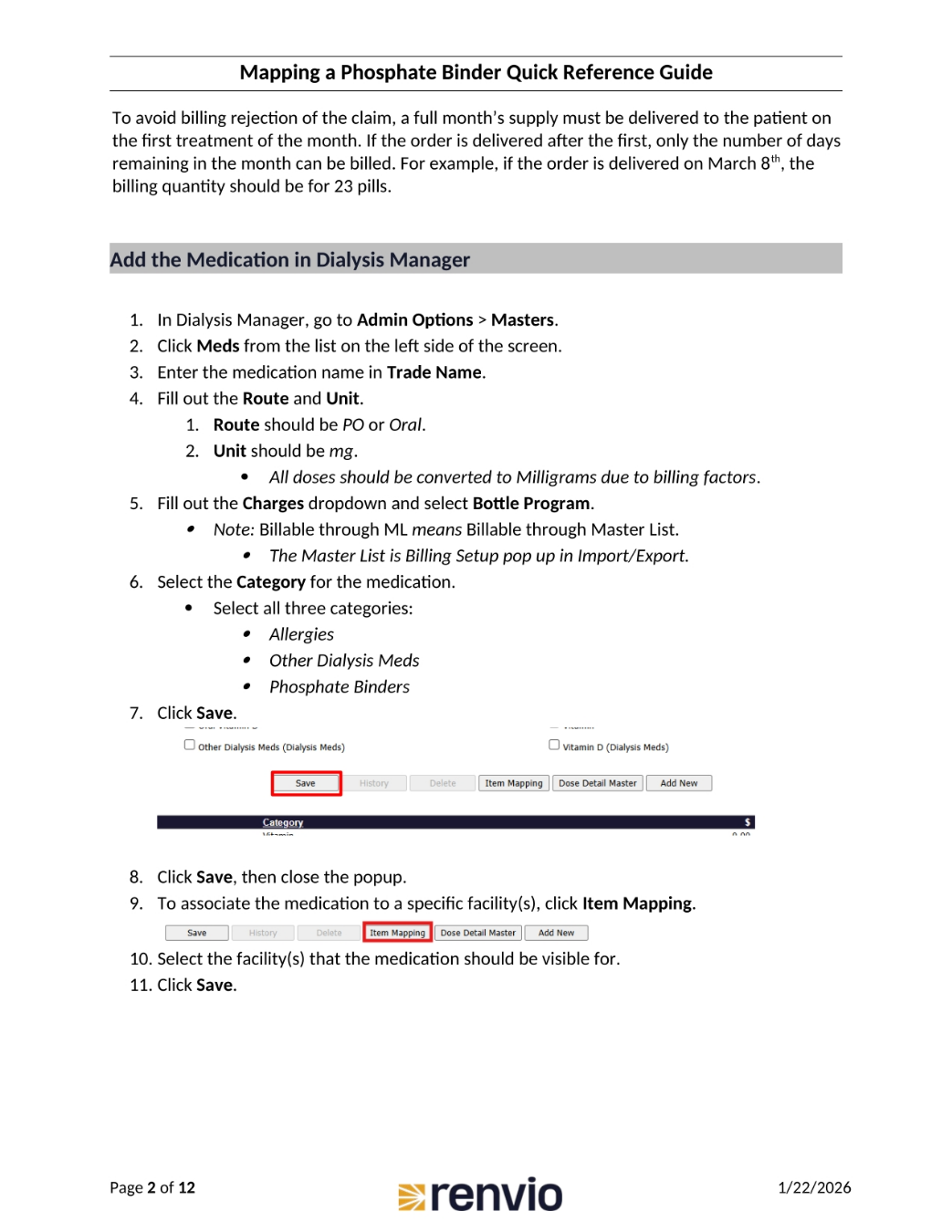
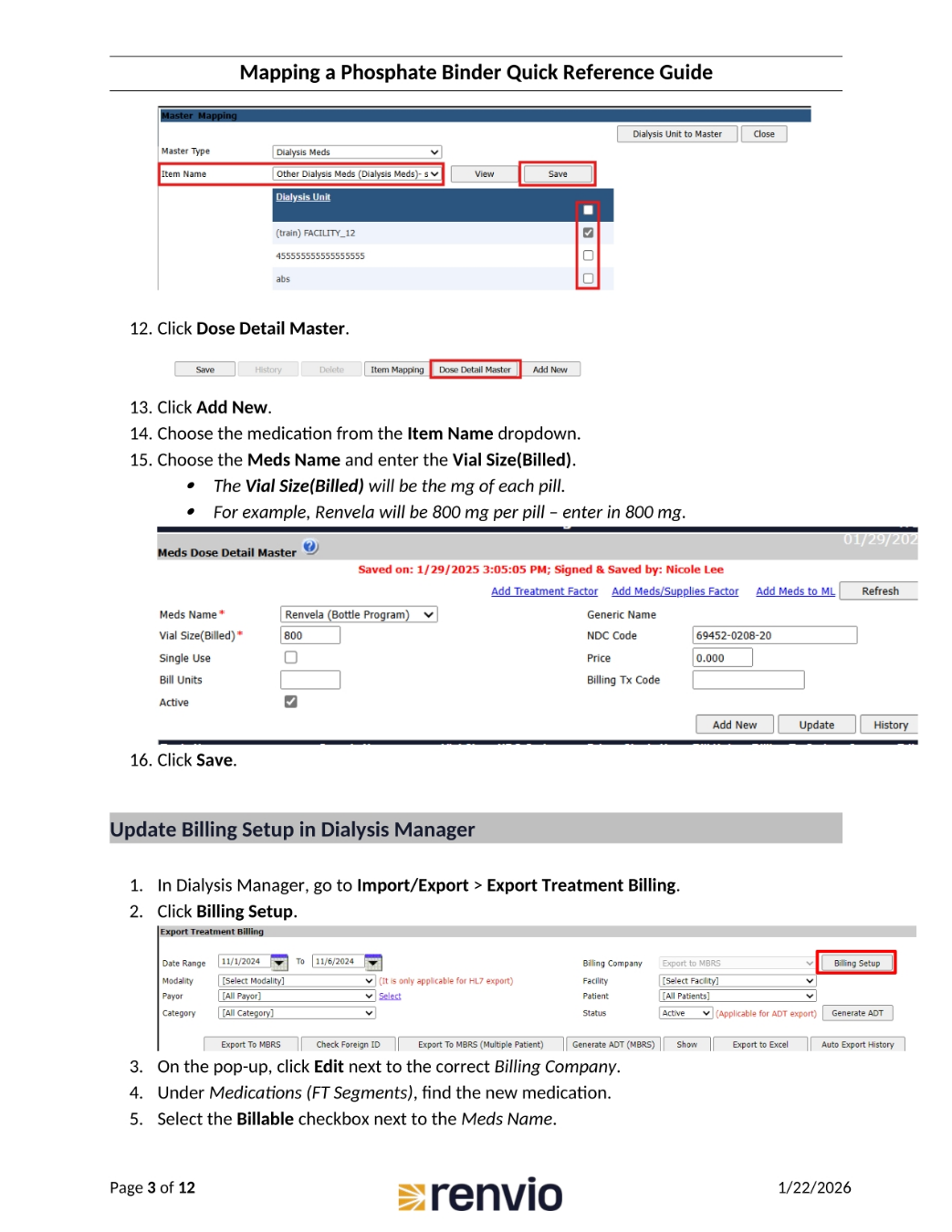
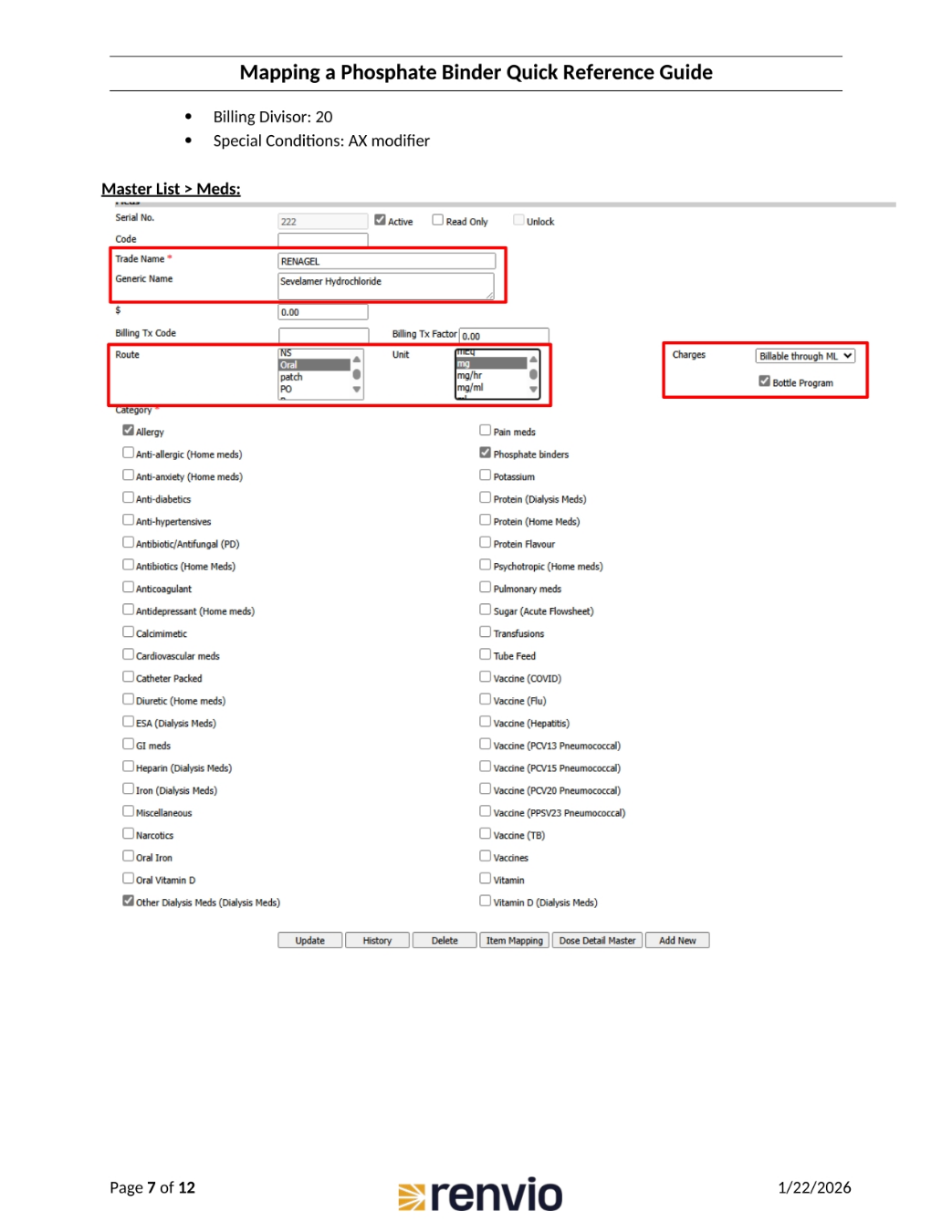
To avoid billing rejections, ensure a full month's supply is delivered at the start of treatment. To add medication, navigate to Admin Options, then Masters, and click Meds. Enter the medication's trade name, route, and unit, ensuring all doses are converted to milligrams. Select Bottle Program under Charges, and choose the appropriate categories, including Allergies, Other Dialysis Meds, and Phosphate Binders. Save your changes, and associate the medication with specific facilities by clicking Item Mapping, then save again.
4. Completing Medication Details and Billing Setup
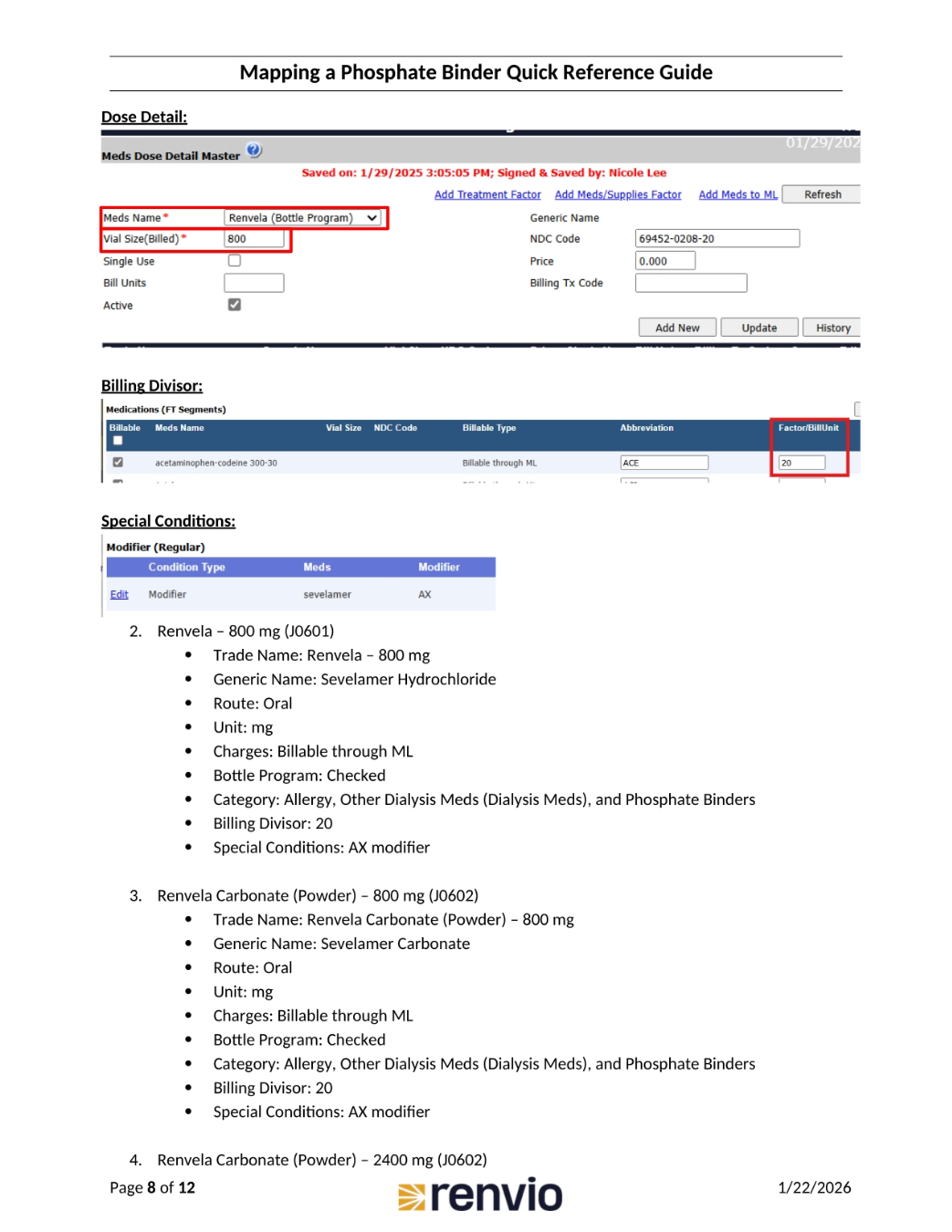
Click Dose Detail Master, then Add New. Choose the medication from the Item Name dropdown and enter the Vial Size. Remember, the Vial Size will be the milligrams per pill. Click Save. To update billing setup, go to Import/Export, then Export Treatment Billing, and click Billing Setup. On the pop-up, click Edit next to the correct Billing Company. Under Medications, find the new medication and select the Billable checkbox.
5. Finalizing Medication Setup
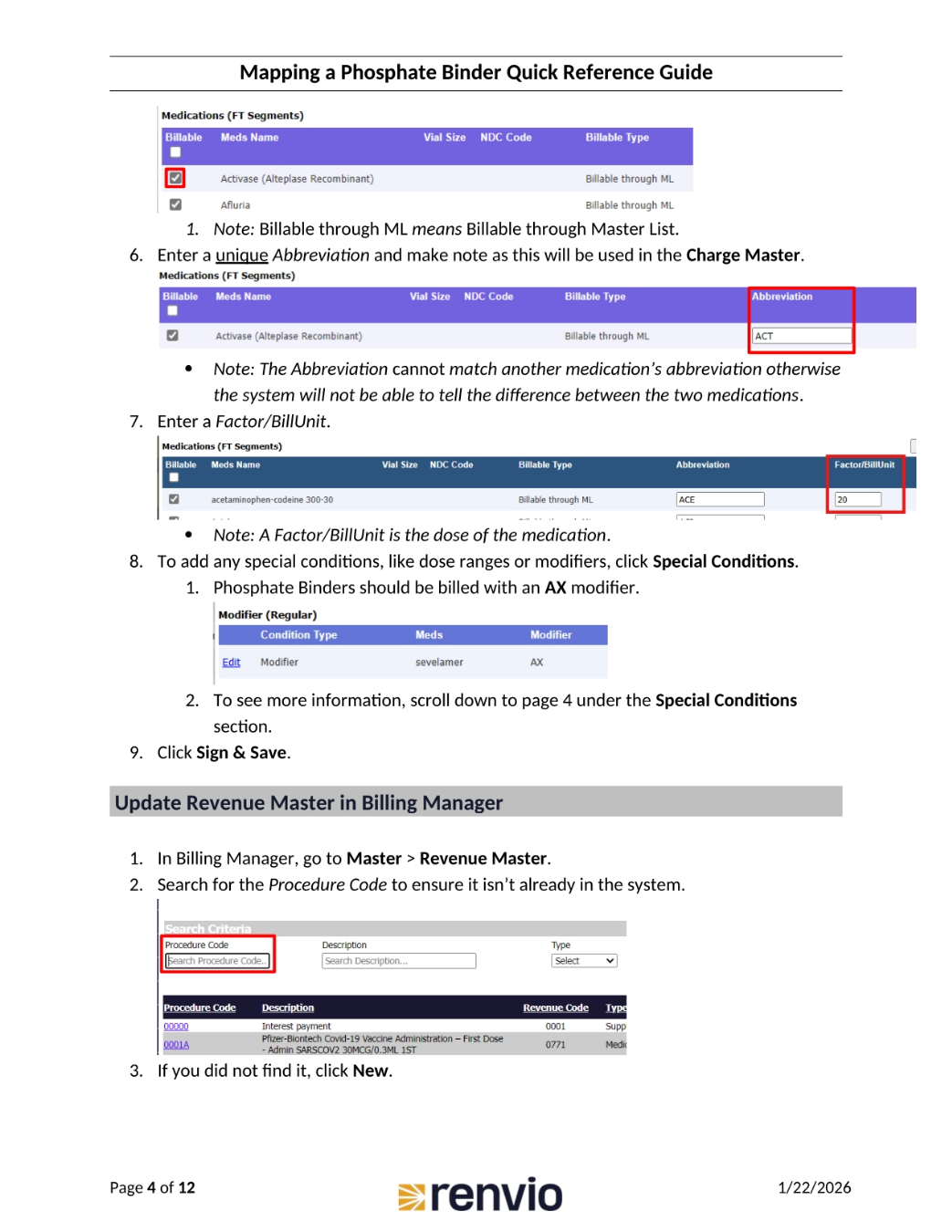
Ensure the Billable through Master List option is selected. Enter a unique abbreviation for the medication, noting that this will be used in the Charge Master. The abbreviation cannot match another medication's abbreviation. Enter a Factor or BillUnit, noting that this is the dose of the medication. To add special conditions, click Special Conditions. Phosphate Binders should be billed with an AX modifier. Click Sign and Save.
6. Updating Revenue and Charge Masters
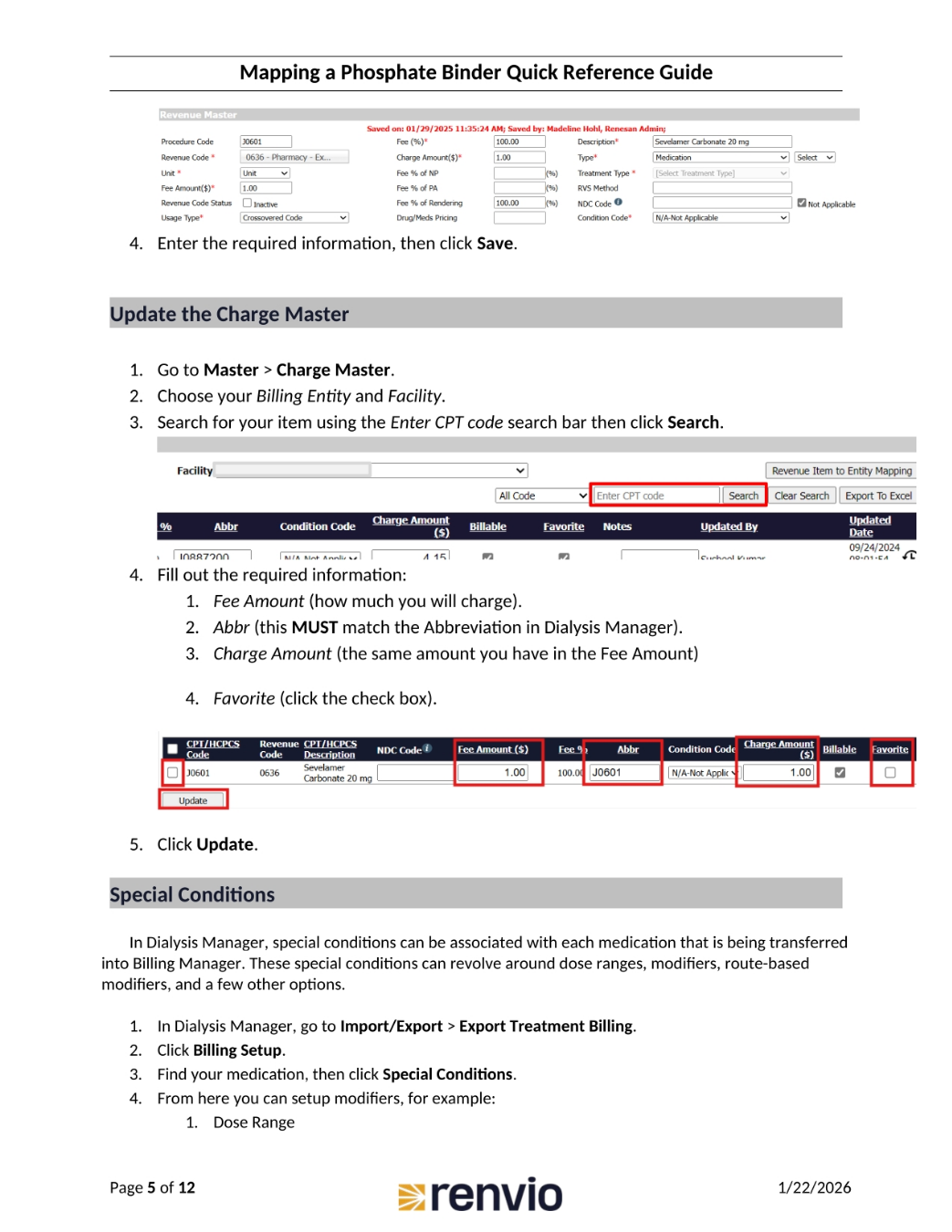
To update the Revenue Master, go to Master, then Revenue Master. Search for the Procedure Code. If it's not there, click New. To update the Charge Master, go to Master, then Charge Master. Choose your Billing Entity and Facility. Search for your item using the Enter CPT code search bar, then click Search. Fill out the required information, including Fee Amount, Abbr, Charge Amount, and Favorite. Click Update.
7. Special Conditions and Phosphate Binder Examples
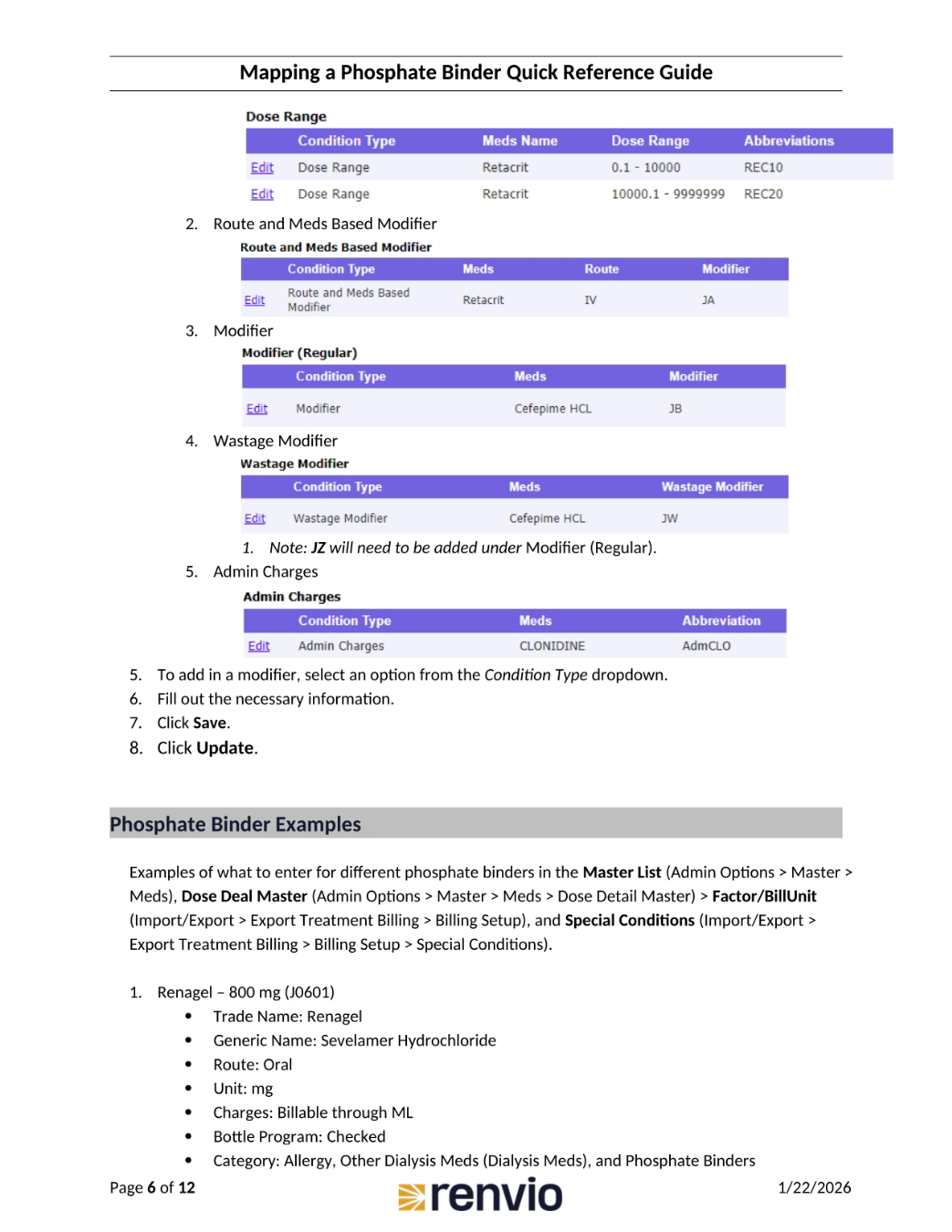
Special conditions can be associated with each medication being transferred into Billing Manager, revolving around dose ranges, modifiers, and route-based modifiers. To set these up, go to Import/Export, then Export Treatment Billing, and click Billing Setup. Find your medication, then click Special Conditions. Here, you can set up modifiers, such as Dose Range. This slide also introduces examples of what to enter for different phosphate binders in the Master List.
8. Renvela Example
Here's an example using Renvela 800mg. The trade name is Renvela, with a generic name of Sevelamer Hydrochloride. The route is oral, unit is mg, charges are billable through ML, and the bottle program is checked. The category includes Allergy, Other Dialysis Meds, and Phosphate Binders. The billing divisor is 20, and special conditions include the AX modifier.
9. Renvela Carbonate Example
Here's an example using Renvela Carbonate 800mg. The trade name is Renvela Carbonate, with a generic name of Sevelamer Carbonate. The route is oral, unit is mg, charges are billable through ML, and the bottle program is checked. The category includes Allergy, Other Dialysis Meds, and Phosphate Binders. The billing divisor is 20, and special conditions include the AX modifier.
10. Renvela Hydrochloride and Xphozah Examples
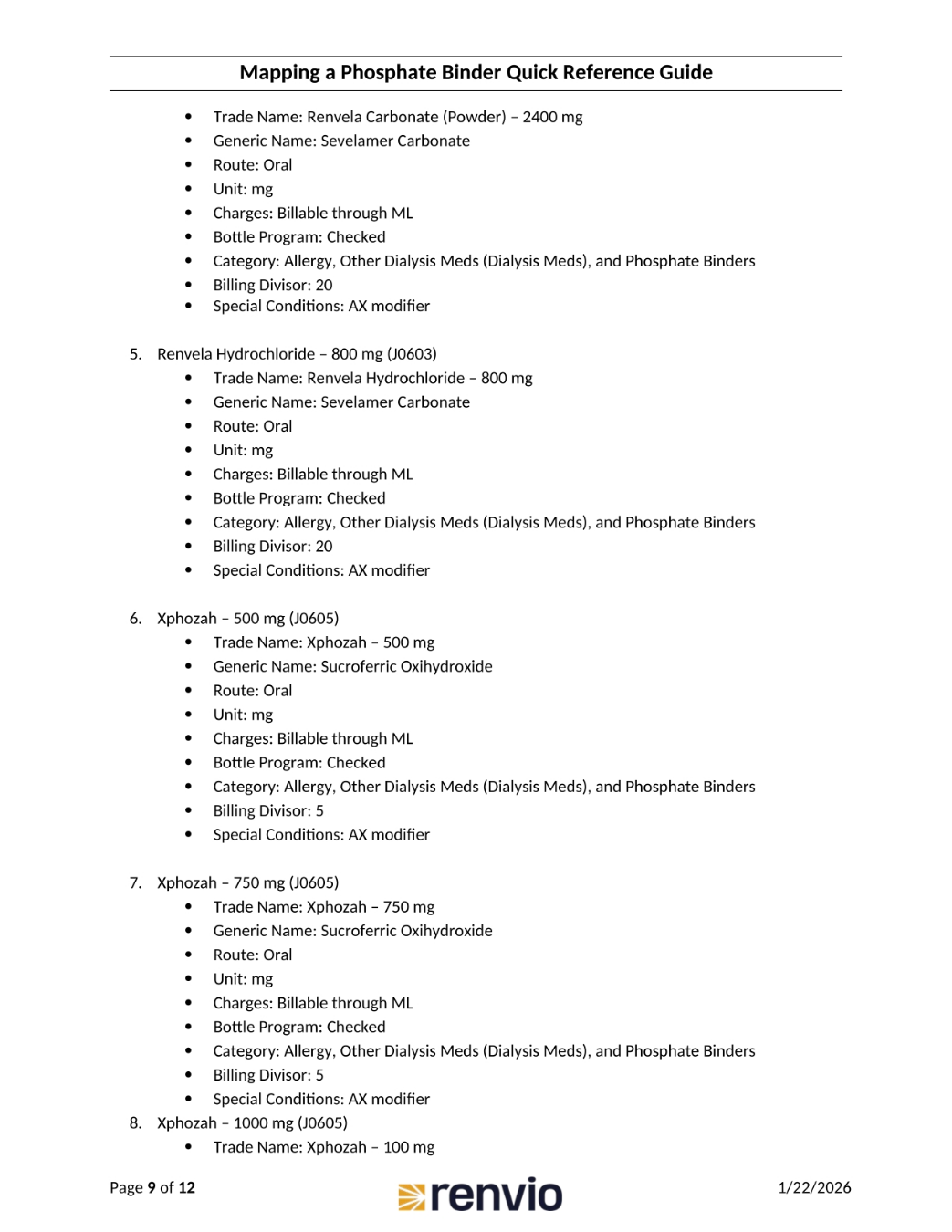
Here's an example using Renvela Hydrochloride 800mg. The trade name is Renvela Hydrochloride, with a generic name of Sevelamer Carbonate. The route is oral, unit is mg, charges are billable through ML, and the bottle program is checked. The category includes Allergy, Other Dialysis Meds, and Phosphate Binders. The billing divisor is 20, and special conditions include the AX modifier. Also, Xphozah 500mg is shown. The trade name is Xphozah, with a generic name of Sucroferric Oxihydroxide.
11. Fosrenol and Auryxia Examples
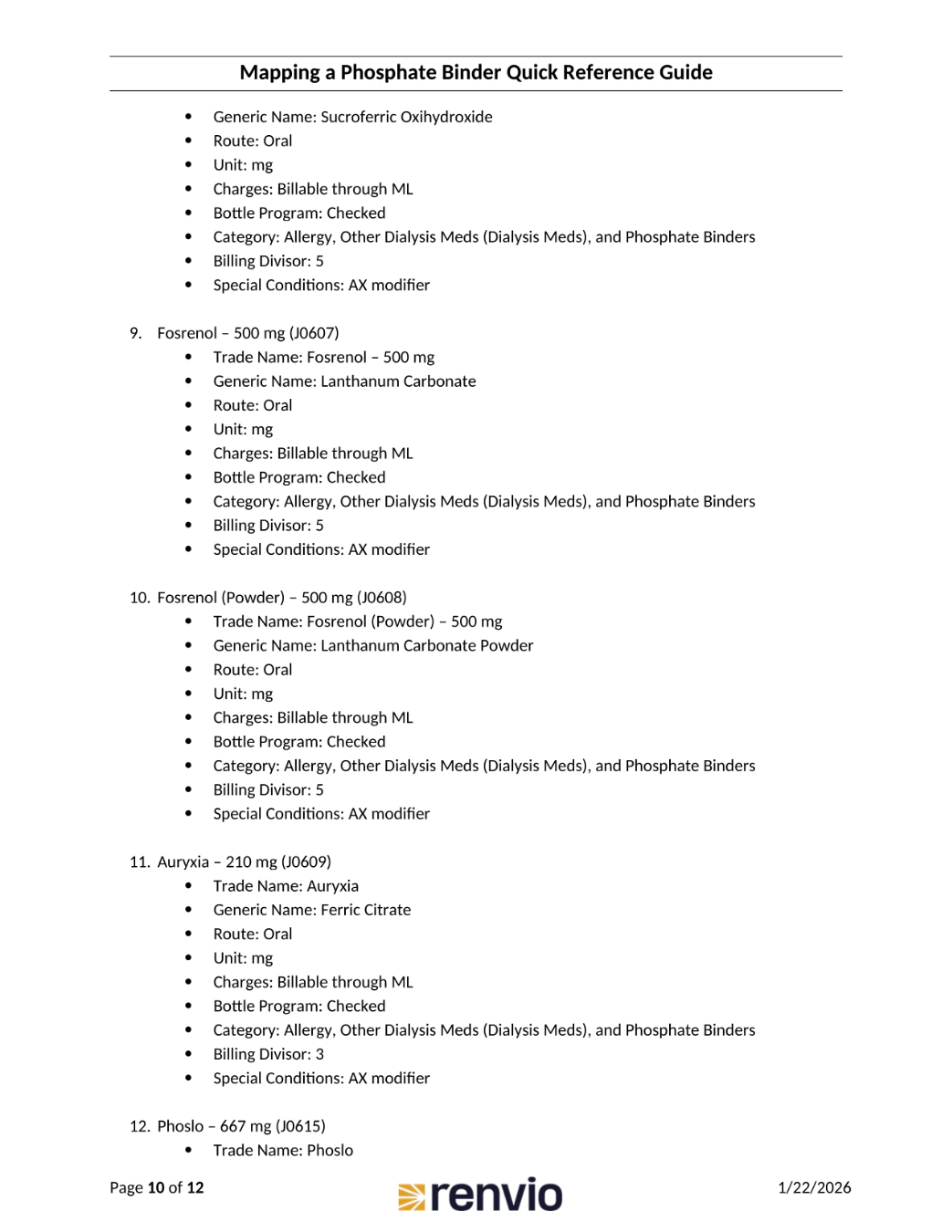
Here's an example using Fosrenol 500mg. The trade name is Fosrenol, with a generic name of Lanthanum Carbonate. The route is oral, unit is mg, charges are billable through ML, and the bottle program is checked. The category includes Allergy, Other Dialysis Meds, and Phosphate Binders. The billing divisor is 5, and special conditions include the AX modifier. Also, Auryxia 210mg is shown. The trade name is Auryxia, with a generic name of Ferric Citrate.
12. Phoslo Example
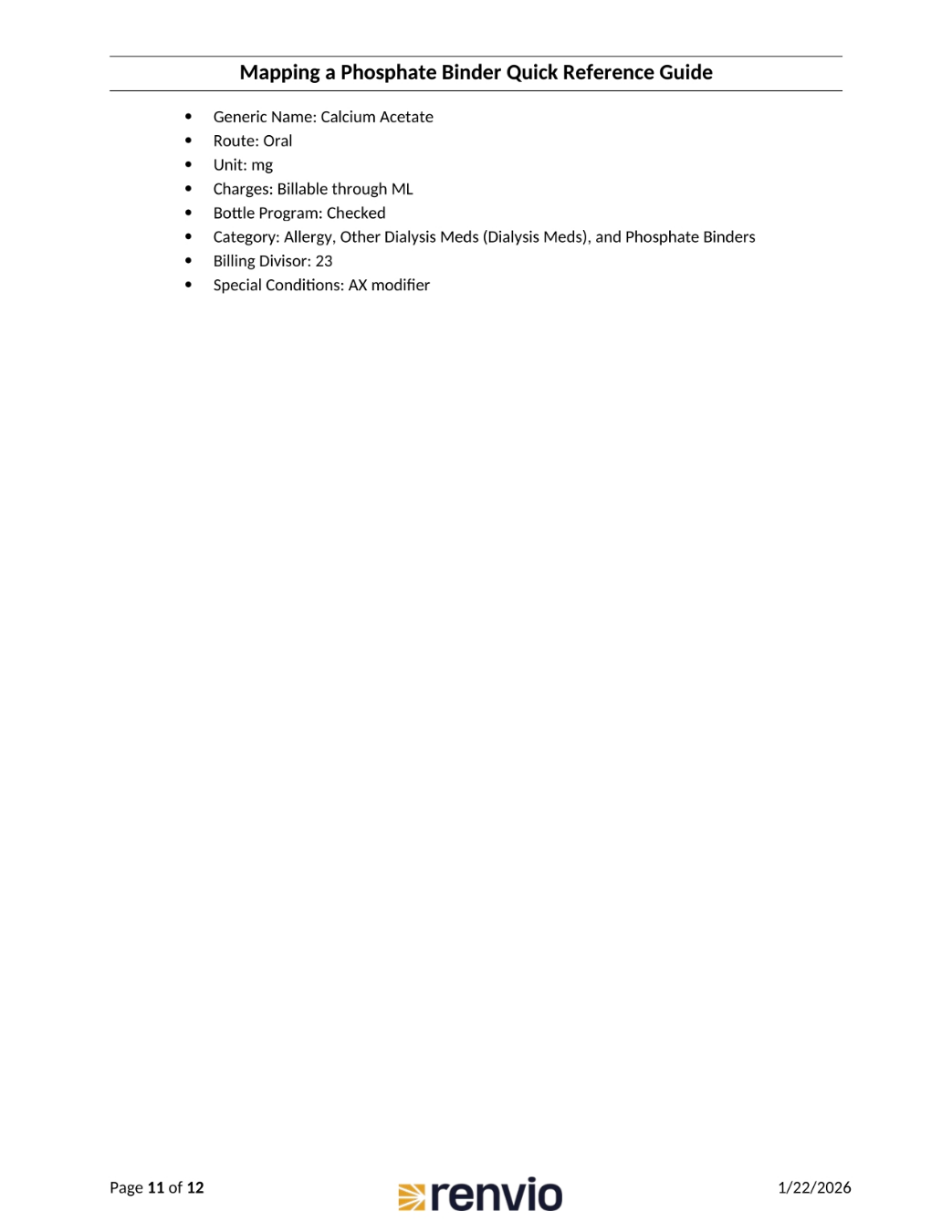
Here's an example using Phoslo 667mg. The trade name is Phoslo, with a generic name of Calcium Acetate. The route is oral, unit is mg, charges are billable through ML, and the bottle program is checked. The category includes Allergy, Other Dialysis Meds, and Phosphate Binders. The billing divisor is 23, and special conditions include the AX modifier.