Payer Mapping Quick Reference Guide: Insurances in Billing Manager
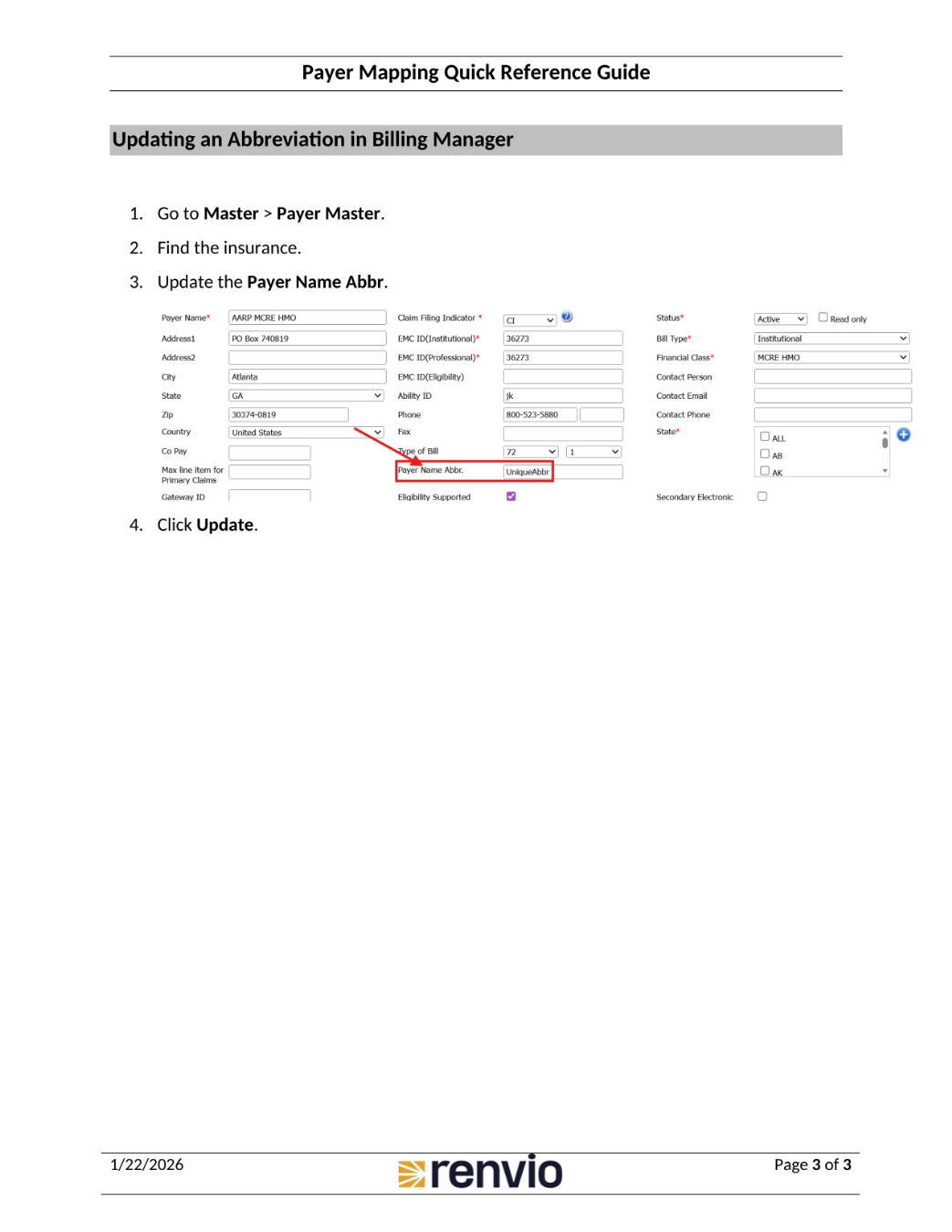
1. Mapping Insurances/Payers in Billing Manager
Payer Mapping allows the ADT to select the correct insurance when transferring information between Dialysis Manager and Billing Manager. To map insurances or payers in Billing Manager, first go to Admin Option, then Payer Mapping. Next, select a Billing Entity and Facility. Click View, and two tables will appear: BM Payer Name With Abbr, and EMR Payer Name With Abbr. In the list of payers or insurances, it will display the name and abbreviation, if one was entered in the Payer Masters. To map two insurances, select the insurance in both boxes.
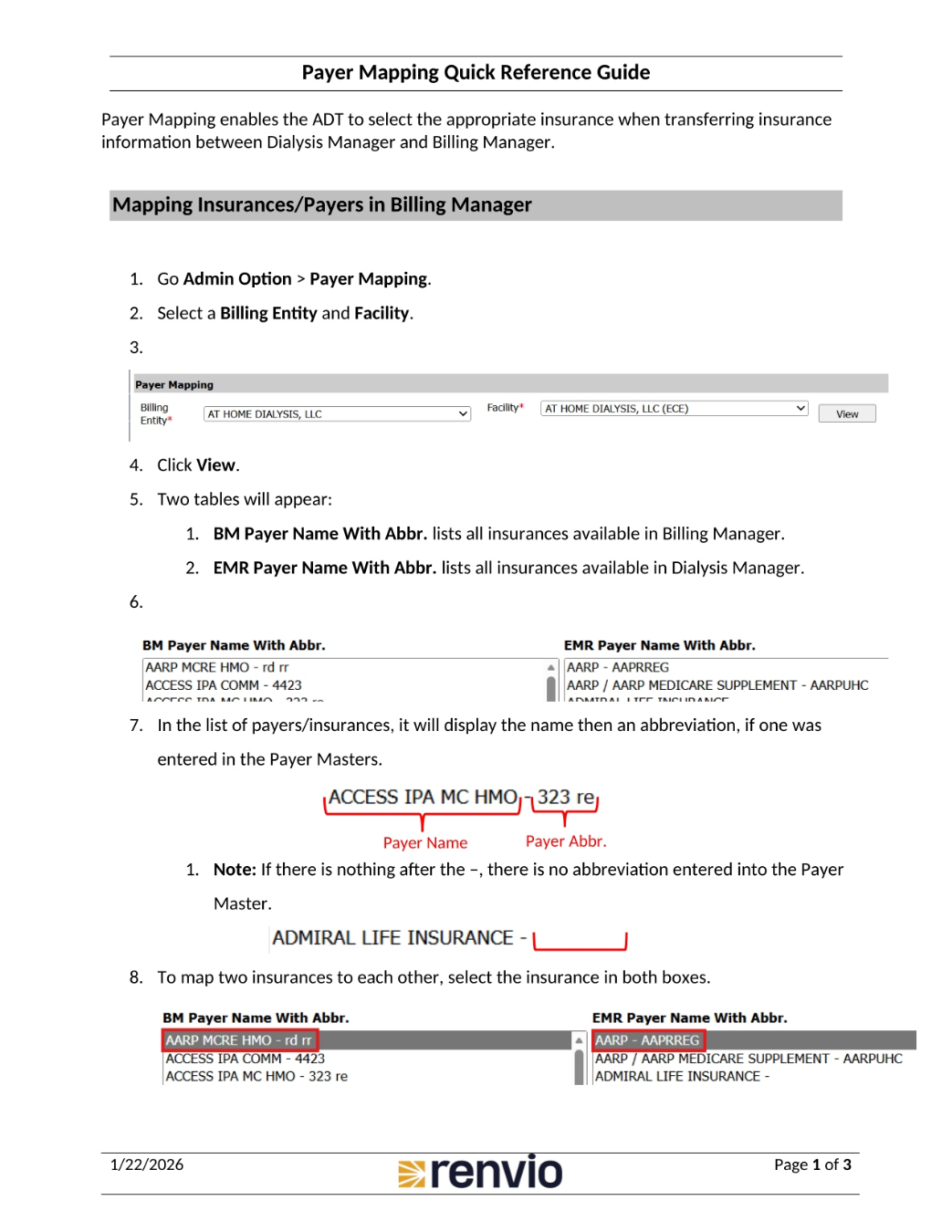
2. Update Abbreviation in Dialysis Manager
To enter a unique abbreviation, input it into the Payer Name Abbr. If the payer or insurance already has an abbreviation, it will pull into this box. Click Map. Once the payer or insurance has been mapped, it will appear in a table at the bottom of the page. To update an abbreviation in Dialysis Manager, go to Admin Options, then Masters, then Master List. Find the Payor in the list, then find the payor from the table. Update the Payer Name Abbr, and click Update.
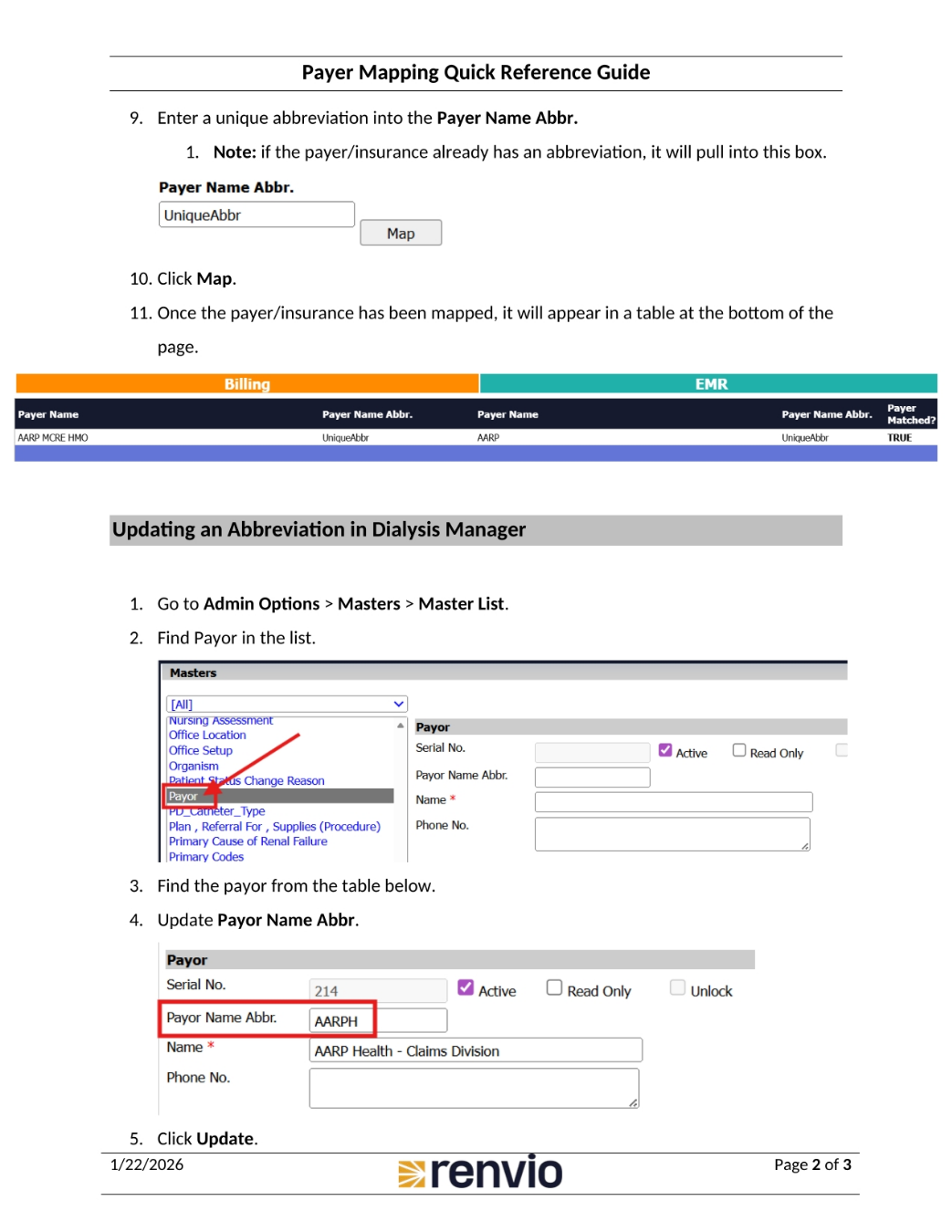
3. Update Abbreviation in Billing Manager
To update an abbreviation in Billing Manager, go to Master, then Payer Master. Find the insurance, and update the Payer Name Abbr. Finally, click Update.