Oral Medication Setup: Revenue Codes 0636 and 0250
1. Setting Up Oral Medications
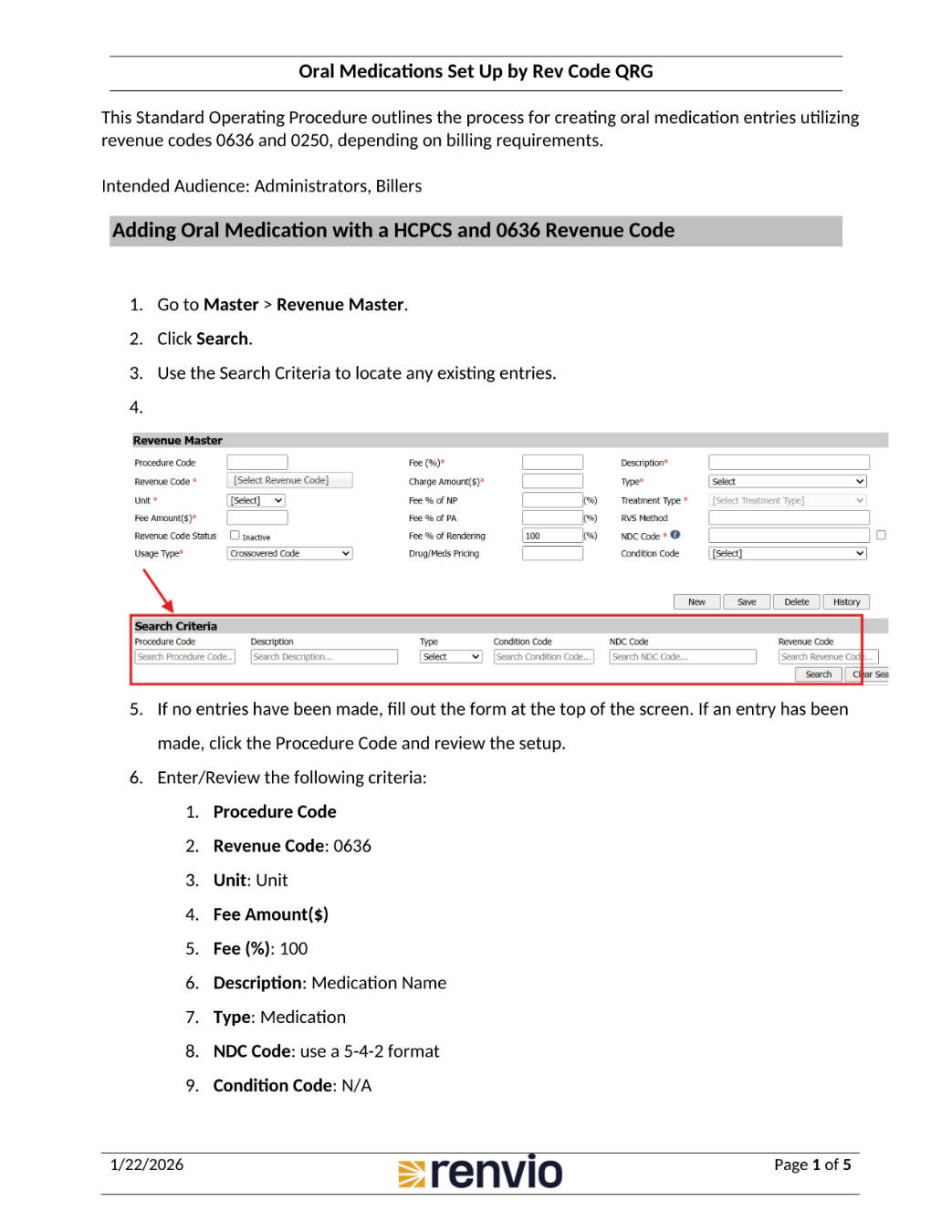
This standard operating procedure details creating oral medication entries using revenue codes 0636 and 0250, depending on billing needs. This guide is intended for administrators and billers. We'll begin with adding oral medication using a Healthcare Common Procedure Coding System, or HCPCS, and the 0636 revenue code. First, go to Master, then Revenue Master. Click Search, and use the search criteria to find any existing entries.
2. Adding Oral Medication Details
If no entries exist, fill out the form. If an entry exists, click the Procedure Code and review the setup. Enter or review the following criteria: Procedure Code, Revenue Code 0636, Unit, Fee Amount, Fee Percentage of 100, Description as Medication Name, Type as Medication, the NDC Code using a 5-4-2 format, and Condition Code as N/A. Then, click Save or Update, and repeat for every dose. Now, let's look at adding oral medication without a HCPCS and the 0250 Revenue Code.
3. Oral Medication Setup: Revenue Code 0250
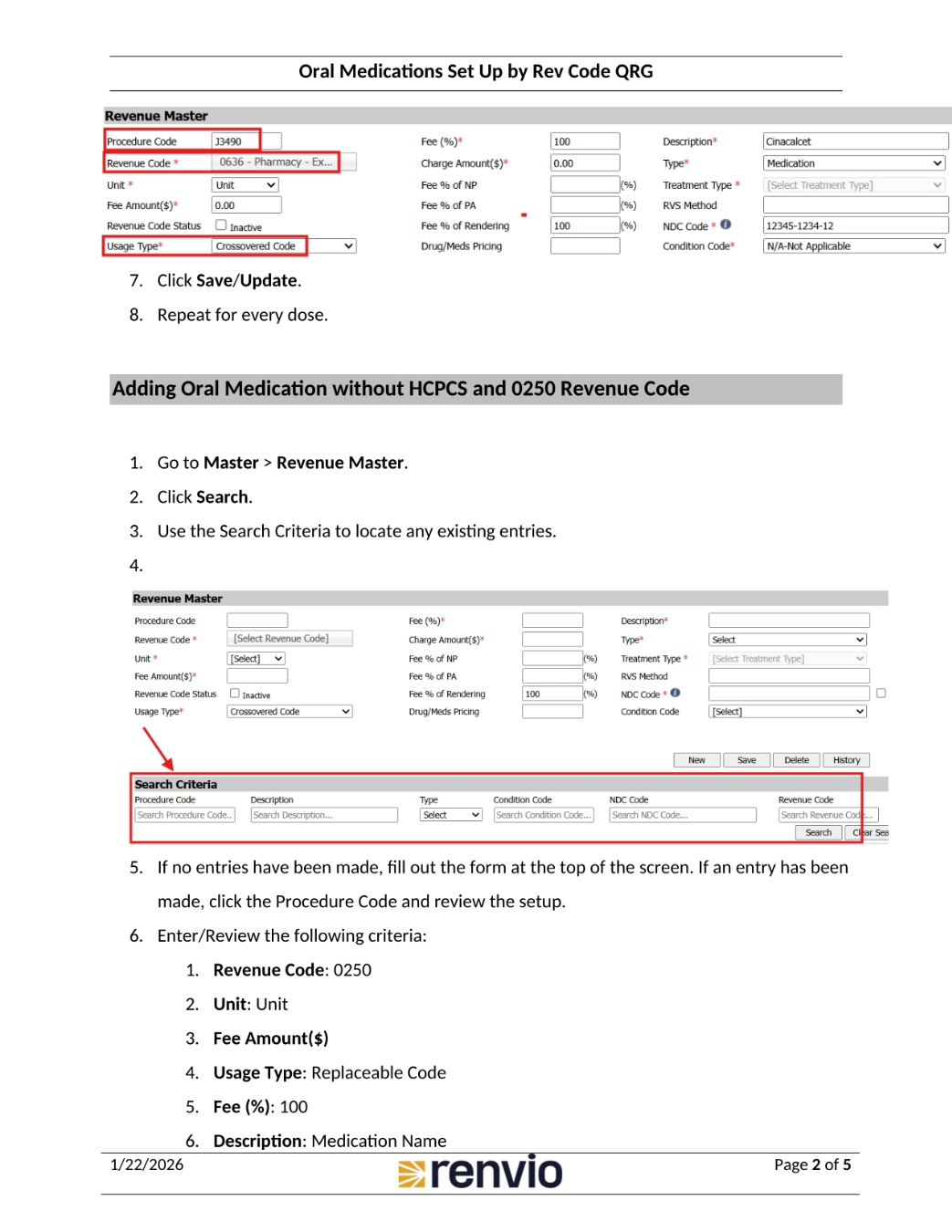
Go to Master, then Revenue Master. Click Search, and use the search criteria to locate any existing entries. If no entries have been made, fill out the form. If an entry has been made, click the Procedure Code and review the setup. Enter or review the following criteria: Revenue Code 0250, Unit, Fee Amount, Usage Type as Replaceable Code, Fee Percentage of 100, and Description as Medication Name. Type is Medication, NDC Code uses a 5-4-2 format, and Condition Code is N/A. Click Save or Update, and repeat for every dose. Now, let's map oral medication with a HCPCS and 0636 Revenue Code.
4. Mapping Medications to Charge Items
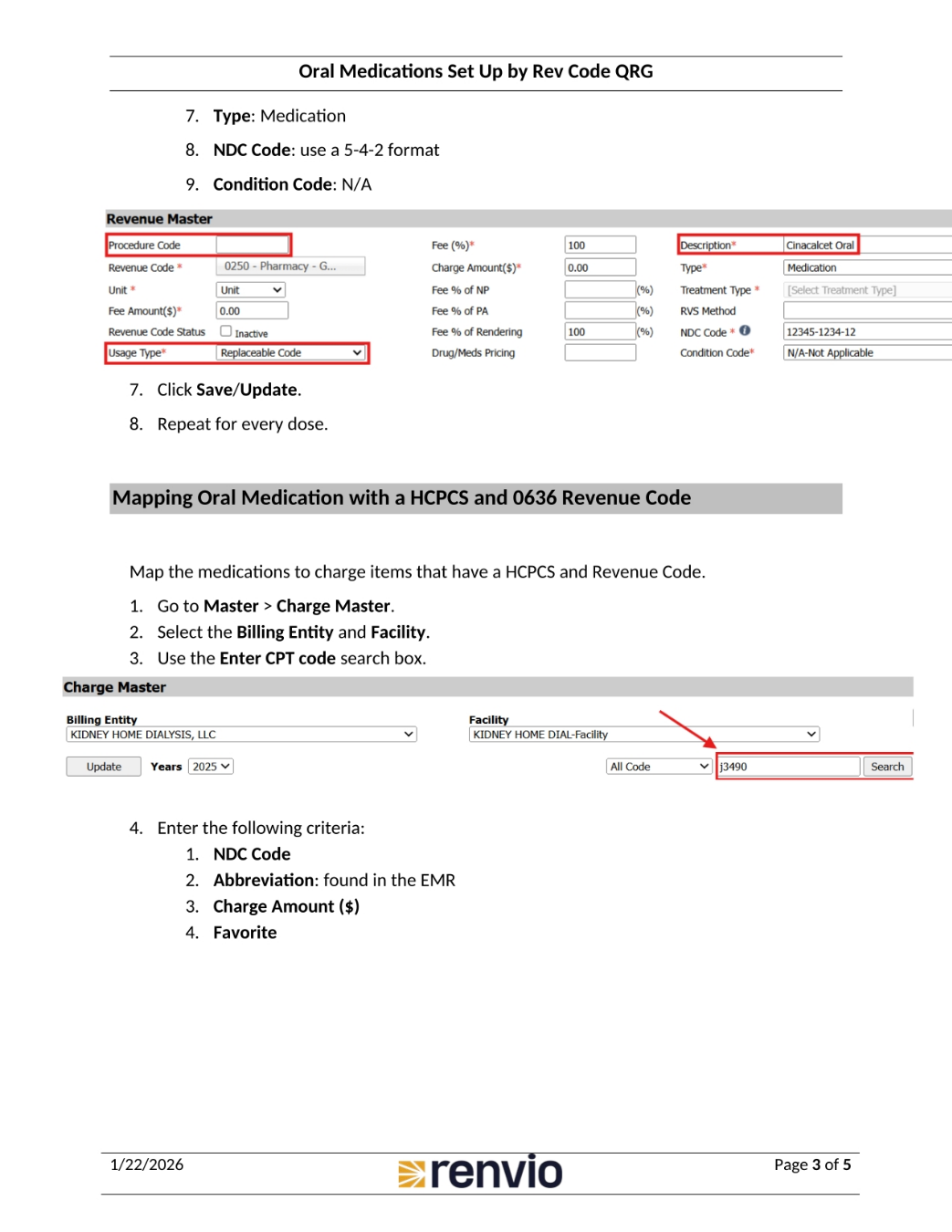
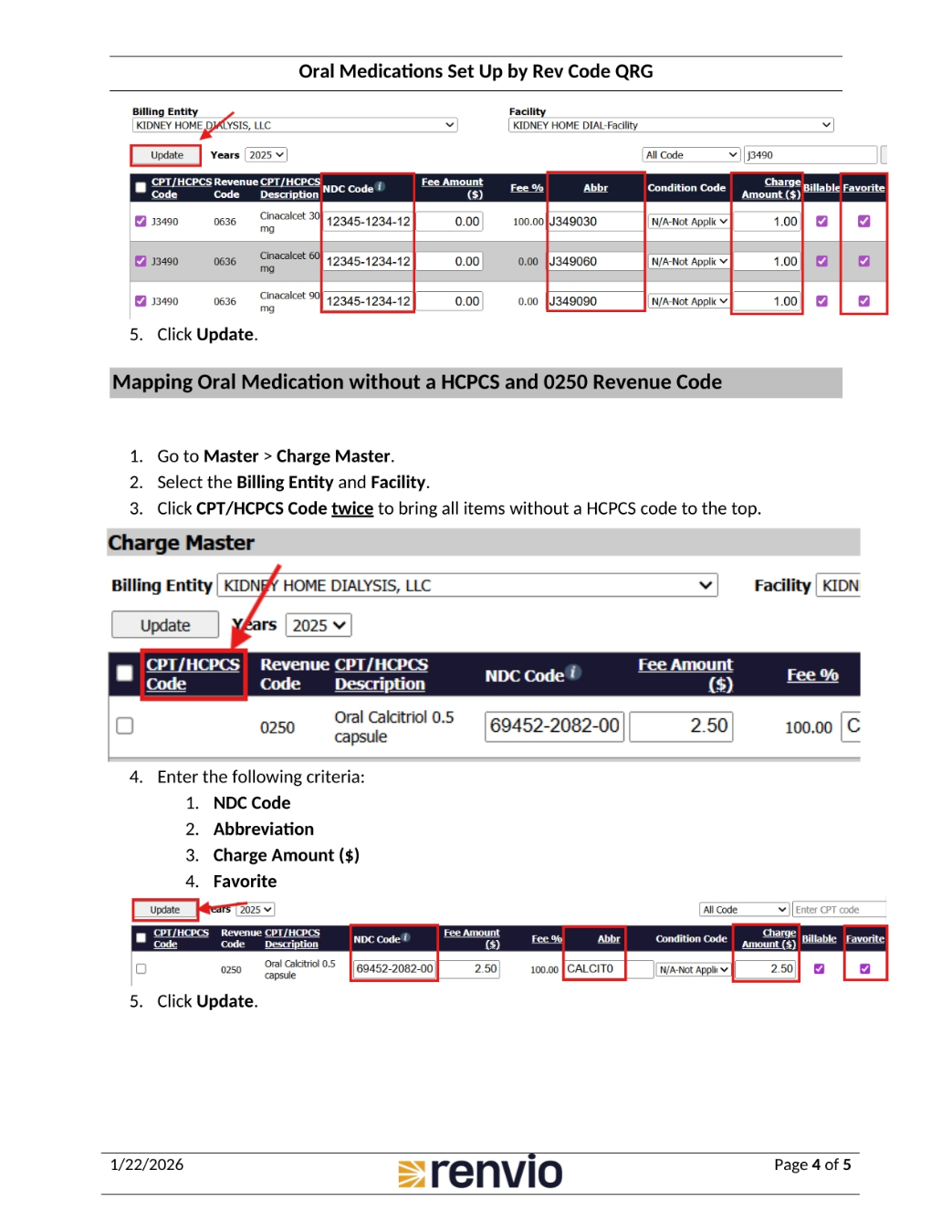
Map the medications to charge items that have a HCPCS and Revenue Code. Go to Master, then Charge Master. Select the Billing Entity and Facility, and use the Enter CPT code search box. Enter the following criteria: NDC Code, Abbreviation found in the EMR, Charge Amount, and Favorite. Click Update. Now, let's map oral medication without a HCPCS and 0250 Revenue Code. Go to Master, then Charge Master. Select the Billing Entity and Facility. Click CPT or HCPCS Code twice to bring all items without a HCPCS code to the top.
5. Dummy Code Mapping
Use Dummy Code Mapping to map the 0636 medications to 0250 medications for Medicare insurances. Go to Master, then Dummy Code Master. Enter the following information: Facility, Payer, selecting the insurances that require no HCPCS code and Rev Code of 0250, Crossovered Code, selecting the medication with a HCPCS code and Rev Code of 0636, and Replaceable Code, selecting the medication without a HCPCS code and Rev Code of 0250. Click Save. To add more line items, click View next to the entry in the table. Map all 0636 medications to the 0250.