Adding Follow-Up Notes in Patient Activity: A Quick Guide
1. Adding and Editing Follow-Up Notes in Patient Activity
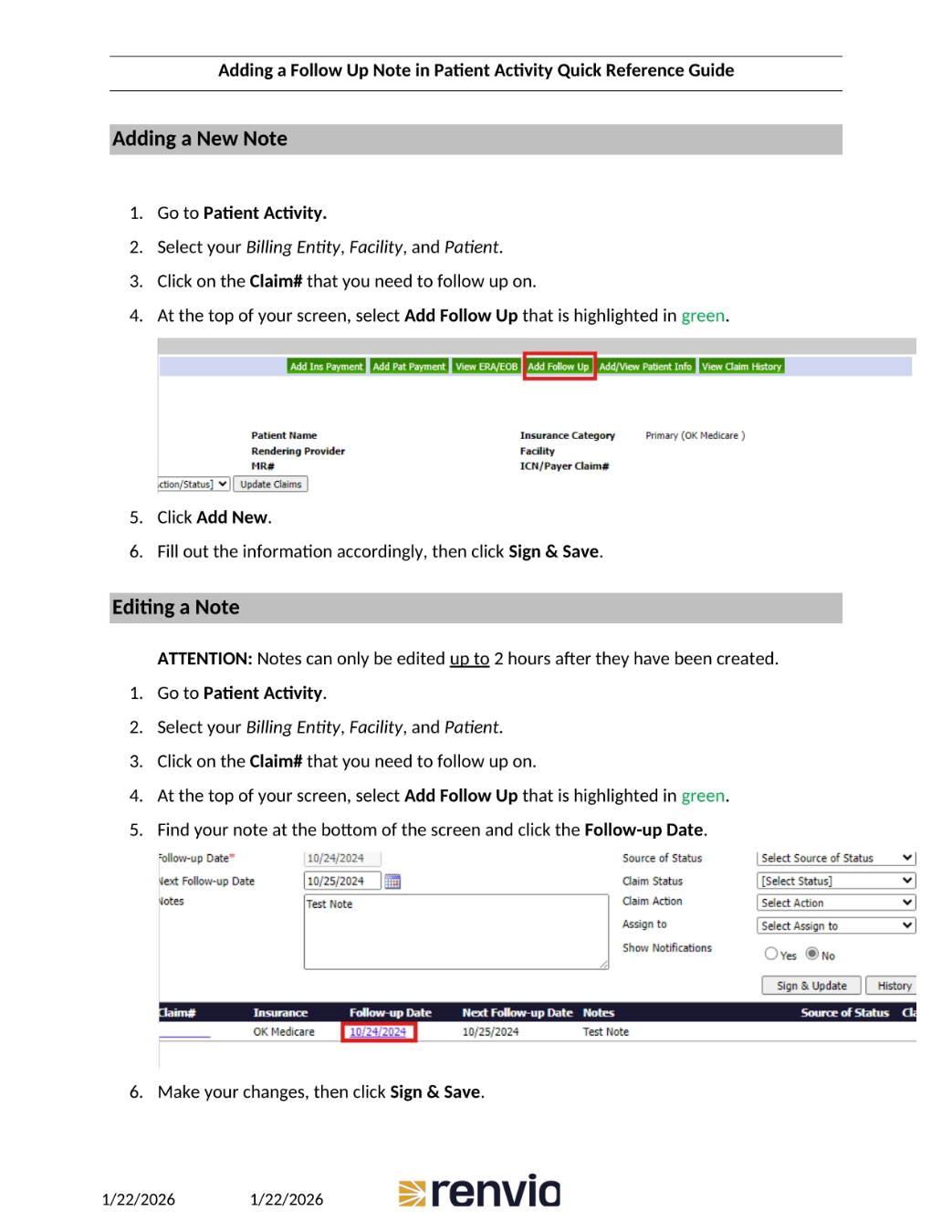
This guide outlines how to add and edit follow-up notes within the Patient Activity section. To add a new note, first navigate to Patient Activity, then select the relevant Billing Entity, Facility, and Patient. Click on the Claim number you wish to follow up on, and select 'Add Follow Up' at the top of the screen. Click 'Add New', fill out the necessary information, and save. To edit an existing note, follow the same initial steps, but be aware that notes can only be edited within two hours of their creation. Find your note and click the Follow-up Date, make your changes, and save.