Entering a Pay to Address: Quick Reference Guide
1. Entering a Pay to Address
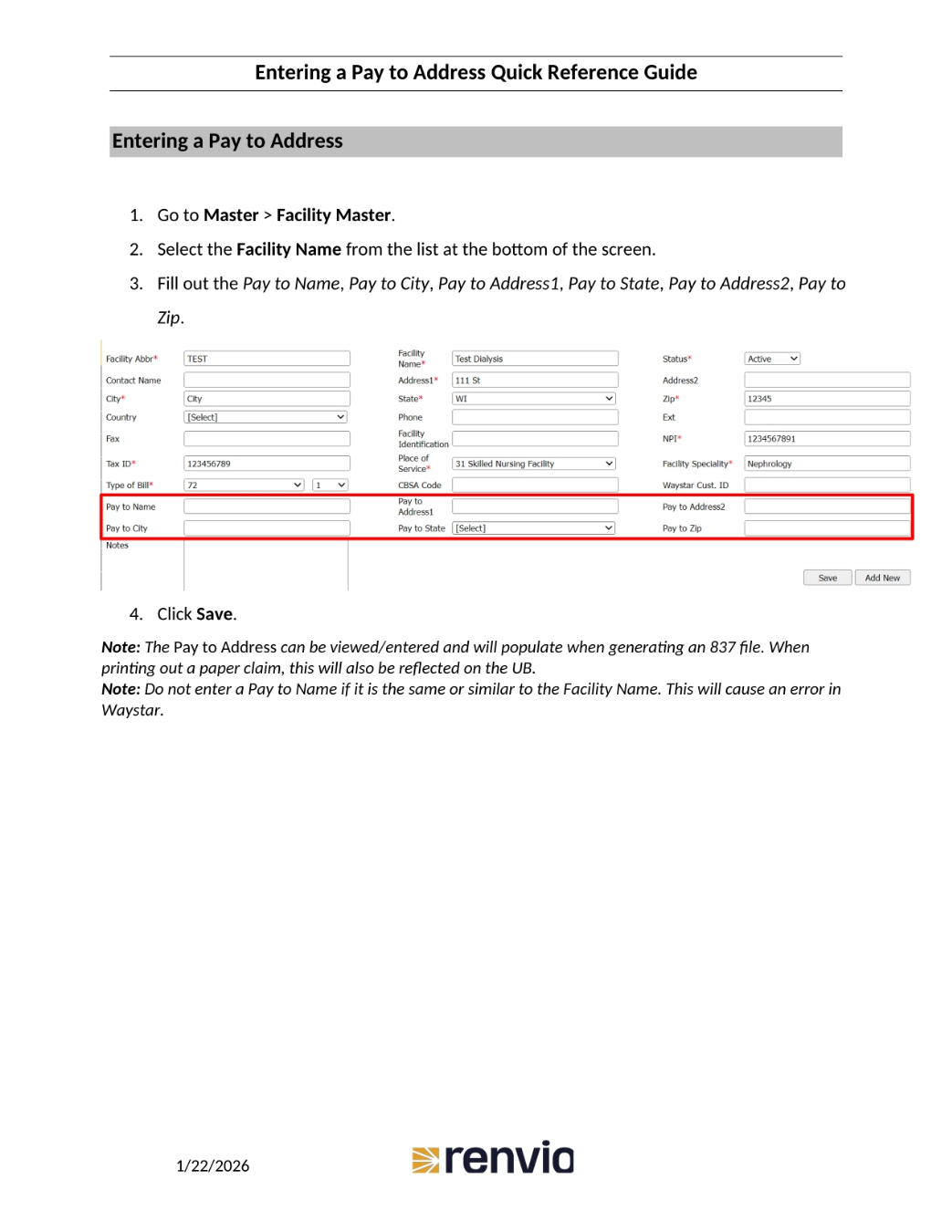
To enter a pay to address, first navigate to Master, then Facility Master. Next, select the Facility Name from the list at the bottom of the screen. Fill out the Pay to Name, Pay to City, Pay to Address one, Pay to State, Pay to Address two, and Pay to Zip fields. Finally, click Save. Note that the Pay to Address can be viewed or entered and will populate when generating an 837 file, and when printing out a paper claim, this will also be reflected on the UB. Be sure not to enter a Pay to Name if it is the same or similar to the Facility Name, as this will cause an error.