Claim Splitting: A Quick Reference Guide
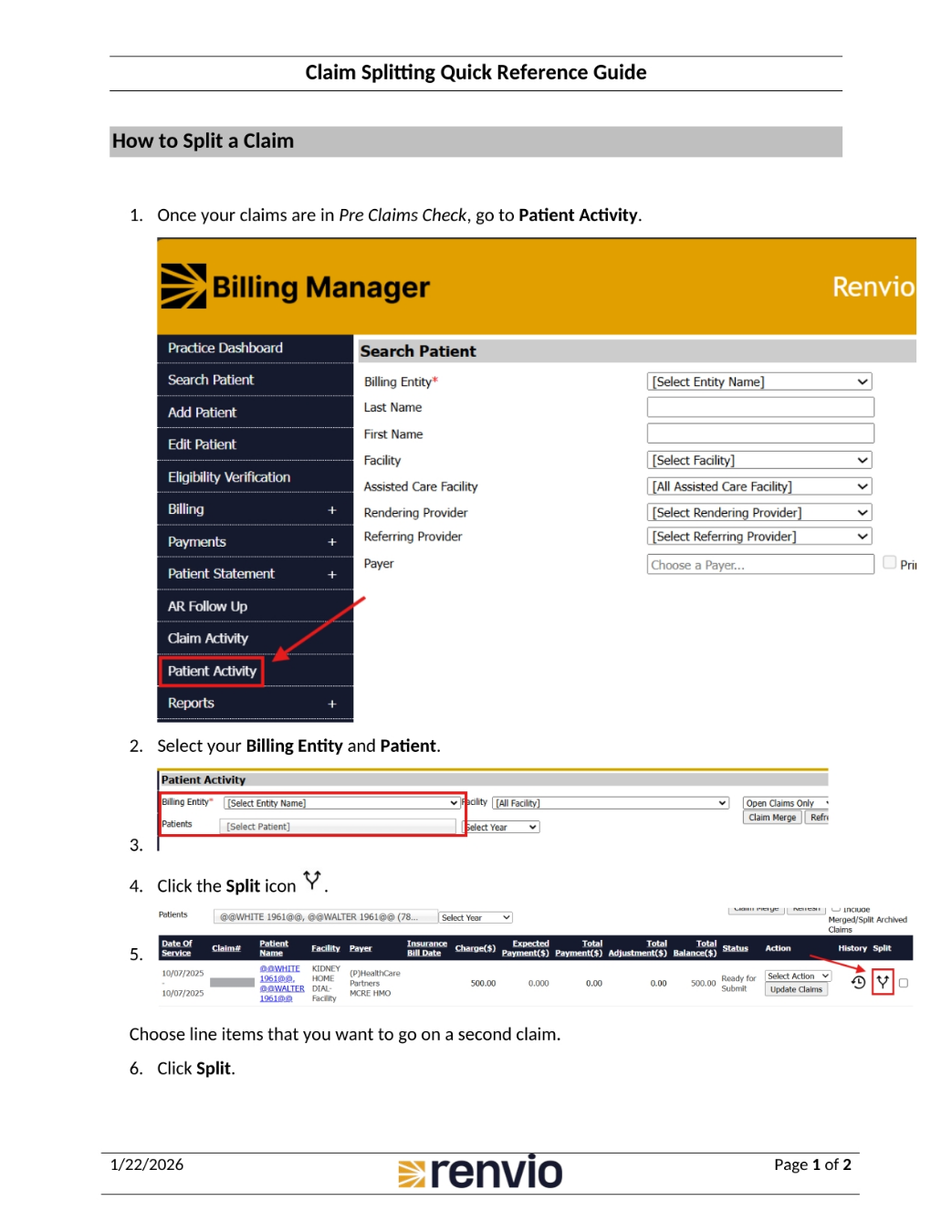
1. How to Split a Claim
To split a claim, first ensure your claims are in Pre Claims Check, then navigate to Patient Activity. Within the Billing Manager, locate and click on the Patient Activity section. Next, select the relevant Billing Entity and Patient. Click the Split icon, then choose the line items you want to include on the second claim. Finally, click Split to initiate the process.
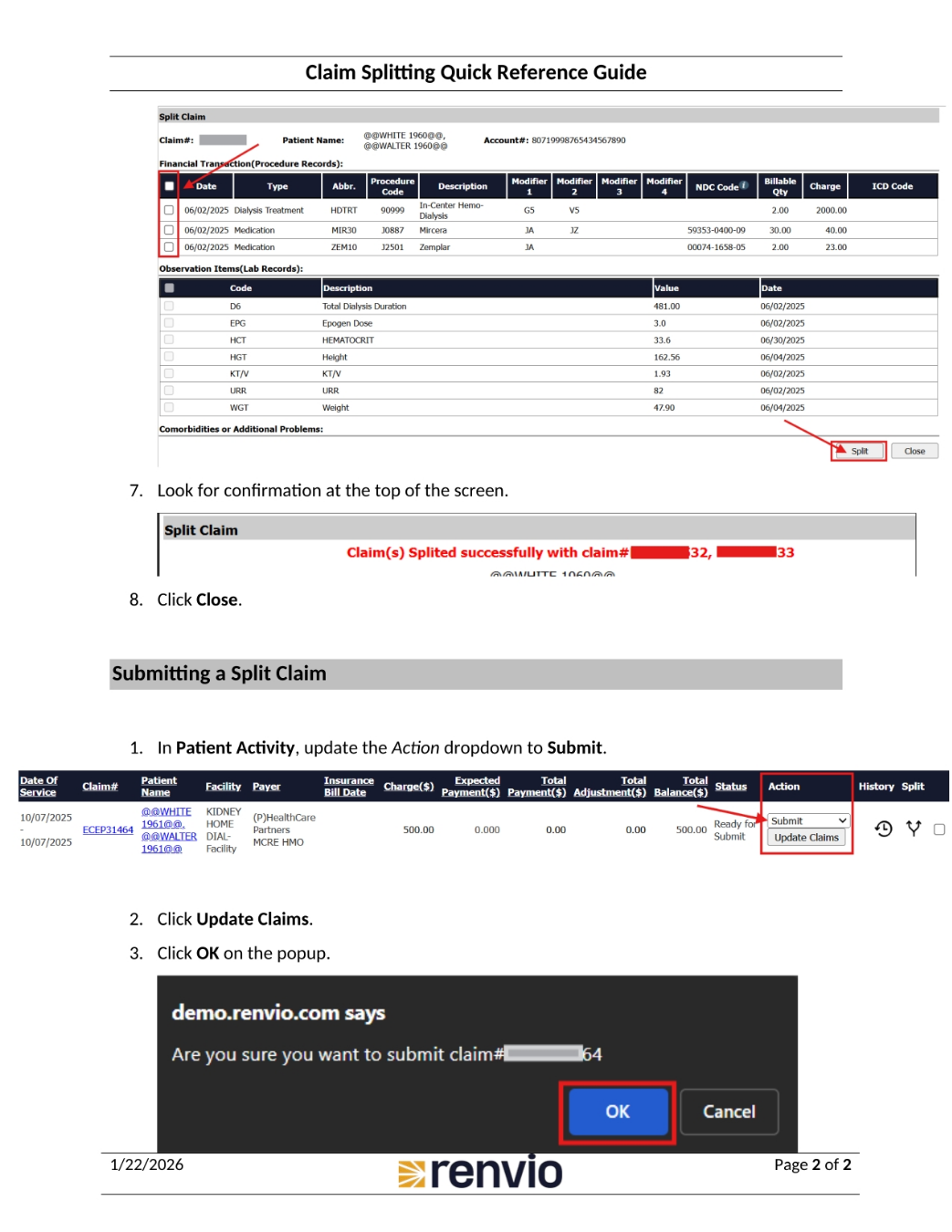
2. Completing the Split Claim Process
After initiating the split, look for confirmation at the top of the screen. Then, click Close. To submit the split claim, in Patient Activity, update the Action dropdown to Submit. Click Update Claims, and then click OK on the popup to finalize the submission.