Attaching a PDF to Claims: A Quick Guide
1. Attaching a PDF to Claims
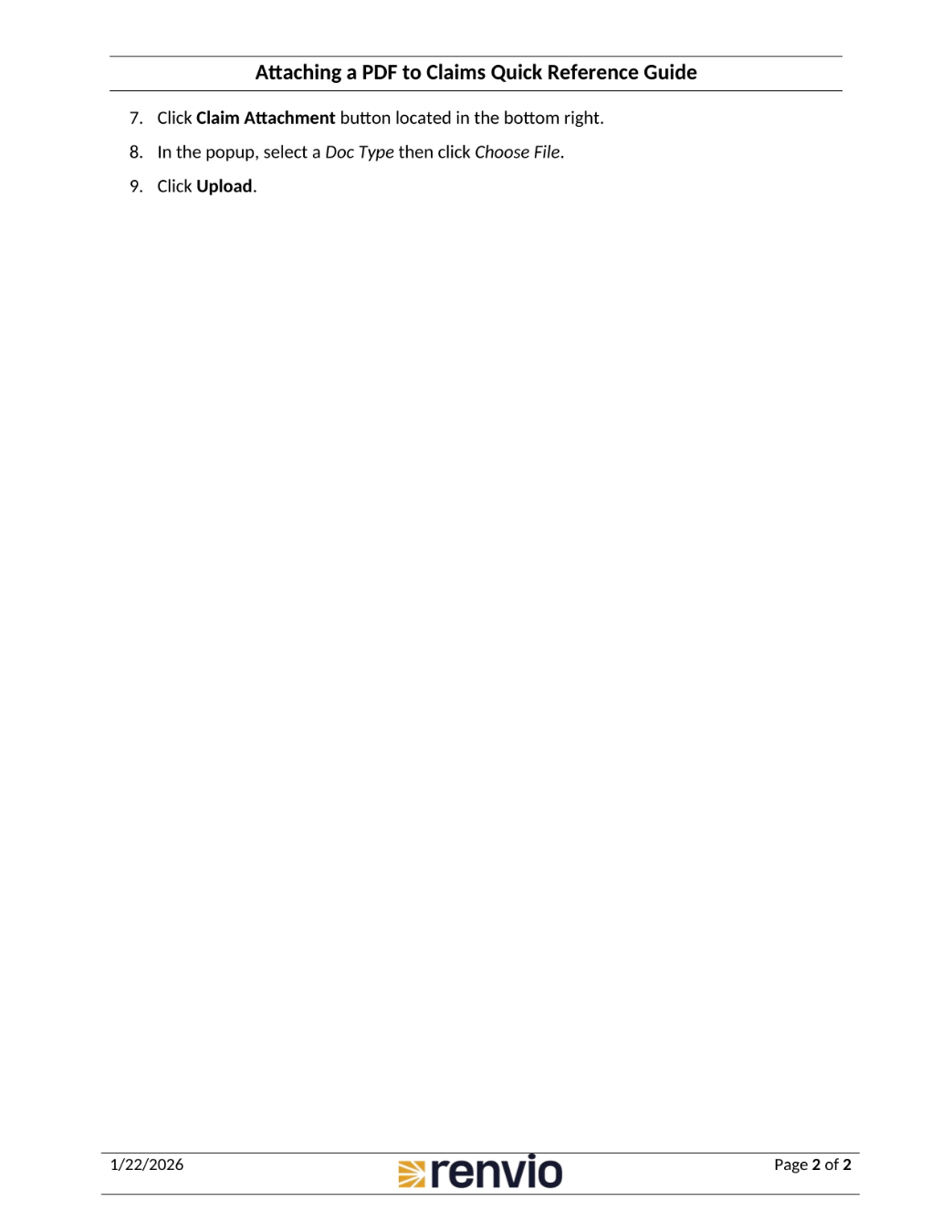
To attach a PDF to a claim, it must require additional documentation such as referral letters, medical reports, or authorization proofs. You may also need to resubmit denied claims, send secondary claims, or justify medical necessity. First, go to Patient Activity. Then, choose a Billing Entity, Facility, and Patient. Locate the Claim number, and under Action, choose Rebill. Click Update Claims. On the popup screen, select Additional Billing Data.
2. Attaching a PDF to Claims
To finalize attaching the PDF, click the Claim Attachment button located in the bottom right. In the popup, select a document type, then click Choose File. Finally, click Upload to complete the process.