Case Rate Mapping: A Quick Reference Guide for Calculating Revenue
1. Adding a New Case Rate
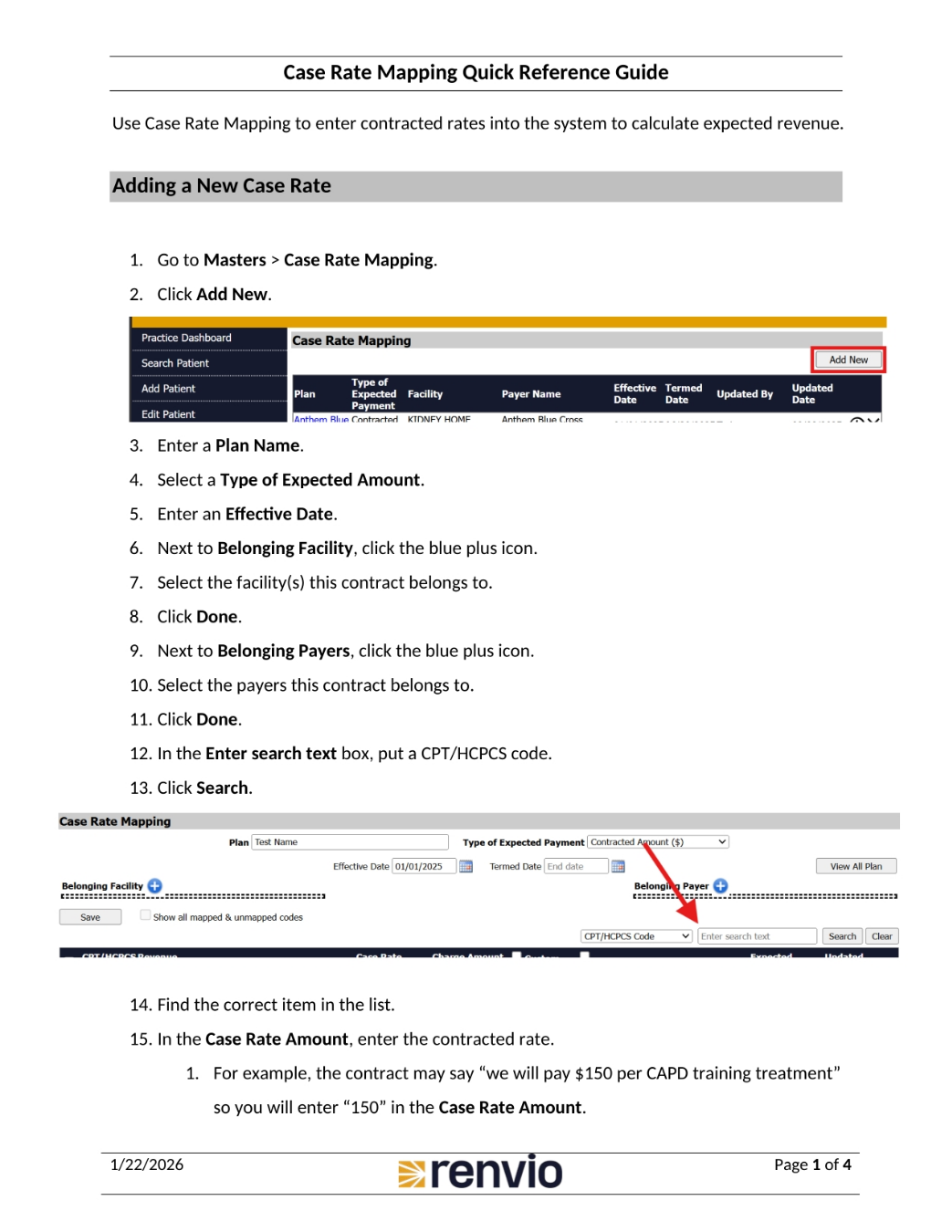
This quick reference guide will walk you through using case rate mapping to enter contracted rates into the system, which then calculates expected revenue. To add a new case rate, first go to Masters, then select Case Rate Mapping, and click Add New. Enter a Plan Name and select a Type of Expected Amount. Enter an Effective Date. Next, click the blue plus icon next to Belonging Facility and select the relevant facilities. Click Done. Repeat this process for Belonging Payers. Finally, enter the CPT or HCPCS code in the Enter search text box and click Search. Find the correct item in the list. In the Case Rate Amount, enter the contracted rate. For example, if the contract states $150 per CAPD training treatment, enter 150 in the Case Rate Amount.
2. Entering Case Rate and Charge Amounts
Continuing with adding a new case rate, if the contract specifies a percentage of charges, such as 92%, enter the charge amount in the Case Rate Amount field. In the Case Rate % field, enter the percentage. If you entered the contracted rate in the Case Rate Amount and expect to get the full amount, enter 100 in the Case Rate % field. If you entered the charge amount in the Case Rate Amount and expect a percentage of that amount, enter the percentage in the Case Rate % field. Check the box next to the CPT/HCPCS Code and click Save. Before adding more items, check the Show all mapped and unmapped codes box. Repeat steps 12 through 18 until completed. To view the list of all case rate mappings, click View All Plan.
3. Editing a Case Rate
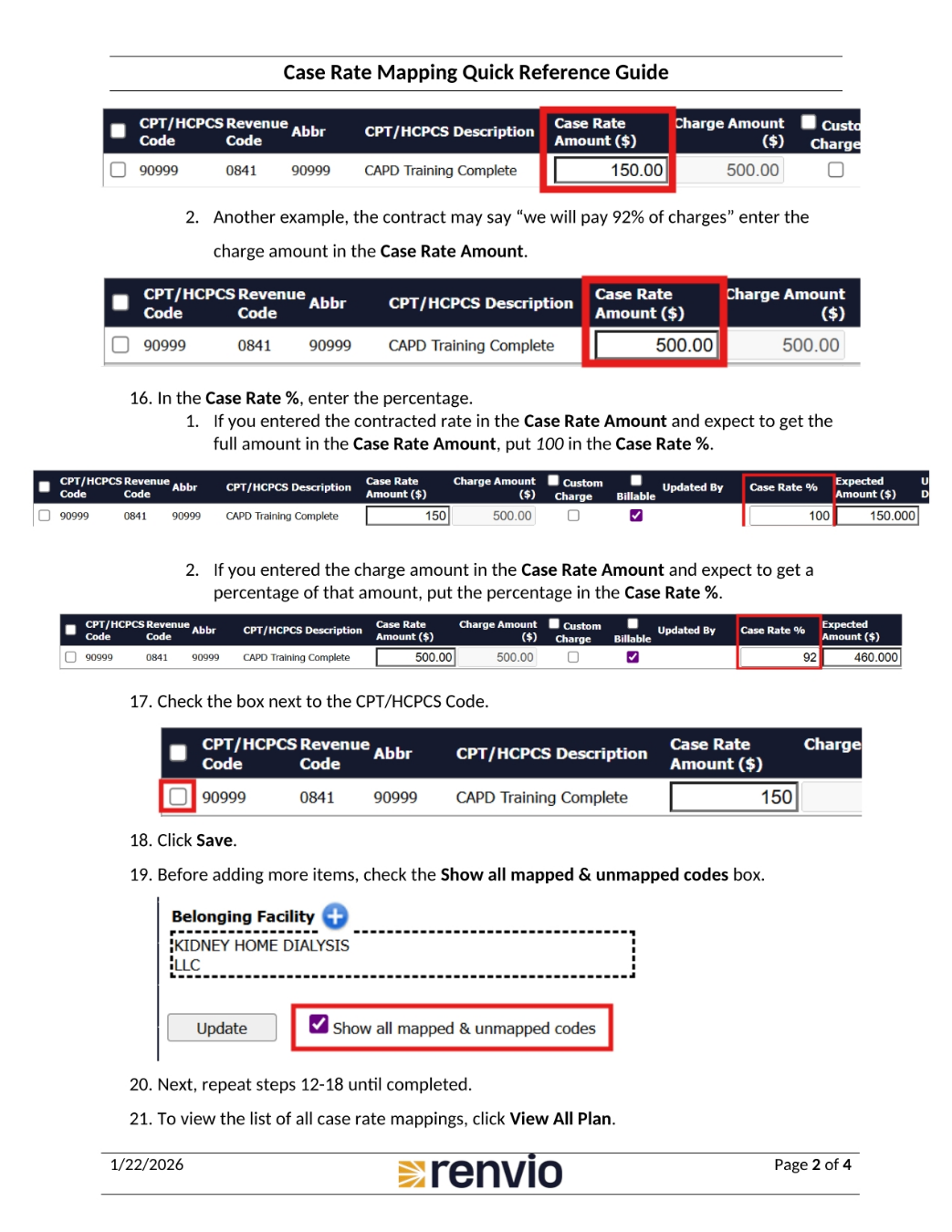
Now, let's review how to edit a case rate. Note that if you zero out the Case Rate Amount, the expected amount will be $0. To redo a case rate, it's best to enter an end date or delete it and then create a new case rate. To edit, go to Master, then Case Rate Mapping, and click the Plan Name. Click the Show all mapped and unmapped codes box. Make your changes and click Update.
4. Deleting a Case Rate
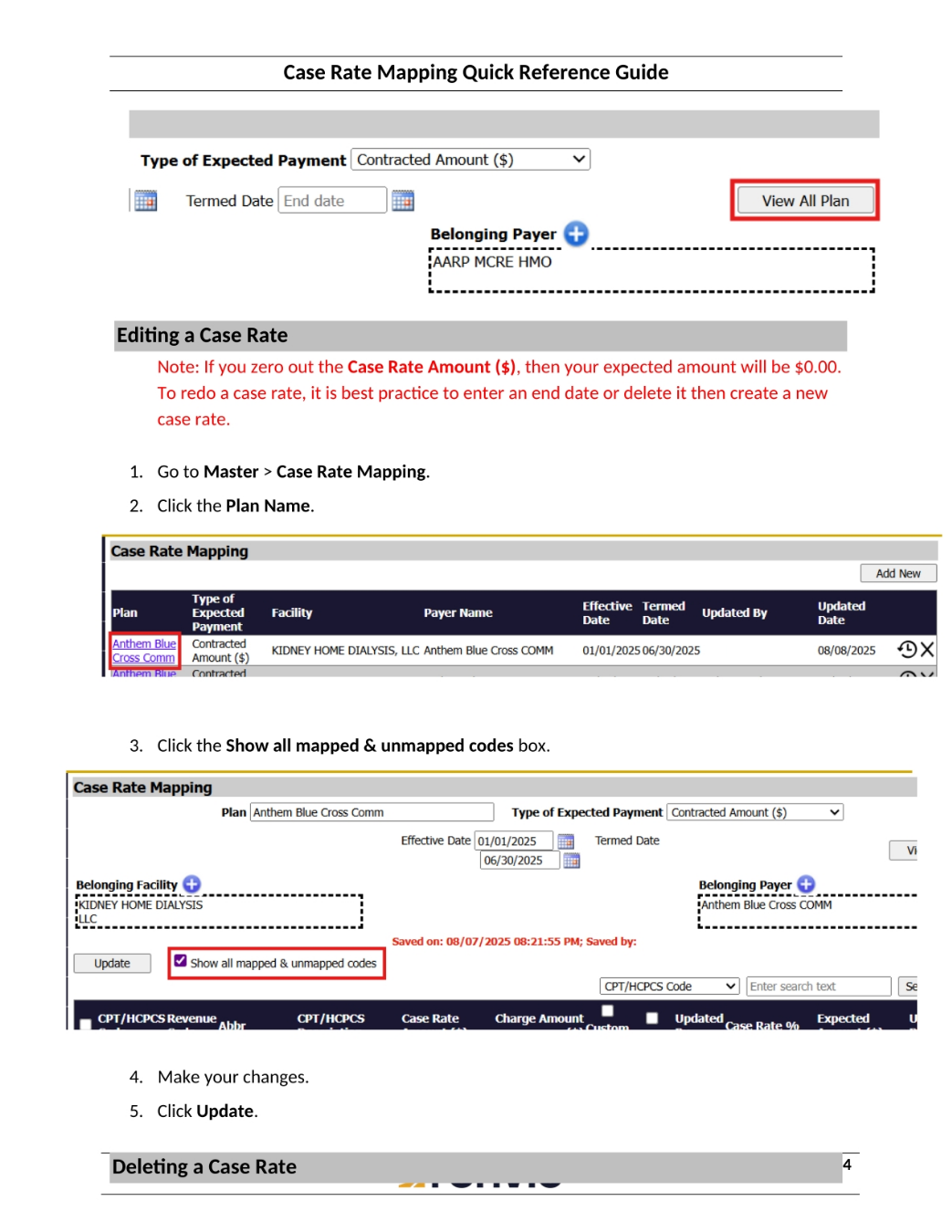
Finally, let's go over how to delete a case rate. Go to Master, then Case Rate Mapping, or if you are already in a plan, click View All Plan. To delete a plan, click the X on the right side of the screen. Then, click OK on the popup.